
Introduction
The amplyn A50 is a versatile and powerful device designed for automotive emergencies and outdoor activities. It combines a high-performance car battery jump starter, a 160PSI air compressor, a portable power bank, and a multi-mode LED light. This manual provides essential information for safe and effective use of your device.

Figure 1: amplyn A50 Jump Starter with included accessories.
Safety Information
Your amplyn A50 device is equipped with 10 intelligent safety protections to ensure safe operation for both beginners and experts. Always adhere to the following safety guidelines:
- Read all instructions carefully before use.
- Do not operate the device if it is damaged.
- Ensure proper polarity connection when jump starting to avoid sparks or damage.
- Keep the device away from children.
- Do not expose the device to extreme temperatures outside the operating range (-4°F to 140°F).
- Avoid short-circuiting the jumper clamps.
- Do not disassemble the device.

Figure 2: The amplyn A50 features 10 intelligent safety protections including overcharge, reverse polarity, and short circuit protection.
Package Contents
Verify that all items are present in your package:
- amplyn A50 Jump Starter
- Durable Smart Clamps
- Rotatable Air Hose
- 4 Valve Connectors (various nozzles for different inflatables)
- USB Cable
- USB-C Charging Cable
- After-sales Card
- EVA Protection Case
- User Manual
Setup
Charging the Device
Before first use, fully charge your amplyn A50. The device supports 60W PD USB-C bidirectional fast charging.
- Connect the provided USB-C charging cable to the USB-C input port on the device.
- Connect the other end of the USB-C cable to a compatible 60W PD wall charger (not included, but a 20W wall charger is in box).
- The display will indicate charging progress. The device can charge from 0% to 90% in approximately 1 hour with a 60W charger.
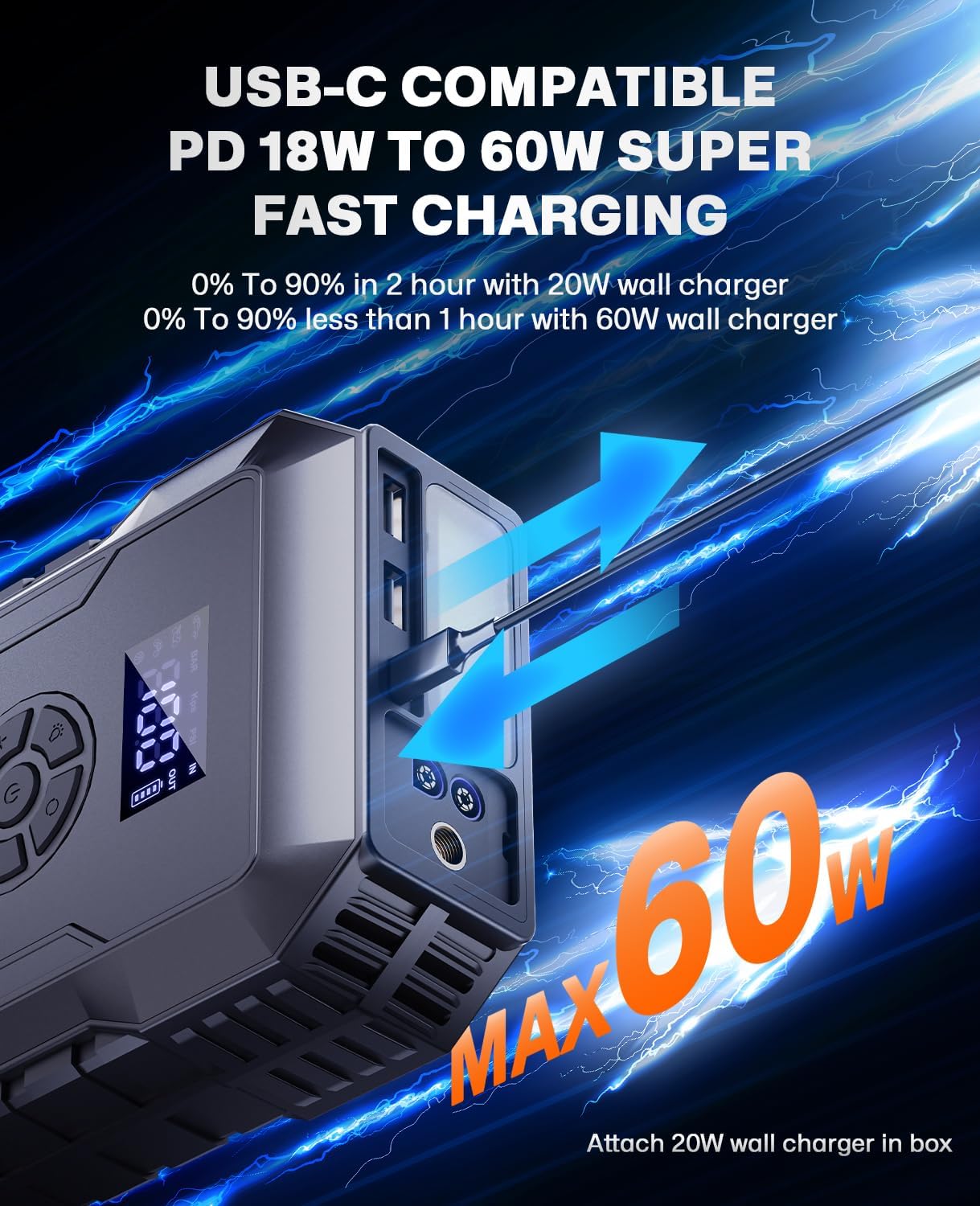
Figure 3: The amplyn A50 supports fast charging via its USB-C port.
Operating Instructions
1. Jump Starting a Vehicle
The amplyn A50 can revive dead or weak batteries instantly with its 5000A peak current. It supports all gas engines and up to 10L diesel engines.
- Insert the smart clamp plug into the jump starter port. The indicator light on the clamp will flash red and green alternately.
- Connect the red (+) clamp to the positive (+) terminal of the vehicle battery and the black (-) clamp to the negative (-) terminal.
- Once connected correctly, the indicator light on the smart clamp will turn solid green.
- Start your vehicle quickly.
- After the vehicle starts, immediately remove the smart clamps from the vehicle battery, then from the jump starter.

Figure 4: Step-by-step guide for jump starting your vehicle.
Video 1: Demonstrates the process of using the amplyn A50 to jump start a car.
2. Using the Air Compressor
The 22-cylinder wireless inflator provides 160PSI max pressure and rapid air supply with auto-shutoff. It can inflate a car tire to 35PSI in just 2 minutes.
- Screw the rotatable air hose into the designated port on the top of the device.
- Attach the appropriate nozzle (4 included) to the air hose for your item (car, motorcycle, bike, ball, etc.).
- Connect the nozzle to the item you wish to inflate.
- Press the power button to turn on the device. The display will show the current pressure.
- Press the 'M' button to select the inflation mode (car, motorcycle, bike, ball) and pressure unit (PSI/BAR/KPA/KG).
- Use the '+' and '-' buttons to set your desired air pressure value.
- Press the start button to begin inflation. The compressor will automatically stop when it reaches the preset value.

Figure 5: Step-by-step guide for inflating your car tires using the amplyn A50.

Figure 6: The amplyn A50 in action, inflating a car tire.
3. Using as a Portable Power Bank
The amplyn A50 features a 60W PD USB-C port and dual 18W USB ports for simultaneous multi-device charging. It can power laptops for over 2 hours.
- Open the protective flap on the side of the device to access the USB ports.
- Connect your device (phone, tablet, laptop, etc.) to one of the available USB ports using its charging cable.
- The amplyn A50 will automatically begin charging your device.

Figure 7: The amplyn A50 can charge multiple electronic devices at once.
4. Using the Emergency Light
The device includes a tri-mode LED light for various emergency situations.
- Press and hold the light button on the device to activate the Steady Task Light mode.
- Press the light button again to switch to Strobe Warning Mode (120-lumen flashes).
- Press the light button a third time to activate SOS Rescue Mode (broadcasts distress signals visible from 1km away).
- Press and hold the light button to turn off the light.

Figure 8: The amplyn A50's LED light provides illumination for various tasks and emergencies.
Maintenance
To ensure the longevity and optimal performance of your amplyn A50, follow these maintenance guidelines:
- Recharge Regularly: Recharge the device every 3-6 months, even if not in use, to maintain battery health.
- Proper Storage: Store the device in its EVA protection case in a cool, dry place away from direct sunlight and extreme temperatures.
- Cleanliness: Keep the ports and clamps free from dust and debris. Use a dry, soft cloth for cleaning.
- Avoid Over-Discharge: Do not allow the device's battery to completely drain for extended periods.
Troubleshooting
If you encounter issues with your amplyn A50, refer to the following common troubleshooting steps:
- Device Not Turning On: Ensure the device is sufficiently charged. Recharge if the battery level is low.
- Jump Starter Not Working: Check that the smart clamps are securely connected to both the jump starter and the vehicle battery terminals with correct polarity. The indicator light should be solid green.
- Air Compressor Not Inflating: Verify the air hose is securely screwed into the device and the nozzle is properly attached to the item. Check the preset pressure setting.
- Charging Issues: Ensure you are using the provided USB-C cable and a compatible wall adapter.
For further assistance, please contact customer support.
Specifications
| Feature | Specification |
|---|---|
| Brand | amplyn |
| Model | A50 |
| Peak Output Current | 5000 Amps |
| Battery Capacity | 24000mAh |
| Engine Compatibility | All Gas / Up to 10L Diesel |
| Air Compressor Max Pressure | 160 PSI |
| Charging Ports | 60W PD USB-C (In/Out), Dual 18W USB (Out) |
| Emergency Light Modes | Steady, Strobe, SOS |
| Operating Temperature | -4°F to 140°F |
| Dimensions | 8.27 x 2.36 x 4.33 inches |
| Weight | 7 ounces |
Warranty and Support
amplyn stands behind the quality of its products. Your amplyn A50 comes with:
- 1-Year Hassle-Free Return Policy: For any manufacturing defects or issues.
- Lifetime Technical Support: Our dedicated support team is available to assist you with any questions or concerns regarding your device.
For warranty claims or technical assistance, please refer to the contact information provided in your After-sales Card or visit our official website.