
yeewise K8202
yeewise WiFi6 Solar Security Camera System User Manual
Model: K8202 (2-Cam Kit)
Introduction
Welcome to the user manual for your new yeewise WiFi6 Solar Security Camera System. This guide provides detailed instructions for setting up, operating, maintaining, and troubleshooting your 2-camera kit. Please read this manual thoroughly to ensure optimal performance and longevity of your security system.

The yeewise WiFi6 Solar Security Camera System, featuring two cameras, two solar panels, and a central home base.
Product Overview
Key Features
- WiFi 6 & Dual-Band Connectivity: Supports both 2.4GHz and 5GHz Wi-Fi for faster speeds, longer range, and smoother streaming, ensuring reliable connectivity.
- Solar-Powered Operation: High solar efficiency allows for 365-day battery life with just 3 hours of daily sunlight. IP66 weatherproof design ensures durability in various conditions.
- No Monthly Fees & Local Storage: Includes 64GB local storage (expandable up to 512GB) for encrypted video recordings, offering privacy and no recurring subscription costs.
- 2K QHD Clarity & Color Night Vision: Captures 80% sharper details than 1080p. Built-in spotlights enable vibrant color night vision, and 10x digital zoom provides clear views.
- Smart Humanoid Detection & Alerts: Detects human movement to reduce false alarms. Features sirens, spotlights, and app push notifications to deter intruders and keep you informed.

Experience superior clarity with 2K QHD resolution.

Stay connected with advanced WiFi 6 and dual-band technology.

Benefit from true color night surveillance with built-in spotlights.
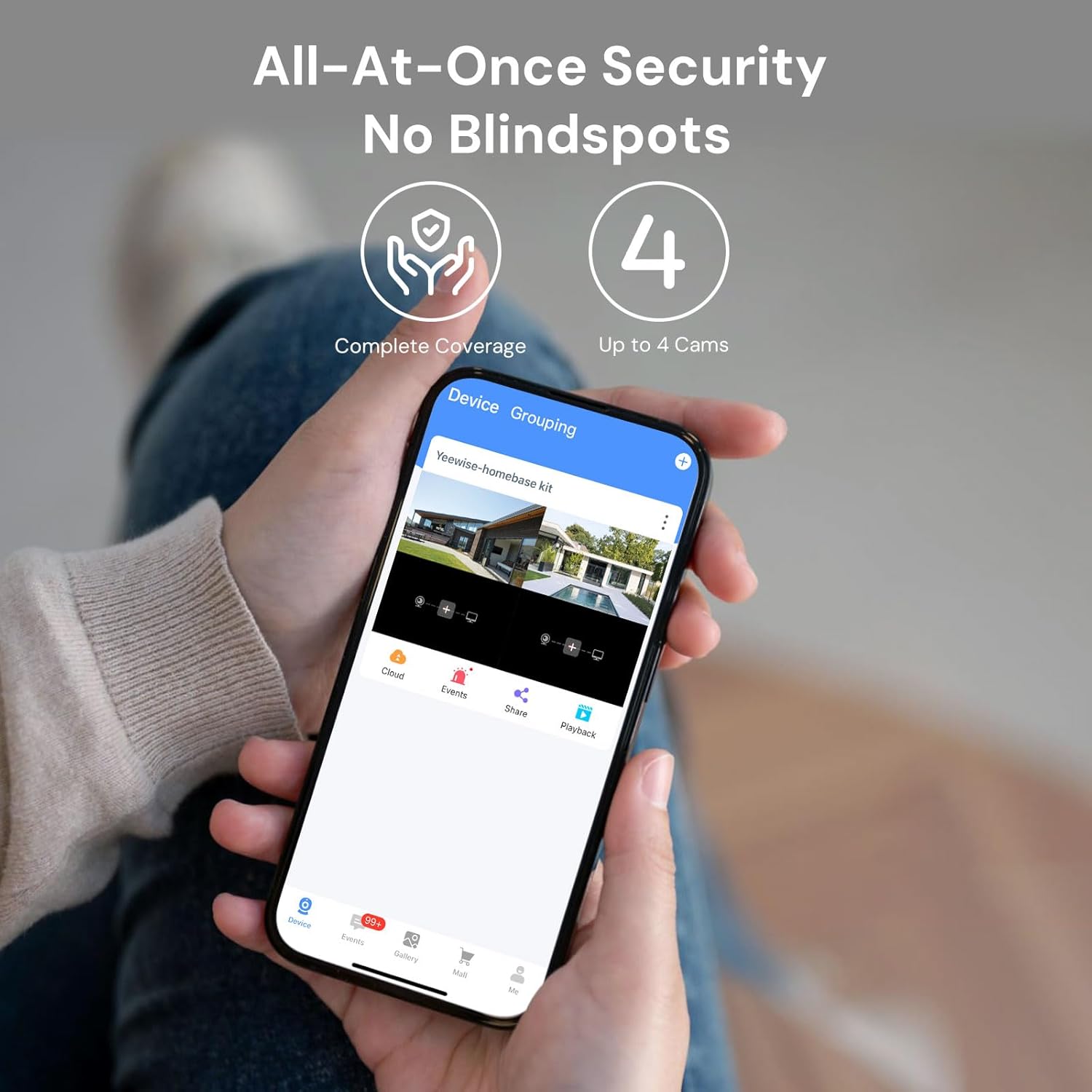
Achieve all-at-once security with no blindspots, supporting up to 4 cameras.

Advanced smart humanoid detection for accurate alerts.

Enjoy local storage with no hidden fees, expandable up to 512GB.

Reliable non-stop solar power for continuous protection.

Built for all-weather durability with IP66 weatherproof rating.
Package Contents
Your yeewise WiFi6 Solar Security Camera System (2-Cam Kit) includes the following components:
- 2 x WiFi6 Solar Security Cameras
- 2 x Solar Panels
- 1 x Home Base
- Mounting Hardware (screws, brackets)
- Power Adapter for Home Base
- Ethernet Cable
- Instruction Manual (this document)
Setup Guide
Follow these steps to set up your yeewise security camera system.
1. Power On the Devices
- Base Station: Connect the Home Base to power using the provided adapter. Wait for the indicator light to turn solid green, indicating it's ready for setup.
- Solar Cameras: Press the power button on each camera to turn it on. The cameras are pre-paired with the Base Station for a hassle-free installation.
2. Install the App & Connect to Wi-Fi
- Download the KittyhokPro app from the App Store (iOS) or Google Play Store (Android).
- Launch the app and create an account or log in.
- Tap "+" or "Add Device" to add the Home Base. Enable Bluetooth when prompted. The app should automatically detect the Base Station.
- Follow the in-app instructions to connect the Base Station to your Wi-Fi network. The system supports dual-band (2.4GHz & 5GHz) for stable connections.
3. Mounting the Cameras
Select a location where you can get the desired view and maximum sunlight exposure. We recommend hanging the camera 7-10 ft (2-3 m) above the ground. Ensure the solar panel receives at least 3-4 hours of direct sunlight per day. Avoid shaded areas caused by trees, walls, or roof overhangs. Face the solar panel south (Northern Hemisphere) or north (Southern Hemisphere) for best sun exposure.

Plan your camera placement for optimal wider coverage.
- Use the included screws and brackets to securely mount the cameras and solar panels.
- Adjust the solar panel angle for optimal sunlight exposure throughout the day.

Flexible solar panel and camera mounting options.
Setup Video Guide
Official User Guide for Yeewise Solar Security Kit with Home Base. This video provides a visual walkthrough of the initial setup process, including powering on devices, app installation, and basic camera connection.
Operating Instructions
Live View and Playback
Once your cameras are connected, open the KittyhokPro app. Tap on each camera in the app to view the live feed. You can also access recorded events and playback historical footage from the app's interface.
Motion Detection and Alerts
The system features smart humanoid detection to accurately identify people and minimize false alarms. When motion is detected, the cameras can activate built-in spotlights and sirens to deter intruders. You will receive instant push notifications on your smartphone via the app.

Receive instant alerts directly to your smartphone.
Two-Way Audio
Utilize the two-way audio feature through the app to communicate with visitors or deter unwanted guests. Simply tap the microphone icon in the live view to speak through the camera's speaker.
Local Storage
The Home Base comes with 64GB of built-in local storage, which can be expanded up to 512GB using a compatible microSD card. This allows you to store a significant amount of encrypted video footage without the need for cloud subscriptions.
Maintenance
Regular maintenance ensures the optimal performance and longevity of your security system.
- Cleaning: Periodically clean the camera lenses and solar panels with a soft, damp cloth to remove dust, dirt, or debris that may obstruct the view or reduce charging efficiency.
- Solar Panel Care: Ensure the solar panels remain free from obstructions (e.g., leaves, snow) to maximize sunlight absorption.
- Firmware Updates: Check the KittyhokPro app regularly for firmware updates. Keeping your system updated ensures you have the latest features and security enhancements.
- Environmental Conditions: While IP66 weatherproof, extreme weather conditions (e.g., heavy snow accumulation, prolonged sub-zero temperatures) may temporarily affect performance.

The system is designed for all-weather durability.
Troubleshooting
If you encounter any issues with your yeewise security camera system, refer to the table below for common problems and their solutions.
| Problem | Solution |
|---|---|
| Camera not powering on / Low battery | Ensure solar panel receives at least 3-4 hours of direct sunlight daily. Check the solar panel cable connection to the camera. |
| No connection to Home Base / App offline | Verify the Home Base is powered on and its indicator light is solid green. Ensure the Home Base is connected to your Wi-Fi (2.4GHz or 5GHz). Try restarting the Home Base and the app. If cameras are not connected, try re-syncing them with the Home Base (refer to app instructions). |
| Poor video quality (blurry, dark) | Clean the camera lens. Ensure there are no obstructions in front of the camera. Check Wi-Fi signal strength in the camera's location. Adjust camera position for optimal lighting. |
| No motion alerts | Check app notification settings on your smartphone. Ensure motion detection is enabled for the camera in the app. Verify the motion detection zone is correctly configured. |
| Two-way audio not working | Ensure microphone and speaker permissions are granted to the app on your smartphone. Check volume settings on your phone and within the app. |
Specifications
Detailed technical specifications for your yeewise WiFi6 Solar Security Camera System:
| Feature | Detail |
|---|---|
| Model Name | YKW42 |
| Item Model Number | K8202 |
| Indoor/Outdoor Usage | Outdoor |
| Power Source | Solar Powered |
| Connectivity Protocol | Wi-Fi (2.4GHz & 5GHz) |
| Video Capture Resolution | 2560p (2K QHD) |
| Night Vision Range | 33 Feet |
| Water Resistance Level | IP66 Weatherproof |
| Flash Memory Installed Size | 64 GB (Micro SD) |
| Flash Memory Supported Size Maximum | 512 GB |
| Viewing Angle | 100 Degrees |
| Control Method | App, Remote (via Amazon Alexa) |
| Special Features | Local Recording, 2-Way Audio, Night Vision, Built-In Light, Weather Proof |
| Item Dimensions L x W x H | 7.13 x 6.06 x 6.14 inches |
| Item Weight | 2.2 Pounds |
Warranty and Support
Warranty Information
Your yeewise security camera system comes with a One Year Warranty, offering replacement instead of repair for covered issues.
Customer Support
For further assistance, technical support, or warranty inquiries, please contact yeewise customer support:
- Email: support@yeewise.com
- Website: https://www.yeewise.com
- Full User Guide (PDF): Download PDF
Related documentsK8202

Ask a question about this manual
Ask about setup, troubleshooting, compatibility, parts, safety, or missing instructions. Manuals+ will review the question and use this page’s manual context to help answer it.