1. Introduction
Thank you for choosing the KEMEI KM-1573 Cordless Professional Hair Clipper. This device is designed for precise hair cutting and trimming, offering convenience and efficiency for both home and professional use. Please read this manual thoroughly before operating the clipper to ensure safe and optimal performance.
2. Safety Information
Important: Please read and understand all safety instructions before use.
- Avoid using the clipper near water or in wet environments.
- Do not use this product on infants.
- Keep the device out of reach of children.
- Do not disassemble or attempt to repair the clipper yourself. Contact qualified personnel for service.
- Use only the charging cable provided with the device.
- Ensure the clipper is dry before charging or operating.
- Do not operate the clipper if the blades are damaged, as this may cause injury.
3. Package Contents
Verify that all items listed below are included in your package:
- KEMEI KM-1573 Hair Clipper
- 5 Guide Combs (1mm, 2mm, 3mm, 4mm, 5mm)
- USB Charging Cable
- Cleaning Brush
- Lubricating Oil Bottle
- User Manual
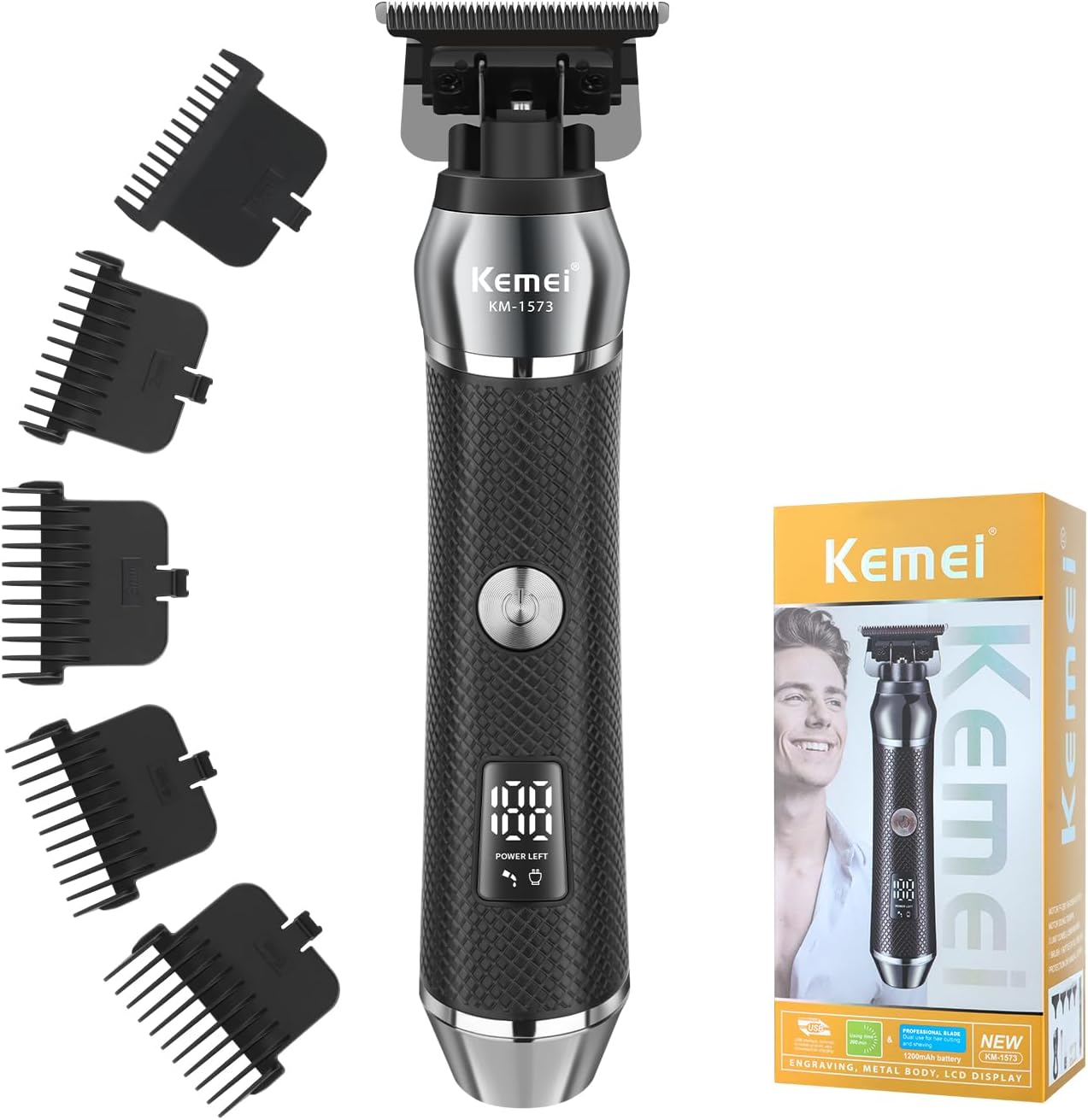
Image 3.1: KEMEI KM-1573 Hair Clipper with included accessories, including the clipper, five guide combs, USB charging cable, cleaning brush, and oil bottle.
4. Product Features
- Adjustable Guide Combs: The clipper comes with 5 different guide combs (1mm, 2mm, 3mm, 4mm, 5mm) to provide various cutting lengths for versatile styling.
- Powerful Motor: Equipped with a robust motor for smooth, efficient, and snag-free cutting performance across all hair types.
- 1200mAh Large Capacity Battery & USB Charging: Features a high-capacity battery providing up to 3 hours of cordless operation after a full charge. Conveniently charges via USB.
- LCD Display: A digital LED display shows real-time battery percentage (0-100%) and provides intelligent reminders for charging, oiling, and cleaning.
- Sharp Blade: Designed with a precision sharp blade that ensures quick and comfortable hair trimming while protecting the skin.
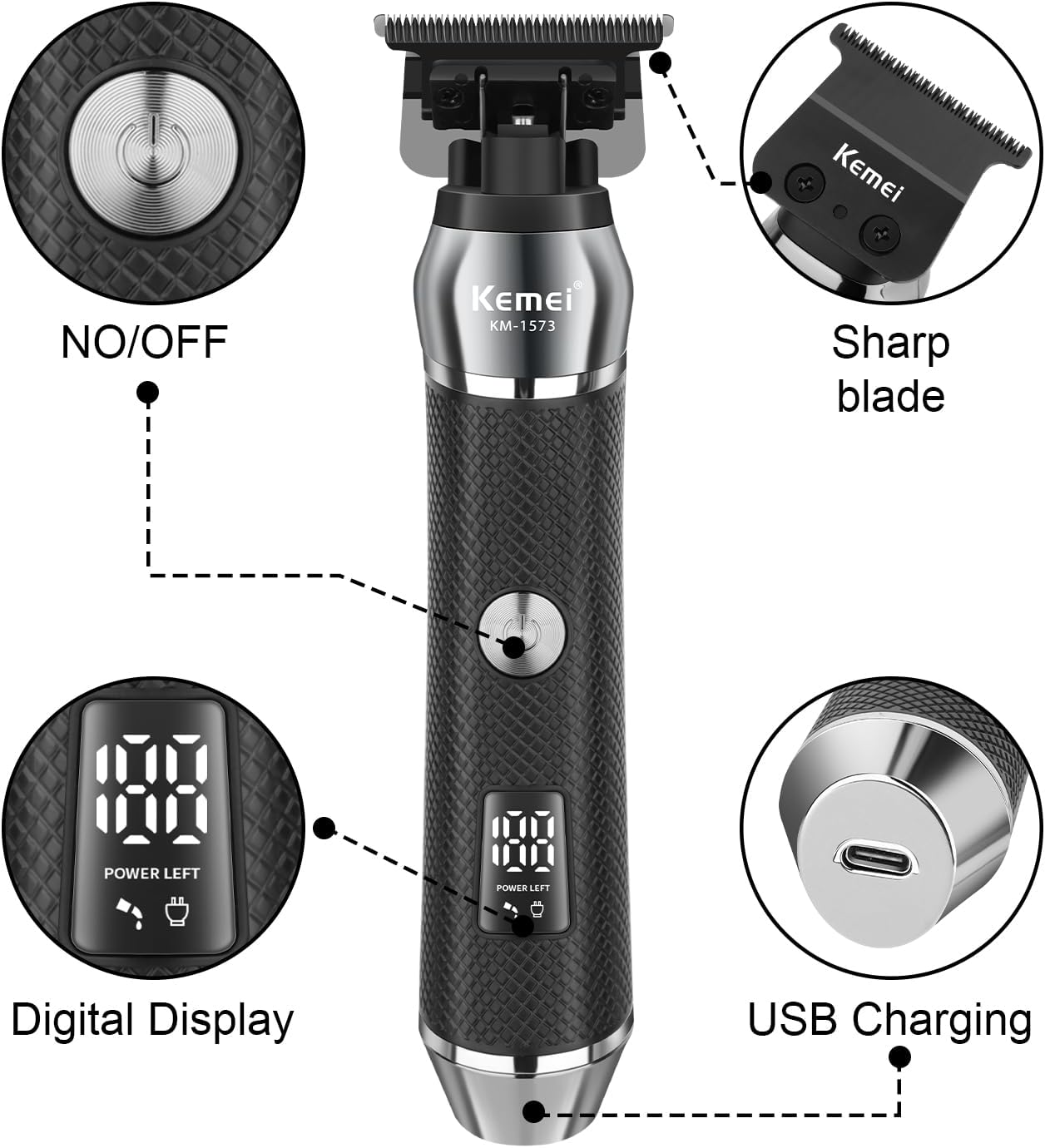
Image 4.1: Diagram illustrating the key components of the KEMEI KM-1573 Hair Clipper, including the ON/OFF button, sharp blade, digital display, and USB charging port.

Image 4.2: Close-up view of the KEMEI KM-1573's sharp blade, highlighting its quick cutting ability and skin-safe design.

Image 4.3: Illustration depicting the powerful, high-speed motor of the KEMEI KM-1573, emphasizing its low noise, high speed, and time-saving benefits.

Image 4.4: The digital LCD display on the KEMEI KM-1573, showing battery percentage, charge reminder, and oil reminder icons.
5. Setup
5.1 Initial Charging
- Before first use, fully charge the clipper.
- Connect the USB charging cable to the clipper's charging port and plug the other end into a compatible USB power source (e.g., computer, wall adapter, power bank).
- The LCD display will show the battery percentage increasing during charging. A full charge typically takes approximately 2 hours.
- Once fully charged, the clipper can operate for up to 3 hours.
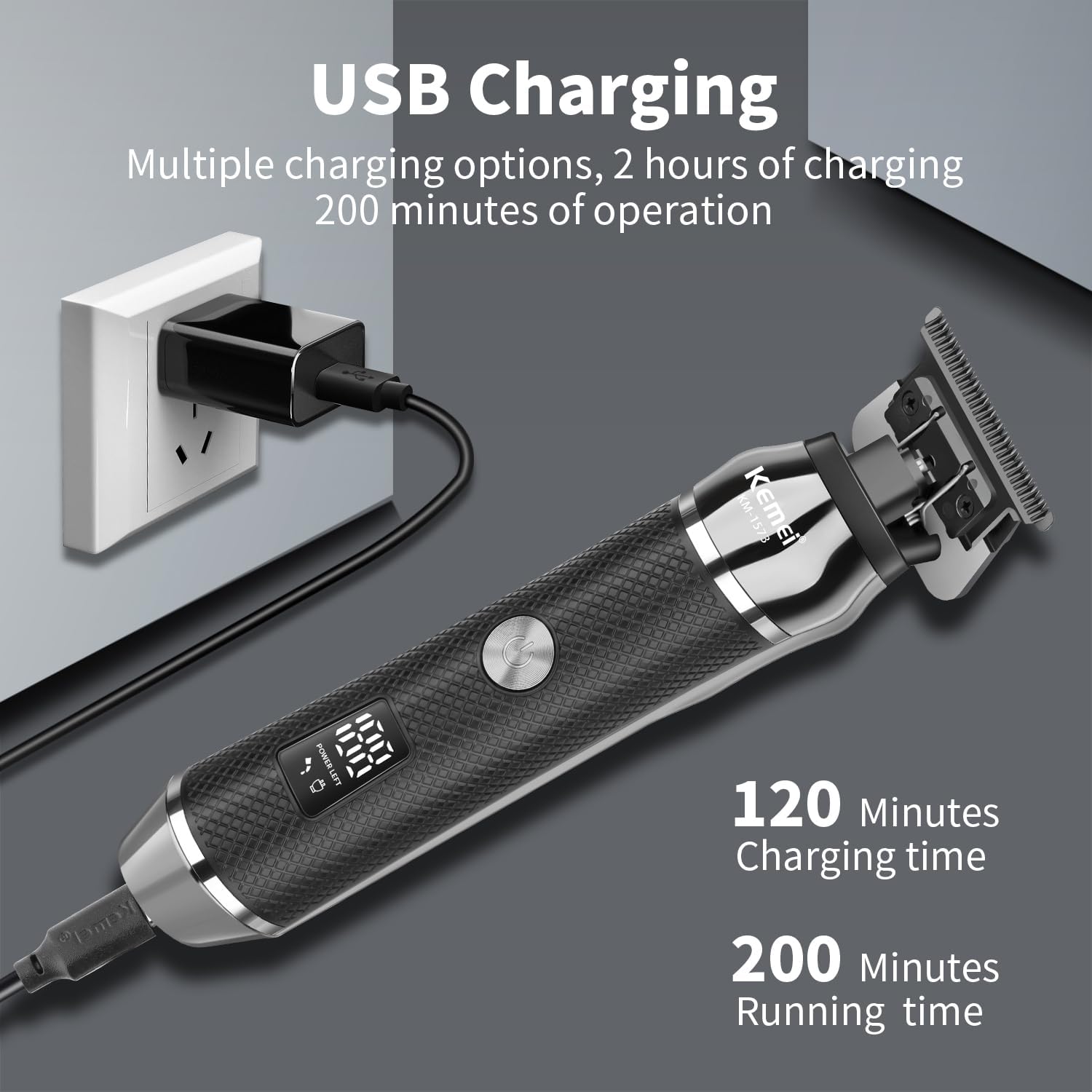
Image 5.1: The KEMEI KM-1573 clipper connected to a USB power source for charging, illustrating its versatile charging options.
5.2 Attaching Guide Combs
- Ensure the clipper is turned off before attaching or removing guide combs.
- Select the desired guide comb (1mm, 2mm, 3mm, 4mm, or 5mm).
- Align the comb with the clipper blade and push it firmly until it clicks into place.
- To remove, gently pull the comb away from the blade.
Video 5.1: This video demonstrates the unboxing of the KEMEI KM-1573 hair clipper, how to turn it on, attach and remove the guide combs, and perform basic cleaning and charging procedures.
6. Operating Instructions
6.1 Turning On/Off
Press the power button located on the front of the clipper to turn it on or off.
6.2 Selecting Hair Length
Attach the appropriate guide comb (1mm, 2mm, 3mm, 4mm, or 5mm) to achieve your desired hair length. For shorter cuts, use smaller combs or operate without a comb for a close trim.
6.3 Trimming Hair
- Ensure hair is clean and dry before trimming.
- Hold the clipper with the blade flat against the hair, moving against the direction of hair growth.
- Use slow, controlled strokes for an even cut.
- Regularly check the LCD display for battery status and maintenance reminders.
7. Maintenance
7.1 Cleaning the Blades
- Turn off the clipper and remove the guide comb.
- Use the provided cleaning brush to remove any loose hair from the blades and the clipper body.
- For a more thorough cleaning, the blade assembly can be carefully detached (refer to video 5.1 for demonstration) and rinsed under running water. Ensure the blade is completely dry before reattaching.
7.2 Oiling the Blades
After every few uses, or when the LCD display shows an oil reminder, apply a few drops of the provided lubricating oil to the blades. Turn on the clipper for a few seconds to distribute the oil evenly. This helps maintain blade sharpness and smooth operation.
8. Troubleshooting
- Clipper not turning on:
- Check if the battery is charged. Connect the clipper to the USB charging cable and allow it to charge for at least 30 minutes before attempting to turn it on again. - Poor cutting performance or pulling hair:
- Ensure the blades are clean and free of hair debris. Use the cleaning brush to remove any trapped hair.
- Apply lubricating oil to the blades as described in the maintenance section.
- Verify that the guide comb is correctly attached and not damaged. - Excessive noise or vibration:
- Clean and oil the blades. Accumulated hair or lack of lubrication can cause increased friction and noise.
9. Specifications
| Feature | Specification |
|---|---|
| Model Number | KM-1573 |
| Product Dimensions | 6.06 x 1.77 x 1.18 inches |
| Item Weight | 9.74 ounces (276 Grams) |
| Power Source | Battery Powered |
| Battery Type | 1 x 12V (included) |
| Recommended Uses | Beard, Head |
| Color | Black |
| Manufacturer | KEMEI |
10. Warranty and Support
For warranty information and customer support, please refer to the warranty card included in your product packaging or visit the official KEMEI website. Keep your purchase receipt as proof of purchase for any warranty claims.


