
Vipbear Base M300
Vipbear Twin XL Adjustable Bed Frame User Manual
Model: Base M300
1. Introduction
Thank you for choosing the Vipbear Twin XL Adjustable Bed Frame. This manual provides essential information for the safe and efficient operation, assembly, and maintenance of your new adjustable bed frame. Please read this manual thoroughly before assembly and use, and retain it for future reference.
Our adjustable bed frame is designed to enhance your sleep quality and provide personalized comfort with features such as head and foot articulation, massage functions, USB charging ports, and under-bed lighting. Enjoy a new level of relaxation and support.
2. Safety Instructions
- Always ensure the bed frame is placed on a flat, stable surface.
- Keep hands and feet clear of moving parts during operation to prevent injury.
- Do not allow children or pets to play on or under the bed frame.
- Do not exceed the maximum weight capacity of 340 kg (750 lbs).
- Unplug the bed frame from the power outlet before cleaning or performing any maintenance.
- Use only the provided power cord and remote control.
- If any part is damaged or missing, do not attempt to assemble or operate the bed frame. Contact customer support immediately.
3. Package Contents
Before beginning assembly, verify that all components are present and undamaged. If anything is missing or damaged, please contact Vipbear customer support.
- 1 x Twin XL Adjustable Bed Base
- 1 x Wireless Remote Control
- Power Cord and Adapter
- Legs (Adjustable Height)
- Mattress Retainer Bar
- Assembly Hardware and Tools (if applicable)
4. Setup Instructions
The Vipbear adjustable bed frame is designed for easy assembly. Follow these steps for quick setup:
- Unpack the Base: Carefully remove the adjustable base from its packaging. The bed frame is shipped in a compact 'bed in a box' format.
- Position the Base: Place the folded base in the desired location in your room. Ensure there is enough clearance around the bed for movement.
- Unfold the Base: Gently unfold the bed frame sections. Be cautious of pinch points.
- Attach the Legs: Screw the adjustable legs into the designated threaded holes on the underside of the frame. Adjust the leg height to your preference.
- Install Mattress Retainer Bar: Insert the mattress retainer bar into the holes at the foot end of the bed frame. This prevents the mattress from sliding during adjustments.
- Connect Power: Plug the power cord into the control box on the bed frame, then plug the adapter into a wall outlet.
- Pair Remote Control (if necessary): Refer to the remote control section for pairing instructions if the remote does not immediately respond.
- Place Mattress: Carefully place your Twin XL mattress on the adjustable bed frame.

Figure 4.1: The Vipbear Twin XL Adjustable Bed Frame showing its head and foot articulation capabilities.

Figure 4.2: Key components of the Vipbear adjustable bed frame, highlighting its sturdy construction and user-friendly features.
5. Operating Instructions
Your Vipbear adjustable bed frame comes with a wireless remote control for easy operation of all functions.
5.1 Wireless Remote Control
The wireless remote allows you to control all bed functions from the comfort of your bed. Ensure the remote has fresh batteries and is paired with the bed frame.
- Head Up/Down: Adjusts the head section from 0° to 65°.
- Foot Up/Down: Adjusts the foot section from 0° to 45°.
- Flat: Returns the bed to a completely flat position.
- Zero Gravity: Elevates the head and feet to a position that mimics weightlessness, reducing pressure on the back.
- Anti-Snore: Slightly raises the head to open airways and reduce snoring.
- Massage On/Off & Modes: Activates and cycles through various massage modes (e.g., wave, pulse, steady) and intensities.
- Memory Positions: Save and recall your favorite head and foot positions.
- Under-Bed Light: Turns the integrated under-bed light on or off.
- Voice Control (if applicable): Some models support voice commands. Refer to specific voice control instructions if available.

Figure 5.1: Illustration of adjustable angles and massage functions controlled by the wireless remote.
5.2 USB Charging Ports
The bed frame includes integrated USB ports for convenient charging of your electronic devices. Locate the USB ports, typically on the side of the frame, and plug in your devices.
5.3 Under-Bed Lighting
Activate the under-bed light via the remote control for soft illumination, useful for navigating in the dark without disturbing others.
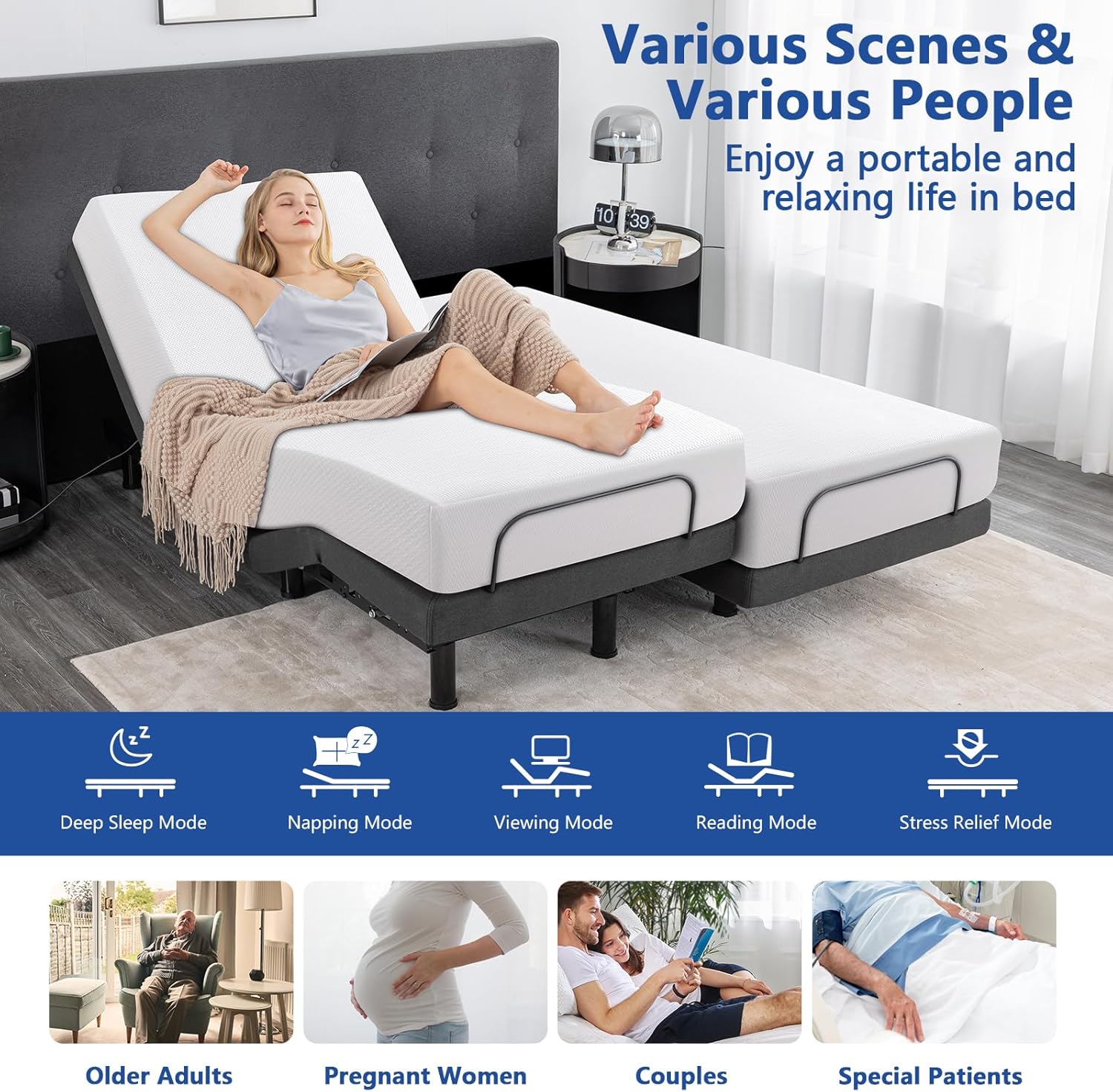
Figure 5.2: The adjustable bed frame supports various modes and is suitable for diverse users and needs.
6. Features Overview
The Vipbear Twin XL Adjustable Bed Frame is equipped with advanced features for superior comfort and convenience:
- High-Quality Adjustable Frame: Features an 8.9 cm (3.5 inch) thickened frame for enhanced durability and stability.
- Head and Foot Articulation: Independent adjustment of head (0°-65°) and foot (0°-45°) sections for customized comfort.
- Multiple Massage Modes: Integrated massage functions with various modes and intensities for relaxation and therapy.
- Wireless Remote Control: Intuitive control of all bed functions.
- Voice Control: (If applicable) Hands-free operation for added convenience.
- USB Charging Ports: Conveniently located ports for charging electronic devices.
- Under-Bed Light: Soft ambient lighting for safety and convenience at night.
- Memory Positions: Program and save your preferred bed positions for quick recall.
- Zero Gravity & Anti-Snore Presets: Optimized positions for pressure relief and improved breathing.
- Sturdy Metal Support: Robust construction designed to support up to 340 kg (750 lbs).
- Adjustable Leg Height: Customize the bed height to your preference.
- Mattress Retainer Bar: Keeps the mattress securely in place during adjustments.
- Zero Clearance Design: Allows the bed frame to be used without legs, directly on a platform or in a bed frame.

Figure 6.1: Overview of the high-quality features of the Vipbear adjustable bed frame.

Figure 6.2: Comparison highlighting the superior features and construction of the Vipbear upgraded adjustable bed frame.
7. Maintenance
Proper maintenance will ensure the longevity and optimal performance of your adjustable bed frame.
- Cleaning: Wipe the frame with a damp cloth and mild detergent. Avoid abrasive cleaners or solvents. Ensure the bed is unplugged before cleaning.
- Motor Care: The motors are designed to be maintenance-free. Do not attempt to open or lubricate them.
- Cord Management: Ensure power cords are not pinched or tangled. Keep them away from moving parts.
- Regular Inspection: Periodically check all bolts and connections to ensure they are secure. Tighten if necessary.
8. Troubleshooting
If you encounter any issues with your adjustable bed frame, refer to the following common problems and solutions:
| Problem | Possible Cause | Solution |
|---|---|---|
| Bed does not operate. | No power; Remote not paired; Remote batteries low. | Check power connection; Re-pair remote (refer to remote instructions); Replace remote batteries. |
| Motor makes noise. | Normal operation; Obstruction. | Some motor noise is normal; Check for objects under the bed frame. |
| Bed moves slowly or unevenly. | Overload; Obstruction. | Ensure weight capacity is not exceeded; Check for obstructions. |
| Remote not responding. | Batteries low; Not paired; Interference. | Replace batteries; Re-pair remote; Move away from other electronic devices. |
If the problem persists after attempting these solutions, please contact Vipbear customer support for assistance.
9. Specifications
| Feature | Detail |
|---|---|
| Model Number | Base M300 |
| Size | Twin XL |
| Color | Black Bed Frame Only |
| Product Dimensions (Assembled) | 2.03 m (L) x 0.97 m (W) x 0.38 m (H) |
| Main Material | Metal |
| Finish Type | Painted |
| Weight Capacity | Up to 340 kg (750 lbs) |
| Head Articulation Angle | 0° - 65° |
| Foot Articulation Angle | 0° - 45° |
| Included Components | 1 Twin XL adjustable base, Wireless Remote Control |
| Special Features | Zero Gravity, Head and Foot Lift, Anti-snore, Voice Control, Massage, USB Ports, Under-Bed Light |
10. Warranty and Support
Vipbear is committed to providing high-quality products and excellent customer service. For warranty information, technical support, or any questions regarding your adjustable bed frame, please contact our dedicated support team.
Please have your model number (Base M300) and purchase details ready when contacting support to ensure prompt assistance.
Contact Information:
- Refer to your purchase documentation or the Vipbear official website for the most current contact details.
Ask a question about this manual
Ask about setup, troubleshooting, compatibility, parts, safety, or missing instructions. Manuals+ will review the question and use this page’s manual context to help answer it.