1. Safety Instructions
Please read all instructions carefully before using the fan and retain for future reference. Failure to follow these instructions may result in electric shock, fire, or serious injury.
- Ensure the power supply voltage matches the rating label on the fan.
- Do not operate the fan with a damaged cord or plug. Contact qualified service personnel for repair.
- Keep fingers, pencils, or any other objects out of the fan grille when it is operating.
- Unplug the fan from the power outlet before cleaning, moving, or performing any maintenance.
- Do not use the fan in wet or damp locations such as bathrooms or laundry areas.
- Place the fan on a stable, level surface to prevent tipping.
- This appliance is not intended for use by persons (including children) with reduced physical, sensory or mental capabilities, or lack of experience and knowledge, unless they have been given supervision or instruction concerning use of the appliance by a person responsible for their safety.
- Children should be supervised to ensure that they do not play with the appliance.
2. Product Overview
2.1 Package Contents
- Fan Main Body
- Lower Pole
- Upper Pole
- Base
- Triangular Nut
- Remote Control
- User Manual
2.2 Fan Components
The image below illustrates the various components included with your hykolity EFD-3402 fan, showcasing its versatility as a 3-in-1 pedestal and tabletop fan.

Image 1: Overview of the hykolity EFD-3402 fan and its detachable parts, including the remote control.
3. Setup Instructions
Follow these steps to assemble your hykolity EFD-3402 fan. The fan can be configured as a pedestal fan or a tabletop fan by adjusting the pole sections.
3.1 Assembly Video Guide
For a visual guide on assembling your fan, please watch the official installation video below.
Video 1: Official installation guide for the hykolity 3-in-1 Pedestal & Tabletop fan, demonstrating step-by-step assembly.
3.2 Step-by-Step Assembly
- Attach Lower Pole to Base: Insert the lower pole into the hole of the base. Rotate the triangular nut clockwise from underneath the base to securely lock the lower pole to the base.
- Attach Upper Pole (for Pedestal Fan): If assembling as a pedestal fan, rotate the upper pole clockwise and screw it into the top of the lower pole until secure. For a tabletop fan, skip this step.
- Attach Main Body: Rotate the main fan body clockwise and control it into the top of the assembled pole (either the lower pole for tabletop or the upper pole for pedestal configuration). Ensure it is firmly attached.
The fan offers three height adjustments (19.7 inches, 29.9 inches, 41.3 inches) by utilizing or omitting the pole sections.
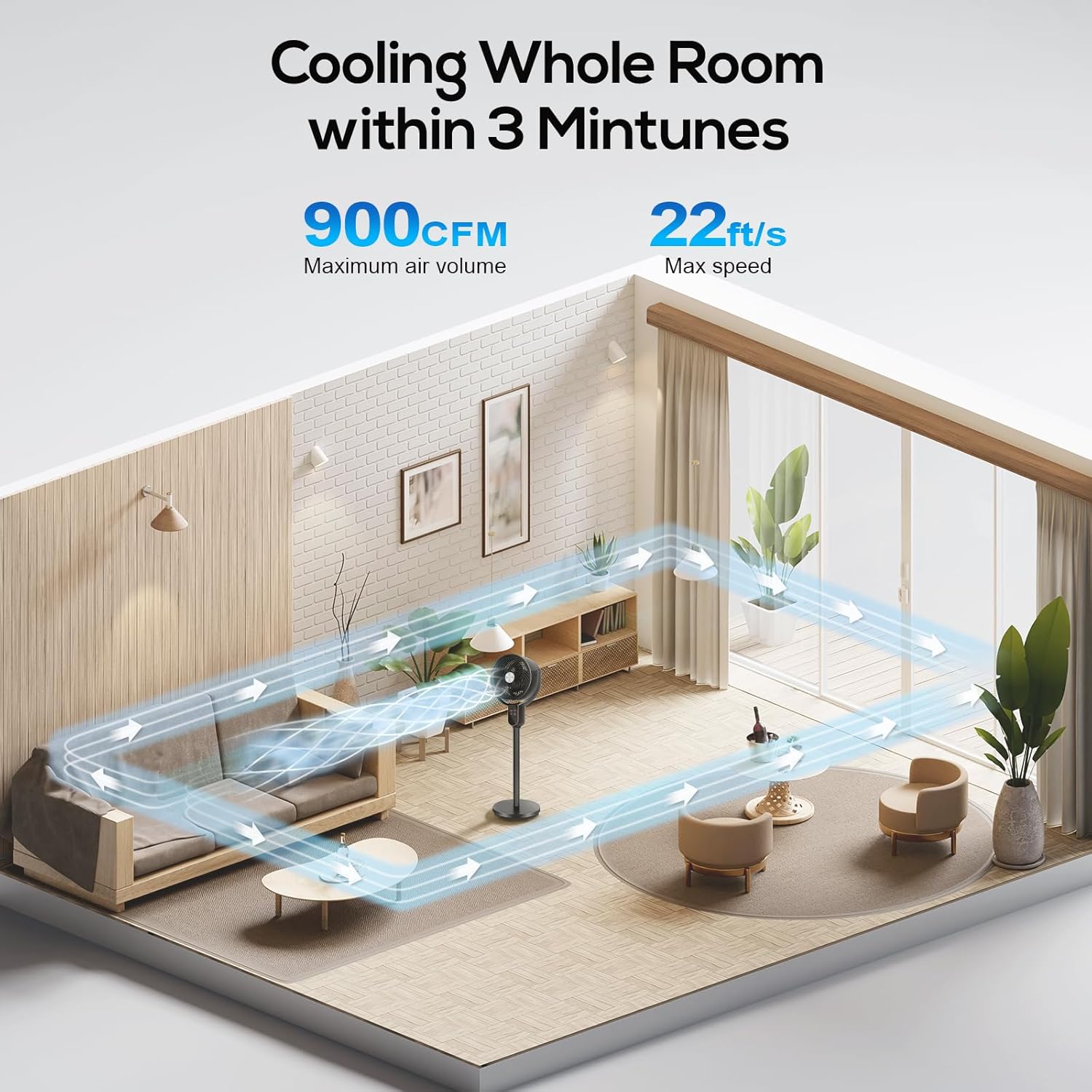
Image 2: The hykolity EFD-3402 fan configured at its three adjustable heights for various uses.
4. Operating Instructions
Your hykolity EFD-3402 fan can be operated using the touch control panel on the unit or the included remote control.
4.1 Control Panel and Remote Control
The control panel and remote provide access to all fan functions, including power, speed, oscillation, and timer settings.
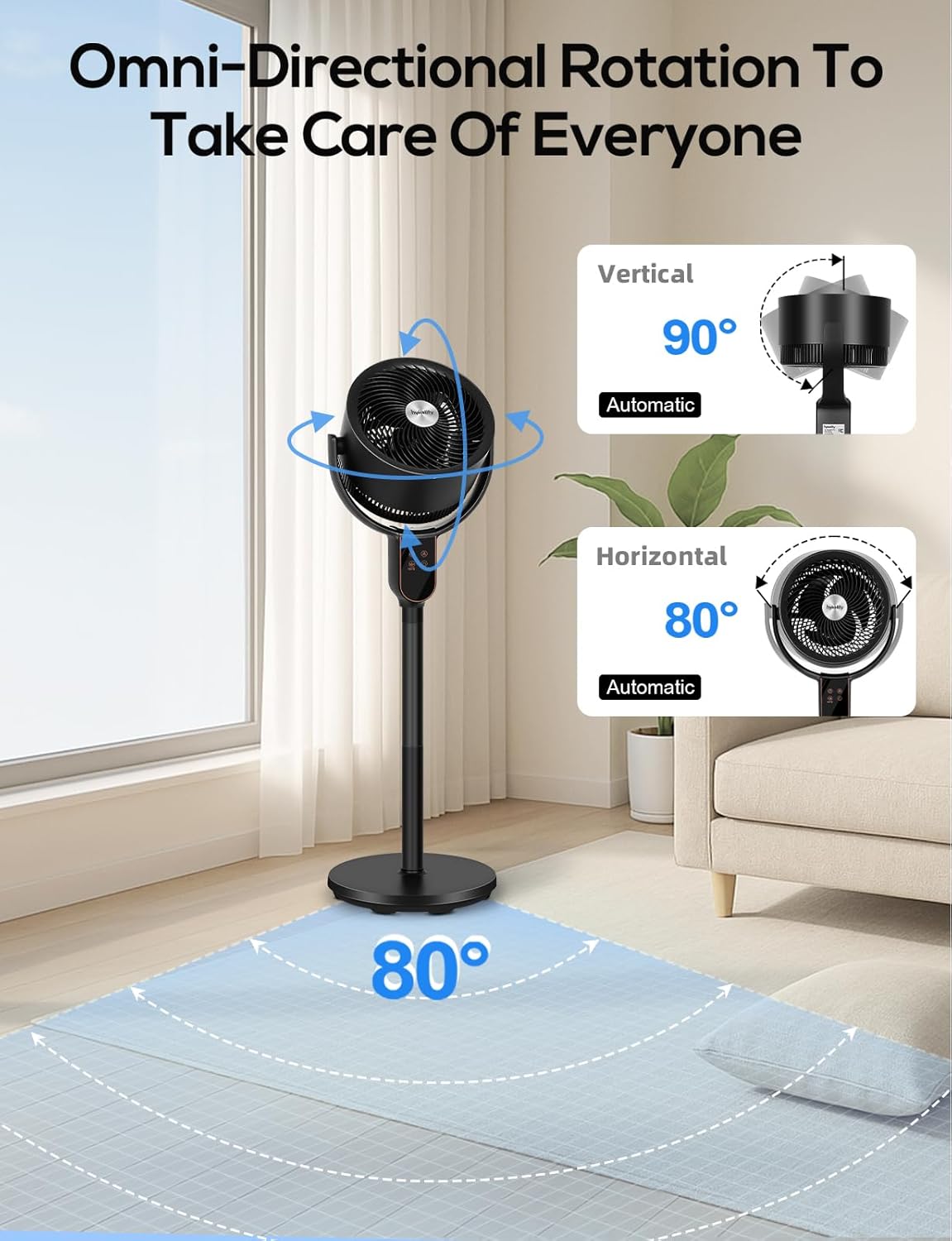
Image 3: The remote control and the LED display on the fan, showing various control options.
- Power Button: Turns the fan On/Off.
- Speed Adjustment: Selects from 8 wind speeds.
- Oscillation Button: Activates 70° or 90° omnidirectional oscillation. A light touch oscillates horizontally, a long press for 3 seconds oscillates vertically, and another light touch pauses.
- Mode Button: Switches between Normal and Turbo wind modes.
- Timer Button: Sets the automatic shutdown timer from 1 to 12 hours.
- Child Lock Button (Remote Only): Long press for 3 seconds to lock all button operations on the remote, preventing accidental changes.
4.2 Omnidirectional Oscillation
The fan features omnidirectional oscillation to ensure wide air distribution throughout the room. This is particularly useful for circulating air in conjunction with air conditioning in summer or heating equipment in winter.

Image 4: Visual representation of the fan's omnidirectional oscillation capabilities.
4.3 Intelligent Memory Function
The fan is equipped with an intelligent memory function that automatically remembers the last settings (speed, oscillation, mode) before power-off. When powered on again, it resumes operation with these previous settings.
5. Maintenance
Regular cleaning and maintenance will ensure optimal performance and longevity of your fan.
- Cleaning: Always unplug the fan before cleaning. Use a soft, damp cloth to wipe the exterior surfaces. Do not use abrasive cleaners or solvents.
- Grille Cleaning: The front grille can be carefully removed for cleaning the fan blades. Refer to the assembly instructions in reverse for safe removal and reattachment.
- Storage: When not in use for extended periods, store the fan in a cool, dry place, preferably in its original packaging.
6. Troubleshooting
If you encounter any issues with your fan, please refer to the table below for common problems and solutions.
| Problem | Possible Cause | Solution |
|---|---|---|
| Fan does not turn on. | No power supply; Power cord not plugged in; Power button not pressed. | Check power outlet; Ensure power cord is securely plugged in; Press the power button. |
| Weak airflow. | Fan speed is too low; Obstruction in front or behind the fan. | Increase fan speed; Remove any obstructions. |
| Fan is not oscillating. | Oscillation function is not activated. | Press the oscillation button on the control panel or remote. |
| Remote control not working. | Batteries are dead; Remote is too far or not pointed at the fan. | Replace batteries; Ensure remote is within range and pointed at the fan's receiver. |
| Fan makes unusual noise. | Loose parts; Fan blades are dirty or obstructed. | Unplug and check for loose parts; Clean fan blades and grilles. |
7. Specifications
Detailed technical specifications for the hykolity EFD-3402 fan.
| Feature | Specification |
|---|---|
| Brand | hykolity |
| Model Name | EFD-3402 |
| Electric Fan Design | Floor Fan (3-in-1 Pedestal & Tabletop) |
| Power Source | AC |
| Product Dimensions | 13.4"D x 13.4"W x 42"H (Max Height) |
| Adjustable Heights | 19.7 inches, 29.9 inches, 41.3 inches |
| Number of Power Levels | 8 Speeds |
| Oscillation | 70° Vertical, 90° Horizontal Omnidirectional |
| Timer | 1-12 Hours |
| Noise Level | 23 Decibels (minimum) |
| Air Flow Capacity | 900 Cubic Feet Per Minute (CFM) |
| Control Method | Remote, Touch Control Panel |
| Item Weight | 8.82 Pounds |
| Included Components | Remote |
8. Warranty and Support
For warranty information or technical support, please refer to the documentation included with your product packaging or visit the official hykolity website. Keep your purchase receipt as proof of purchase for warranty claims.


