
1. Introduction
Thank you for choosing the Alera SOHO-Grade 2-Drawer Vertical Filing Cabinet. This manual provides essential information for the safe and efficient assembly, operation, and maintenance of your new filing cabinet. Please read these instructions thoroughly before beginning assembly or use, and retain this manual for future reference.
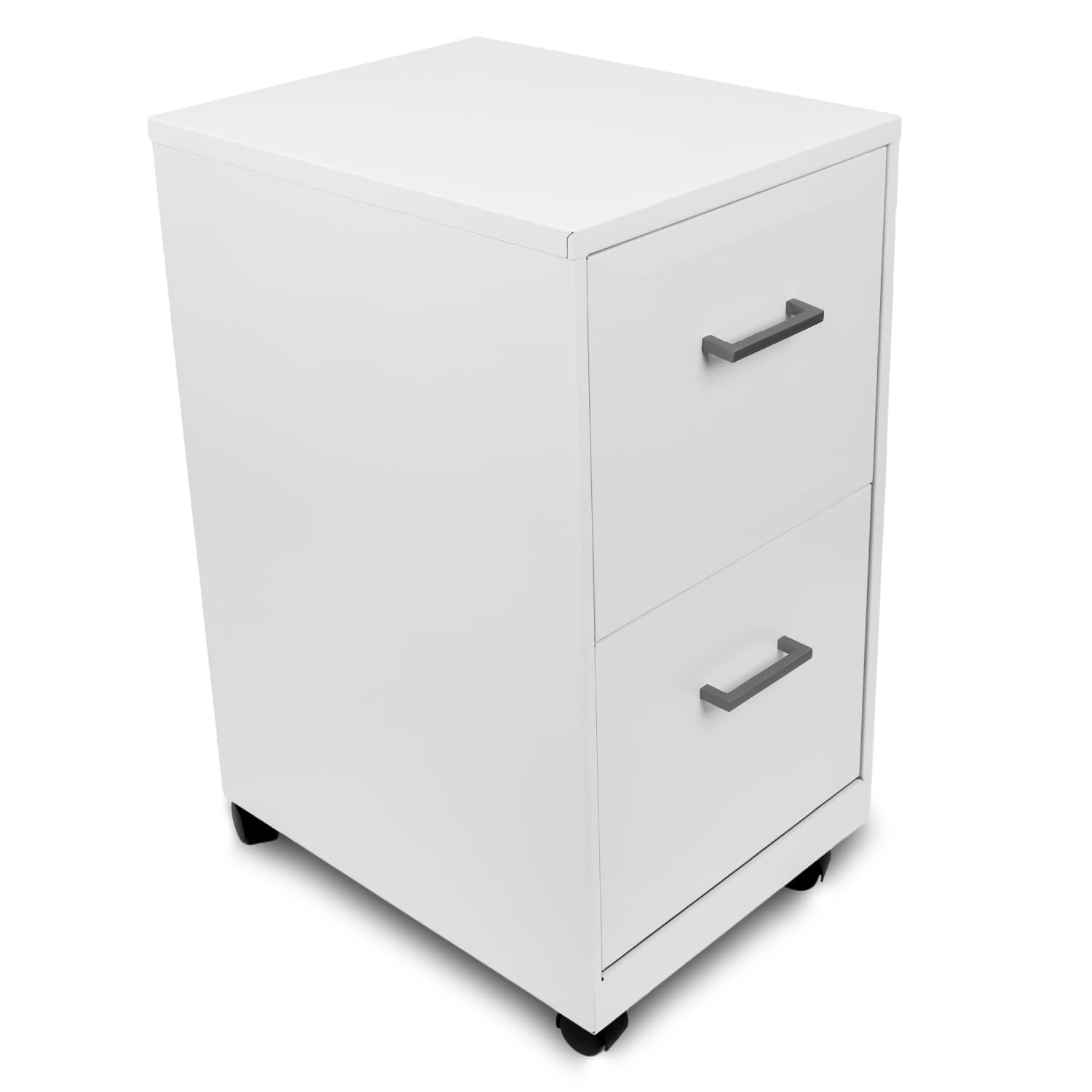
Figure 1.1: Alera SOHO-Grade 2-Drawer Vertical Filing Cabinet (White)
This image shows the complete Alera SOHO-Grade 2-Drawer Vertical Filing Cabinet in white, featuring two drawers and optional casters for mobility.
2. Safety Information
- Read all instructions: Ensure you understand all assembly and usage instructions before operating the cabinet.
- Weight Capacity: Do not overload drawers. Distribute weight evenly to prevent tipping.
- Stability: Always close one drawer before opening another to maintain stability and prevent the cabinet from tipping over.
- Assembly: Assemble the cabinet on a soft, clean surface to prevent scratches. Ensure all fasteners are securely tightened.
- Children: Keep children away from the assembly area. Do not allow children to climb on or play with the cabinet.
- Moving: If casters are installed, ensure they are locked when the cabinet is stationary to prevent unintended movement. Unlock casters only when moving the cabinet.
3. Package Contents
Verify that all components are present before beginning assembly. If any parts are missing or damaged, please contact customer support.
- Filing Cabinet Frame (1)
- Drawers (2)
- Drawer Handles (2)
- Casters (4) - Optional installation
- Hanging Rods/File Rails (for each drawer)
- Assembly Hardware (screws, bolts, etc.)
4. Setup and Assembly
Assembly is required for this filing cabinet. Follow these steps carefully.
4.1 Attaching Drawer Handles
- Locate the two drawer handles and corresponding screws.
- Align each handle with the pre-drilled holes on the front of each drawer.
- Insert the screws from the inside of the drawer through the holes and into the handle.
- Tighten securely with a screwdriver (not included). Do not overtighten.
4.2 Installing Casters (Optional)
The filing cabinet includes casters for enhanced mobility. If you prefer a stationary cabinet, you may skip this step.
- Carefully lay the cabinet on its side on a soft, protected surface to avoid damage.
- Locate the four casters and the pre-drilled holes on the bottom corners of the cabinet.
- Insert the threaded stem of each caster into a hole.
- Twist each caster clockwise until it is securely tightened. Ensure all four casters are firmly attached.
- Carefully return the cabinet to an upright position.

Figure 4.1: Caster Installation
This image illustrates the process of installing the optional casters onto the base of the filing cabinet, showing the casters separately and then attached.
4.3 Inserting Drawers and File Rails
- Gently slide each assembled drawer into its respective opening in the cabinet frame. Ensure the drawer slides align correctly with the cabinet rails.
- Push the drawer in until it clicks into place or reaches the end of its travel.
- Insert the hanging rods/file rails into the designated slots within each drawer. These rails are adjustable to accommodate letter-sized files.

Figure 4.2: Drawer Interior with File Rails
This image provides a close-up view of the interior of an open drawer, highlighting the adjustable file rails designed to hold letter-sized documents.
5. Operating Instructions
5.1 Opening and Closing Drawers
- To open a drawer, gently pull the handle. The smooth-glide suspension allows for effortless access.
- To close a drawer, push it firmly until it is fully seated within the cabinet.
- For stability, always close one drawer completely before opening another.

Figure 5.1: Smooth Glide Drawer Operation
This image shows a hand opening a drawer of the filing cabinet, demonstrating the smooth-glide mechanism and the capacity for hanging files.
5.2 Organizing Files
- Use the adjustable hanging rods to organize letter-sized hanging files.
- Ensure files are evenly distributed within the drawer to prevent imbalance.
5.3 Moving the Cabinet
- If casters are installed, unlock them by flipping the lever on each caster.
- Gently push the cabinet to its desired location.
- Once in place, lock all casters to prevent accidental movement.
6. Maintenance
- Cleaning: Wipe the cabinet surfaces with a soft, damp cloth. Avoid abrasive cleaners or harsh chemicals that could damage the finish.
- Drawer Slides: Periodically check drawer slides for smooth operation. If they become stiff, a small amount of silicone-based lubricant can be applied.
- Fasteners: Occasionally check all screws and bolts to ensure they remain tight. Retighten as necessary.
- Casters: Keep casters free of debris (hair, dust, etc.) to ensure smooth rolling.
7. Troubleshooting
- Problem: Drawers are difficult to open or close.
- Solution: Check if the drawer slides are aligned correctly. Ensure the drawer is not overloaded or unevenly weighted. Clean the drawer slides and apply a silicone-based lubricant if needed. Verify that the cabinet is on a level surface.
- Problem: Cabinet feels unstable or wobbly.
- Solution: Ensure all assembly fasteners are securely tightened. Verify that the cabinet is placed on a flat, level surface. If casters are installed, ensure they are all locked when the cabinet is stationary.
- Problem: Casters do not roll smoothly.
- Solution: Check for any debris (e.g., hair, dust, small objects) caught in the caster wheels. Clean the wheels thoroughly. Ensure casters are unlocked when attempting to move the cabinet.
8. Specifications
| Brand | Alera |
| Model Number | ALEHSVF1824WH |
| Model Name | Alera Two Drawer File Cabinet |
| Color | White |
| Material | Alloy Steel |
| Product Dimensions (W x D x H) | 14.25" x 18" x 26.7" |
| Item Weight | 30 Pounds |
| Number of Drawers | 2 |
| Special Feature | Heavy Duty, Includes Casters |
| Required Assembly | Yes |
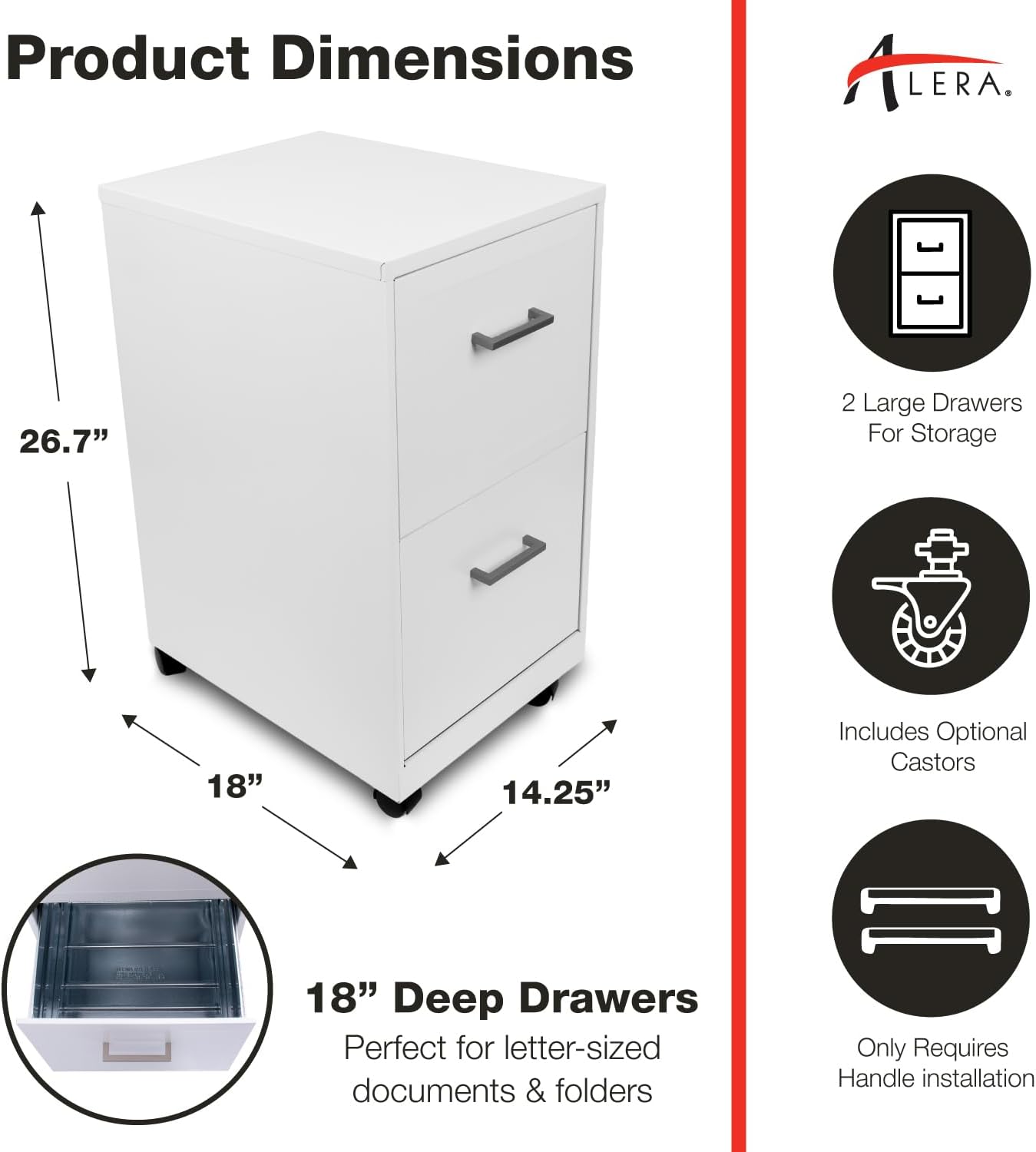
Figure 8.1: Product Dimensions
This image visually represents the key dimensions of the Alera SOHO-Grade 2-Drawer Vertical Filing Cabinet: 14.25 inches width, 18 inches depth, and 26.7 inches height.
9. Warranty and Support
For warranty information or technical support, please contact Alera customer service. Details can typically be found on the product packaging or the official Alera website. Please have your model number (ALEHSVF1824WH) and purchase date ready when contacting support.
Online Resources: For additional product information, FAQs, or to register your product, visit the Alera brand store: Alera Store on Amazon