
Introduction
This manual provides essential information for setting up, operating, maintaining, and troubleshooting your new TCL 85P7K 85-inch 4K QLED Smart Google TV. Please read this manual thoroughly before using the television to ensure proper and safe operation. Keep this manual for future reference.
The TCL 85P7K features a vibrant 4K QLED display with Quantum Crystal technology, integrated Google TV for smart functionality, ONKYO 2.1 Hi-Fi audio with Dolby Atmos and DTS Virtual X, and advanced gaming features like Game Master. It also includes hands-free voice control and a slim, uni-body design.

Figure 1: Front view of the TCL 85P7K Television.
Setup
Unpacking and Inspection
Carefully remove the television and all accessories from the packaging. Inspect all items for any signs of damage. If any items are damaged or missing, contact your retailer immediately.
Included Components
- TCL 85P7K Television
- Power Adapter
- Power Cable
- Remote Control
- TV Stand (2 pieces)
- Screws for Stand Installation
- User Manual (this document)
Stand Installation
- Place the television face down on a soft, flat surface (e.g., a blanket or foam) to prevent screen damage.
- Identify the left and right stand pieces.
- Align each stand piece with the corresponding mounting holes on the bottom of the television.
- Secure each stand piece using the provided screws. Ensure they are tightened firmly but do not overtighten.

Figure 2: Front view of the television with the stand attached.
Connecting Cables
Connect the power cable to the TV's power input and then to a wall outlet. Connect your external devices (e.g., cable box, Blu-ray player, gaming console) to the appropriate HDMI, USB, or other input ports on the back of the TV.

Figure 3: Rear view of the television showing connectivity ports.
Initial Power-On and Setup Wizard
After connecting all cables, press the power button on the remote control or the TV. The TV will guide you through the initial setup wizard, including language selection, network connection (Wi-Fi 5), Google account sign-in, and channel scanning.
Operating Instructions
Basic Functions
- Power On/Off: Press the power button on the remote control.
- Input Selection: Use the 'Input' button on the remote to switch between HDMI, USB, and other sources.
- Volume Control: Use the 'Volume Up/Down' buttons.
- Navigation: Use the directional pad and 'OK' button to navigate menus.
Picture Quality Features
Your TCL 85P7K TV is equipped with advanced picture technologies for an immersive viewing experience:
- QLED (Quantum Dot LED): Delivers over a billion hues of vivid color, providing exceptional color accuracy and brightness. The Colorful Quantum Crystal material ensures a long service life.
- AiPQ Processor: An AI-powered picture processing engine that enhances image quality by optimizing contrast, color accuracy, and clarity for every scene. It includes Ai-Clarity, Ai-Motion, Ai-Contrast, Ai-Color, and Ai-HDR.
- HDR 10+ & Dolby Vision: Supports High Dynamic Range formats for superior contrast, brightness, and color detail, ensuring lifelike visuals.
- HVA Panel: Features an innovative HVA Panel that emphasizes stronger and more accurate contrast while reducing image halo and ambient light interference, providing a clearer picture with a wide viewing angle.
- Multiple Eye Care: Incorporates technologies like low blue light, natural light optimization, and flicker-free display to protect your eyes during extended viewing.
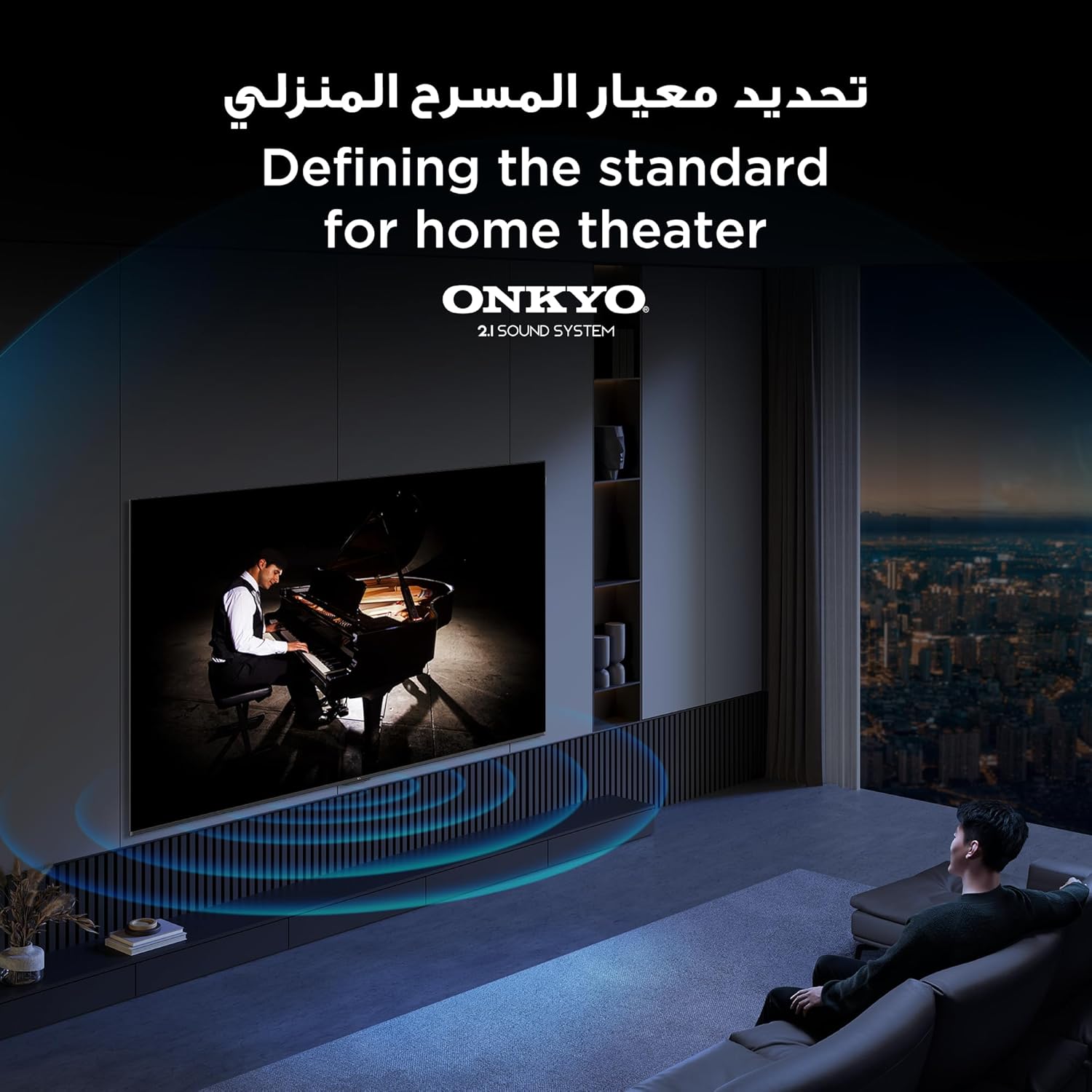
Figure 4: Comparison of Colorful Quantum Crystal and Conventional Quantum Crystal technology.

Figure 5: Visual representation of the AiPQ Processor.
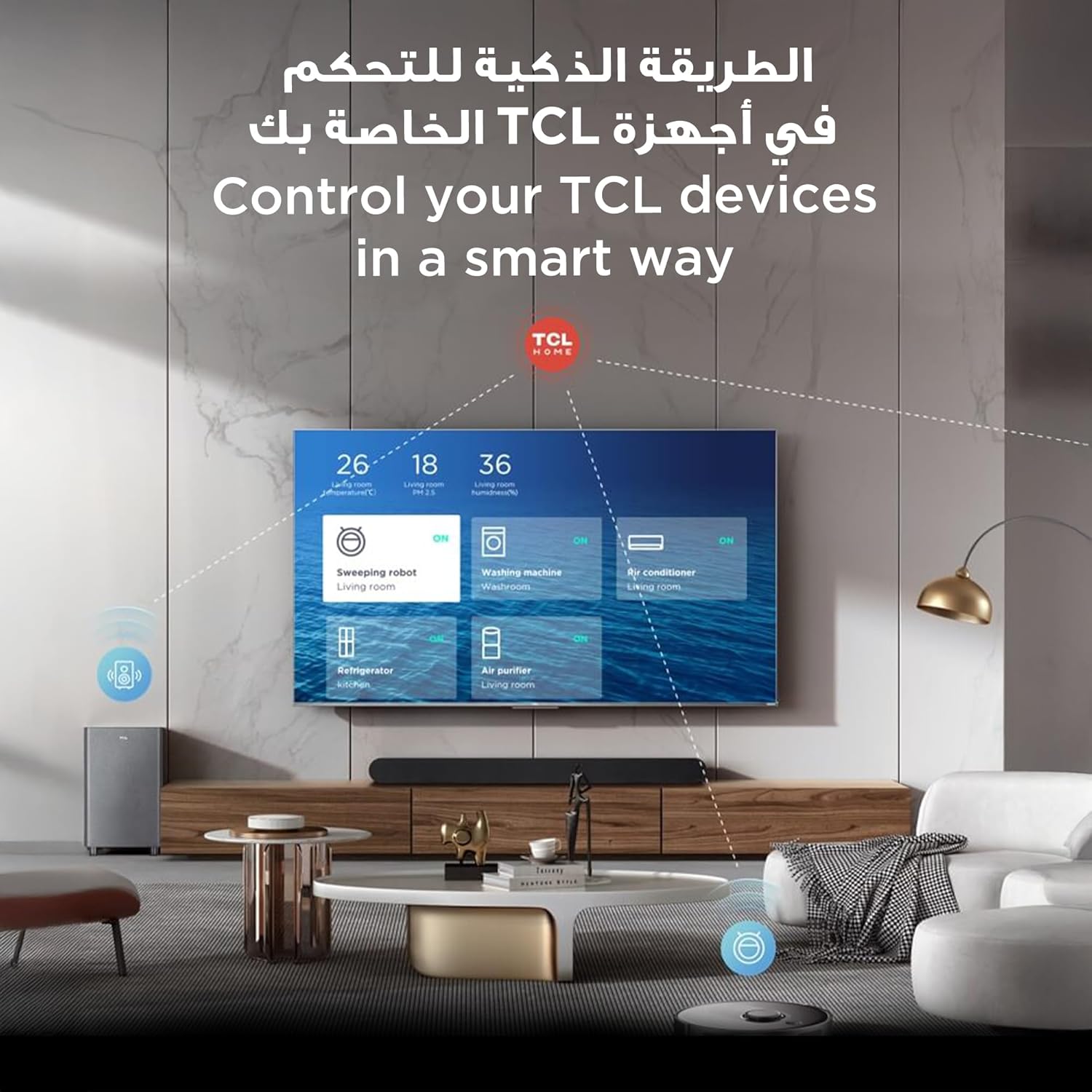
Figure 6: Demonstration of higher contrast with HVA Panel technology.
Audio Features
- ONKYO 2.1 Hi-Fi Sound System: Delivers rich, immersive audio for a complete home entertainment experience.
- Dolby Atmos: Provides three-dimensional, room-filling sound that transcends conventional channel limitations.
- DTS Virtual X: Creates virtualized 3D sound that appears to emerge from above, beside, and behind you, enhancing immersion.

Figure 7: The ONKYO 2.1 sound system integrated with the television.
Smart TV and Connectivity
- Google TV: Access a vast library of streaming services (Netflix, Hulu, Amazon Prime Video, YouTube, Disney+, etc.), apps, and content.
- Hands-Free Voice Control & Google Assistant: Use voice commands to control your TV, search for content, and manage smart home devices without needing the remote.
- TCL Home: Control your TCL smart home devices directly from your television.
- Bluetooth 5.2 & Wi-Fi 5: Ensures stable and fast wireless connectivity for streaming and connecting peripherals.

Figure 8: Controlling TCL smart devices via TCL Home on the television.
Gaming Features
- Game Master: Optimizes display and audio settings for gaming, providing a smoother and more responsive experience.
- 120Hz Game Accelerator (DLG 120Hz) & VRR 120Hz: Reduces input lag and screen tearing for fluid gameplay.
- MEMC 60Hz: Motion Estimation, Motion Compensation technology enhances motion clarity for fast-moving scenes.

Figure 9: The Game Master interface for optimized gaming.

Figure 10: Visualizing the benefit of 120Hz Game Accelerator for reduced latency.
Maintenance
Screen Cleaning
To clean the screen, gently wipe it with a soft, lint-free cloth. For stubborn marks, lightly dampen the cloth with water or a specialized screen cleaner. Do not spray liquid directly onto the screen. Avoid using abrasive cleaners, alcohol, or ammonia-based solutions, as these can damage the screen surface.
Body Cleaning
Wipe the TV's body and stand with a soft, dry cloth. If necessary, a slightly damp cloth can be used, followed by a dry cloth to remove any moisture.
General Care
- Keep the TV away from direct sunlight and heat sources.
- Ensure adequate ventilation around the TV to prevent overheating.
- Unplug the TV from the power outlet during lightning storms or when it will be left unattended for long periods.
Troubleshooting
If you encounter issues with your television, refer to the following common problems and solutions before contacting support.
| Problem | Possible Cause | Solution |
|---|---|---|
| No Power | Power cable disconnected; Power outlet not working; Remote control batteries dead. | Check power cable connection; Test outlet with another device; Replace remote batteries. |
| No Picture, but Sound is Present | Incorrect input source selected; External device not powered on or connected properly. | Press 'Input' button to cycle through sources; Check external device power and cable connections. |
| No Sound, but Picture is Present | Volume muted or too low; External audio system not configured correctly. | Unmute volume or increase level; Check audio output settings on TV and external audio system. |
| Remote Control Not Responding | Batteries are low or inserted incorrectly; Obstruction between remote and TV. | Replace batteries; Ensure clear line of sight to TV's IR receiver. |
| Wi-Fi Connection Issues | Incorrect Wi-Fi password; Router issues; TV too far from router. | Verify password; Restart router; Move TV closer to router or use a Wi-Fi extender. |
Specifications
The following table details the technical specifications of the TCL 85P7K Television (Model: 85P71K).
| Feature | Specification |
|---|---|
| Model Number | 85P71K |
| Brand | TCL |
| Screen Size | 85 Inches (216 cm diagonal) |
| Display Technology | QLED |
| Resolution | 4K (3840 x 2160) |
| Refresh Rate | 60 Hz (MEMC 60Hz, VRR 120Hz, DLG 120Hz) |
| Product Dimensions (with stand) | 188.96 cm (W) x 108.6 cm (H) x 37.2 cm (D) |
| Product Dimensions (without stand) | 188.96 cm (W) x 108.6 cm (H) x 6.3 cm (D) |
| Weight | 52 kg |
| Special Features | AiPQ Processor, Bezel-Less Design, Game Mode, Google Assistant, HVA Screen, Multiple Eye Care |
| Connectivity Technology | Bluetooth 5.2, HDMI, USB, Wi-Fi 5 |
| Supported Internet Services | Netflix, Hulu, Amazon Prime Video, YouTube, Google Play Movies & TV, Disney+, HBO Max, Apple TV, Paramount+, Peacock, Vudu, Tubi, Pluto TV, Sling TV, Philo, Hulu + Live TV, YouTube TV, FuboTV, and many others |
| Included Components | Power Adapter, Power Cable, Remote Control, Stand, User Manual |
| Manufacturer | TCL |
| Country of Origin | China |

Figure 11: Detailed dimensions of the TCL 85P7K Television.
Warranty and Support
For detailed warranty information, please refer to the warranty card included with your product or visit the official TCL website. Keep your purchase receipt as proof of purchase for warranty claims.
For technical support, troubleshooting assistance beyond this manual, or service requests, please contact TCL customer support through their official channels. You may also find additional resources and FAQs on the TCL Brand Store on Amazon or the main TCL website.


