1. Introduction
This manual provides essential instructions for the safe installation, operation, and maintenance of your Velieta Commercial Beverage Refrigerator, Model VT-CD800-02-NEW. Please read this manual thoroughly before using the appliance and retain it for future reference. This commercial display refrigerator features a 60 cubic feet capacity, three glass doors, and 12 adjustable shelves, designed for efficient beverage storage and display in various commercial settings.
2. Safety Information
To reduce the risk of fire, electric shock, or injury when using your appliance, follow these basic precautions:
- Read all instructions before using the appliance.
- Ensure the power supply matches the voltage requirements (115 Volts AC).
- Do not operate the appliance with a damaged cord or plug. If the cord is damaged, it must be replaced by the manufacturer or a qualified service agent.
- Do not use extension cords or ungrounded (two-prong) adapters.
- Unplug the refrigerator before cleaning or performing any maintenance.
- This appliance is heavy (approximately 463 pounds). Use caution and proper lifting techniques when moving to prevent injury.
- Keep ventilation openings, in the appliance enclosure or in the built-in structure, clear of obstruction.
- Do not store explosive substances such as aerosol cans with a flammable propellant in this appliance.
- Allow the unit to stand upright for at least 24 hours before plugging it in to allow compressor oils to settle.
3. Setup and Installation
3.1 Unpacking
Carefully remove all packaging materials, including foam and tape. Inspect the refrigerator for any shipping damage. Report any damage immediately to the carrier and your dealer.
3.2 Placement
This unit is designed for both freestanding and built-in installation. Ensure adequate ventilation around the unit. Maintain a minimum clearance of 4 inches from walls and other appliances to allow for proper air circulation and heat dissipation. Avoid placing the unit in direct sunlight or near heat sources.

Image: The refrigerator shown in both freestanding and built-in configurations, demonstrating flexible placement options.
3.3 Leveling
The refrigerator is equipped with 6 wheels (casters) for easy mobility. Once in its final position, ensure the unit is level by adjusting the front leveling feet (if applicable) or by ensuring the casters are locked to prevent movement. A level unit ensures proper door sealing and efficient operation.
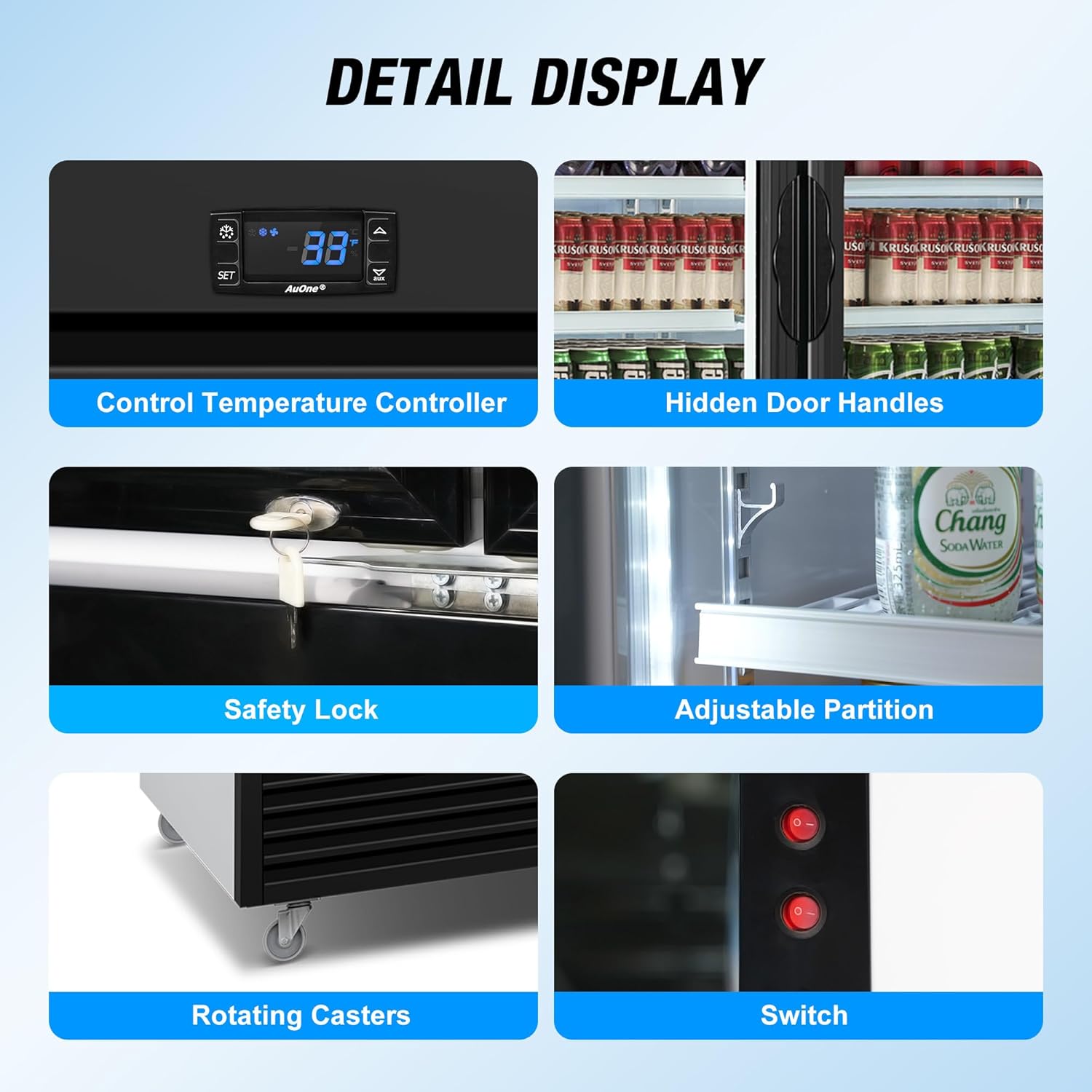
Image: Detail view showing the rotating casters for easy movement and positioning.
3.4 Shelf Installation
Your refrigerator comes with 12 adjustable wire shelves. Install them into the desired positions by aligning the shelf clips with the shelf supports inside the cabinet. Ensure all shelves are securely seated before loading products.

Image: The interior of the refrigerator with adjustable shelves, illustrating how different sized beverages can be accommodated.
3.5 Power Connection
After positioning the unit and installing shelves, wait at least 24 hours before plugging the refrigerator into a grounded electrical outlet. This allows the compressor oils to settle, preventing potential damage. Ensure the outlet is dedicated and properly grounded.
4. Operating Instructions
4.1 Control Panel and Temperature Setting
The refrigerator features a digital control panel for precise temperature management. The recommended operating temperature range is 32-41°F (0-5°C).
- Press the SET button to view the current temperature setting.
- While the display is flashing, use the UP and DOWN arrows to adjust the desired temperature.
- Press SET again or wait a few seconds for the new setting to be saved.

Image: The digital control panel with buttons for setting and displaying the temperature, indicating a range of 32-41°F.
4.2 Loading the Refrigerator
Distribute beverages evenly on the shelves. Avoid blocking the internal air vents to ensure proper air circulation and efficient cooling. The 60 Cu. Ft. capacity and 12 adjustable shelves allow for flexible storage of various bottle and can sizes.

Image: A full view of the refrigerator displaying its 60 cubic feet capacity and three glass doors, stocked with beverages.
4.3 Door Operation and Lighting
The unit features self-returning doors to minimize cold air loss. Each door is equipped with a hidden handle for a sleek appearance. The interior LED lighting can be controlled via a switch located inside the unit, typically near the door hinge. The light may have a timer function and turn off automatically after a period of inactivity.
Image: Detail view showing the hidden door handles and the internal switch for the LED lighting.
The double-layer tempered glass doors provide insulation and reduce condensation, contributing to energy efficiency.

Image: Visual representation of the double-layer tempered glass, highlighting its low-E coating, heat insulation, condensation reduction, and energy efficiency.
5. Maintenance
5.1 Automatic Defrost System
This refrigerator is equipped with an automatic defrost system, eliminating the need for manual defrosting. During the defrost cycle, frost on the evaporator coils is melted and drained away. This process is automatic and does not require user intervention.
5.2 Cleaning
Regular cleaning ensures optimal performance and hygiene.
- Interior: Unplug the unit. Remove all contents and shelves. Wash the interior surfaces with a mild detergent and warm water. Rinse thoroughly and dry completely before returning contents and plugging the unit back in.
- Exterior: Clean the exterior with a soft cloth and mild detergent. Avoid abrasive cleaners or solvents.
- Glass Doors: Use a glass cleaner to clean the tempered glass doors. Do not spray cleaner directly onto the control panel or electrical components.
- Condenser Coils: Periodically clean the condenser coils (located at the bottom/rear of the unit) with a soft brush or vacuum cleaner to remove dust and debris. This improves efficiency and extends the life of the compressor.
5.3 Gasket Maintenance
Inspect door gaskets regularly for cracks or tears. Clean gaskets with warm, soapy water to maintain a tight seal, which is crucial for energy efficiency.
6. Troubleshooting
Before contacting customer support, review the following common issues and solutions:
| Problem | Possible Cause | Solution |
|---|---|---|
| Refrigerator does not operate. | No power supply; power cord unplugged; circuit breaker tripped. | Check power connection; ensure outlet is functional; reset circuit breaker. |
| Unit is not cooling sufficiently. | Temperature set too high; door left open; excessive door openings; blocked air vents; dirty condenser coils; unit recently loaded with warm items. | Adjust temperature setting; ensure doors close properly; reduce frequency of door openings; clear obstructions from vents; clean condenser coils; allow time for unit to cool after loading. |
| Excessive noise. | Unit not level; objects vibrating against the unit; normal compressor/fan operation. | Ensure unit is level; move any objects touching the unit. Some operational noise from the compressor and fans is normal. |
| Interior light does not stay on. | Light has a timer function; switch is off. | This is a normal function for some models. Check the light switch inside the unit. |
If the problem persists after attempting these solutions, please contact Velieta Customer Support.
7. Specifications
| Feature | Detail |
|---|---|
| Brand | Velieta |
| Model Number | VT-CD800-02-NEW |
| Capacity | 60 Cubic Feet |
| Product Dimensions (D x W x H) | 26.77 x 74.41 x 82.52 inches |
| Item Weight | 463 pounds |
| Voltage | 115 Volts (AC) |
| Temperature Range | 32-41°F (0-5°C) |
| Number of Doors | 3 |
| Shelf Type | Wire, Adjustable (12 shelves) |
| Defrost System | Automatic (Frost Free) |
| Door Material | Double-layer Tempered Glass |
| Installation Type | Freestanding & Built-in |
| Special Features | Digital Temperature Control, Door Lock, Energy Efficient, Front Ventilation, Low Noise, Self-returning Doors, 6 Casters |
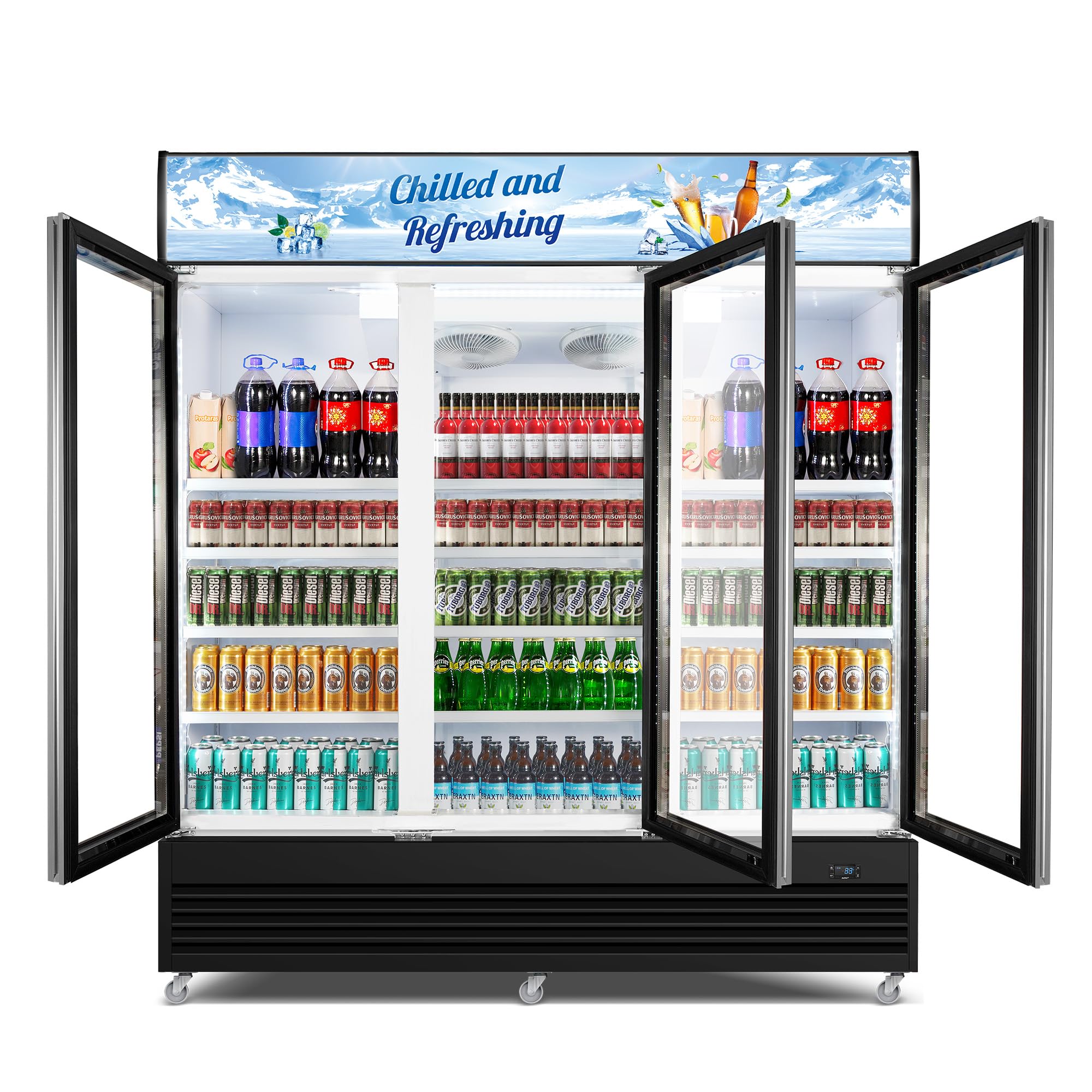
Image: The Velieta Commercial Beverage Refrigerator with its key dimensions (width, depth, height) clearly indicated.
8. Warranty Information
Velieta products are manufactured to high-quality standards. For specific warranty terms and conditions applicable to your VT-CD800-02-NEW Commercial Beverage Refrigerator, please refer to the warranty card included with your purchase or visit the official Velieta website. Keep your proof of purchase for warranty claims.
9. Customer Support
If you have any questions, require assistance, or need to report an issue with your Velieta Commercial Beverage Refrigerator, please contact our support team:
- Email: support@velieta.com
- Phone: (213) 432-5433

Image: A Velieta customer support representative ready to assist with product inquiries.


