
1. Introduction and Overview
This manual provides essential information for the safe and efficient operation of your Velieta Commercial Beverage Refrigerator, Model VT-DCW400H. Please read all instructions carefully before use and retain this manual for future reference.
Your Velieta commercial beverage refrigerator is designed for optimal beverage display and cooling in various commercial settings. Key features include:
- Spacious 383L capacity with easily adjustable shelving for diverse beverage sizes.
- Integrated LED lighting and a customizable billboard lightbox to enhance product visibility.
- Rapid and consistent cooling, maintaining temperatures between 32°F to 50°F.
- Versatile application for restaurants, convenience stores, supermarkets, and more.
- Flexible placement options (freestanding or built-in) with front ventilation and lockable caster wheels for mobility and secure positioning.
2. What's in the Box
Upon unpacking, ensure all items listed below are present:
- Velieta Commercial Beverage Refrigerator Unit
- Adjustable Wire Shelves (5 included)
- Instruction Manual (this document)
- Keys for Door Lock
- Customizable Lightbox Panel
3. Setup Instructions
- Unpacking: Carefully remove the refrigerator from its packaging. Inspect for any shipping damage.
- Placement: Choose a location that is well-ventilated and away from direct sunlight or heat sources. The unit features front-facing ventilation, allowing for both freestanding and built-in installation. Ensure adequate space for door opening.
- Leveling: Adjust the leveling feet or lockable caster wheels to ensure the refrigerator is stable and level. This is crucial for proper door sealing and efficient operation.
- Initial Cleaning: Before first use, clean the interior and exterior surfaces with a soft cloth and mild detergent. Rinse thoroughly and dry.
- Power Connection: Plug the refrigerator into a dedicated, grounded electrical outlet. Allow the unit to stand upright for at least 2-4 hours before plugging it in to allow refrigerants to settle.
- Shelving Installation: Insert the adjustable wire shelves into the desired positions. Ensure they are securely seated.
- Lightbox Customization: Install your desired graphic or branding into the customizable lightbox panel at the top of the unit.

4. Operating Instructions
4.1. Digital Temperature Control
The refrigerator features a digital temperature control panel located at the bottom front. The temperature range is 32°F to 50°F (0°C to 10°C).
- Setting Temperature: Use the up and down arrow buttons on the control panel to adjust the desired temperature. The displayed temperature fluctuates in real-time.
- Power On/Off: Use the main power switch to turn the unit on or off.

4.2. LED Lighting and Customizable Lightbox
The unit is equipped with internal LED lighting and a customizable lightbox to illuminate your beverages.
- Internal LED Light: A dedicated light switch on the control panel allows you to turn the internal LED lighting on or off.
- Lightbox: The top lightbox is designed for displaying promotional graphics. Ensure the panel is securely inserted.

4.3. Adjustable Shelves
The five wire shelves can be adjusted to accommodate various bottle and can heights.
- Adjusting Shelves: To adjust, empty the shelf, lift it slightly, and slide it out. Reinsert into the desired slot, ensuring it is level and stable before reloading.

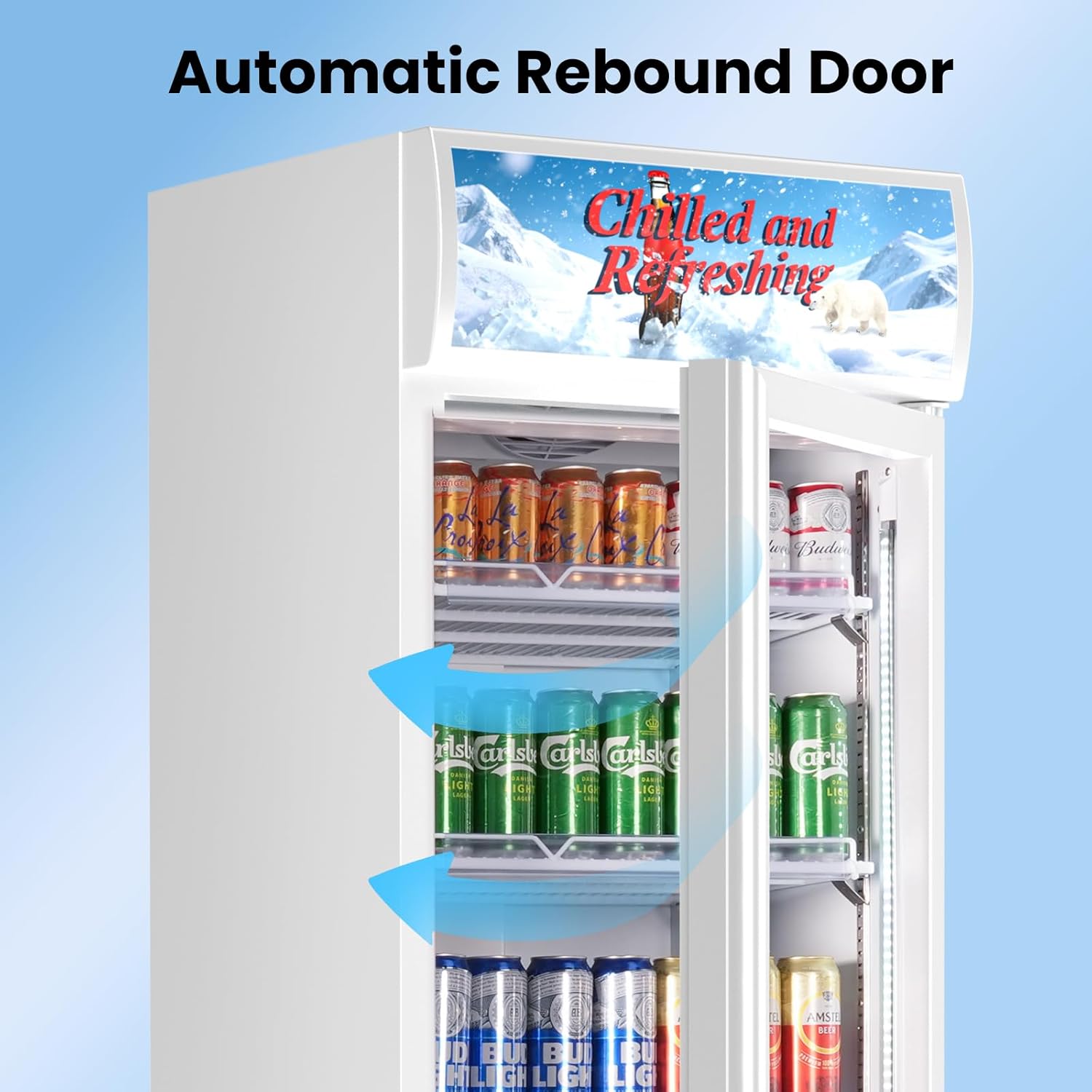
4.4. Automatic Rebound Door and Lockable Wheels
- Automatic Rebound Door: The glass door is designed to automatically close if left slightly ajar, helping to maintain internal temperature and energy efficiency.
- Door Lock: Use the provided key to lock the door for security, especially in commercial environments.
- Lockable Caster Wheels: The unit is equipped with wheels for easy movement. Engage the locks on the wheels to secure the refrigerator in place.
5. Maintenance
- Regular Cleaning: Clean the interior and exterior regularly with a mild detergent and soft cloth. Avoid abrasive cleaners or solvents.
- Condenser Coil Cleaning: Periodically clean the condenser coils (located at the front bottom) to ensure efficient cooling. Use a soft brush or vacuum cleaner.
- Door Seal Inspection: Check the door gasket regularly for any signs of wear or damage. A tight seal is essential for energy efficiency.
- Automatic Defrost: This unit features an automatic defrost system, eliminating the need for manual defrosting. Ensure the drain pan is clear.

6. Troubleshooting
If you experience issues with your refrigerator, consult the following common troubleshooting steps:
| Problem | Possible Cause | Solution |
|---|---|---|
| Refrigerator does not operate. | Not plugged in; circuit breaker tripped; power switch off. | Ensure unit is plugged in, check circuit breaker, turn power switch on. |
| Temperature is not cold enough. | Door not closed properly; excessive door openings; warm items added; poor ventilation; temperature setting too high. | Check door seal, minimize door openings, allow warm items to cool before placing inside, ensure proper ventilation, lower temperature setting. |
| Unit is noisy. | Unit not level; loose parts; fan obstruction. | Level the unit, check for loose components, ensure fan is clear of obstructions. |
| Water on floor. | Drain pan overflow; clogged drain. | Empty drain pan, clear any obstructions from the drain. |
If problems persist after attempting these solutions, please contact Velieta customer support.
7. Specifications
| Feature | Detail |
|---|---|
| Brand | Velieta |
| Model Info | VT-DCW400H |
| Item Model Number | VT-DCW400H |
| Part Number | VT-KD382-01-NEW |
| Capacity | 383 Liters |
| Product Dimensions (D x W x H) | 24.02 x 24.41 x 77.76 inches |
| Item Weight | 187.4 Pounds |
| Annual Energy Consumption | 1423.5 Kilowatt Hours Per Year |
| Installation Type | Freestanding & Built-in |
| Form Factor | Full-Sized Freezerless |
| Special Features | Adjustable Shelves, Digital Temperature Control, Door Lock, Frost Free, Large Capacity |
| Color | Black White |
| Voltage | 115 Volts (AC) |
| Defrost System | Automatic |
| Door Hinges | Right |
| Door Material Type | Glass |
| Shelf Type | Wire |
| Number Of Shelves | 5 |
| Number Of Doors | 1 |
8. Warranty and Support
For warranty information, please refer to the documentation provided with your purchase. For any questions, technical assistance, or support needs, please contact Velieta customer service:
- Support Email: support@velieta.com
- Support Phone: (213) 432-5433
Our professional support service team is available to assist you.