
ACTFLAME TM600
ACTFLAME Walking Pad with Incline User Manual
Model: TM600 | Brand: ACTFLAME
1. Important Safety Instructions
Please read all instructions carefully before using this walking pad. Keep this manual for future reference.
- Always place the walking pad on a flat, stable surface.
- Ensure adequate clear space around the walking pad during operation.
- Do not allow children or pets near the walking pad while it is in use.
- Consult a physician before starting any new exercise program.
- Unplug the walking pad from the power outlet when not in use or before cleaning.
- Do not operate the walking pad if it has a damaged cord or plug, or if it is not working properly.
- Maximum user weight capacity: 265 lbs.
2. Product Overview
The ACTFLAME Walking Pad with Incline is a versatile and compact fitness device designed for home and office use. It offers a convenient way to incorporate walking and light running into your daily routine.
Key Features:
- Space Saving & Portable: With a thickness of 4.5 inches, it can be easily stored under a sofa or bed. Built-in wheels allow for easy movement.
- Boost Fitness with Inclined Walking: Features a manual incline adjustment to increase workout intensity, enhance cardiovascular health, and build muscle strength.
- Quiet and Powerful Motor: Equipped with a 2.5HP motor for powerful yet quiet operation (below 45dB), supporting up to 265 lbs.
- 5 Layers Durable Anti-slip Belt: Designed with a 5-layer belt for improved safety, durability, easy cleaning, and reduced knee shock.
- 2 Shock Absorb Cushions: Integrated cushioning pads reduce impact on knees and ankles during exercise.
- Large LED Display and Smart Remote: Displays speed, calories, distance, and time. Speed can be adjusted from 0.6-3.8 mph using the remote control.

Figure 2.1: The ACTFLAME Walking Pad with Incline, showcasing its compact design and integrated display.
3. Package Contents
Upon opening your ACTFLAME Walking Pad package, please verify that all the following items are included:
- Treadmill x1
- User Manual x1
- Remote Control x1
- Battery x1
- Lubricant x2
- Wrench x1

Figure 3.1: All components included in the ACTFLAME Walking Pad package.
4. Setup
4.1 Unboxing and Placement
The ACTFLAME Walking Pad comes pre-assembled. Simply remove it from the packaging and place it on a firm, level surface. Ensure there is sufficient clear space around the unit for safe operation.
4.2 Manual Incline Adjustment
This walking pad features a manual incline adjustment. To engage the incline, locate the adjustable feet at the front of the unit. Flip these feet forward to raise the front of the walking pad, creating an incline. To return to a flat surface, simply flip the feet back into their original position.

Figure 4.1: Demonstrating the manual incline adjustment mechanism.
5. Operating Instructions
5.1 Powering On/Off
- Connect the power cord to a suitable electrical outlet and to the walking pad.
- Locate the main power switch (usually near the power cord input) and turn it to the 'ON' position.
- To power off, turn the main power switch to the 'OFF' position and unplug the unit.
5.2 Using the Remote Control
The walking pad is operated via the included remote control. Ensure the battery is correctly inserted. The remote allows you to start, stop, and adjust the speed.
- Press the Power button to activate the display.
- Press the Play/Pause button to start or pause the walking pad. A countdown from 3 to 1 will initiate before the belt starts moving.
- Use the + and - buttons to increase or decrease the speed. The speed range is 0.6 to 3.8 mph.
- The M button may cycle through different display modes or preset programs (refer to the physical user manual for specific modes).

Figure 5.1: The large LED display shows exercise data, controlled by the smart remote.
5.3 Display Information
The large LED display on the walking pad cycles through various data points, including:
- Speed (mph)
- Calories Burned
- Distance Traveled
- Time Elapsed
5.4 Usage Modes
The walking pad supports different usage scenarios:
- Work Mode: Ideal for use under a standing desk, with a speed range of 0.6-2.5 mph.
- Sport Mode: For more active walking or light running, with a speed range of 0.6-3.8 mph.

Figure 5.2: The walking pad can be used for both work (under desk) and sport (active walking) activities.
6. Maintenance
6.1 Belt Lubrication
Regular lubrication of the running belt is crucial for optimal performance and longevity of your walking pad. The product comes with two bottles of lubricant. The machine is pre-lubricated from the factory, so initial lubrication is not immediately required. Refer to the physical user manual for the recommended lubrication schedule and procedure.
6.2 Cleaning
To clean the walking pad, ensure it is powered off and unplugged. Use a soft, damp cloth to wipe down the surfaces. Avoid using abrasive cleaners or solvents that could damage the finish.
6.3 Belt Adjustment
If the running belt becomes off-center or slips during use, it may require adjustment. Refer to the detailed instructions in the physical user manual for proper belt alignment procedures. This typically involves using the included wrench to adjust tension bolts at the rear of the unit.
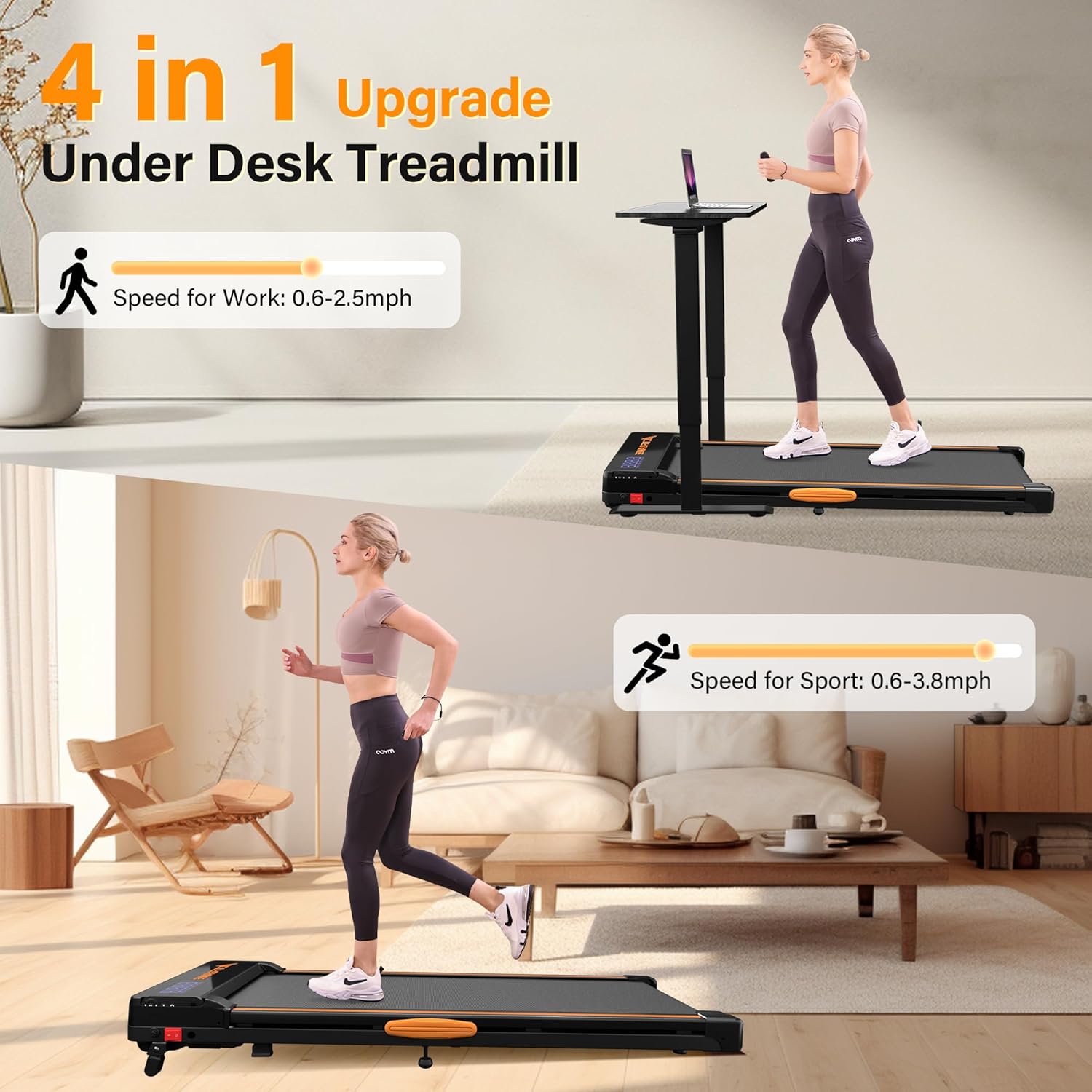
Figure 6.1: The durable 5-layer running belt designed for comfort and longevity.
7. Troubleshooting
If you encounter any issues with your ACTFLAME Walking Pad, please refer to the following common troubleshooting tips. For more detailed solutions, consult the comprehensive user manual PDF available online or contact customer support.
- No Power/Display: Ensure the power cord is securely plugged into both the unit and the wall outlet, and the main power switch is in the 'ON' position. Check the power outlet with another device.
- Belt Not Moving: Press the Play/Pause button on the remote. Ensure the safety key (if applicable, though not explicitly mentioned for this model, it's a common feature) is in place.
- Unusual Noise: Check for any loose parts or foreign objects under the belt. Lubricate the belt if it's dry. Ensure the unit is on a level surface.
- Belt Slipping/Off-Center: The belt may need adjustment. Follow the belt adjustment instructions in the physical manual.
8. Specifications
| Specification | Detail |
|---|---|
| Brand | ACTFLAME |
| Model Name | TM600 |
| Product Dimensions | 45.5"D x 20"W x 5"H |
| Item Weight | 45 Pounds |
| Material | Alloy Steel |
| Maximum Speed | 3.8 Miles per Hour |
| Minimum Speed | 0.6 Miles per Hour |
| Maximum Horsepower | 2.5 Horsepower |
| Maximum Weight Recommendation | 265 Pounds |
| Display Type | LED |
| Special Feature | Lightweight, Manual Incline |
| Assembly Required | No |
| Included Components | Lubricant |
9. Warranty and Support
The ACTFLAME Walking Pad comes with a 1-year manufacturer's guarantee. For any questions, concerns, or support needs, please contact ACTFLAME customer service. You can also refer to the official User Manual (PDF) for more detailed information.
- Warranty: 1-year manufacturer's guarantee.
- User Manual (PDF): Download PDF
- Manufacturer: ACTFLAME
Related documentsTM600


Ask a question about this manual
Ask about setup, troubleshooting, compatibility, parts, safety, or missing instructions. Manuals+ will review the question and use this page’s manual context to help answer it.