1. Important Safety Information
Please read all instructions carefully before operating your Velieta Commercial Beverage Refrigerator. Retain this manual for future reference.
- Electrical Safety: Ensure the refrigerator is connected to a grounded 115V AC outlet. Do not use extension cords.
- Placement: Place the unit on a firm, level surface. Allow adequate ventilation around the unit.
- Initial Setup: After transportation, allow the refrigerator to stand upright for at least 24 hours before plugging it in. This allows the refrigerant to settle.
- Handling: Exercise caution when moving the unit due to its weight (158 pounds). Use the integrated wheels for easier repositioning.
- Children Safety: The unit features a door lock. Keep keys out of reach of children to prevent accidental entrapment.
2. Product Overview & Features
The Velieta Commercial Beverage Refrigerator is designed for efficient and convenient beverage storage in various commercial and home settings.

Figure 2.1: Front view of the Velieta Commercial Beverage Refrigerator, showcasing its glass door and interior shelving filled with various beverages.
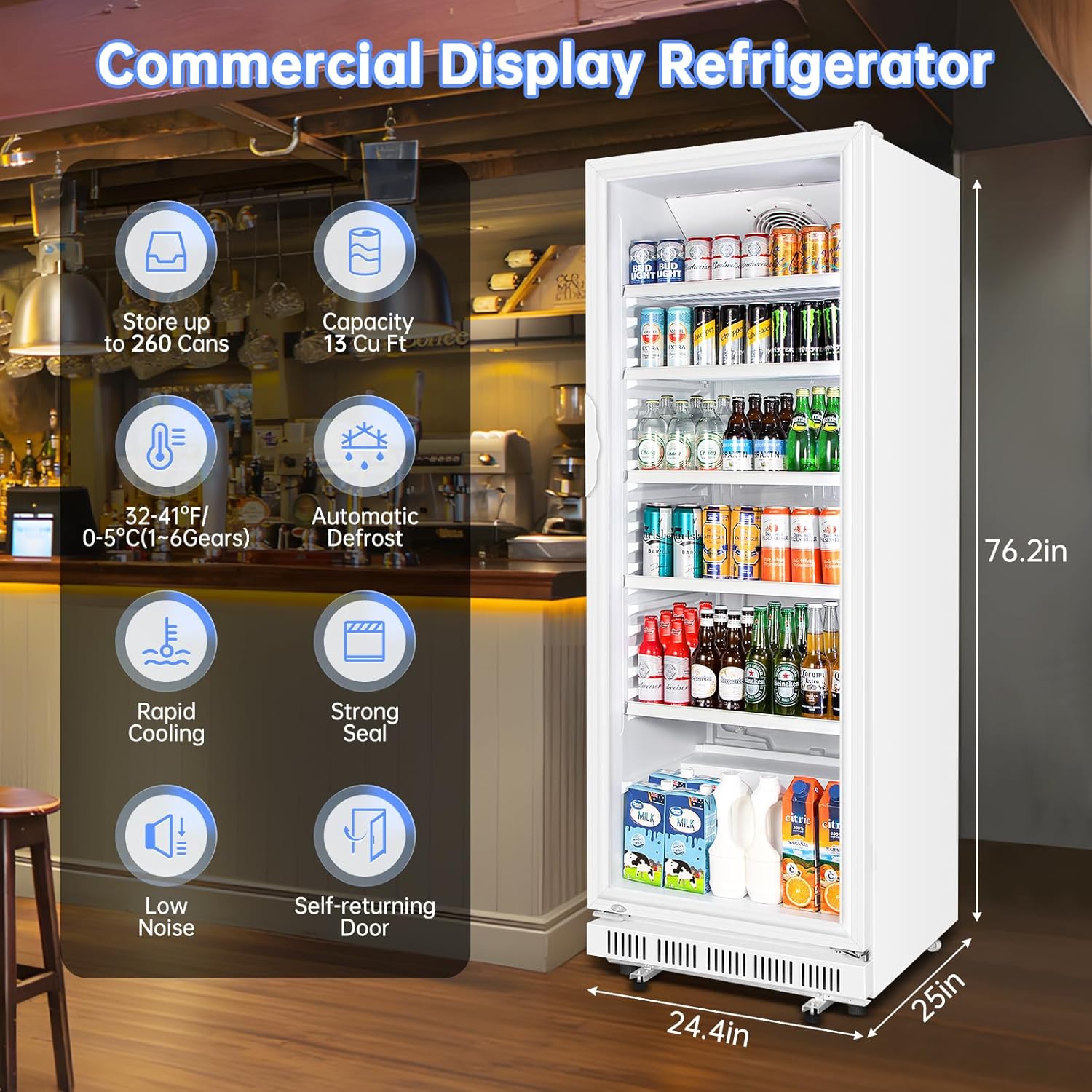
Figure 2.2: Key features of the refrigerator, including 15 Cu. Ft. capacity, 32-41°F temperature range, automatic defrost, and low noise operation.
- Spacious Capacity: 15 Cu. Ft. (approx. 500 cans) for ample storage.
- Adjustable Shelves: Five removable wire shelves allow for customizable storage configurations.
- Easy Mobility: Equipped with 2 rear wheels for convenient movement.
- Efficient Cooling: Energy-saving fan ensures rapid cooling and consistent temperatures (32-41°F / 0-5°C).
- Automatic Defrost: Eliminates manual frost cleaning, maintaining optimal performance.
- Insulated Glass Door: Double-glazed tempered glass with sealing strips and an insulation layer effectively blocks heat and retains cold.
- Self-Closing Door: Designed for ease of use and energy conservation.
- Digital Control Panel: Intuitive touch controls for temperature adjustment and light operation.
- Security Lock: Integrated lock with key for added security.
3. Setup Guide
Follow these steps to set up your new beverage refrigerator.
- Unpacking: Carefully remove the refrigerator from its packaging. Inspect for any shipping damage.
- Placement: Choose a location with sufficient space for ventilation (front ventilation is supported). Ensure the surface is level and stable.
- Initial Standby: Allow the unit to stand upright for a minimum of 24 hours before plugging it into a power outlet. This is crucial for the compressor's longevity.
- Shelf Installation: Insert the 5 wire shelves into the desired positions. The shelves are adjustable to accommodate various beverage sizes.
- Door Handle Installation: Attach the door handle if it is not pre-installed, following the instructions provided in the separate hardware pack.
- Power Connection: Plug the refrigerator into a dedicated 115V AC grounded electrical outlet.
Video 3.1: An unboxing video demonstrating the initial setup steps, including removing packaging, installing shelves, and preparing the unit for use.
4. Operating Instructions
Familiarize yourself with the control panel and basic operations.
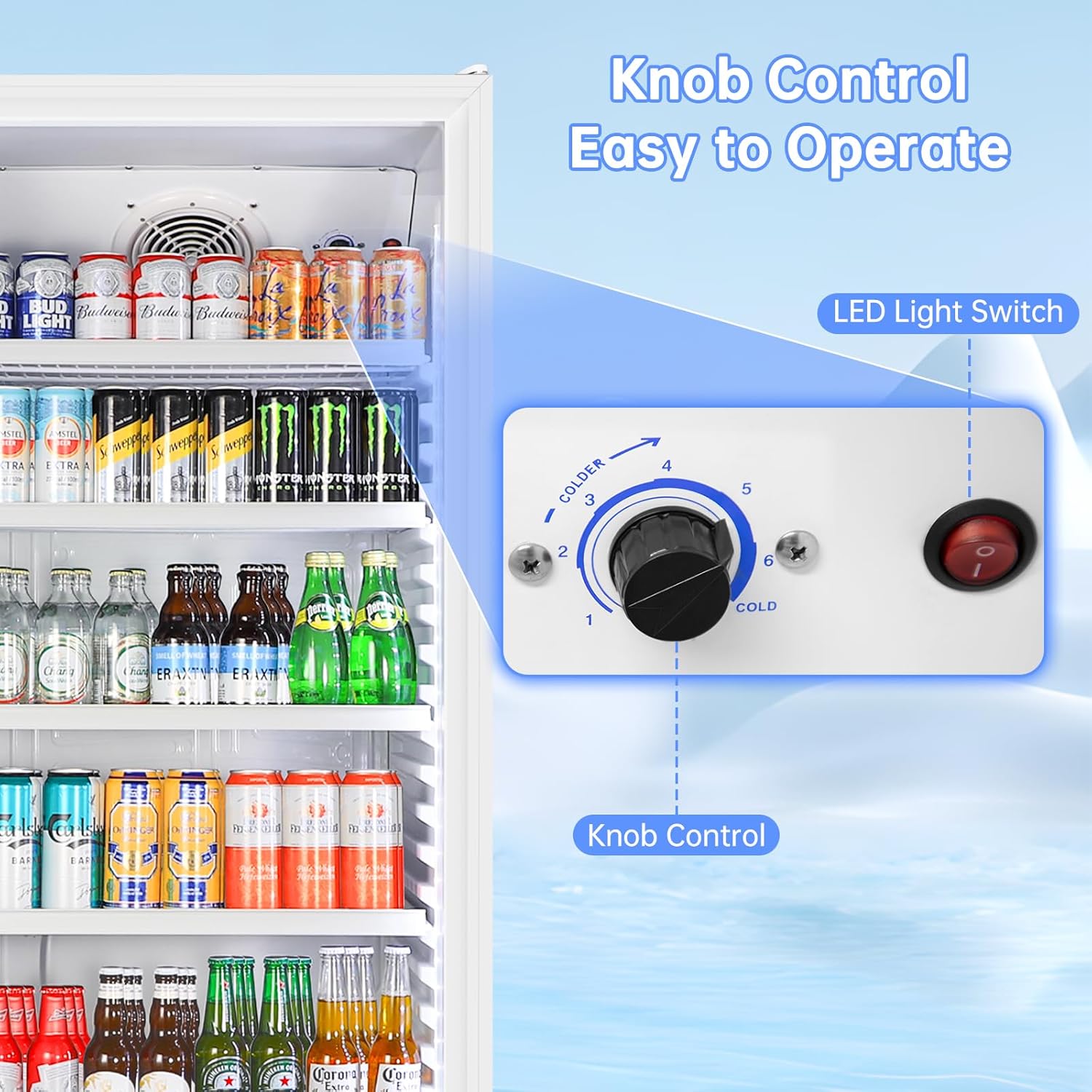
Figure 4.1: Digital control panel for temperature and light settings.
- Power On/Off: Press the power button on the control panel to turn the unit on or off.
- Temperature Adjustment: Use the up and down arrows on the control panel to set your desired temperature between 32°F and 41°F (0°C and 5°C). The display shows the current internal temperature.
- Fahrenheit/Celsius Toggle: Press and hold the temperature unit button (C/F) to switch between Fahrenheit and Celsius display.
- Light Control: Press the light bulb icon button to turn the interior LED lighting on or off.
- Control Panel Lock: To prevent accidental changes, press and hold the lock icon button for 5 seconds to lock the control panel. Repeat to unlock.
- Door Lock: Use the provided key to manually lock or unlock the glass door for added security.
Video 4.1: Demonstrates the control panel functions, including temperature adjustment, light control, and the automatic rebound door feature.
5. Maintenance & Care
Regular maintenance ensures optimal performance and longevity of your refrigerator.
- Cleaning Interior: Disconnect power before cleaning. Use a soft cloth with mild soap and water. Avoid abrasive cleaners.
- Cleaning Exterior: Wipe down the exterior surfaces with a soft, damp cloth. For the glass door, use a glass cleaner.
- Automatic Defrost: The unit features an automatic defrost system. During operation, frost may occasionally form on the evaporator. This will melt automatically.
- Condenser Cleaning: Periodically clean the condenser coils at the back of the unit to ensure efficient cooling.
- Shelf Adjustment/Removal: Shelves can be easily removed for cleaning or to reconfigure storage space.
6. Troubleshooting
If you encounter issues, refer to the following common problems and solutions.
| Problem | Possible Cause | Solution |
|---|---|---|
| Refrigerator not cooling | Power supply issue; temperature setting too high; door not closed properly. | Check power connection; adjust temperature setting; ensure door is fully closed. |
| Excessive noise | Unit not level; fan obstruction; normal compressor operation. | Adjust leveling feet; clear any obstructions around fans; some noise is normal. |
| Temperature fluctuation | Frequent door opening; poor ventilation; ambient temperature too high. | Minimize door openings; ensure proper airflow around unit; consider room temperature. |
| Condensation on glass door | High humidity; door seal issue. | This is normal in high humidity; check door seal for proper closure. |
If the problem persists after attempting these solutions, please contact Velieta Customer Support.
7. Specifications
- Brand: Velieta
- Model: VT-KD360P-01
- Item Weight: 158 Pounds
- Product Dimensions: 25"D x 24.41"W x 76.18"H
- Capacity: 15 Cubic Feet
- Annual Energy Consumption: 1.84 Kilowatt Hours
- Installation Type: Freestanding & Built-in
- Color: White
- Voltage: 115 Volts (AC)
- Defrost System: Frost Free
- Door Hinges: Right
- Door Material Type: Glass
- Shelf Type: Wire
- Number of Shelves: 5
- Number of Doors: 1
8. Warranty & Support
For any product-related inquiries, technical assistance, or warranty claims, please contact Velieta Customer Support.
- Customer Support: Velieta Direct is committed to providing excellent customer service.
- Protection Plans: Additional protection plans may be available for purchase to extend coverage beyond the standard warranty.

Figure 8.1: Velieta Customer Support details for assistance.


