
1. Introduction
Thank you for choosing the GarveeTech 14000 BTU Inverter Portable Air Conditioner and Heater. This appliance is designed to provide efficient cooling, heating, dehumidification, and fan functions for your indoor environment. Please read this manual thoroughly before installation and operation to ensure proper use and maintenance.
Safety Information
- Always connect the unit to a properly grounded electrical outlet.
- Do not operate the unit with a damaged power cord or plug.
- Ensure adequate ventilation around the unit. Do not block air inlets or outlets.
- Keep the unit away from flammable materials and heat sources.
- Do not insert objects into the air outlets.
- Unplug the unit before cleaning or performing any maintenance.
2. Package Contents
Verify that all components are present in the packaging:
- Portable Air Conditioner Unit
- Remote Control (1)
- Exhaust Hose (2)
- Slide Bar (1)
- Slide Bar Connector (1)
- Exhaust Pipe Joint (2)
- User Manual (this document)

Figure 2.1: Included accessories and unit dimensions.
3. Setup and Installation
Unit Placement
- Place the unit on a flat, stable surface.
- Maintain at least 20 inches (50 cm) of space around the unit for proper airflow.
- Ensure the unit is near a grounded power outlet.
Window Kit Installation
The unit comes with a window installation kit suitable for both vertical and horizontal sliding windows.
- Assemble the slide bar and connector to fit your window opening.
- Secure the assembled slide bar into the window frame.
- Attach the exhaust pipe joints to both ends of the exhaust hoses.
- Connect one end of each exhaust hose to the designated ports on the back of the air conditioner unit.
- Insert the other ends of the exhaust hoses into the openings of the window slide bar. Ensure a secure fit to prevent air leakage.

Figure 3.1: Window kit installation for various window types.
4. Operating Instructions
The unit can be controlled via the LED display on the top panel or the included remote control.

Figure 4.1: Control panel and remote control overview.
Power On/Off
- Press the ON/OFF button on the control panel or remote to turn the unit on or off.
Mode Selection
Press the MODE button to cycle through the available modes:
- Cool Mode: For cooling the room. Adjust temperature using Increase/Decrease buttons.
- Heat Mode: For heating the room. Adjust temperature using Increase/Decrease buttons.
- Fan Mode: Circulates air without cooling or heating.
- Dry Mode (Dehumidifier): Reduces humidity in the room.
Temperature Adjustment
- In Cool or Heat mode, use the Increase (+) or Decrease (-) buttons to set the desired temperature.
Fan Speed
- Press the FAN SPEED button to select between High, Medium, Low, or Auto fan speeds.
Timer Function
- Press the TIMER button to set a delayed start or stop time for the unit.
Sleep Mode
- Activate Sleep Mode for quiet operation and energy saving during sleep. The noise level is approximately 42dB in this mode.
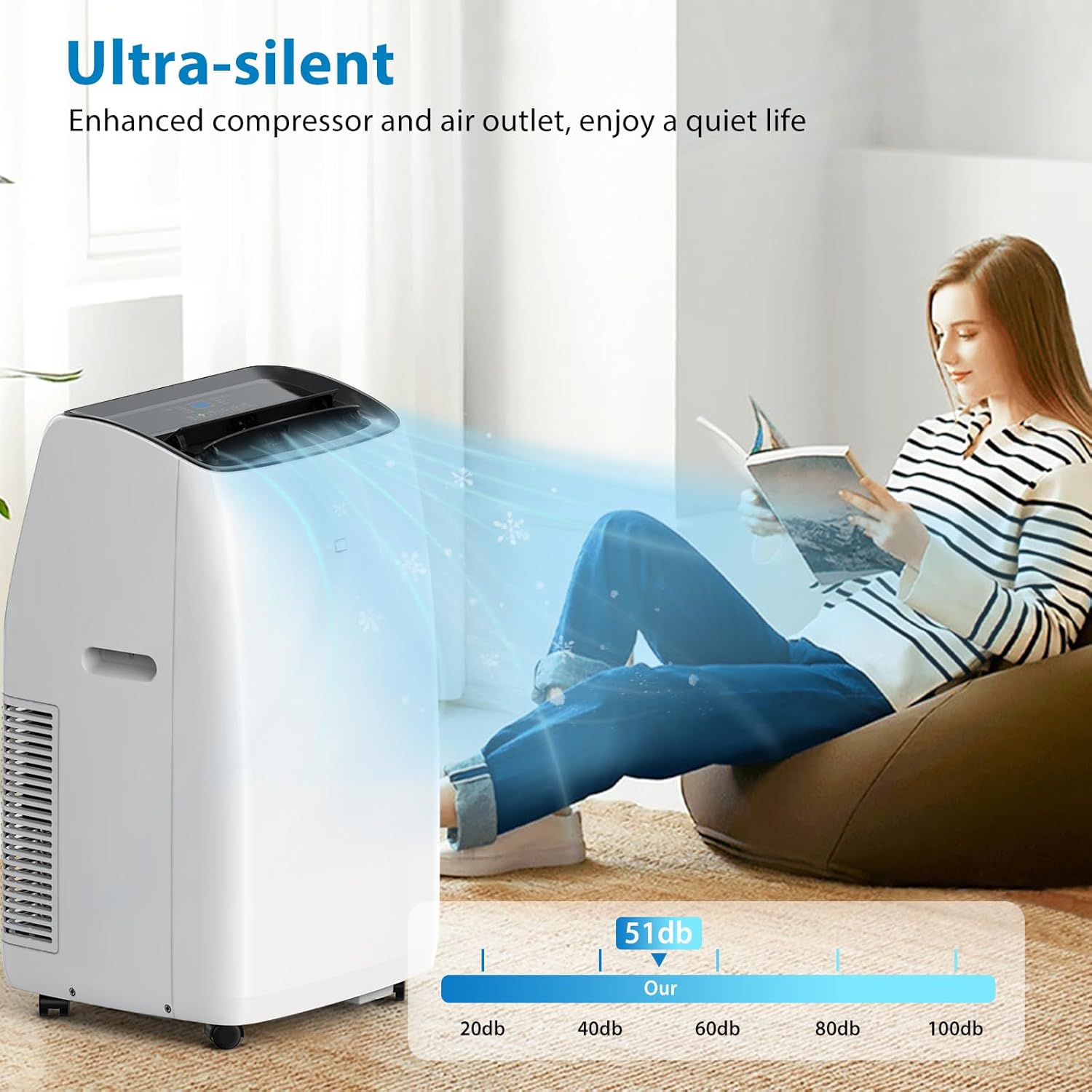
Figure 4.2: Ultra-silent operation in Sleep Mode.
5. Maintenance
Cleaning the Air Filter
Regularly clean the air filter to ensure optimal performance and air quality.
- Turn off and unplug the unit.
- Locate and remove the air filter from the back or side of the unit.
- Wash the filter with warm, soapy water. Rinse thoroughly.
- Allow the filter to air dry completely before reinstalling.
Cleaning the Unit Exterior
- Wipe the exterior with a soft, damp cloth. Do not use harsh chemicals or abrasive cleaners.
Seasonal Storage
- Before storing, run the unit in Fan mode for a few hours to dry the internal components.
- Clean the air filter and exterior.
- Store the unit in a dry, cool place, covered to protect from dust.
6. Troubleshooting
If you encounter issues, refer to the following common problems and solutions:
| Problem | Possible Cause | Solution |
|---|---|---|
| Unit does not turn on | No power; Power cord not plugged in; Circuit breaker tripped | Check power connection; Reset circuit breaker |
| Insufficient cooling/heating | Dirty air filter; Room too large; Doors/windows open; Exhaust hoses not properly installed | Clean air filter; Ensure room size is within specifications (up to 750 sq. ft.); Close doors/windows; Verify hose connections |
| Unit is noisy | Unit not on a level surface; Obstruction in fan; Air filter dirty | Place on a level surface; Check for obstructions; Clean air filter |
| Water leakage | Drain plug not secured; Unit tilted | Ensure drain plug is tightly closed; Place unit on a level surface |
7. Specifications
Technical details for the GarveeTech 14000 BTU Inverter Portable Air Conditioner and Heater:
| Feature | Specification |
|---|---|
| Model Name | TAC-10CHPD/NWSGBp |
| Cooling/Heating Capacity | 14000 BTUs |
| Coverage Area | Up to 750 Sq. Ft. |
| Functions | Cool, Heat, Fan, Dehumidifier (4-in-1) |
| Noise Level | 42 dB (Sleep Mode) |
| Item Weight | 74.3 pounds |
| Product Dimensions (D x W x H) | 19.29 x 18.03 x 34.65 inches |
| Capacity (Dehumidifier) | 78.5 Pints |
| Annual Energy Consumption | 446 Kilowatt Hours Per Year |
| Voltage | 115V |
| Wattage | 1290W |
| Color | White |
| Special Feature | Fast Cooling, Inverter Technology |

Figure 7.1: Cooling capacity and coverage area.

Figure 7.2: Inverter technology for energy efficiency.
8. Warranty and Support
For warranty information and customer support, please refer to the official GarveeTech store or contact their customer service directly. Keep your purchase receipt for warranty claims.
Visit the GarveeTech Store: GarveeTech Official Store


