
Introduction
Welcome to the iVue Glide 1080P HD Camera Glasses. These lightweight and stylish eyewear are designed to capture high-definition point-of-view video and photos with ease. Featuring a 90-degree wide-angle lens, 24-megapixel photo capability, and 64GB of built-in memory, the Glide is perfect for capturing your experiences hands-free. This manual provides essential information for setup, operation, and maintenance to ensure optimal performance of your device.
Package Contents
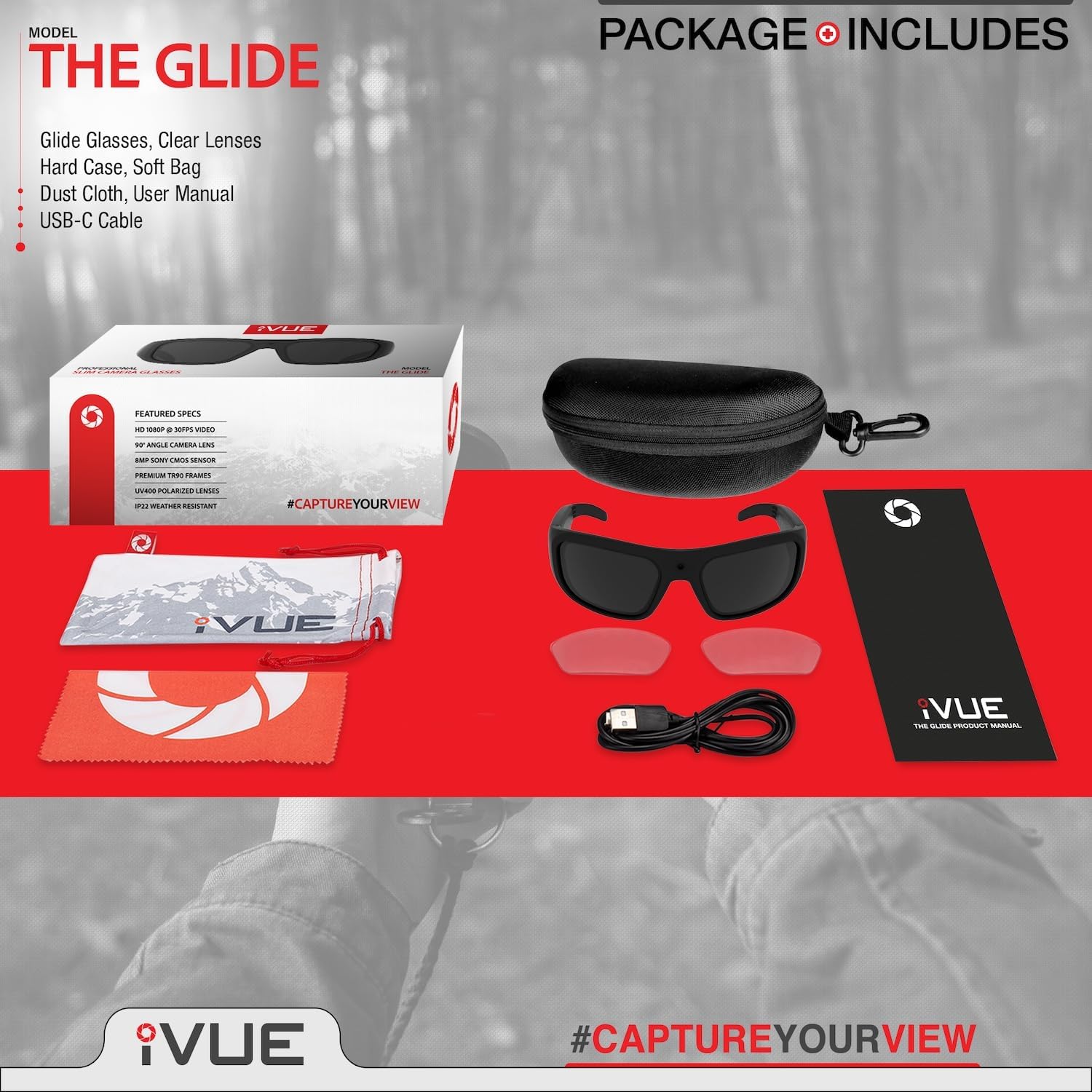
Image: Contents of the iVue Glide package, showing the camera glasses, hard case, clear lenses, soft bag, dust cloth, user manual, and USB-C cable.
Please verify that all items are present in your package:
- iVue Glide Camera Glasses
- Clear Interchangeable Lenses
- Hard Protective Case
- Soft Bag
- Dust Cloth
- USB-C Charging/Data Cable
- User Manual (this document)
Product Overview
The iVue Glide glasses are designed for comfort and functionality. Key features include:
- Ultra Slim & Lightweight: Weighing only 46 grams with 9mm wide arms for extended wear comfort.
- 1080P HD Video: Records video at 30 frames per second.
- 90° Wide Angle Lens: Captures a broader field of view.
- 24MP Photos: High-resolution still image capture.
- 64GB Built-in Memory: Stores up to 80 hours of video.
- IP22 Weather Resistant: Sweat and dust resistant design.
- UV400 Polarized Lenses: Protects eyes from sun.
- Time/Date Stamp: Option to display time and date on recordings.
- One-Touch Operation: Simple button press for recording.

Image: Visual representation of key features including 1080P HD video, 90-degree wide angle, 24MP photos, and time/date stamp functionality.
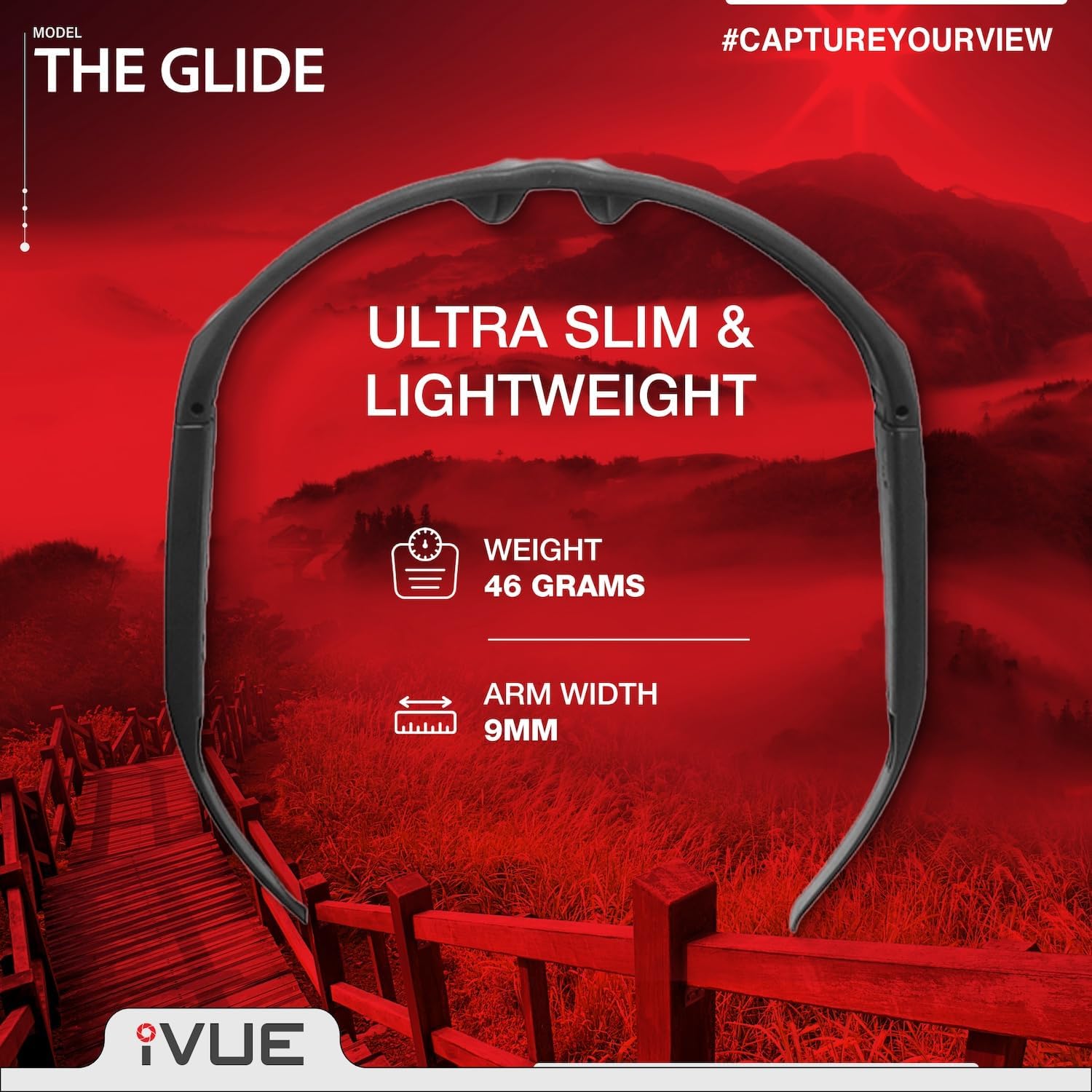
Image: The iVue Glide glasses emphasizing their ultra-slim and lightweight design, weighing 46 grams with 9mm arm width.

Image: Diagram showing advanced features such as IP22 weather resistance, HD camera lens, user-friendly one-touch recording, and easily interchangeable polarized lenses.
Setup
1. Charging the Battery
Before first use, fully charge your iVue Glide glasses. Connect the provided USB-C cable to the charging port on the glasses and to a USB power source (e.g., computer, wall adapter). The charging indicator light will show the charging status (refer to LED indicator section for details). A full charge typically provides approximately 90 minutes of continuous recording time.

Image: Illustration of the iVue Glide's battery life, indicating up to 90 minutes of continuous recording and the ability to record while plugged into an external power bank for extended use.
2. Powering On/Off
To power on the glasses, press and hold the operation button (location specified in Product Overview) for a few seconds until the indicator light illuminates. To power off, press and hold the button again until the indicator light turns off.
3. Setting Time and Date (Optional)
The glasses can display a time/date stamp on your recordings. To set or adjust this, connect the glasses to a computer. A removable drive will appear. Locate the configuration file (e.g., time.txt or similar) and follow the instructions within the file to set the correct time and date format. Save the file and safely eject the device.
Operating Instructions
1. Recording Video
With the glasses powered on, press the operation button once to start video recording. The indicator light will change (e.g., blink slowly) to confirm recording has begun. To stop recording, press the operation button once again. The indicator light will return to its standby state. Videos are saved automatically to the built-in 64GB memory.

Image: The iVue Glide glasses demonstrating one-touch recording for easy, hands-free point-of-view video capture without mounts or hassle.
2. Taking Photos
While recording video, a single quick press of the operation button will capture a 24-megapixel still photo. The glasses will vibrate briefly to indicate that a photo has been taken. Photos are saved separately from video files.
3. Accessing Files (Connecting to Computer)
To transfer or view your recorded videos and photos, connect the iVue Glide glasses to your computer using the provided USB-C cable. The glasses will appear as a removable storage device. You can then drag and drop files to your computer. Ensure to safely eject the device before disconnecting.
4. Changing Lenses
The iVue Glide comes with interchangeable lenses (polarized and clear). To change lenses, carefully apply gentle pressure to the top and bottom edges of the lens near the frame to release it. Align the new lens with the frame grooves and press gently until it clicks securely into place. Avoid excessive force to prevent damage.
Maintenance
- Cleaning Lenses: Use the provided dust cloth or a soft, lint-free cloth to clean the lenses. For stubborn smudges, a small amount of lens cleaning solution can be applied to the cloth, not directly to the lenses.
- Cleaning Frame: Wipe the frame with a soft, damp cloth. Avoid harsh chemicals or abrasive materials.
- Storage: When not in use, store the glasses in the hard protective case to prevent scratches and damage.
- Water Resistance: The glasses have an IP22 rating, meaning they are resistant to sweat and light dust. They are not waterproof and should not be submerged in water or exposed to heavy rain.
Troubleshooting
| Problem | Possible Cause | Solution |
|---|---|---|
| Glasses do not power on. | Battery is depleted. | Charge the glasses fully using the USB-C cable. |
| Cannot record video/take photos. | Memory is full. | Connect to a computer and transfer/delete old files to free up space. |
| Computer does not recognize glasses. | Faulty USB cable or port; driver issue. | Try a different USB port or cable. Restart your computer. |
| Video/Photo quality is poor. | Dirty lens; low light conditions; rapid movement. | Clean the lens. Ensure adequate lighting. Minimize sudden head movements during recording. |
| Time/Date stamp is incorrect. | Time not set or incorrect format. | Connect to computer and adjust the time/date configuration file as per instructions in Setup section. |
Specifications
| Feature | Detail |
|---|---|
| Model | GLIDE |
| Video Resolution | 1080p @ 30fps |
| Photo Resolution | 24 Megapixels |
| Lens Angle | 90° Wide Angle |
| Image Sensor | Sony CMOS Sensor |
| Built-in Memory | 64GB (up to 80 hours video) |
| Battery Life | Up to 90 minutes (continuous recording) |
| Charging Time | Approximately 2 hours (from empty) |
| Connectivity | USB-C |
| Water Resistance | IP22 (Sweat and Dust Resistant) |
| Weight | 46 grams |
| Frame Material | TR90 |
| Lens Type | UV400 Polarized (interchangeable) |
Support
For further assistance, technical support, or warranty inquiries, please refer to the official iVue website or contact their customer service directly. Contact information can typically be found on the product packaging or the brand's official online presence.
Note: Protection plans are available for purchase separately through retailers and are not directly provided by iVue.