
ASHATA ASHATA3yk6oa5gs8-12
ASHATA R11 Smart Ring Fitness Tracker User Manual
Model: ASHATA3yk6oa5gs8-12
Introduction
The ASHATA R11 Smart Ring is an advanced wearable device designed to monitor your health and fitness data with precision and style. This smart ring combines elegant design with sophisticated sensors to provide real-time insights into your well-being, including motion monitoring, step counting, and sleep tracking. Its energy-efficient design ensures extended use, and its durable stainless steel construction offers comfort and longevity. This manual provides essential information on setting up, operating, maintaining, and troubleshooting your Smart Ring.

Figure 1: The ASHATA R11 Smart Ring, showcasing its sleek gold exterior and the integrated sensors on the inner surface.
Package Contents
Upon opening your ASHATA R11 Smart Ring package, please verify that all the following items are included:
- 1 x ASHATA R11 Smart Ring
- 1 x Charging Cable
- 1 x User Manual (this document)
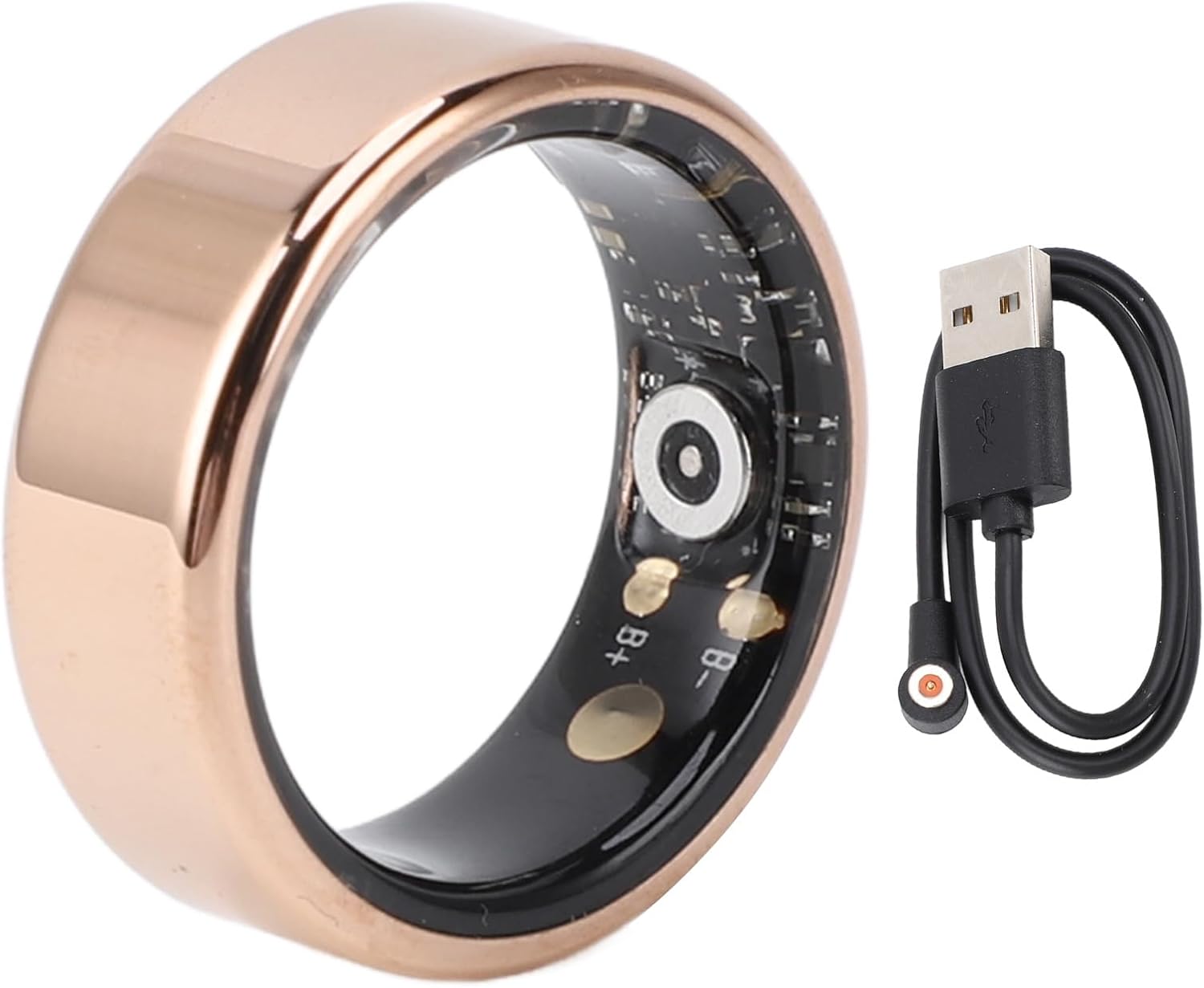
Figure 2: The ASHATA R11 Smart Ring alongside its dedicated charging cable, which connects magnetically to the ring's internal contacts.
Setup
1. Initial Charging
Before first use, it is recommended to fully charge your ASHATA R11 Smart Ring. The ring will self-start once fully charged.
- Connect the provided charging cable to a USB power source (e.g., computer USB port, wall adapter).
- Attach the magnetic end of the charging cable to the charging contacts on the inside of the smart ring. Ensure a secure connection.
- Allow approximately 45 minutes for a full charge. The ring's battery life is approximately 7 days on a single charge.
2. App Download and Pairing
To access and manage your health data, you need to download the companion application.
- Scan the QR code provided in the packaging or search for "Smart Health" in your device's app store (compatible with Android and iOS).
- Install the "Smart Health" application on your smartphone.
- Open the app and follow the on-screen instructions to create an account or log in.
- Enable Bluetooth on your smartphone.
- Within the "Smart Health" app, navigate to the device pairing section and select your ASHATA R11 Smart Ring from the list of available devices.
- Confirm the pairing request on both the app and, if prompted, on the ring (though the ring typically pairs automatically).
Operating the Smart Ring
The ASHATA R11 Smart Ring continuously monitors your health data once worn and paired with the app. There are no buttons or screens on the ring itself; all interactions and data viewing occur through the "Smart Health" application.
1. Wearing the Ring
For accurate data collection, wear the smart ring comfortably on your finger. Refer to the size guide to ensure an optimal fit.
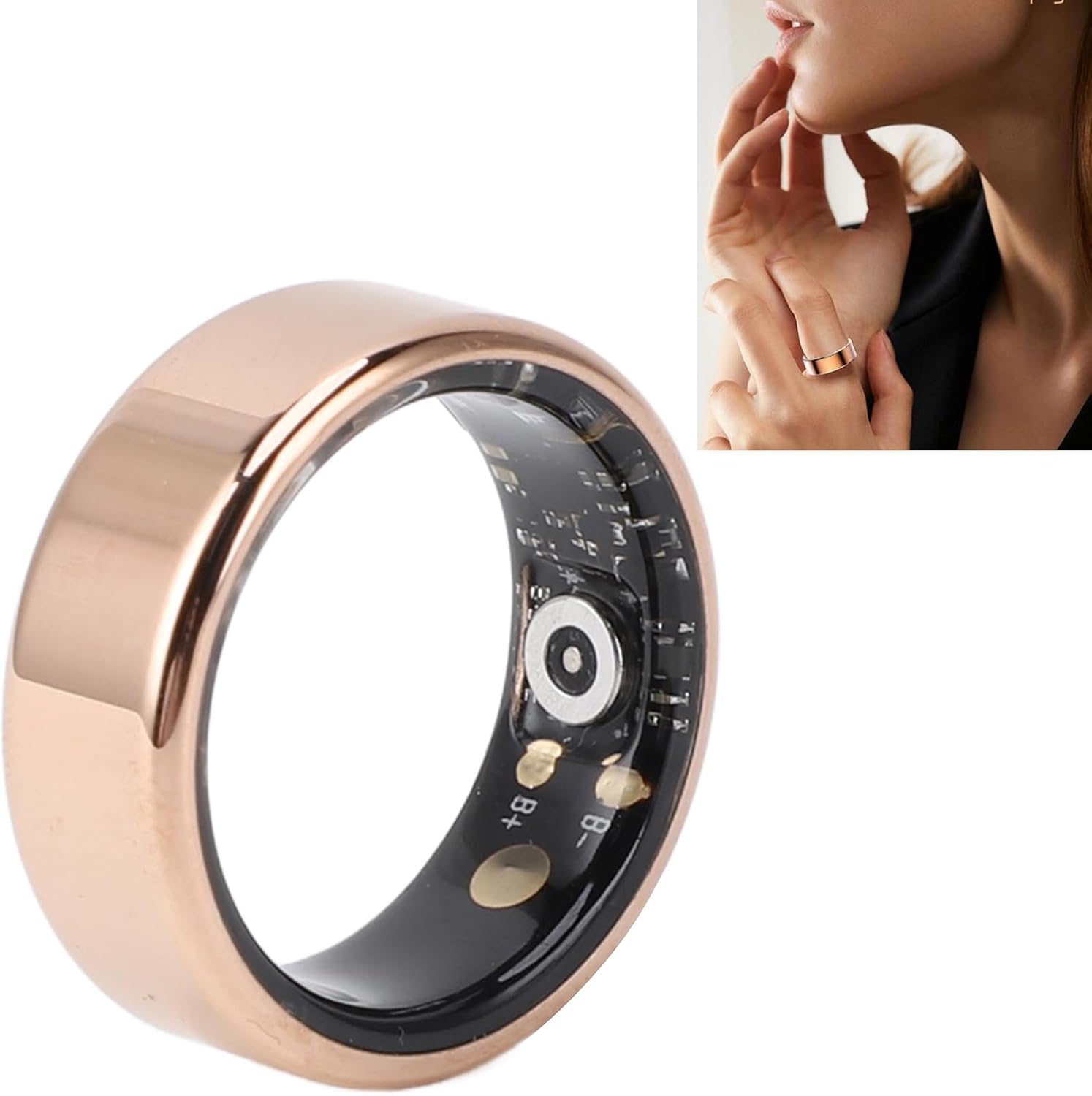
Figure 3: The ASHATA R11 Smart Ring comfortably worn on a finger, demonstrating its discreet profile.
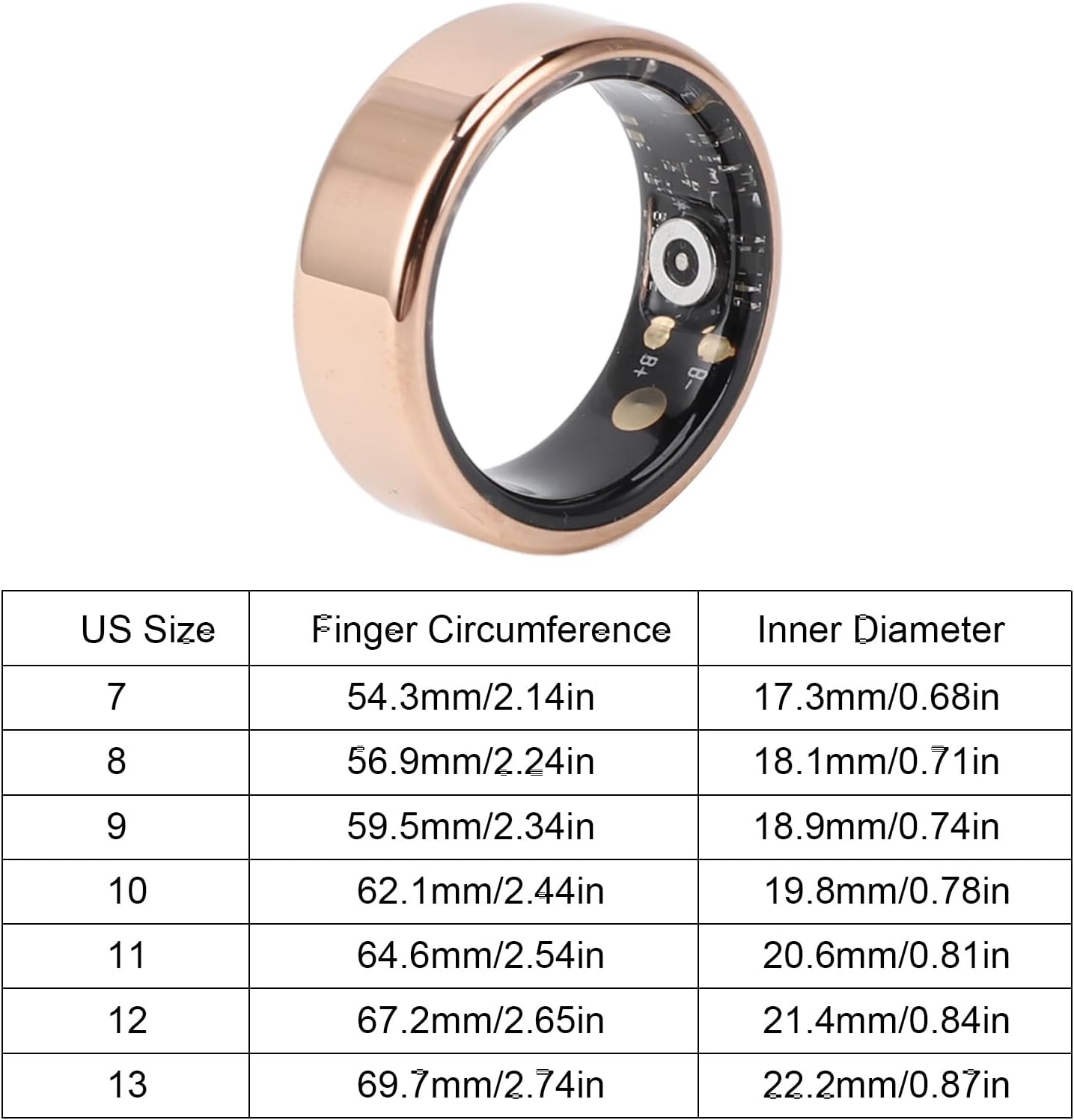
Figure 4: A detailed size chart for the ASHATA R11 Smart Ring, providing US sizes, corresponding finger circumferences, and inner diameters to help users select the correct fit.
2. Health Data Monitoring
The smart ring utilizes advanced sensors to track various health metrics:
- Motion Monitoring: Tracks your daily activity and movement patterns.
- Step Counter: Accurately records the number of steps taken throughout the day.
- Sleep Tracking: Monitors your sleep cycles, duration, and quality.
- Calorie Consumption: Estimates calories burned based on your activity.
- Distance: Calculates the distance covered during your activities.

Figure 5: A user engaging in outdoor exercise, illustrating how the ASHATA R11 Smart Ring can be worn during physical activity to record fitness data.
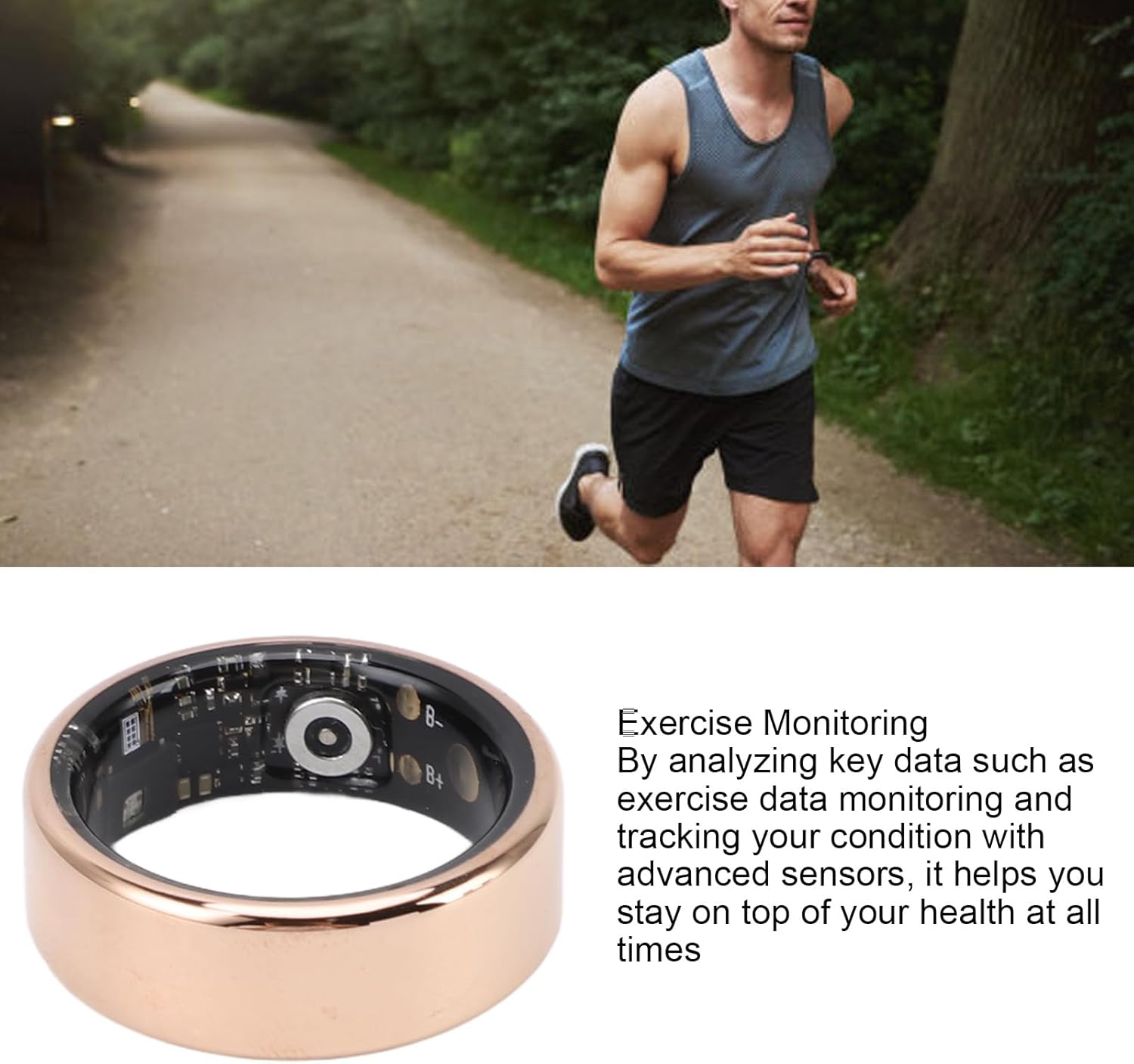
Figure 6: A detailed view of the ASHATA R11 Smart Ring, accompanied by text describing its exercise monitoring capabilities, which analyze key data to help users track their condition.
3. Viewing Data in the App
Synchronize your ring with the "Smart Health" app regularly to view your collected data. The app provides detailed graphs, summaries, and personalized advice based on your activity and sleep patterns.
Maintenance
1. Water Resistance
The ASHATA R11 Smart Ring is designed to be water-resistant, allowing you to wear it during daily water-related activities.
- You can wear the ring while washing your hands, showering, or swimming.
- The sensors will continue to monitor your health data even in wet conditions.
- Avoid exposing the ring to hot water, steam, or high-pressure water jets, as this may compromise its water resistance over time.

Figure 7: A hand with the ASHATA R11 Smart Ring being exposed to water, demonstrating the product's water resistance and dust resistance capabilities, allowing continuous health monitoring.
2. Cleaning
To keep your smart ring in optimal condition:
- Wipe the ring regularly with a soft, damp cloth.
- Do not use abrasive cleaners or harsh chemicals, as these can damage the stainless steel finish or the internal components.
- Ensure the charging contacts are clean and dry before charging to prevent corrosion.
Troubleshooting
If you encounter issues with your ASHATA R11 Smart Ring, please refer to the following common solutions:
- Ring not connecting to app:
- Ensure Bluetooth is enabled on your smartphone.
- Make sure the ring is charged.
- Restart the "Smart Health" app.
- Try restarting your smartphone.
- If the issue persists, try unpairing and re-pairing the ring within the app's settings.
- Inaccurate data:
- Ensure the ring is worn snugly but comfortably on your finger.
- Verify that the app is up to date.
- Ensure the ring's sensors are clean and free from debris.
- Ring not charging:
- Check that the charging cable is securely connected to both the ring and the power source.
- Ensure the charging contacts on the ring and cable are clean.
- Try a different USB power source or charging cable if available.
For further assistance, please contact ASHATA customer support.
Specifications
| Feature | Detail |
|---|---|
| Product Name | ASHATA R11 Smart Ring Fitness Tracker |
| Model Number | ASHATA3yk6oa5gs8-12 |
| Material | Stainless Steel |
| Color | Gold |
| Battery Type | Lithium Battery (Built-in) |
| Battery Capacity | 20mAh |
| Battery Life | Approximately 7 days |
| Charging Time | Approximately 45 minutes |
| Companion App | Smart Health (Android & iOS compatible) |
| Water Resistance | Suitable for daily water activities (handwashing, showering, swimming) |
| Item Weight | 2.54 ounces |
| Package Dimensions | 3.15 x 3.15 x 1.57 inches |
| Country of Origin | China |
Warranty and Support
For information regarding product warranty, returns, or technical support, please refer to the warranty card included with your purchase or visit the official ASHATA website. You may also contact your retailer for specific support details.
Note: Manual measurement may allow for some error in physical dimensions.
Ask a question about this manual
Ask about setup, troubleshooting, compatibility, parts, safety, or missing instructions. Manuals+ will review the question and use this page’s manual context to help answer it.