
Introduction
The LEOBOG AULA HERO 68 HE is a compact 68-key mechanical gaming keyboard designed for performance and customization. It features Hall Effect magnetic switches, adjustable actuation, rapid trigger mode, and an 8K Hz polling rate for precise input. The keyboard includes side-printed PBT keycaps and RGB backlighting, connecting via a detachable USB-C cable.
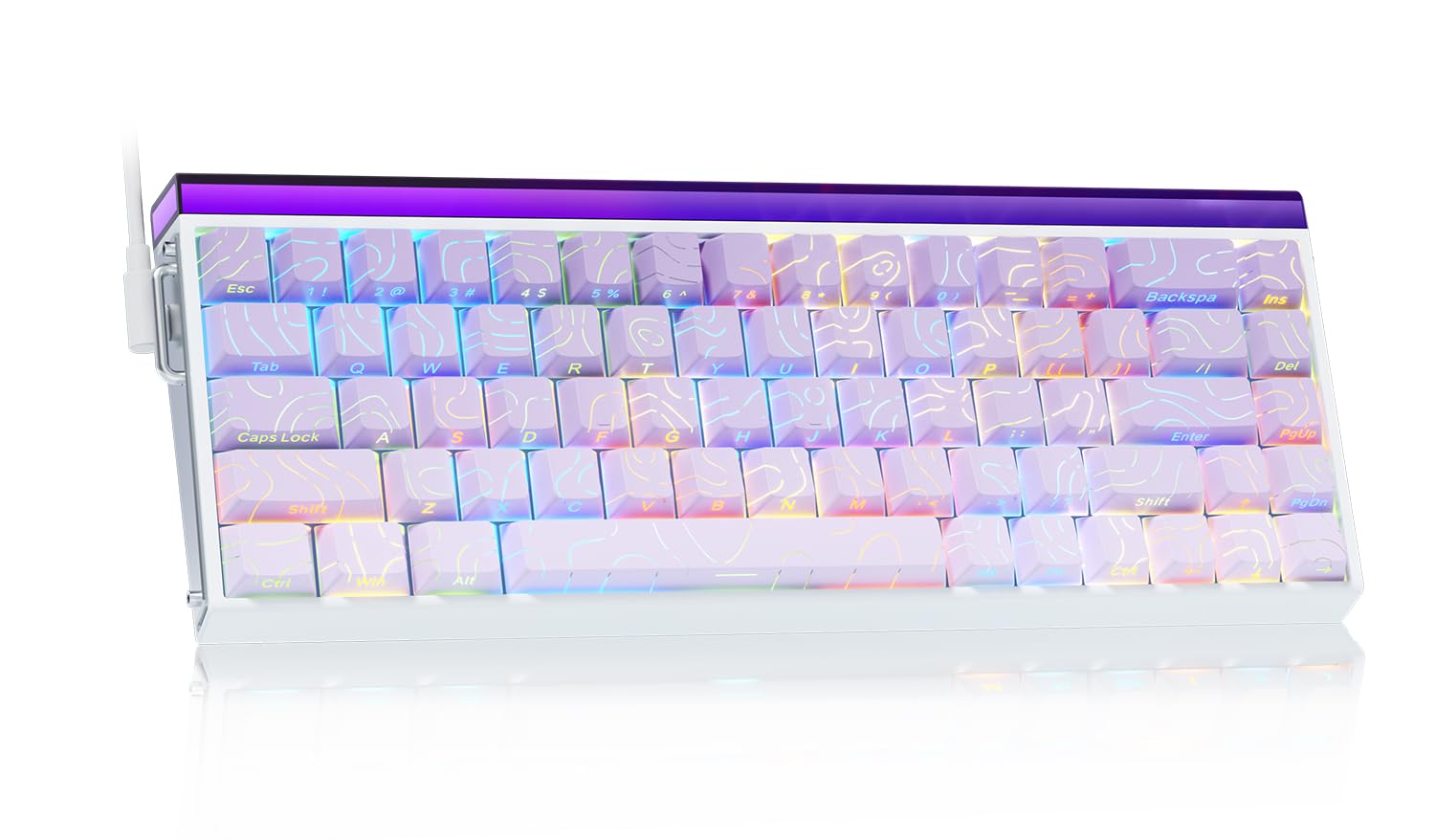
Image: The LEOBOG AULA HERO 68 HE 60% Gaming Keyboard in purple, showcasing its compact layout and RGB lighting.
Package Contents
- 1x LEOBOG AULA HERO 68 HE Gaming Keyboard
- 4x PBT Keycaps (for customization)
- 1x English Manual
- 1x USB-C Cable (detachable)
- 1x Keycap/Switch Puller
Setup Instructions
- Connect the Keyboard: Connect the detachable USB-C cable to the keyboard's USB-C port and the other end to an available USB port on your computer. The keyboard is plug-and-play and should be recognized automatically by most operating systems.
- Driver Installation (Optional): For advanced customization, including trigger travel settings, RGB backlight settings, custom shortcut keys, DKS/MT/TGL custom functions, and magnetic switch performance adjustments, download the dedicated web driver from the official LEOBOG website. Note: The driver currently supports Windows operating systems.
- Keycap and Switch Customization: The keyboard features hot-swappable switches and replaceable keycaps. Use the included keycap/switch puller to remove and replace components.

Image: Close-up of the keyboard's side, showing the USB-C port and detachable cable connection.

Image: Screenshot of the programmable web driver interface, showing options for trigger travel, RGB settings, and macro recording.
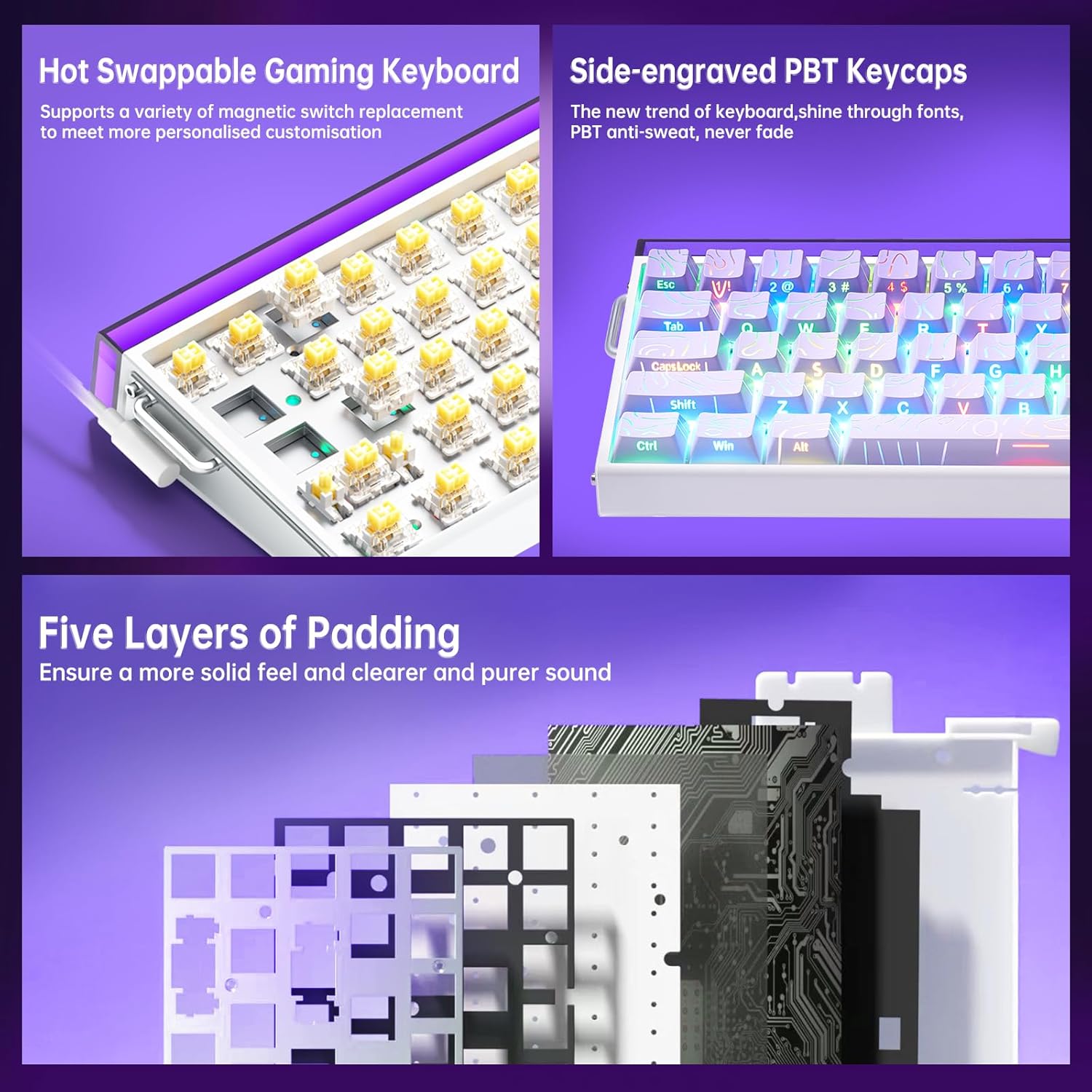
Image: A detailed view illustrating the hot-swappable magnetic switches and the side-engraved PBT keycaps. Also shows the internal five layers of padding.
Operating Instructions
RGB Backlighting Control
The keyboard features 16 million RGB backlight colors with 32 LED beads. Lighting brightness and speed can be adjusted using the dedicated knob or FN+key combinations.
- Knob Control: Rotate the knob to adjust lighting brightness. Press the knob to cycle through lighting effects.
- FN + Ins: Turn on/off keyboard light.
- FN + PgUp: Switch lighting effects.
- FN + Z/X/C: Adjust lightbox lighting speed (Z/X) and color (C).
- FN + Left/Right Arrow: Adjust light speed.
- FN + Up/Down Arrow: Adjust light brightness.
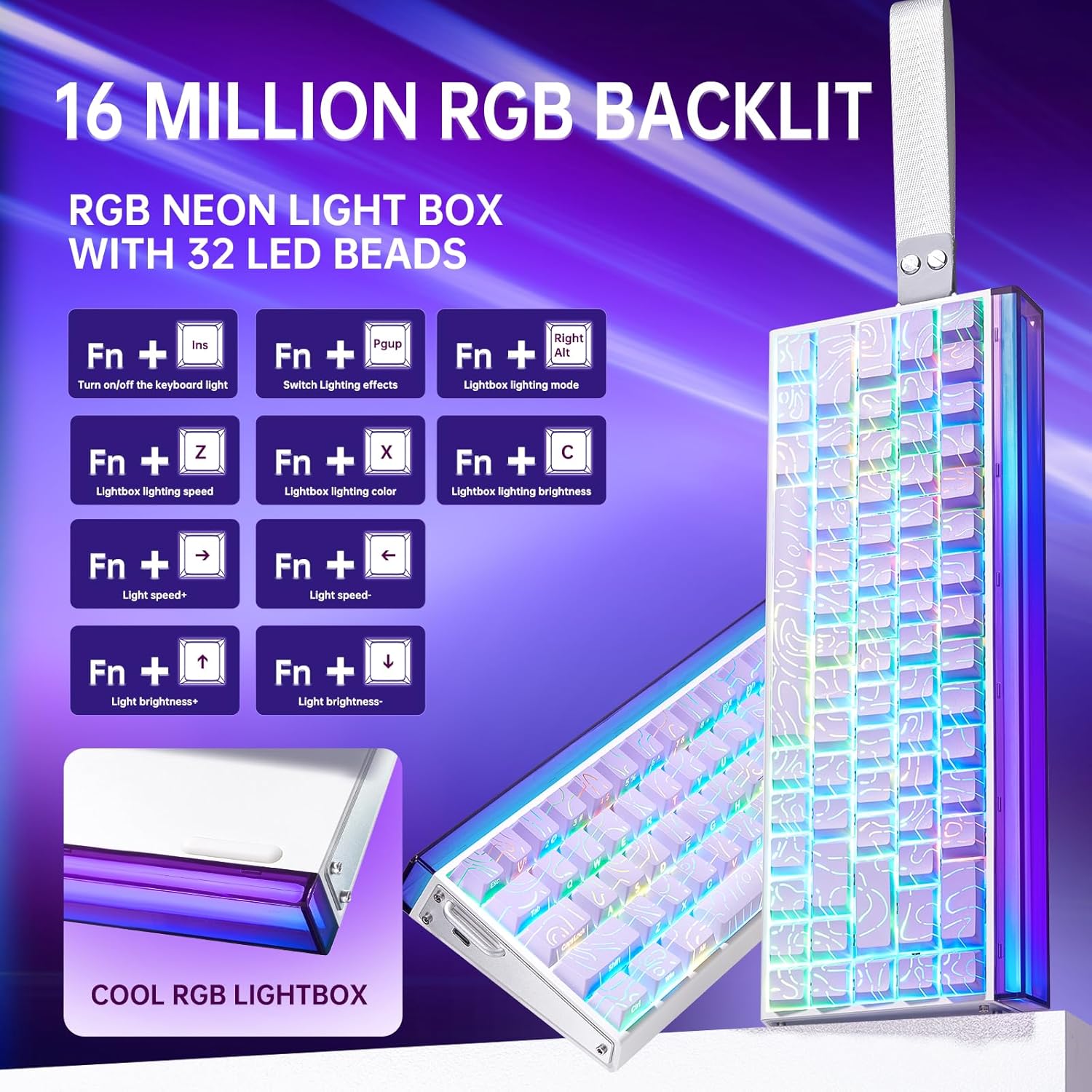
Image: Diagram showing FN key combinations for controlling RGB backlighting and the function of the control knob.
Hall Effect Magnetic Switches and Rapid Trigger
The Hall Effect magnetic switches allow for adjustable actuation points and rapid trigger mode, providing enhanced responsiveness for gaming. These settings are typically configured via the dedicated web driver software.
- Adjustable Actuation: Customize the distance a key needs to travel before registering an input.
- Rapid Trigger Mode: Allows keys to reset instantly upon release, enabling faster repeated inputs.

Image: Diagram illustrating the components and specifications of a high-performance magnetic switch, including stroke, initial pressure, and bottom pressure.
Programmable Keys and Macros
Utilize the web driver software to program custom shortcut keys and create macros for complex command sequences. This allows for a personalized and optimized workflow or gaming experience.
Maintenance
- Cleaning: Regularly clean the keyboard with a soft, dry cloth. For deeper cleaning, remove keycaps using the provided puller and use compressed air to clear debris from beneath the switches.
- Keycap and Switch Replacement: The hot-swappable design allows for easy replacement of switches and keycaps without soldering. Use the included tools for safe removal and installation. Ensure proper alignment when reinserting switches and keycaps to prevent damage.

Image: A close-up view of a keycap removed from the keyboard, revealing the switch underneath.
Troubleshooting
- Keyboard Not Responding:
- Ensure the USB-C cable is securely connected to both the keyboard and the computer.
- Try connecting the keyboard to a different USB port on your computer.
- Test the keyboard on another computer to rule out system-specific issues.
- RGB Lighting Not Working or Incorrect:
- Check if the lighting is turned off using the FN+Ins key combination.
- Adjust brightness and effects using the knob or FN+key combinations as described in the Operating Instructions.
- If using the software, ensure it is correctly installed and configured.
- Keys Not Registering or Double-Typing:
- Ensure the switches are properly seated in their sockets.
- Clean around the affected switch to remove any debris.
- If using the web driver, check actuation point settings, as an overly sensitive setting might cause unintended inputs.
- Software Issues:
- Ensure you have downloaded the correct and latest version of the web driver from the official LEOBOG website.
- Temporarily disable any antivirus software if it interferes with the driver installation or operation.
- Refer to the software's specific documentation or online support for detailed troubleshooting.
Specifications
| Brand | LEOBOG |
| Model Number | Hero 68 |
| Layout | 60% (68-key) |
| Switch Type | Hall Effect Magnetic Switches (LEOBOG Greywood / Meteor Magnetic Switch) |
| Polling Rate | 8K Hz |
| Latency | 0.125ms |
| Keycaps | Side-Printed PBT Keycaps |
| Connectivity | Wired USB-C (detachable) |
| Backlighting | RGB (16 Million Colors, 32 LED beads) |
| Dimensions (L x W x H) | 13.94" x 6.38" x 2.24" |
| Compatible Devices | Gaming Console, Laptop, PC, Smartphone, Tablet |
| Material | Acrylonitrile Butadiene Styrene, Plastic, Silicone |
Warranty Information
This LEOBOG AULA HERO 68 HE Gaming Keyboard comes with a 2-Year Manufacturer's Warranty. Please retain your proof of purchase for warranty claims. The warranty covers defects in materials and workmanship under normal use. It does not cover damage caused by misuse, accidents, unauthorized modifications, or normal wear and tear.
Support
For technical assistance, product inquiries, or warranty support, please contact the manufacturer or authorized seller. The primary seller for this product is AULA Tech USA.
You may also visit the official LEOBOG website for additional resources, driver downloads, and frequently asked questions.
Online Resources:
- LEOBOG Store on Amazon: Visit Store
Product Video
Video: Professional Gaming Keyboards 60% Hall Effect Keyboard. This video demonstrates the features and functionality of the AULA HERO 68 HE keyboard, including its design, RGB lighting, and magnetic switches.