
Introduction
Thank you for purchasing the T4TREAM 59" Executive L Shaped Desk with Hutch. This manual provides detailed instructions for assembly, operation, maintenance, and troubleshooting to ensure safe and efficient use of your new desk. Please read this manual thoroughly before beginning assembly or use, and retain it for future reference.
This L-shaped desk is designed to maximize corner space, offering dedicated areas for computer work and writing. It features a Victorian style with a distressed finish, hand-polished antique hardware, a built-in charging station, multiple drawers, and storage cabinets.
Safety Information
- Always follow assembly instructions carefully.
- Ensure all fasteners are securely tightened before use. Periodically check and re-tighten as necessary.
- Do not overload the desk or drawers. The tabletop supports up to 150 lbs, and drawers hold 30-50 lbs.
- Keep small parts away from children during assembly.
- Use on a level surface to prevent tipping.
- Avoid exposing the desk to excessive moisture or direct sunlight.
Package Contents
The T4TREAM 59" Executive L Shaped Desk with Hutch is delivered in multiple packages. Please verify all components are present before starting assembly.
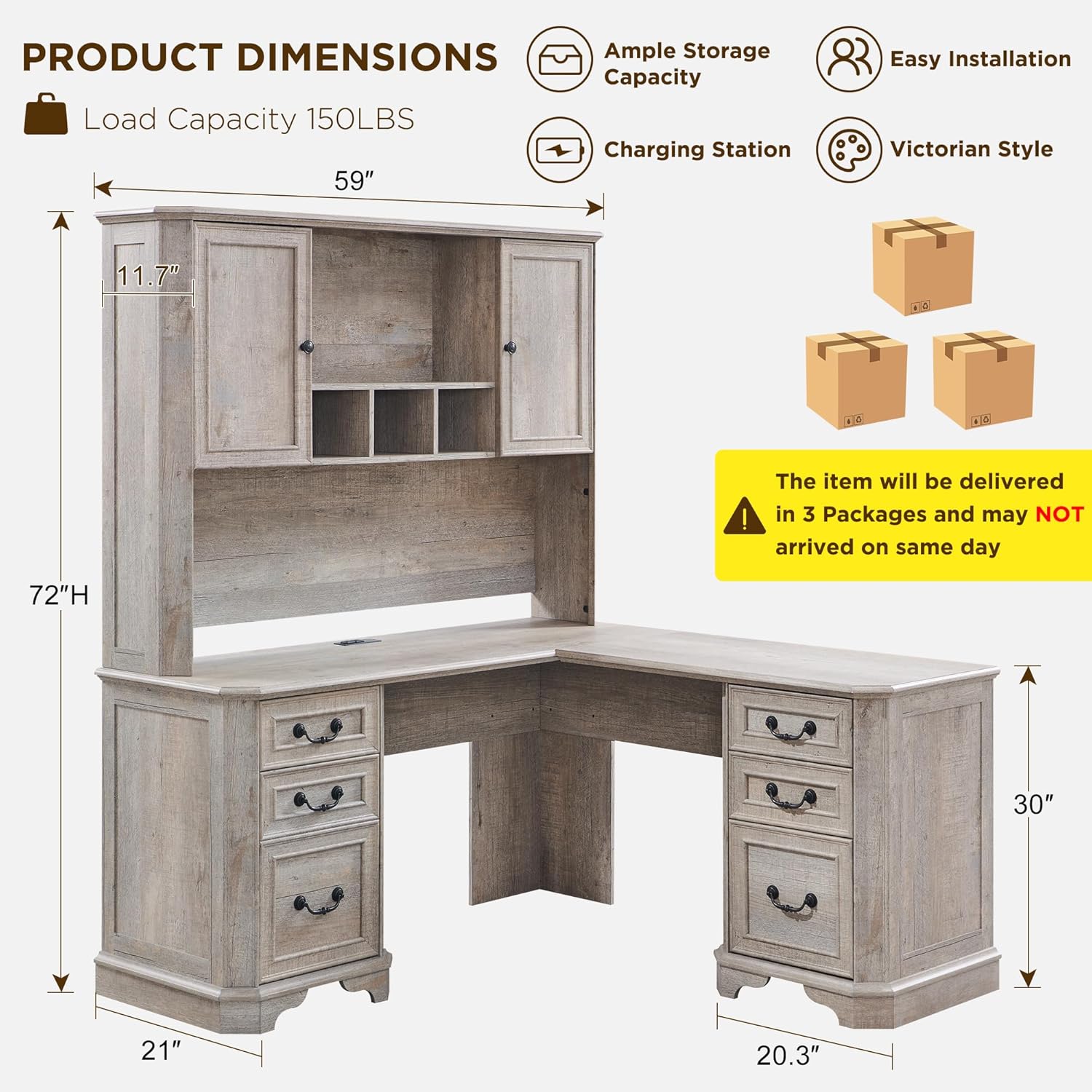
Image: Overview of product dimensions and packaging, showing the desk and hutch, and three boxes indicating separate delivery. The image highlights load capacity, ample storage, charging station, and Victorian style.
Components List:
- L-shaped desk sections (main desktop, left pedestal, right pedestal)
- Hutch sections (top cabinet, shelves, side panels)
- Drawers (3 box drawers, 1 file drawer)
- Hardware kit (screws, dowels, cam locks, handles, drawer slides, etc.)
- Built-in charging station (USB ports and outlets)
- Assembly instructions manual (this document)
Note: The item will be delivered in 3 sturdy boxes and may not arrive on the same day.
Setup and Assembly
Assembly is required for this product. It is recommended to have at least two people for assembly. Clear a spacious area and lay out all components before starting.
Tools Required (Not Included):
- Phillips head screwdriver
- Hammer (optional, for dowels)
Assembly Steps:
- Unpack and Identify Parts: Carefully unpack all boxes. Refer to the parts list in the included assembly instructions to identify and sort all components and hardware.
- Assemble Desk Pedestals: Begin by assembling the left and right pedestals of the L-shaped desk. Attach side panels to the base and top frames using the provided hardware.
- Install Drawer Slides: Securely attach the drawer slides to the inside panels of the pedestals. Ensure they are level and aligned.
- Assemble Drawers: Construct the three box drawers and one file drawer. Install the drawer slides onto the assembled drawers.
- Attach Desktop Sections: Connect the main L-shaped desktop sections to the assembled pedestals. Ensure all connections are tight and stable.
- Install Charging Station: Integrate the built-in charging station into the designated cutout on the desktop. Connect it to a power source once the desk is in its final position.
- Assemble Hutch Base: Construct the base of the hutch, including the back panel and any internal dividers.
- Attach Hutch to Desk: Carefully lift and secure the assembled hutch base onto the back of the L-shaped desk.
- Assemble Hutch Cabinets and Shelves: Attach the side cabinets and adjustable shelves within the hutch. Install the cabinet doors using the buffer hinges.
- Final Checks: Verify all screws and fasteners are tightened. Place the desk in its desired location, ensuring it is level.

Image: Diagram illustrating the modular assembly of the hutch and desk components, showing the hutch and desk as separate units combining to form the complete L-shaped desk with hutch.
Operating Instructions
Using the Charging Station:
The desk is equipped with a built-in charging station featuring 2 USB ports and 2 standard outlets. To use, plug the charging station's power cord into a wall outlet. You can then connect your devices to the USB ports or plug in power adapters to the outlets.

Image: A top-down view of the L-shaped desk surface, highlighting the distressed finish, curved edge design, and the integrated charging station with two USB ports and two power outlets.
Utilizing Storage Features:
- Drawers: The desk includes three box drawers and one letter-size file drawer. Use the box drawers for general office supplies, and the file drawer for organizing documents.
- Hutch Cabinets: The hutch features two cabinets with adjustable shelves. These provide enclosed storage for books, binders, or decorative items. The buffer hinges ensure quiet and pinch-free closing.
- Open Shelving: The central open shelves in the hutch are ideal for displaying smaller items or keeping frequently accessed materials within reach.

Image: A detailed view of the hutch section of the desk, showing open cabinet doors revealing adjustable shelves and various items stored within, along with open central shelves.

Large Storage Cabinet
Spacious storage with adjustable shelves for customizable height. Buffer hinges ensure silent, pinch-free closing.

Letter Size File Drawer
Designed to store files, notebooks, calculators, and other items you want to keep close at hand.
Maintenance and Care
- Cleaning: Wipe surfaces with a soft, damp cloth. Avoid harsh chemicals or abrasive cleaners, which can damage the distressed finish.
- Spills: Clean up spills immediately to prevent staining or damage to the wood.
- Hardware: Periodically check all screws and fasteners to ensure they remain tight. Re-tighten as needed to maintain stability.
- Environmental Conditions: Keep the desk away from direct heat sources, extreme cold, and prolonged exposure to direct sunlight to prevent warping or fading.
Troubleshooting
| Problem | Possible Cause | Solution |
|---|---|---|
| Desk wobbles or is unstable. | Loose fasteners; uneven floor. | Check and tighten all assembly screws. Ensure the desk is on a level surface; use shims if necessary. |
| Drawers stick or do not slide smoothly. | Misaligned drawer slides; debris in tracks; overloaded drawer. | Ensure drawer slides are correctly installed and aligned. Clean tracks of any dust or debris. Reduce weight in the drawer. |
| Charging station not working. | Not plugged in; power outlet issue; faulty device. | Verify the charging station's power cord is securely plugged into a working wall outlet. Test the outlet with another device. Try a different device with the charging station. |
| Hutch doors do not close properly. | Misaligned hinges; obstruction. | Adjust the hinges on the cabinet doors. Check for any items obstructing the door's path. |
Specifications
- Brand: T4TREAM
- Model Number: VSCLSD
- Product Dimensions (D x W x H): 59"D x 59"W x 72"H
- Color: Light Rustic Oak
- Style: Victorian
- Base Material: FSC-Certified Engineered Wood
- Finish Type: Distressed Finish
- Special Features: Charging Station, Large Storage Cabinet, 3 Box Drawers, 1 File Drawer, Beveled edge table corner
- Number of Shelves: 2 (in hutch)
- Number of Drawers: 4
- Number of Cabinets: 2
- Tabletop Load Capacity: Up to 150 lbs
- Drawer Load Capacity: 30-50 lbs
- Assembly Required: Yes
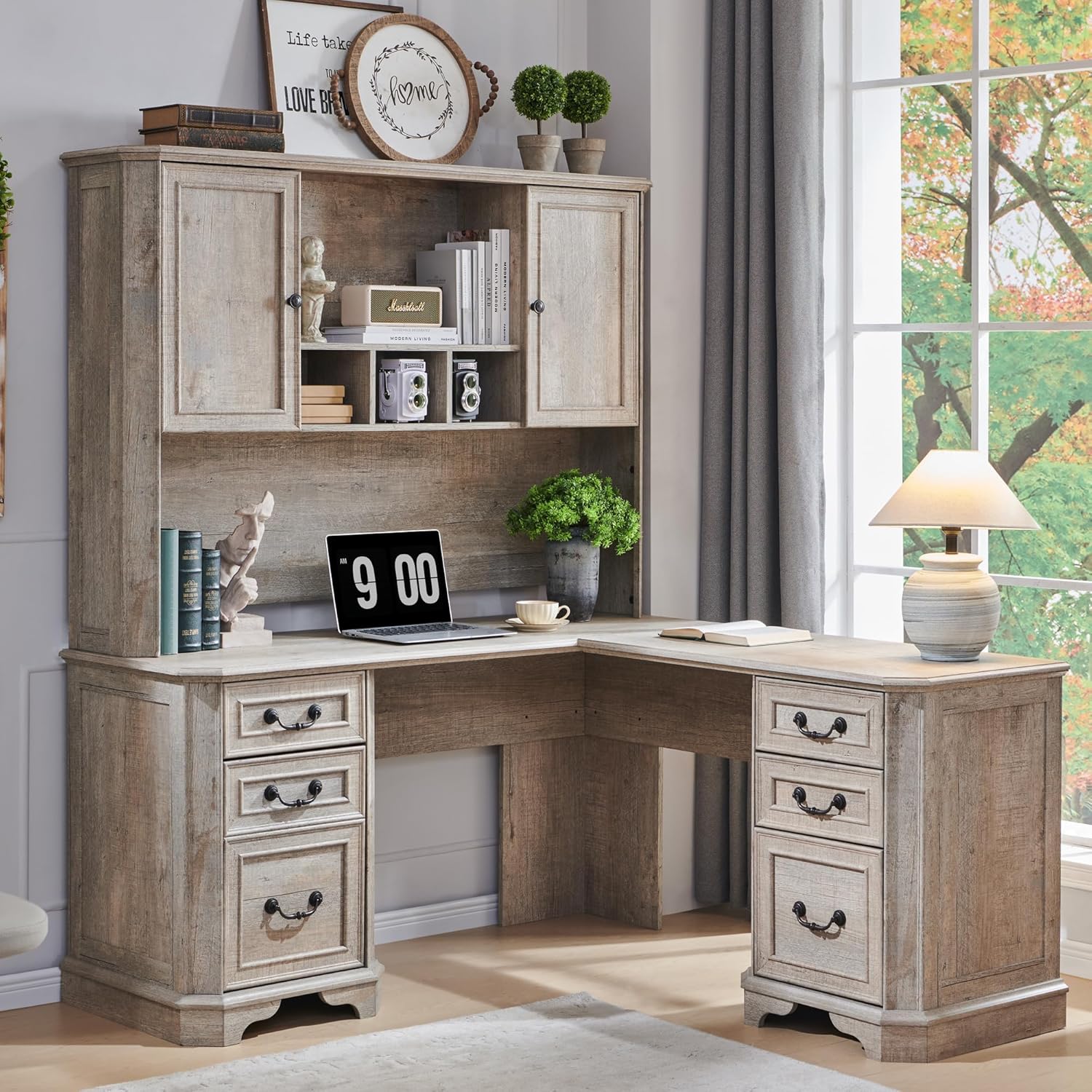
Image: The T4TREAM 59" Executive L Shaped Desk with Hutch in Light Rustic Oak, showcasing its full assembly and design within a home office environment, complete with a laptop and decorative items.
Warranty and Support
T4TREAM stands behind the quality of its products. For specific warranty details, please refer to the warranty card included with your purchase or contact T4TREAM customer support directly.
Customer Support:
If you encounter any issues during assembly or use, or if you have questions regarding your T4TREAM desk, please contact our dedicated support team. They are available to assist you with any concerns.
For assistance, please visit the T4TREAM Store on Amazon or refer to the contact information provided in your product packaging.