
Nerunsa 1
Nerunsa Wireless Earbuds Model 1 User Manual
Model: 1 | Brand: Nerunsa
Introduction
Thank you for choosing the Nerunsa Wireless Earbuds Model 1. These earbuds feature advanced Bluetooth 5.4 technology, ENC noise-cancelling microphones, HiFi stereo sound, and IP7 waterproofing, designed for a superior audio experience. This manual will guide you through the setup, operation, and maintenance of your new earbuds.
What's in the Box
- Nerunsa Wireless Earbuds (Left and Right)
- Wireless Charging Case
- USB Type-C Charging Cable
- Ear Tips (S/M/L sizes)
- User Manual
Setup
1. Charging the Earbuds and Case
Before first use, fully charge the earbuds and the charging case. The LED display on the case indicates the battery level.
- Place the earbuds into the charging case.
- Connect the Type-C charging cable to the charging case and a power source.
- Charging time for the case and earbuds is approximately 1.5 hours.
- Earbuds provide up to 8 hours of playtime on a single charge, with the charging case extending total playtime to 45 hours.

Image: Earbuds in charging case displaying battery percentage, highlighting 45 hours total playtime and 1.5 hours charging time.
2. Pairing with Your Device
The earbuds feature fast auto-pairing for convenience.
- Ensure your device's Bluetooth is turned on.
- Open the charging case. The earbuds will automatically enter pairing mode.
- On your device, search for Bluetooth devices and select "D60 Pro" (or similar model name if different) from the list.
- Once connected, the earbuds are ready for use. They will automatically reconnect to the last paired device when taken out of the case.

Image: Illustration of earbuds in pairing mode, connecting to various devices like phones, tablets, and laptops, demonstrating wide compatibility.

Image: Diagram highlighting the advanced Bluetooth 5.4 chip, indicating stable connection, lower latency, and longer distance capabilities.
Operating Instructions
Touch Controls
The earbuds feature smart touch controls on each earbud for easy management of music and calls.
| Function | Action |
|---|---|
| Play/Pause Music | Single tap on either earbud. |
| Next Song | Double tap on the right earbud. |
| Previous Song | Double tap on the left earbud. |
| Volume Up | Triple tap on the right earbud. |
| Volume Down | Triple tap on the left earbud. |
| Answer/End Call | Single tap on either earbud. |
| Reject Call | Press and hold either earbud for 2 seconds. |
| Activate Voice Assistant | Press and hold either earbud for 3 seconds. |
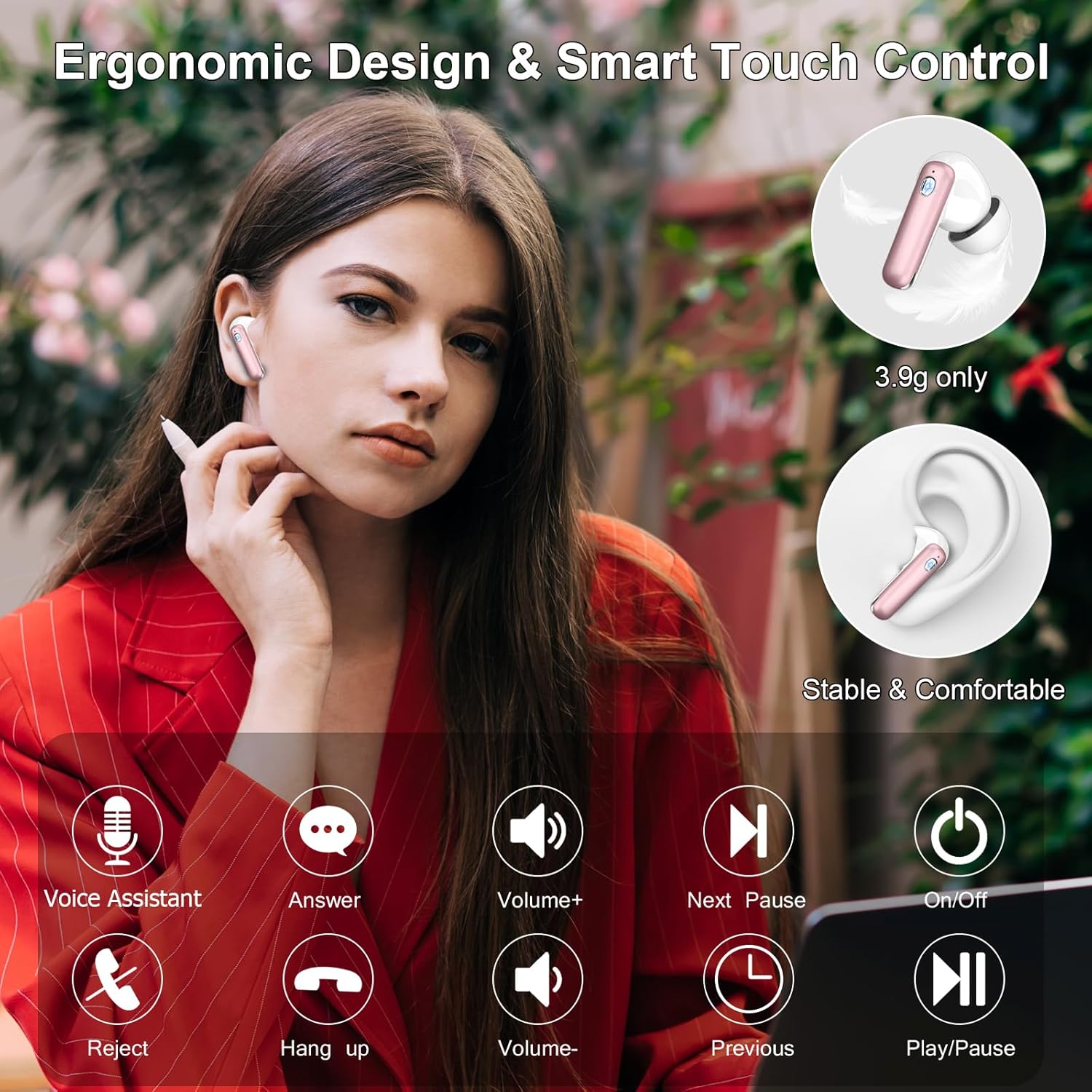
Image: Visual guide to the smart touch controls for various functions like volume, track control, calls, and voice assistant.
Call Functions and Noise Cancellation
The earbuds are equipped with 4 ENC (Environmental Noise Cancellation) microphones, providing up to 40dB of noise reduction for clear calls.

Image: Diagram illustrating the ENC microphones in the earbuds, highlighting 40dB noise reduction for clear communication.
Audio Quality
Experience immersive HiFi stereo sound with 13mm dynamic drivers, delivering clear treble and powerful deep bass.

Image: Exploded view of an earbud highlighting the triple-layer 13mm coil dynamic driver for immersive stereo bass and professional tuning.
Maintenance
Cleaning
- Regularly clean the earbuds and charging case with a soft, dry, lint-free cloth.
- Remove ear tips and clean them with mild soap and water, then dry thoroughly before reattaching.
- Ensure charging contacts on both earbuds and case are clean and free of debris.
Water Resistance (IP7 Rated)
The earbuds are IP7 waterproof, meaning they are protected against immersion in water up to 1 meter for 30 minutes. This makes them suitable for workouts and light rain.
- Do not intentionally submerge the earbuds for extended periods or in deep water.
- The charging case is not waterproof.
- Ensure earbuds are completely dry before placing them back into the charging case to prevent damage.

Image: Earbuds with water droplets, illustrating their IP7 waterproof capability, protecting against sweat and rain.
Storage
Store the earbuds in their charging case when not in use to protect them and keep them charged.
Troubleshooting
| Problem | Possible Solution |
|---|---|
| Earbuds not pairing |
|
| Only one earbud working |
|
| Low volume or poor sound quality |
|
| Earbuds not charging |
|
Specifications
| Feature | Detail |
|---|---|
| Brand | Nerunsa |
| Model Name | 1 |
| Bluetooth Version | 5.4 |
| Connectivity Technology | Wireless (Bluetooth) |
| Noise Control | Adaptive Noise Cancellation (ENC for calls) |
| Microphones | 4 ENC Noise-Cancelling Mics |
| Audio Driver Type | 13mm Dynamic Driver |
| Playtime (Single Charge) | Up to 8 Hours |
| Total Playtime (with Charging Case) | Up to 45 Hours |
| Charging Time | Approx. 1.5 Hours (Earbuds & Case) |
| Charging Interface | Type-C |
| Water Resistance Rating | IP7 Waterproof (Earbuds only) |
| Control Method | Touch Control |
| Earbud Weight | 3.9g (per earbud) |
| Compatible Devices | iOS and Android devices, tablets, laptops, most Bluetooth-compatible devices |
Safety Information
- Do not disassemble, repair, or modify the product.
- Keep the product away from extreme temperatures, humidity, and corrosive substances.
- Avoid listening at high volume levels for extended periods to prevent hearing damage.
- Use only the provided charging cable or a certified equivalent.
- Dispose of the product and its battery responsibly according to local regulations.
Product Overview Video
Video: A comprehensive overview of the Nerunsa Wireless Earbuds, showcasing key features such as battery life, Bluetooth 5.4 chip, ENC call noise cancelling, HiFi stereo sound, smart touch controls, and IP7 waterproofing.
Related documents1


Ask a question about this manual
Ask about setup, troubleshooting, compatibility, parts, safety, or missing instructions. Manuals+ will review the question and use this page’s manual context to help answer it.