
1. Introduction
Thank you for choosing the OLEVS Men's Analog Quartz Watch. This manual provides essential information for the proper use, care, and maintenance of your watch. Please read it thoroughly to ensure optimal performance and longevity of your timepiece.
2. Product Overview
The OLEVS Men's Analog Quartz Watch (Model: YPF-G3678G-CG) features a classic business dress design with a durable stainless steel construction. It incorporates an imported analog quartz movement for accurate timekeeping and includes several functional sub-dials.
Key Features:
- Case Dimensions: Diameter 44mm (1.73 inches), Thickness 12mm.
- Movement: Accurate analog quartz movement.
- Dial Functions: Stopwatch, minute subdial, seconds subdial, 24-hour display, and moon phase indicator.
- Material: 316L stainless steel case and band.
- Water Resistance: 3 ATM, suitable for daily life waterproofing such as hand washing and rain exposure. Not suitable for swimming, bathing, or diving.
- Luminous Function: Luminous hands and markers for visibility in low light conditions. Requires exposure to light to activate.
- Crystal: Rhombic high hardness coated mirror for scratch resistance and clarity.
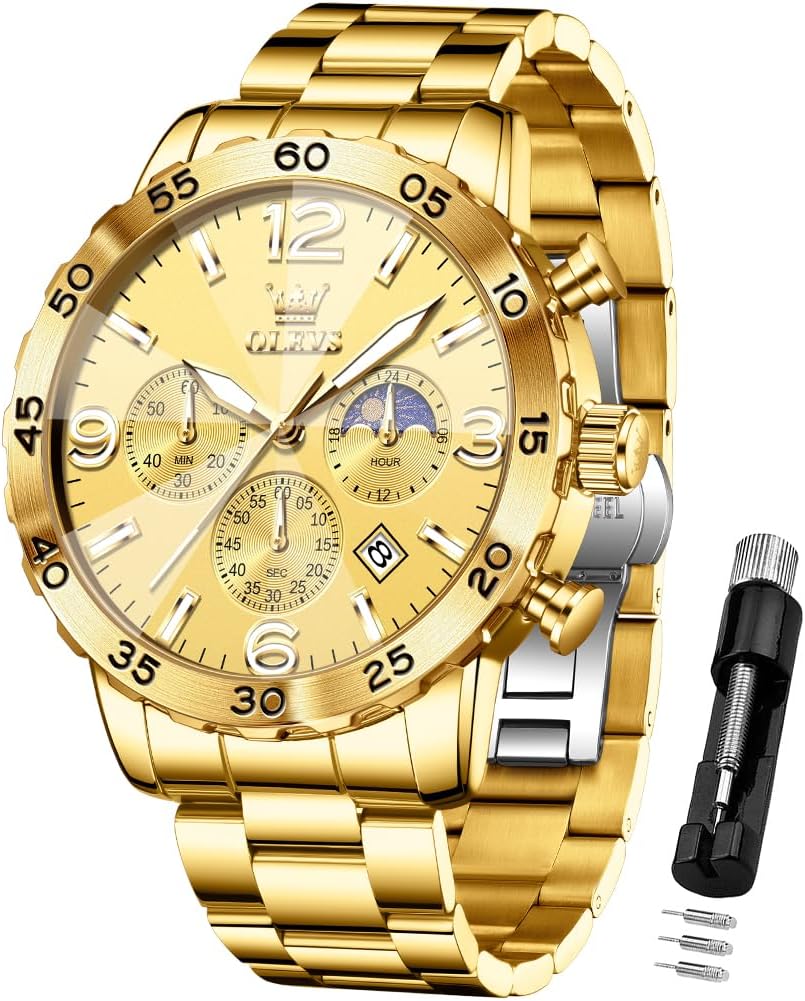
Figure 1: Front view of the OLEVS Men's Gold Analog Quartz Watch, showcasing its multi-functional dial and stainless steel band.

Figure 2: The OLEVS watch worn on a man's wrist, demonstrating its fit and appearance.
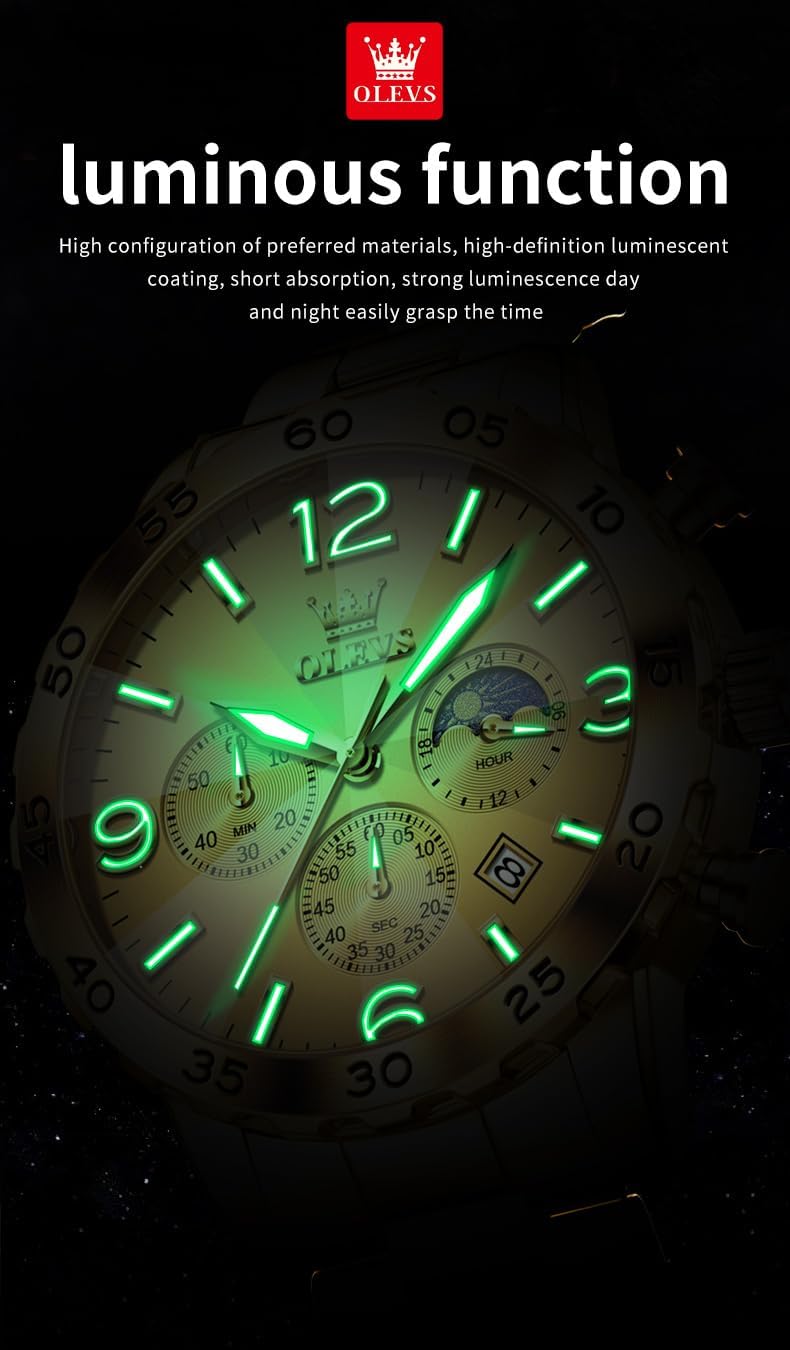
Figure 3: The OLEVS watch demonstrating its 3 ATM water resistance, suitable for splashes and brief water exposure.

Figure 4: The luminous function of the OLEVS watch, showing the glow of the hands and hour markers in low light.

Figure 5: A close-up view of the watch's crystal, highlighting its high hardness coating for durability.
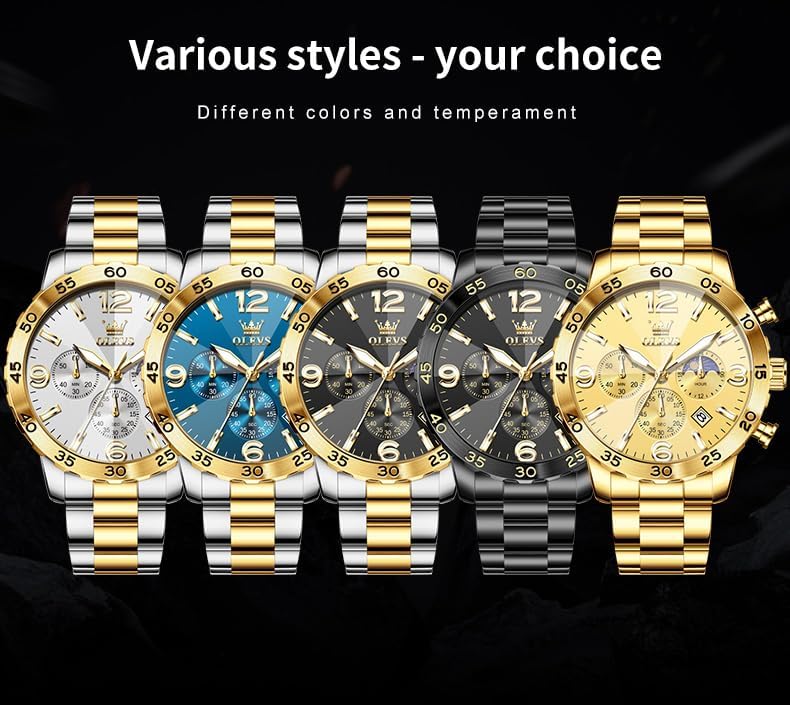
Figure 6: The reverse side of the OLEVS watch, displaying the engraved brand logo, quartz movement details, and the butterfly double buckle clasp.
3. Setup
3.1 Setting Time and Date
- Pull out the crown: Gently pull the crown (the knob on the side of the watch) to the first or second click position, depending on whether you are setting the date or time.
- Adjust the date: If applicable, rotate the crown in one direction (usually clockwise) to set the date.
- Adjust the time: Rotate the crown in the opposite direction to set the time. Ensure the 24-hour sub-dial aligns correctly for AM/PM if present.
- Push in the crown: Once set, push the crown back into its normal position to start the watch.
3.2 Adjusting the Watch Band
The metal band can be adjusted for a comfortable fit using the provided tool. It is recommended to remove an equal number of links from both sides of the clasp to maintain balance.
Video 1: This video demonstrates the process of removing and installing links in the metal watch band for proper sizing. It shows how to use the adjustment tool to push out and reinsert the link pins.
4. Operating Instructions
4.1 Chronograph Function
The watch features a chronograph (stopwatch) function with dedicated sub-dials for minutes and seconds. The pushers on the side of the watch control these functions:
- Start/Stop: Press the top pusher to start and stop the chronograph.
- Reset: Press the bottom pusher to reset the chronograph to zero after it has been stopped.
4.2 Luminous Feature
The luminous elements on the watch hands and markers absorb light and glow in the dark. For optimal glow, expose the watch to a bright light source for a few minutes before entering a dark environment.
Video 2: This video provides a general overview of the OLEVS watch, showcasing its design, features like the luminous display, and water resistance. It highlights the watch's aesthetic and functional aspects.
5. Maintenance
5.1 Cleaning
To maintain the appearance of your watch, wipe it regularly with a soft, dry cloth. For the metal band, a slightly damp cloth can be used, followed by immediate drying. Avoid using harsh chemicals or abrasive materials.
5.2 Water Resistance
Your watch has a 3 ATM water resistance rating. This means it is protected against splashes, rain, and hand washing. However, it is not designed for prolonged water immersion, swimming, showering, or diving. Avoid exposing the watch to hot water or steam, as this can compromise the water-resistant seals.
5.3 Battery
The watch is powered by a quartz battery. When the watch stops or the second hand moves erratically, it indicates that the battery needs replacement. Battery replacement should be performed by a qualified watch technician to ensure proper sealing and function.
6. Troubleshooting
Common Issues and Solutions:
- Watch not running: Check if the crown is fully pushed in. If it is, the battery may need replacement.
- Date not changing: Ensure the time is set correctly, especially the AM/PM cycle, as the date typically changes around midnight.
- Chronograph not resetting to zero: This may indicate a need for adjustment or service.
If you encounter any problems that cannot be resolved with the above steps, please refer to the warranty and support section for assistance.
7. Specifications
| Feature | Detail |
|---|---|
| Brand | OLEVS |
| Model Number | YPF-G3678G-CG |
| Movement | Analog Quartz |
| Case Diameter | 44mm |
| Case Thickness | 12mm |
| Water Resistance | 3 ATM |
| Material | 316L Stainless Steel |
| Luminous | Yes |
| Date Function | Yes |
8. Warranty and Support
8.1 Product Warranty
OLEVS provides a 1-year product quality guarantee for this watch. This warranty covers manufacturing defects under normal use. It does not cover damage resulting from improper handling, accidents, unauthorized repairs, or normal wear and tear.
8.2 Customer Support
For any questions, concerns, or warranty claims, please contact OLEVS customer service through the retailer where the watch was purchased. Please have your purchase details and model number (YPF-G3678G-CG) available for faster service.


