
Acekool 14k PAC
Acekool 14000 BTUs Portable Air Conditioner User Manual
Model: 14k PAC
Important Safety Instructions
Please read all instructions carefully before operating your Acekool Portable Air Conditioner. Keep this manual for future reference.
- Always connect the unit to a grounded power outlet.
- Do not operate the unit with a damaged cord or plug.
- Do not block air inlets or outlets.
- Ensure proper ventilation around the unit.
- Do not use the unit near water or in excessively humid environments.
- Unplug the unit before cleaning or performing any maintenance.
- Keep children and pets away from the unit during operation.
- Only use accessories recommended by the manufacturer.
Product Overview
The Acekool 14000 BTUs Portable Air Conditioner is a versatile 3-in-1 unit designed to provide cooling, dehumidification, and fan functions for rooms up to 750 square feet. Its compact design and mobility features make it an ideal solution for various living spaces.

Image: The Acekool Portable Air Conditioner unit shown with its remote control. The unit is white with a black top panel and features a sleek, modern design.
Key Features:
- 3-in-1 Functionality: Offers Cooling, Dehumidifying, and Fan modes for comprehensive climate control.
- Powerful Cooling: 14,000 BTUs capacity effectively cools areas up to 750 sq. ft.
- Quiet Operation: Operates at a low noise level of below 50 dB, ideal for bedrooms and quiet environments.
- Remote Control & LED Display: Easy control via a handy remote or the intuitive top LED display.
- Sleep Mode: Optimizes settings for comfortable and energy-efficient overnight use.
- 24-Hour Timer: Allows for scheduled operation, enhancing energy savings.
- Enhanced Airflow: Features multiple speed settings and an auto-swing function for wide-angle and even air distribution.
- High Mobility: Equipped with four smooth 360° wheels and hidden handles for easy movement between rooms.
- Washable Filter: Includes a reusable, washable filter for easy maintenance and improved air quality.
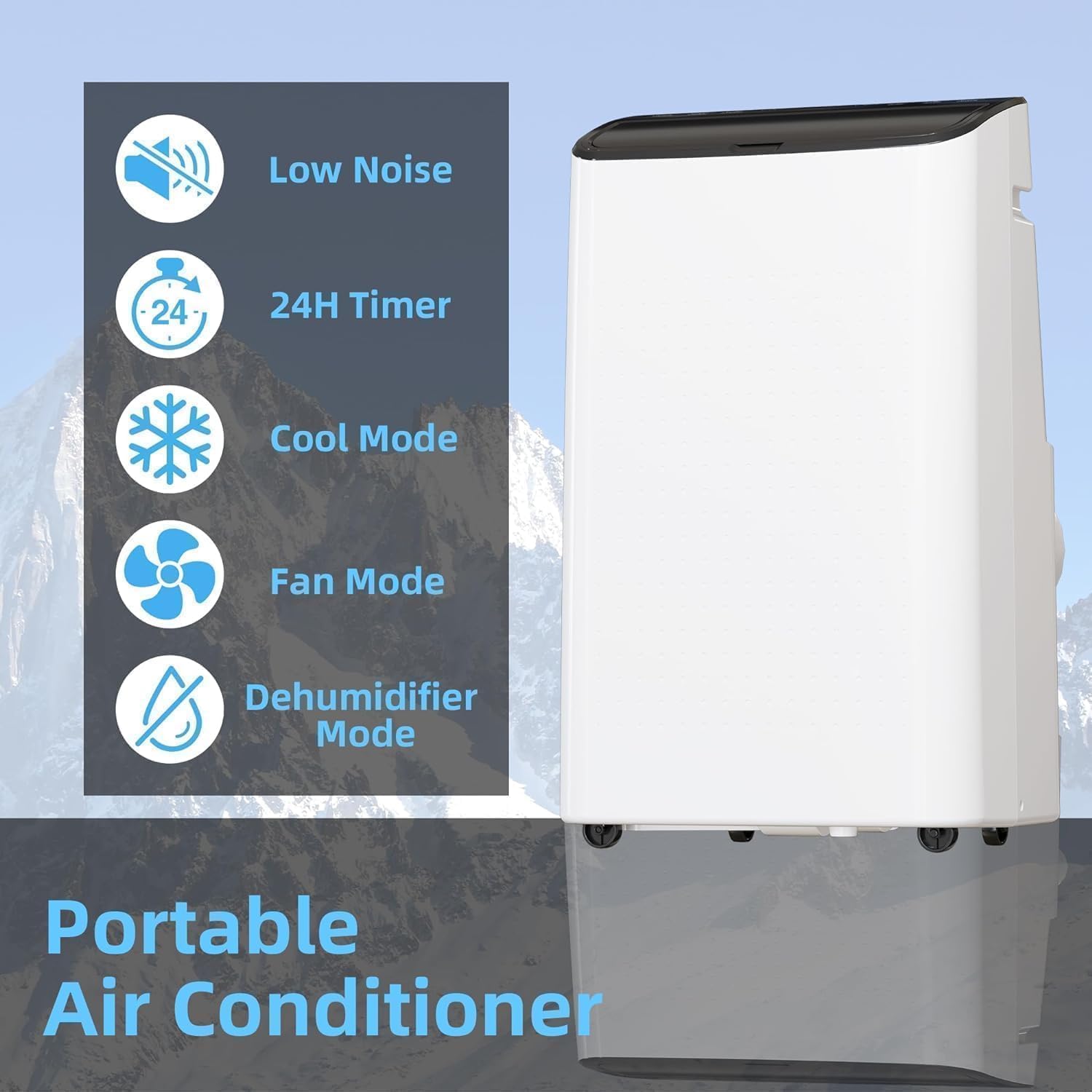
Image: A visual representation of the portable air conditioner highlighting its key modes and features: Low Noise, 24H Timer, Cool Mode, Fan Mode, and Dehumidifier Mode.

Image: Three panels illustrating the 3-in-1 functionality of the air conditioner: Cool mode (snowflake icon), Fan mode (fan icon), and Dry mode (water droplet icon).
Setup and Installation
Proper installation is crucial for the efficient operation of your portable air conditioner. This unit includes a window kit for easy setup.
Package Contents (Typical):
- Portable Air Conditioner Unit
- Remote Control
- Exhaust Hose
- Window Seal Plate Kit (adjustable for 26.5" to 48.5" windows)
- Hose Adapter
- Drain Hose (for dehumidifier mode)
- User Manual
Installation Steps:
- Positioning the Unit: Place the air conditioner on a flat, stable surface near a window and a grounded electrical outlet. Ensure there is at least 20 inches of space around the unit for proper airflow.
- Attaching the Exhaust Hose:
- Screw the hose adapter onto one end of the exhaust hose.
- Connect the other end of the exhaust hose to the exhaust outlet on the back of the air conditioner unit.
- Installing the Window Kit:
- Open your window (suitable for double/single-hung or sliding windows).
- Adjust the window seal plate kit to fit the window opening. The kit is adjustable from 26.5 inches to 48.5 inches.
- Secure the window seal plate in the window frame.
- Insert the hose adapter end of the exhaust hose into the opening of the window seal plate, ensuring a tight seal to prevent hot air from re-entering the room.
- Power Connection: Plug the power cord into a grounded 115V/60Hz electrical outlet.
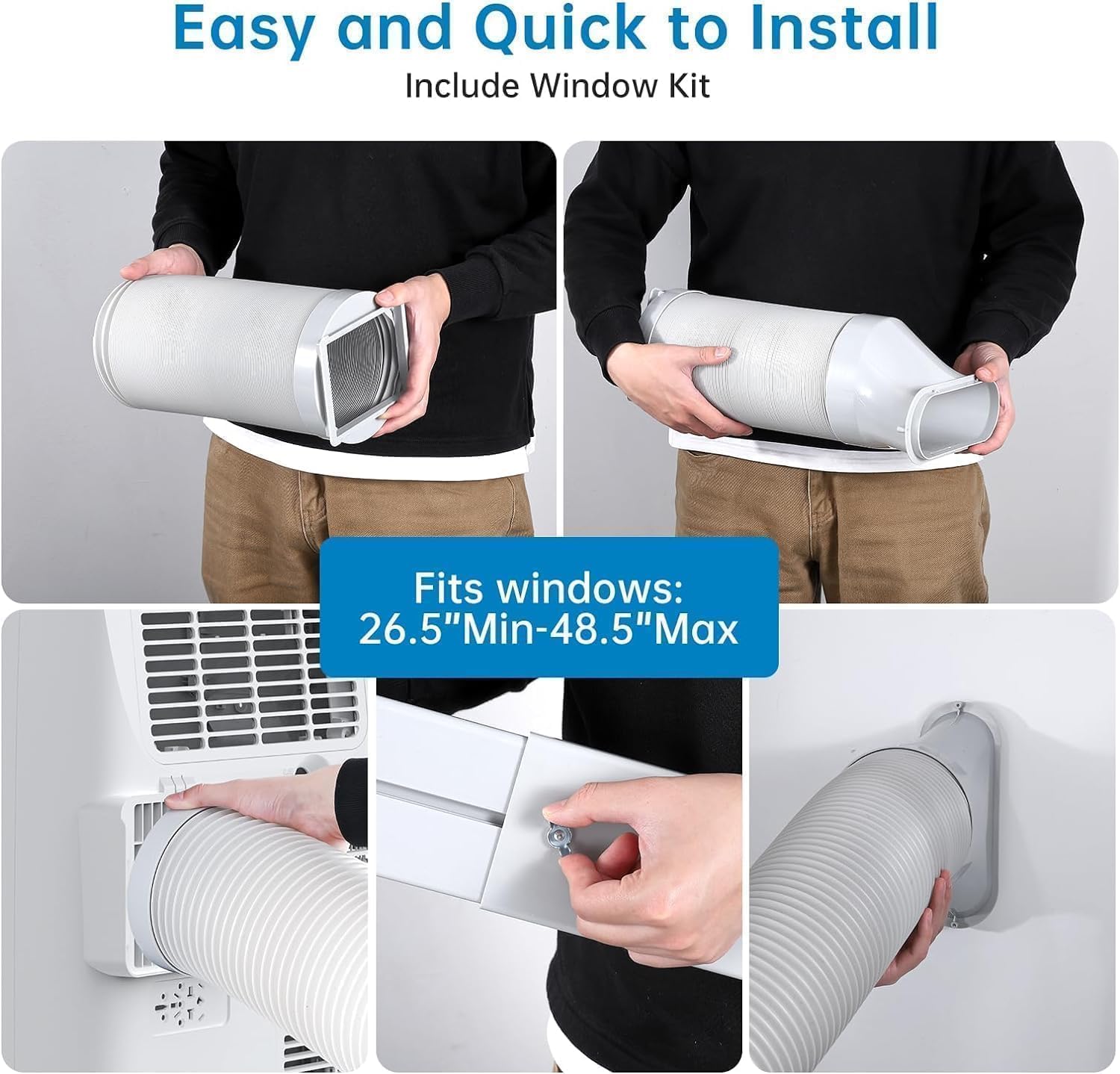
Image: A series of images demonstrating the quick and easy installation process, including attaching the exhaust hose to the unit and securing the window kit.

Image: Diagrams illustrating how the window kit fits both double/single-hung windows and sliding/slash windows, ensuring versatile installation options.
Operating Instructions
Your Acekool Portable Air Conditioner can be controlled via the top LED display panel or the included remote control.

Image: The air conditioner unit with its LED touch panel clearly visible, alongside a person using the remote control, demonstrating the two control modes.
Control Panel and Remote Functions:
- Power Button: Turns the unit ON or OFF.
- Mode Button: Cycles through Cooling, Fan, and Dehumidifier (Dry) modes.
- Cool Mode: Provides powerful cooling. Adjustable temperature range: 61°F to 88°F.
- Fan Mode: Circulates air without cooling. Multiple fan speeds available.
- Dehumidifier (Dry) Mode: Removes excess moisture from the air. Connect the drain hose for continuous drainage in this mode.
- Temperature Up/Down Buttons: Adjust the desired temperature in Cool mode.
- Speed Button: Adjusts fan speed (Low, Medium, High) in Cool and Fan modes.
- Timer Button: Sets the 24-hour ON/OFF timer. Press to set the desired operating duration or delay start.
- Sleep Mode Button: Activates sleep mode for quiet, energy-efficient operation during the night. The fan speed will automatically adjust to low, and the temperature may gradually increase.
- Swing Button: Activates or deactivates the auto-swing function for the air louvers, ensuring wide-angle air distribution.
Operating Tips:
- For optimal cooling, ensure all windows and doors in the room are closed.
- Regularly clean the air filter to maintain efficiency.
- In Dehumidifier mode, ensure the drain hose is properly connected to a suitable drainage point.

Image: The Acekool Portable Air Conditioner operating in a living room, demonstrating its ability to provide 14000 BTU cooling power for areas up to 750 sq. ft., ensuring comfort for occupants.
Maintenance
Regular maintenance ensures the longevity and efficient performance of your air conditioner.
Cleaning the Air Filter:
The Acekool Portable Air Conditioner features a washable filter. It is recommended to clean the filter every two weeks, or more frequently depending on usage and air quality.
- Unplug the unit from the power outlet.
- Locate the air filter access panel (usually at the back or side of the unit).
- Carefully remove the air filter.
- Wash the filter under running water (lukewarm) or use a vacuum cleaner to remove dust and debris.
- Allow the filter to air dry completely before reinserting it into the unit. Do not expose to direct sunlight or high heat.
- Reinsert the dry filter and close the access panel.

Image: A composite image highlighting the unit's portability features, including the built-in handles, the easily removable washable filter, and the 4 universal wheels for effortless movement.
Cleaning the Unit Exterior:
- Wipe the exterior with a soft, damp cloth.
- Do not use harsh chemicals, abrasives, or solvents as they may damage the surface.
- Ensure the unit is completely dry before plugging it back in.
Storage:
- Before storing, run the unit in Fan mode for a few hours to dry out any internal moisture.
- Drain any accumulated water from the unit's drain port.
- Clean the air filter.
- Store the unit in a cool, dry place, preferably covered to protect from dust.
Troubleshooting
Refer to this section for common issues and their solutions. If the problem persists, contact customer support.
| Problem | Possible Cause | Solution |
|---|---|---|
| Unit does not turn on. | No power; Power cord unplugged; Circuit breaker tripped; Full water tank (in Dehumidifier mode). | Check power connection; Reset circuit breaker; Empty water tank if full. |
| Unit does not cool effectively. | Windows/doors open; Air filter dirty; Exhaust hose blocked or disconnected; Room size too large; Temperature setting too high. | Close windows/doors; Clean air filter; Check exhaust hose connection; Ensure room size is within 750 sq. ft.; Lower temperature setting. |
| Unit is noisy. | Unit not on a level surface; Air filter dirty; Obstruction in fan. | Place unit on a flat surface; Clean air filter; Check for obstructions. |
| Water leakage. | Drain plug not properly sealed; Drain hose kinked or blocked (in Dehumidifier mode); Water tank full. | Ensure drain plug is secure; Straighten or clear drain hose; Empty water tank. |
Specifications
| Feature | Detail |
|---|---|
| Brand | Acekool |
| Model Name | 14k PAC |
| Cooling Capacity | 14,000 BTUs |
| Coverage Area | Up to 750 Sq. Ft. |
| Functions | Cool, Fan, Dehumidifier (3-in-1) |
| Dehumidification Capacity | Up to 90 pints per day |
| Temperature Range | 61°F - 88°F |
| Noise Level | Below 50 dB |
| Special Feature | 4 Way Swing |
| Color | White |
| Timer | 24-Hour Programmable |
| Mobility | 4 Universal Wheels, Hidden Handles |
| Filter Type | Washable |
Warranty and Customer Support
Acekool is committed to providing high-quality products and excellent customer service. For warranty information, technical assistance, or any questions regarding your portable air conditioner, please contact Acekool customer support.
Refer to the official Acekool website or your purchase documentation for the most up-to-date warranty terms and contact details.
Online Support: Visit the Acekool Store on Amazon for product information and support resources.
Related documents14k PAC


Ask a question about this manual
Ask about setup, troubleshooting, compatibility, parts, safety, or missing instructions. Manuals+ will review the question and use this page’s manual context to help answer it.