
Introduction
Thank you for choosing the Generic 16-Inch Outlet Fan Light. This innovative 2-in-1 device combines a ceiling fan and an LED light, designed for easy installation into standard E26/E27 light bulb sockets. It provides both illumination and air circulation, enhancing comfort in various indoor spaces. This manual provides essential information for safe installation, operation, and maintenance of your new fan light.
The fan light features adjustable brightness (10%-100%), three color temperature settings (3000K/4000K/5000K), and three fan speeds, all controllable via the included remote. Its cordless design simplifies setup and cleaning.

Image: The 16-inch Outlet Fan Light installed, showcasing its compact design and integrated light.
Safety Information
- Read all instructions before installation and use.
- Ensure the power is OFF at the circuit breaker before installing or servicing the fan light.
- This product is designed for indoor use only.
- Do not use in wet or damp locations.
- Ensure the light socket is rated for the fan light's wattage and weight.
- Do not insert fingers or any objects into the fan blades while the fan is operating.
- Keep children away from the fan light during operation.
- If using an extender, ensure it is securely fastened and can support the fan light's weight.
Package Contents
Verify that all components are present before beginning installation:
- 1 x Outlet Fan Light (with integrated bulb and fan blades)
- 1 x Remote Control
- 2 x 4.7-inch Socket Extenders (for enhanced installation flexibility)

Image: Key features and included components, including the fan light, remote, and socket extender.
Setup and Installation
The Outlet Fan Light is designed for easy, tool-free installation into standard E26/E27 light bulb sockets.
- Turn off Power: Before installation, ensure the power to the light socket is completely turned off at the circuit breaker to prevent electrical shock.
- Choose Installation Method:
- Direct Installation: If the existing light socket is at a suitable height and location, simply screw the fan light directly into the E26/E27 socket until it is snug.
- Using Socket Extenders: If the light socket is too high or requires more clearance, attach one or both of the provided 4.7-inch socket extenders to the existing E26/E27 socket first. Then, screw the fan light into the extender. Ensure the extender is securely tightened before attaching the fan light.
- Secure the Fan Light: Gently screw the fan light (or extender with fan light) into the socket until it is firmly in place. Do not overtighten.
- Restore Power: Once the fan light is securely installed, turn the power back on at the circuit breaker.

Image: The fan light's base and an E26 socket adapter, illustrating the screw-in installation method.
Operating Instructions
The fan light is controlled using the included remote control. Ensure the remote has working batteries (not included, typically 2x AAA).
Remote Control Functions:
- Power ON/OFF: Press the power button to turn the unit on or off.
- Fan Speed Control: Cycle through 3 fan speeds (Low, Medium, High) using the fan speed button.
- Light ON/OFF: The light and fan functions can be controlled independently. Use the dedicated light button to turn the LED light on or off.
- Color Temperature Adjustment (CCT): Press the CCT button to cycle through three color temperature settings: 3000K (Warm White), 4000K (Neutral White), and 5000K (Cool White).
- Brightness Dimming: Use the brightness adjustment buttons to dim the light from 10% to 100%.
- Memory Function: The fan light features an intelligent memory function that recalls the last used light and fan settings when turned back on.
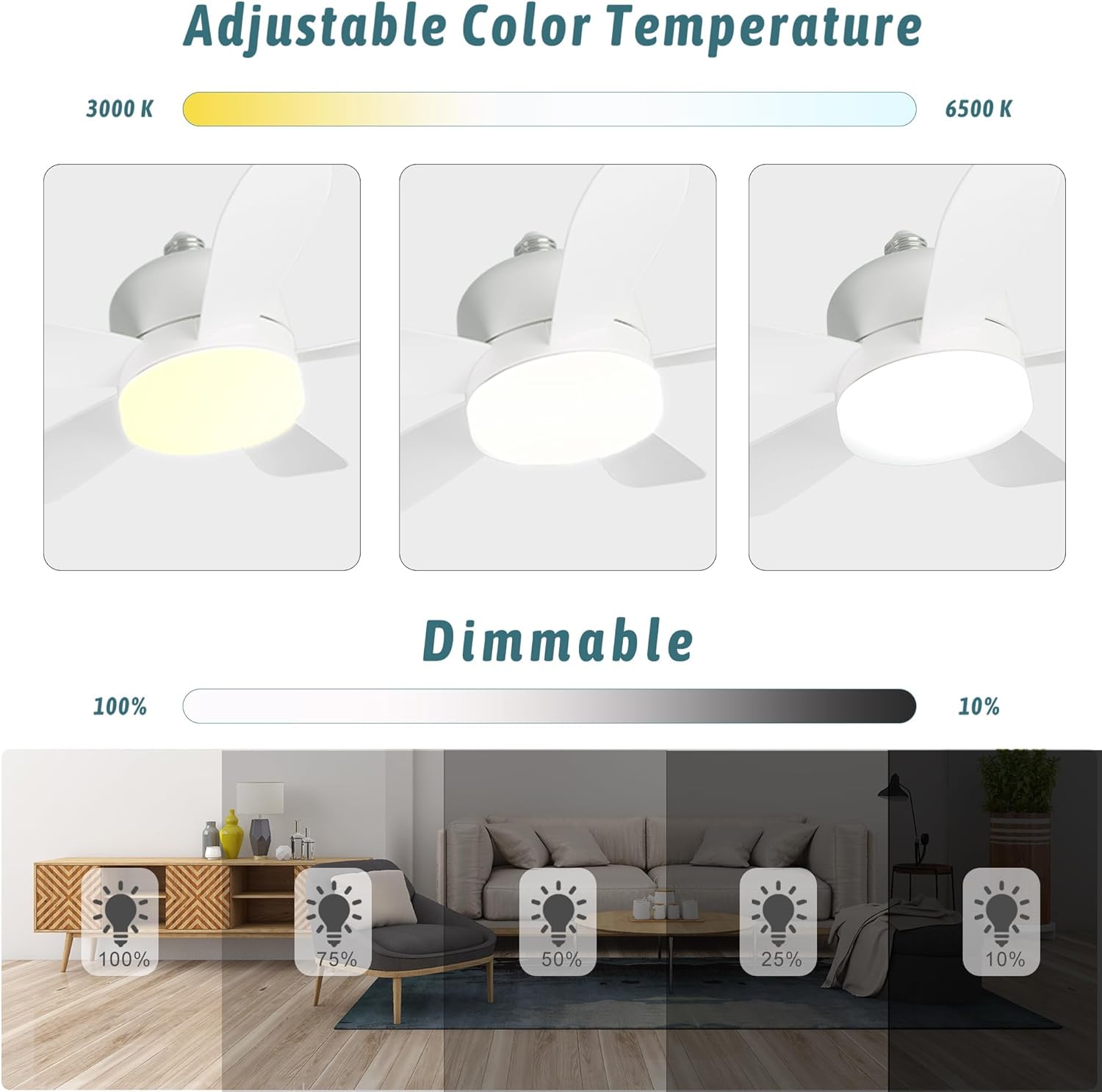
Image: Visual representation of the adjustable color temperature (3000K, 4000K, 5000K) and dimmable brightness (100% to 10%) features.

Image: Examples of the fan light's dimmable brightness in various environments, from low to high.
Maintenance
Regular cleaning will help maintain the performance and appearance of your fan light.
- Cleaning: Ensure the power is OFF at the circuit breaker before cleaning. The fan light can be detached with a simple twist, similar to changing a light bulb, for easy cleaning. Use a soft, dry cloth to wipe down the fan blades and light housing. Do not use abrasive cleaners or solvents.
- Bulb Replacement: The LED light is integrated and not user-replaceable. If the LED light fails, the entire unit may need replacement.
- Remote Control: Replace batteries in the remote control as needed.
Troubleshooting
| Problem | Possible Cause | Solution |
|---|---|---|
| Fan light does not turn on. | No power to the socket; loose connection; remote control batteries dead. | Check circuit breaker; ensure fan light is screwed in tightly; replace remote batteries. |
| Fan operates, but light does not. | Light function turned off via remote. | Press the light ON/OFF button on the remote. |
| Light operates, but fan does not. | Fan function turned off or set to speed 0 via remote. | Press the fan speed button on the remote to select a speed. |
| Fan shakes or wobbles. | Loose installation; extender not fully secured. | Ensure the fan light and any extenders are screwed in tightly and securely. |
| Remote control not working. | Dead batteries; obstruction between remote and fan light. | Replace remote batteries; ensure clear line of sight to the fan light. |
Specifications

Image: Dimensions of the fan light, indicating a 16-inch diameter and 5-inch height.
| Feature | Detail |
|---|---|
| Model Number | WHBSF0013 |
| Dimensions (L x W x H) | 16" x 16" x 5" |
| Item Weight | 1.25 Pounds |
| Bulb Base | E26 (compatible with E27) |
| Light Source | Integrated LED |
| Brightness | 1000 Lumens (adjustable 10%-100%) |
| Color Temperature | 3000K (Warm White), 4000K (Neutral White), 5000K (Cool White) |
| Fan Speeds | 3 (Low, Medium, High) |
| Control Method | Remote Control |
| Voltage | 120 Volts |
| Wattage | 18 Watts |
| Material | Plastic |
| Indoor/Outdoor Usage | Indoor |
| Special Features | Timing Function, Memory Function, Ultra Quiet, Stepless Dimming, Wireless, Cordless, Easy Installation |
Warranty and Support
This product comes with a 2-year manufacturer's warranty from the date of purchase. This warranty covers defects in materials and workmanship under normal use.
For warranty claims, technical support, or any questions regarding installation or operation, please contact the retailer or manufacturer directly. Please have your model number (WHBSF0013) and proof of purchase available when contacting support.