
1. Introduction
Thank you for choosing the GRACEALL 1800W Electric Infrared Stove, Model BJ-D3US. This instruction manual provides essential information for the safe and efficient use of your new appliance. Please read it thoroughly before operation and retain it for future reference.
2. Important Safety Instructions
To reduce the risk of fire, electric shock, injury, or damage, always follow basic safety precautions, including:
- Read all instructions before using the appliance.
- Do not touch hot surfaces. Use handles or knobs.
- To protect against electrical hazards, do not immerse cord, plugs, or appliance in water or other liquid.
- Close supervision is necessary when any appliance is used by or near children.
- Unplug from outlet when not in use and before cleaning. Allow to cool before putting on or taking off parts.
- Do not operate any appliance with a damaged cord or plug, or after the appliance malfunctions or has been damaged in any manner.
- The use of accessory attachments not recommended by the appliance manufacturer may cause injuries.
- Do not use outdoors.
- Do not let cord hang over edge of table or counter, or touch hot surfaces.
- Do not place on or near a hot gas or electric burner, or in a heated oven.
- Extreme caution must be used when moving an appliance containing hot oil or other hot liquids.
- Always attach plug to appliance first, then plug cord into the wall outlet. To disconnect, turn any control to "off", then remove plug from wall outlet.
- Do not use appliance for other than intended use.
- Ensure proper ventilation during use.
- This appliance is for household use only.
3. Product Overview
The GRACEALL Electric Infrared Stove (Model BJ-D3US) is a single-burner countertop appliance designed for versatile cooking. It features a durable ceramic glass surface, adjustable power and temperature levels, and multiple preset cooking modes.
3.1 Components
- Ceramic Glass Cooktop Surface
- Control Panel with LED Display
- Rotary Knob Control (Power/Temperature Adjustment)
- Touch Buttons for Preset Modes (Fry, BBQ, Soup, Hot Pot)
- Timer Function
- On/Off Button
- Dual Carry Handles
- Sturdy Feet with Rubber Bumpers
- Power Cord (approx. 3 feet long)
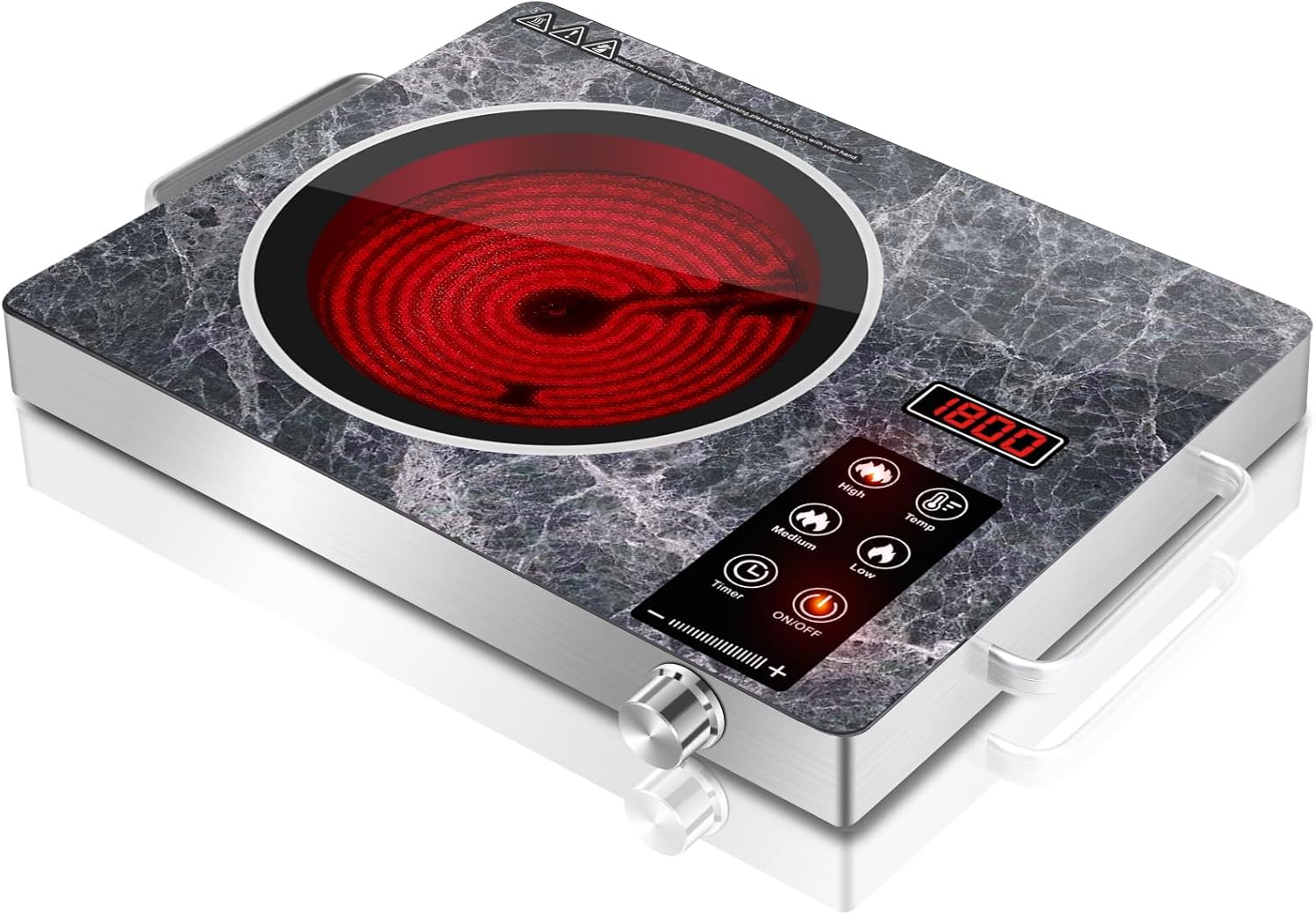
Figure 1: Top-down view of the GRACEALL Electric Infrared Stove, Model BJ-D3US, showcasing its sleek marble-patterned ceramic glass surface and intuitive control panel.
4. Setup
- Unpacking: Carefully remove the appliance from its packaging. Retain packaging materials for future storage or transport.
- Placement: Place the infrared stove on a stable, flat, heat-resistant surface. Ensure there is adequate ventilation around the unit. Do not place it near flammable materials.
- Power Connection: Plug the power cord into a standard 120V AC electrical outlet. The appliance is now ready for use.
- Cookware Compatibility: This ceramic cooktop works with all flat-bottom cookware materials including iron, steel, ceramic, aluminum, copper, and glass. Unlike induction cooktops, magnetic properties are not required.
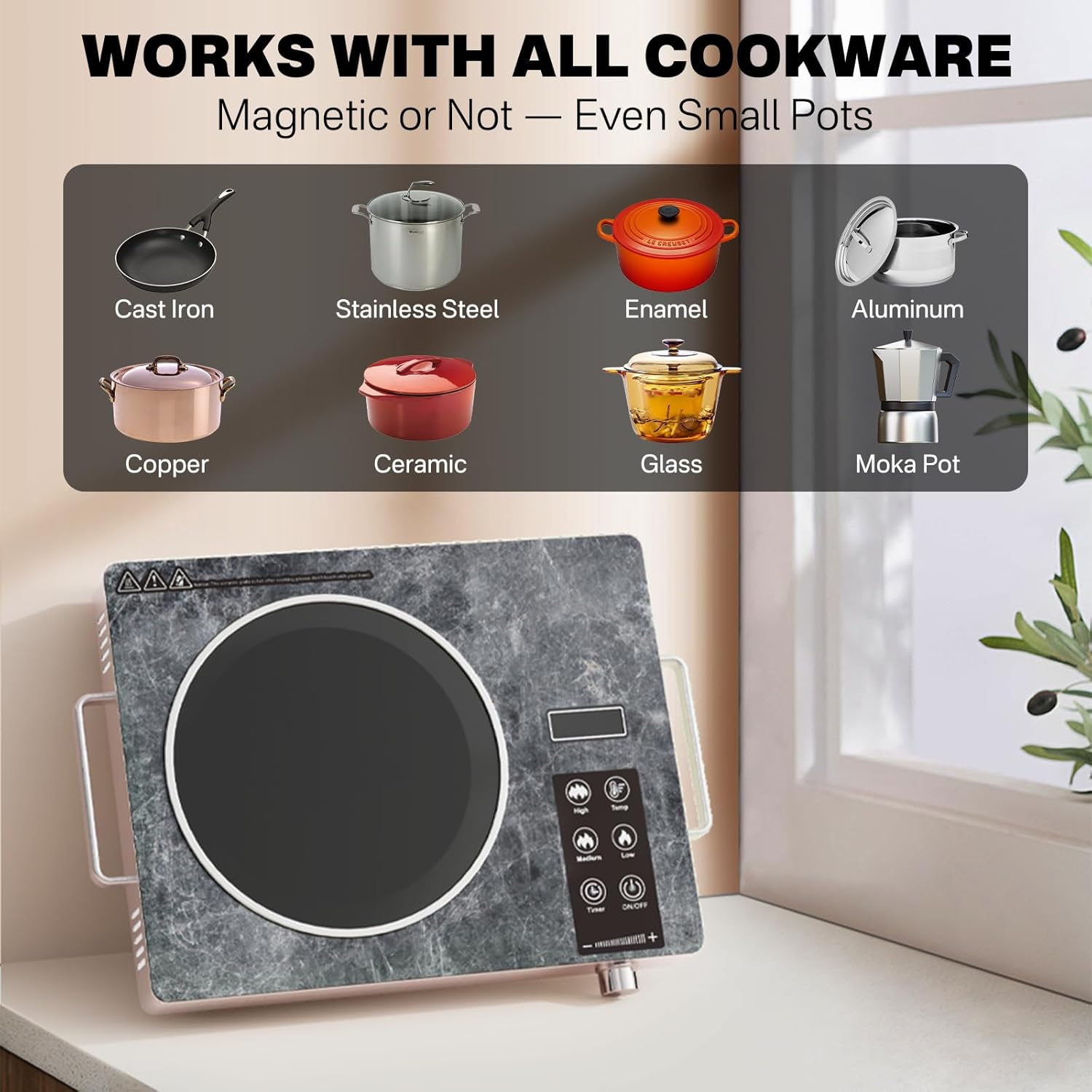
Figure 2: Illustration showing various types of flat-bottom cookware compatible with the infrared stove, including cast iron, stainless steel, enamel, aluminum, copper, ceramic, glass, and moka pots.
5. Operating Instructions
- Power On: Press the ON/OFF button. The LED display will illuminate.
- Select Cooking Mode: Choose from the preset modes by pressing the corresponding touch button:
- FRY: Default 1800W, adjustable.
- BBQ: Default 1800W, adjustable.
- SOUP: Default 1800W, adjustable.
- HOT POT: Default 1800W, adjustable.
- Adjust Power/Temperature: Use the rotary knob to adjust the power (Wattage) or temperature (Fahrenheit) levels. The stove offers 18 adjustable levels for precise control.
- Power (W): 100-1800W (in increments)
- Temperature (°F): 140-1300°F (in increments)
- Set Timer: Press the TIMER button. Use the rotary knob to set the desired cooking time, ranging from 1 minute to 3 hours. The timer will automatically shut off the appliance once completed.
- Power Off: Press the ON/OFF button to turn off the appliance. The surface will remain hot for a period after use.

Figure 3: Detailed view of the control panel, highlighting the 18 heat settings for power and temperature, and the 3-hour timer function.
6. Cooking Tips
- For best results, use flat-bottomed cookware that covers the heating zone.
- Start with lower heat settings and gradually increase as needed to prevent scorching.
- Utilize the timer for dishes requiring precise cooking durations.
- The infrared heating provides fast and even heat distribution, ideal for boiling, searing, and slow cooking.
Video 1: Official product demonstration of the GRACEALL Single Burner Electric Cooktop, highlighting its marble pattern and ease of use for various cooking tasks.
7. Maintenance and Cleaning
- Before Cleaning: Always unplug the appliance from the power outlet and allow it to cool completely before cleaning.
- Cleaning the Surface: Wipe the ceramic glass surface with a soft, damp cloth and mild detergent. For stubborn stains, use a non-abrasive cleaner specifically designed for glass cooktops. Do not use abrasive pads or harsh chemicals.
- Cleaning the Casing: Wipe the stainless steel body with a soft, damp cloth.
- Storage: Ensure the appliance is clean and dry before storing. Store in a cool, dry place.

Figure 4: A hand wiping the ceramic glass surface of the infrared stove with a soapy cloth, demonstrating the ease of cleaning.
8. Troubleshooting
| Problem | Possible Cause | Solution |
|---|---|---|
| Appliance does not turn on. | Not plugged in; Power outage; Fuse blown. | Check power cord; Check circuit breaker/fuse; Try another outlet. |
| Heating element not heating. | Incorrect mode selected; Overheat protection activated. | Select appropriate mode; Allow appliance to cool down. |
| Display shows an error code (e.g., E7). | Internal malfunction; Control panel not clean. | Clean control panel; Contact customer support if problem persists. |
If you encounter any issues not listed above, please contact GRACEALL customer support for assistance. Do not attempt to repair the appliance yourself.
9. Specifications
| Feature | Detail |
|---|---|
| Model | BJ-D3US |
| Brand | GRACEALL |
| Power | 1800 watts |
| Voltage | 120 Volts (AC) |
| Material | Ceramic Glass (surface), Stainless Steel (body) |
| Product Dimensions | 11"D x 14.17"W x 2.56"H |
| Item Weight | 5.35 pounds |
| Special Features | Automatic Shut-Off, Overheat Protection, Residual Heat Reminder, Timer |
| Controls Type | Touch and Knob Control |

Figure 5: Visual representation of the compact dimensions of the GRACEALL Electric Infrared Stove, including its length, width, and height.
10. Warranty and Support
For warranty information or customer support, please refer to the documentation included with your purchase or visit the official GRACEALL website. Keep your purchase receipt as proof of purchase.

