
1. Introduction
Thank you for choosing the WLIVE Industrial TV Stand. This manual provides essential information for the safe assembly, operation, and maintenance of your new TV stand. Please read these instructions carefully before beginning assembly and retain them for future reference.
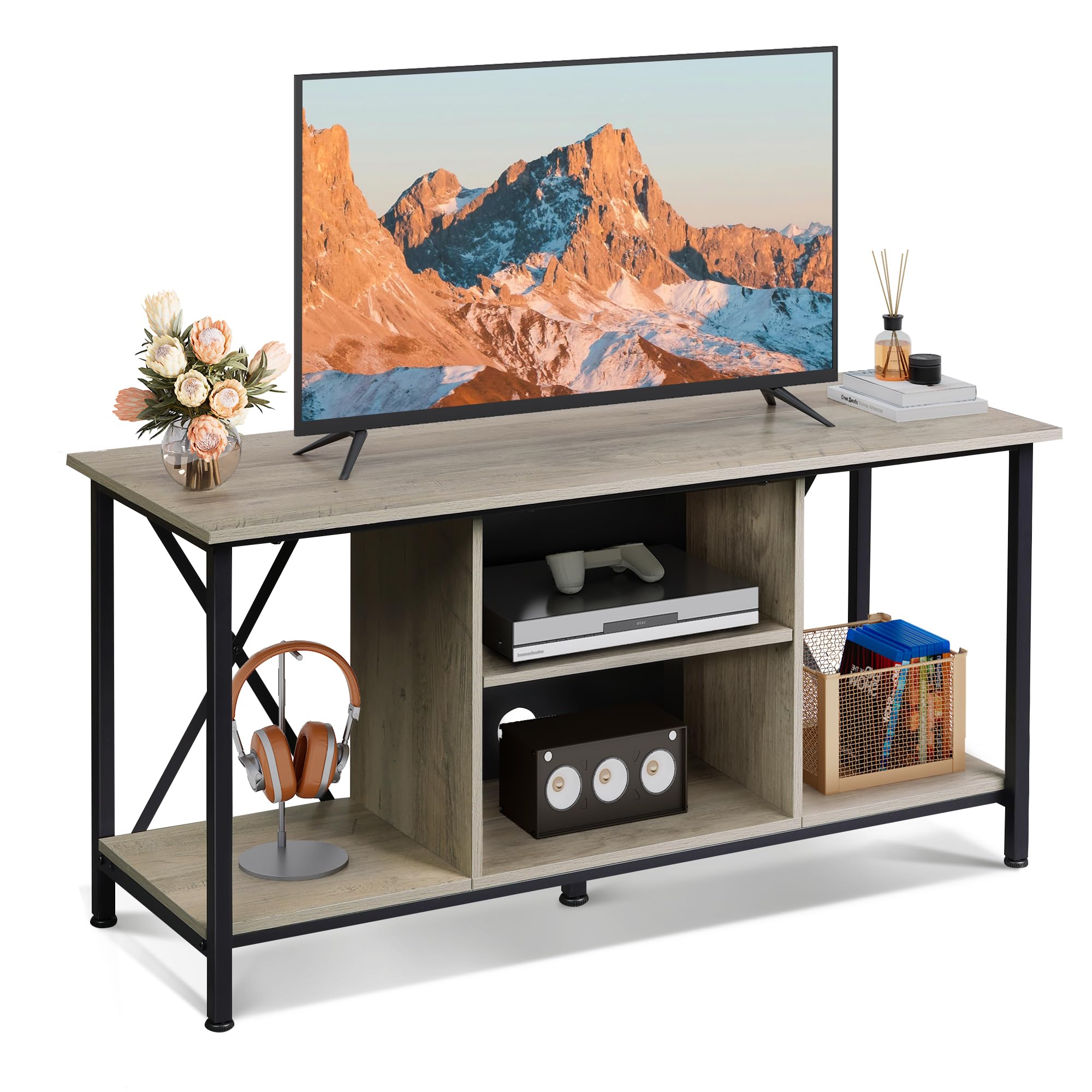
Image 1: The WLIVE Industrial TV Stand (41-inch, Greige) in a typical home environment. The stand features a greige finish with a black metal frame, offering open shelving for media devices and decor.
2. Safety Information
- Always assemble the unit on a soft, clean surface to prevent scratches.
- Ensure all parts are securely fastened before use. Do not overtighten screws.
- Do not exceed the maximum weight capacity: Top surface 110 lbs (50 kg), each shelf 22 lbs (10 kg).
- Keep small parts and packaging materials away from children and pets.
- Do not stand or climb on the TV stand.
- Place the TV stand on a level surface to prevent tipping. Use the adjustable feet to stabilize on uneven floors.
3. Package Contents
Verify that all components listed below are present before beginning assembly. If any parts are missing or damaged, please contact customer support.
- Metal Frame components
- Shelves (top, middle, bottom)
- Hardware (screws, bolts, adjustable feet, etc.)
- Assembly Tools (Allen wrench, screwdriver)
- User Manual
4. Specifications
| Model | B0F1PH5NKT |
| Color | Greige |
| Dimensions (L x W x H) | 40.95 x 15.68 x 20.08 inches (104 x 39.8 x 51 cm) |
| Material | Engineered Wood, Metal |
| Item Weight | 27 Pounds (12.2 kg) |
| Max TV Size Supported | Up to 45 inches |
| Top Surface Weight Capacity | 110 lbs (50 kg) |
| Shelf Weight Capacity | 22 lbs (10 kg) per shelf |

Image 2: Detailed product dimensions and weight capacities for the TV stand. The stand measures 40.94 inches in length, 15.6 inches in depth, and 20 inches in height. The top surface supports up to 110 lbs, and each shelf supports up to 22 lbs.
5. Setup and Assembly
Follow these steps for a straightforward assembly process. All hardware is numbered to match the instructions.
- Unpack and Identify Parts: Carefully remove all components from the packaging. Lay them out on a clean, soft surface. Identify each part using the provided labels and the parts list in the separate instruction manual.
- Assemble the Metal Frame: Attach the horizontal and vertical metal frame pieces using the designated screws. Ensure the X-shaped crossbars are correctly positioned for stability.
- Attach Side Panels: Secure the side engineered wood panels to the metal frame.
- Install Bottom Shelf: Place and secure the bottom shelf into the frame.
- Install Middle Shelves: Insert the middle shelves. Note that the central shelf is adjustable.
- Attach Top Panel: Carefully place and secure the top engineered wood panel.
- Install Adjustable Feet: Screw the adjustable plastic feet into the bottom of the metal frame.
- Final Tightening: Once all parts are in place, gently tighten all screws. Avoid overtightening to prevent damage.

Image 3: The TV stand features a single, sturdy top panel and an X-shaped rear design on the metal frame for enhanced stability and durability.

Image 4: Key features include a scratch-resistant surface, a robust metal frame, and adjustable feet that can be rotated 360 degrees to ensure stability on various floor types.
6. Operation
Adjustable Shelves
The middle shelf in the central compartment is adjustable to three different height levels. This allows you to customize the storage space to accommodate various media players, game consoles, or other items of different sizes. To adjust, remove the shelf, reposition the support pins to the desired height, and reinsert the shelf.

Image 5: The central shelf can be adjusted to three different heights, providing flexible storage. The image also highlights the cable management holes for organizing wires.
Cable Management
The central compartment features pre-drilled holes on the back panel for efficient cable management. Route your device cables through these holes to keep wires organized and out of sight, contributing to a tidy and hazard-free living space.

Image 6: The TV stand includes two cable management holes designed to conceal and organize electronic device cables, maintaining a clean aesthetic.
7. Maintenance
- Cleaning: Wipe surfaces with a soft, damp cloth. Avoid harsh chemicals or abrasive cleaners that may damage the finish.
- Dusting: Regularly dust with a dry, soft cloth to prevent buildup.
- Spills: Clean spills immediately to prevent staining or damage to the engineered wood.
- Inspection: Periodically check all screws and connections to ensure they remain tight. Retighten if necessary.
8. Troubleshooting
- Stand is Wobbly:
- Ensure all screws are tightened securely.
- Adjust the plastic feet on the bottom of the frame to compensate for uneven flooring.
- Difficulty During Assembly:
- Refer to the detailed instruction manual provided in the package.
- Ensure parts are oriented correctly as shown in the diagrams.
- If using the included tools, consider using your own screwdriver for better leverage and to ensure screws are tight without overtightening.
- Missing or Damaged Parts:
- Contact WLIVE customer support immediately for assistance.
9. Warranty and Support
WLIVE is committed to providing quality products and customer satisfaction. While specific warranty details are not provided in this manual, please retain your proof of purchase for any warranty claims.
For any questions, concerns, or assistance with your WLIVE Industrial TV Stand, our customer support team is available 24/7. Please refer to the contact information provided with your purchase or visit the official WLIVE website for support.
Thank you for choosing WLIVE.