
1. Product Overview
The Eureka RapidWash 730 is a cordless wet dry vacuum cleaner and mop designed for cleaning hard floors. It features a self-cleaning function, anti-tangle brushroll, and a reclinable design for reaching under furniture.
1.1 What's in the Box
Carefully unpack all components and ensure everything is present. Refer to the list below and the accompanying image.
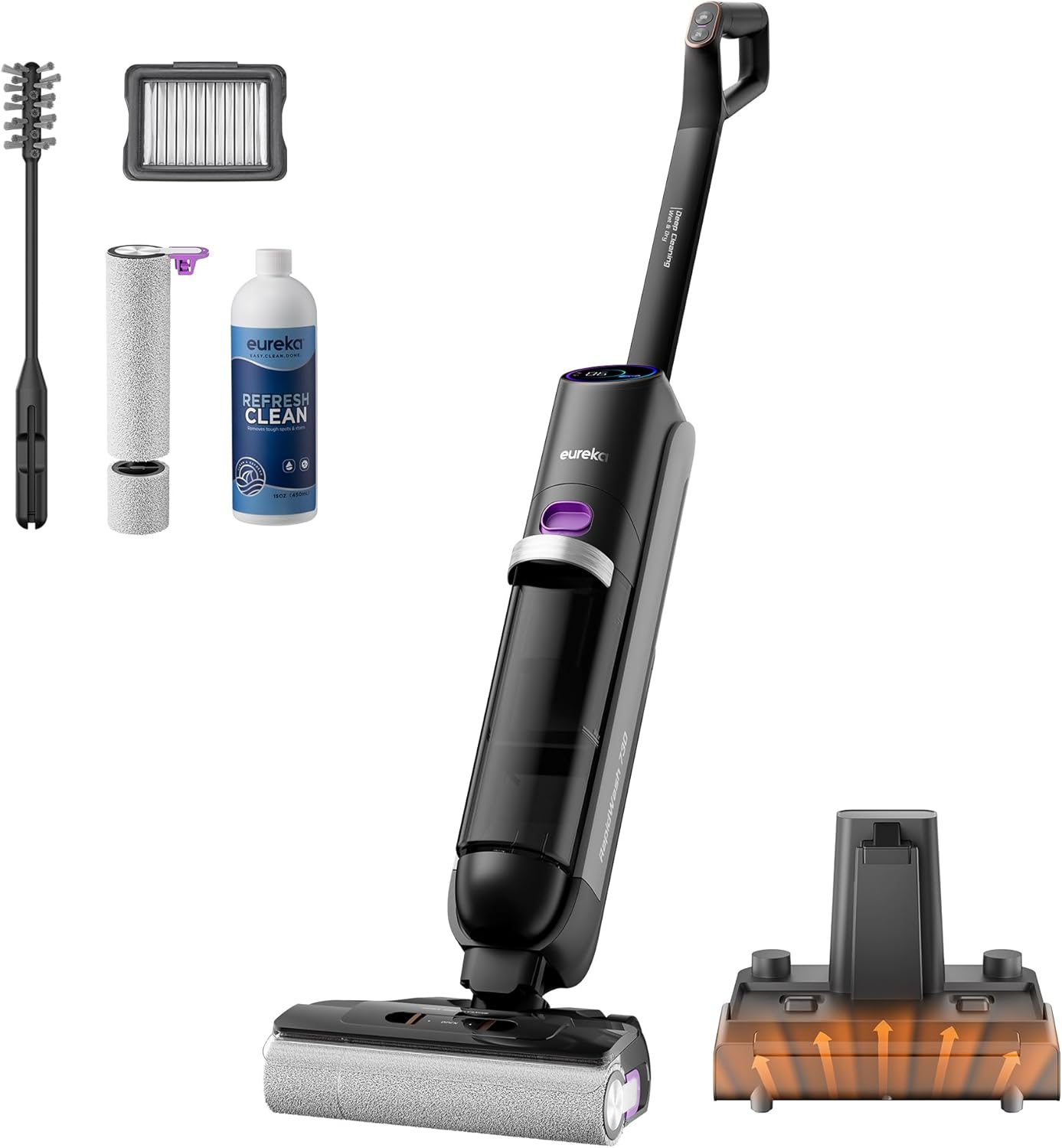
Image Description: An overhead view displaying all components included with the Eureka RapidWash 730. These include the main vacuum unit, a separate handle, a charging base, a clean water tank, a bottle of cleaning solution, a filter, a brush roller, a cleaning brush, and the user manual.
- Main Unit
- Handle
- Docking Station (Charging Base)
- Clean Water Tank
- Cleaning Solution
- Filter
- Brush Roller
- Cleaning Brush
- User's Manual
2. Setup and Assembly
Follow these steps to assemble your Eureka RapidWash 730 before first use.
2.1 Handle Installation
- Align the handle with the connection port on the main unit.
- Push the handle firmly into the port until it clicks into place. Ensure it is securely attached.
2.2 Initial Charging
- Place the main unit onto the docking station.
- Connect the power adapter to the docking station and plug it into a wall outlet.
- Allow the unit to charge fully before first use. The display will indicate charging status.

Image Description: The Eureka RapidWash 730 vacuum cleaner is shown upright on its black charging base, which is plugged into a wall outlet. This illustrates the convenient charging process.
2.3 Filling the Clean Water Tank
- Remove the clean water tank from the main unit.
- Open the tank cap and fill with clean water up to the MAX fill line. For enhanced cleaning, add the recommended amount of Eureka cleaning solution.
- Securely close the tank cap and reinsert the tank into the main unit.
3. Operating Instructions
Learn how to effectively use your Eureka RapidWash 730 for various cleaning tasks.
3.1 Power On/Off and Mode Selection
- Press the power button to turn the unit on.
- Use the mode selection button to switch between cleaning modes (e.g., Auto Mode, Turbo Mode, Dry Mode).
- To turn off, press the power button again.
3.2 Auto Mode Operation
In Auto Mode, the vacuum uses smart detection to assess floor dryness and automatically adjusts suction power and water output for efficient cleaning and battery preservation.

Image Description: The Eureka RapidWash 730 is shown in operation on a hard floor, with purple light emanating from the brush head, illustrating its smart detection capabilities in Auto Mode. Debris is visible on the floor, indicating the vacuum's cleaning action.
3.3 Edge Cleaning
The innovative "0mm Edge" design ensures the brush makes full contact with walls, allowing for thorough cleaning along edges and in corners.

Image Description: The Eureka RapidWash 730 is positioned against a wall, demonstrating its edge-cleaning capability. The brush head is shown making full contact with the wall, indicating thorough cleaning along the perimeter of the room.
3.4 Reclinable Design
The unit can recline up to 170° to easily clean under furniture such as sofas and beds. The anti-drip water duct prevents backflow during operation.

Image Description: The Eureka RapidWash 730 is shown reclined at a 170-degree angle, cleaning under a low coffee table. This illustrates its ability to reach difficult areas beneath furniture.
3.5 Anti-Tangle Brushroll
The Anti-Tangle 2.0 system features a high-density stainless steel comb designed to efficiently remove hair and resist entanglement, particularly useful for pet owners.
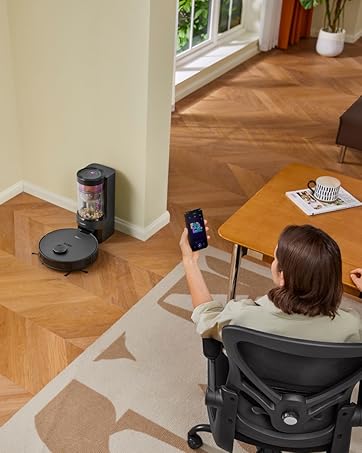
Image Description: A close-up view of the Eureka RapidWash 730's brushroll operating on a floor with scattered hair. An inset shows the internal anti-tangle comb mechanism, demonstrating how it prevents hair from wrapping around the brush.
4. Maintenance
Regular maintenance ensures optimal performance and longevity of your Eureka RapidWash 730.
4.1 Self-Cleaning Function
- After cleaning, place the unit on the docking station.
- Step on the brush head to activate the self-cleaning cycle.
- The system uses 185°F hot water to clean the roller brush and 176°F hot air for a 5-minute quick dry, preventing odors and bacterial growth.

Image Description: A close-up of the Eureka RapidWash 730's brushroll on its docking station, with steam visible, indicating the heated water self-cleaning process is active. This function helps tackle stubborn stains and thoroughly rinses the mop.

Image Description: A close-up of the Eureka RapidWash 730's brushroll on its docking station, with hot air currents indicated around it, signifying the 5-minute quick self-drying process. This helps prevent mold and odors.
4.2 Emptying the Dirty Water Tank
- After each use or when the "empty dirty water tank" voice prompt sounds, remove the dirty water tank from the main unit.
- Carefully open the tank and dispose of the contents.
- Rinse the tank thoroughly with clean water and allow it to air dry before reinserting.
4.3 Cleaning the Brush Roller and Filter
- Periodically remove the brush roller for manual cleaning, especially if excessive debris or hair is present.
- Use the provided cleaning brush to remove any tangled hair or debris from the brush roller.
- Rinse the brush roller under running water and allow it to dry completely before reinstallation.
- Remove and rinse the HEPA filter as needed. Ensure it is completely dry before placing it back into the unit.
5. Troubleshooting
This section addresses common issues you might encounter with your Eureka RapidWash 730.
5.1 Common Issues and Solutions
- Unit not powering on:
- Ensure the unit is fully charged.
- Check if the handle is securely installed.
- Poor suction or cleaning performance:
- Check if the clean water tank is filled and the dirty water tank is not full.
- Inspect the brush roller for tangles or obstructions and clean if necessary.
- Ensure the filter is clean and properly installed.
- Verify that the water spray nozzles are not clogged.
- Self-cleaning not activating or completing:
- Ensure the unit is correctly placed on the docking station.
- Confirm the dirty water tank is not full and the clean water tank has sufficient water.
- Unpleasant odor from the unit:
- Empty and thoroughly rinse the dirty water tank after each use.
- Perform the self-cleaning cycle regularly to clean and dry the brushroll.
- Ensure all components, especially the brushroll and filter, are completely dry before storage.
- Voice prompts not working or too loud/quiet:
- Refer to the user interface or specific controls on the unit to adjust voice prompt settings or toggle silent mode.

Image Description: A close-up of the Eureka RapidWash 730's upper body, highlighting the display and various voice prompt notifications such as "self-cleaning completed," "please empty dirty water tank," and "low battery, please recharge." This illustrates the informative voice guidance feature.
If issues persist, please contact customer support.
6. Specifications
Detailed technical specifications for the Eureka RapidWash 730.
| Feature | Specification |
|---|---|
| Brand | Eureka |
| Model Name | RapidWash 730 |
| Special Feature | Washable Filter, Wet/Dry |
| Filter Type | HEPA Filter |
| Included Components | Accessory Kit, Adapter |
| Cordless | Yes |
| Clean Water Tank Capacity | 700 ml |
| Dirty Water Tank Capacity | 600 ml |
| Wattage | 350 watts |
| Charging Time | 5 Hours |
| Maximum Suction | 20000 Picometer |
| Form Factor | Stick |
| Color | Purple |
| Product Dimensions | 9"L x 10"W x 45"H |
| Noise Level | 74 dB |
| Battery Life | Up to 40 minutes |
| Item Weight | 11.5 pounds |
| Indoor/Outdoor Usage | Indoor, Outdoor |
| UPC | 840296515518 |
7. Warranty and Support
For warranty information or technical assistance, please contact Eureka customer service.
- Customer Service: 1-800-282-2886
- Online Support: Visit the official Eureka website for FAQs and additional resources.


