
1. Product Overview
This BNCF protective case is specifically designed for the BNCF Bpad Mini SE 8.7-inch tablet. Constructed from flexible Thermoplastic Polyurethane (TPU), it provides essential protection against impacts and scratches while maintaining a slim profile.
The case features precise cutouts for all ports and buttons, ensuring full functionality of your tablet. Its design incorporates reinforced corners for enhanced shock absorption and a raised bezel around the screen and camera for added protection.

Image 1.1: BNCF Bpad Mini SE tablet with the clear TPU protective case installed, showcasing both the front and rear views of the device.

Image 1.2: A detailed view of the case emphasizing its ultra-thin and lightweight design, the 1mm raised edge above the screen, shock-absorbing corners, and the 2.0mm raised bezel for camera protection.
2. Installation Instructions
To install the BNCF Bpad Mini SE 8.7-inch protective case:
- Ensure your BNCF Bpad Mini SE tablet is clean and free of dust or debris.
- Gently align the tablet with the case, starting with the side where the power and volume buttons are located.
- Carefully stretch the case slightly to fit the remaining edges of the tablet. Ensure all corners are securely seated within the case.
- Verify that all cutouts for ports, speakers, and the camera are correctly aligned and unobstructed.
Note: This case is exclusively designed for the BNCF 8.7-inch Bpad Mini SE. It is not compatible with the 8.4-inch Bpad Mini.
3. Operating Instructions
Once installed, the BNCF protective case allows for full and unhindered use of your Bpad Mini SE tablet. The precise cutouts ensure easy access to all essential features:
- Ports: Charging port, headphone jack (if applicable) are fully accessible.
- Buttons: Power and volume buttons are covered by the case but remain tactile and responsive.
- Camera: The camera module is protected by a raised bezel, preventing direct contact with surfaces.
- Speakers: Speaker grilles are precisely cut to ensure clear audio output.
The case's lightweight and slim design makes your tablet comfortable to hold and easy to carry, providing all-around protection when placed in a bag or during daily use.

Image 3.1: Detailed view of the case's precise cutouts, ensuring full access to all tablet ports and controls.
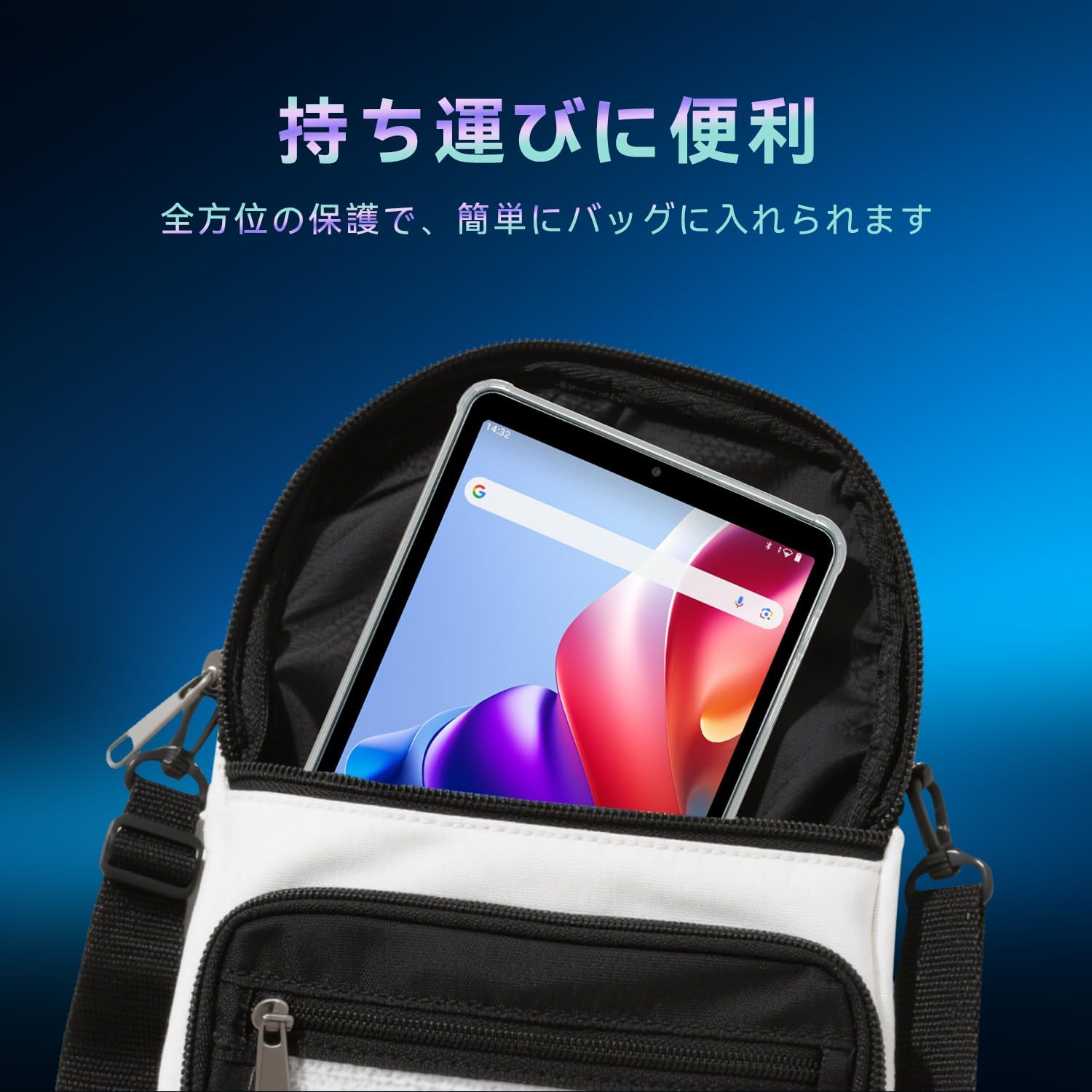
Image 3.2: The tablet, protected by its case, being easily stored in a bag, highlighting its portability and comprehensive protection.
4. Care and Maintenance
To keep your BNCF protective case in optimal condition:
- Cleaning: Wipe the case regularly with a soft, damp cloth. For stubborn dirt, a mild soap solution can be used. Avoid harsh chemicals or abrasive cleaners, as these can damage the TPU material.
- Fingerprint Resistance: The case features an anti-fingerprint finish on its surface. Regular cleaning will help maintain this property.
- Storage: When not in use, store the case away from direct sunlight and extreme temperatures to prevent material degradation.
- Inspection: Periodically inspect the case for any signs of wear or damage. A damaged case may not provide adequate protection.

Image 4.1: The case's design incorporates anti-fingerprint and anti-scratch properties to maintain its appearance and protect the tablet.
5. Troubleshooting
If you encounter any issues with your BNCF protective case, consider the following:
- Case Fit: Ensure you have the correct model. This case is exclusively for the BNCF Bpad Mini SE 8.7-inch tablet. It will not fit the 8.4-inch Bpad Mini.
- Button Responsiveness: If buttons feel stiff, remove the case and re-install it, ensuring proper alignment. The TPU material is designed to be flexible yet firm.
- Camera Protection: The case features a raised bezel around the camera to prevent direct contact with flat surfaces. However, it does not cover the camera lenses directly. For additional lens protection, consider a separate camera lens protector.
- SIM/SD Card Access: The case design does not include a cutout for the SIM/SD card slot. To access these slots, the case must be temporarily removed.
6. Product Specifications
| Brand | BNCF |
| Model Number | D801leathercase-SH-JP (TPU Case) |
| Color | Clear |
| Compatible Device | BNCF Bpad Mini SE 8.7-inch Tablet |
| Material | Thermoplastic Polyurethane (TPU) |
| Form Factor | Case (Soft Shell Type) |
| Features | Flexible, Shockproof, Anti-fingerprint, Anti-scratch |
7. Warranty and Support
7.1. Warranty Information
This BNCF product comes with a 1-year warranty from the date of purchase.
Warranty Exclusions: The warranty does not cover damages resulting from human error, accidents, disasters, or other force majeure events.
7.2. Customer Support
For any inquiries or support needs, please contact BNCF customer service through the following methods:
- Via Product Page: Navigate to the product page on Amazon, click on the seller's shop name, and then select the 'Ask a question' option.
- Via Amazon Account: Go to your Amazon account, access your 'Order History', locate the relevant order for this product, and select 'Contact Seller'.
Service Hours: Our customer service team is available from 10:00 to 19:00, Monday through Friday, excluding Saturdays, Sundays, and public holidays.

Image 7.1: BNCF customer service details, outlining warranty coverage, operational hours, and various contact options for support.