
1. Product Overview
This manual provides detailed instructions for the SIXTOP Android Car Stereo, model 4Core 4G+64G, designed for Hyundai Sonata NF vehicles manufactured between 2004 and 2008. It covers essential information for setup, operation, and maintenance to ensure optimal performance and user experience.
The system features a 9-inch 1280*720 touchscreen, Wireless CarPlay, Android Auto, Bluetooth 5.0, FM/RDS radio, 32-band EQ, built-in WiFi, GPS navigation, Mirror Link, AI Voice control, and AHD camera support.
2. Installation Guide
2.1 Package Contents
Before beginning installation, verify all components are present:
- Car Stereo with Frame
- AHD Backup Camera
- Microphone
- RCA Cable
- GPS Antenna
- USB Cable
- Power Cable
- Rear View Input Cable
- Installation Tool
- User Manual (this document)

Image: All components included in the SIXTOP Android Car Stereo package, including the head unit, cables, camera, and tools.
2.2 Vehicle Compatibility
This Android car stereo is specifically designed for Hyundai Sonata NF models from 2004 to 2008. It is a plug-and-play unit for easy integration.

Image: Comparison of the Hyundai Sonata NF dashboard before and after installing the SIXTOP Android Car Stereo, showing the integrated 9-inch touchscreen.
2.3 Basic Installation Steps
- Carefully remove the original car stereo and dashboard trim.
- Connect the provided wiring harness to the vehicle's existing wiring.
- Connect the GPS antenna, USB cables, and AHD camera input.
- Mount the new SIXTOP Android Car Stereo into the dashboard.
- Secure all connections and reassemble the dashboard trim.
- Perform initial power-on and system checks.
3. Operating Instructions
3.1 Initial Setup
Upon first power-on, the system may guide you through initial setup steps, including language selection and time zone settings. Ensure these are configured correctly.
Video: Demonstration of the user interface and various settings, including navigation, music, radio, Bluetooth, and system settings.
3.2 Wireless CarPlay & Android Auto
The system supports wireless Apple CarPlay and Android Auto for seamless smartphone integration. This allows access to phonebook, email, notifications, map navigation, and music apps directly on the car stereo.
- Ensure your phone's WiFi and Bluetooth are enabled.
- Connect your phone to the car stereo via Bluetooth.
- Open the [ApplePlay] or [Android Auto] app on the car stereo to automatically connect.

Image: The car stereo display showing the Wireless Apple CarPlay and Android Auto interfaces, demonstrating phone mirroring and screen casting capabilities.
Video: A demonstration of CarPlay, Android Auto, and Mirror Link connections, showing music playback, navigation, and hands-free calling.
3.3 Mirror Link Function
Mirror Link allows you to project your mobile phone screen onto the car stereo. This is useful for viewing videos or other content from your phone.
- For iPhone, select [Airplay].
- For Android phones, select [Android Link].
- Connect via WiFi for wireless mirroring.
3.4 Bluetooth 5.0 & FM/RDS Radio
The upgraded Bluetooth 5.0 provides a stable signal for enhanced phone call quality and mobile music playback. The FM/RDS radio supports various stations for news, music, and traffic information.
- Bluetooth: Pair your phone to make hands-free calls, synchronize your address book, and stream music.
- FM/RDS: Tune into your favorite radio stations. RDS provides additional information like station name and program type.

Image: The car stereo display showing the Bluetooth 5.0 interface for phone calls and music, and the FM/RDS radio interface with station presets.
3.5 Built-in WiFi and GPS Navigation
Connect to WiFi to download various applications from the Play Store, listen to online music, and watch videos. The built-in GPS supports precise positioning and allows for offline navigation after downloading maps.

Image: The car stereo display illustrating WiFi connectivity for app downloads and online content, alongside GPS navigation with map display.
3.6 Enhanced 32-Band EQ Adjustment
Customize your audio experience with the 32-band EQ. Choose from various sound effects like 3D optimized, Panorama, and HiFi scene to achieve lossless sound quality and compensate for original car speaker limitations.

Image: The car stereo display showing the detailed 32-band equalizer interface with various sound effect presets and balance controls.
3.7 AI Intelligent Voice Control
Activate the smart voice assistant by clicking the Voice APP. Use voice commands for tasks such as calling contacts, playing music, tuning the radio, and opening installed applications.

Image: The car stereo display showing the AI Intelligent Voice interface, demonstrating voice commands for various functions.
3.8 Steering Wheel Controls
The system supports the original steering wheel buttons for controlling audio functions, enhancing driving safety and convenience.

Image: The car stereo display showing the interface for programming steering wheel controls, with an illustration of a hand using the steering wheel buttons.
3.9 Reversing Display (AHD Camera)
When reversing, the system automatically switches to a clear, waterproof AHD backup camera display, making parking safer.
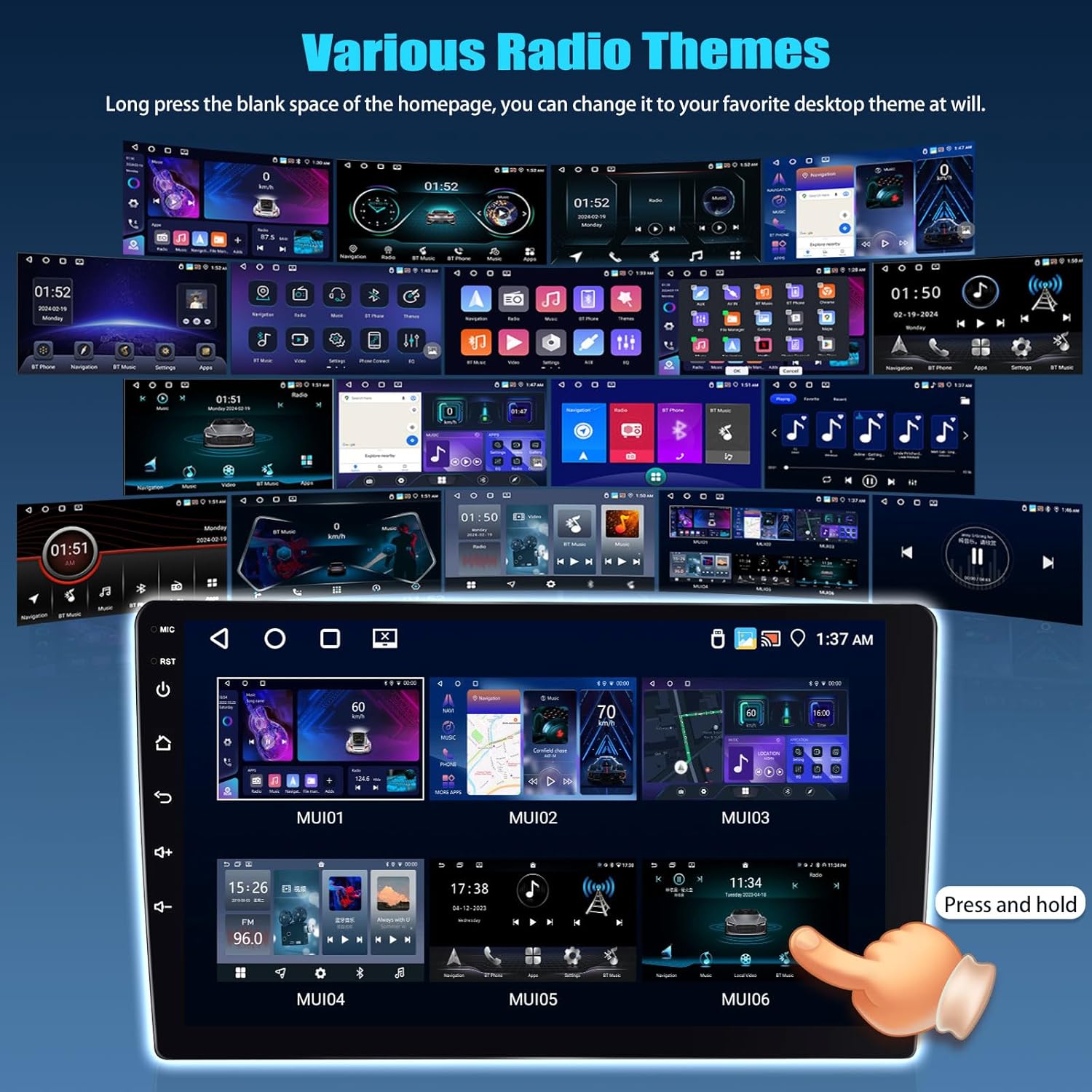
Image: The car stereo display showing a clear reversing image from the AHD camera, along with a wiring diagram for camera installation.
3.10 Split Screen Function
Utilize the split-screen feature to display two applications simultaneously, such as navigation and music, for enhanced multitasking.

Image: The car stereo display demonstrating the split-screen function, showing two applications running side-by-side.
3.11 UI Themes
Personalize your car stereo's appearance by choosing from various UI desktop themes. Long-press on the homepage's blank space to change the theme.
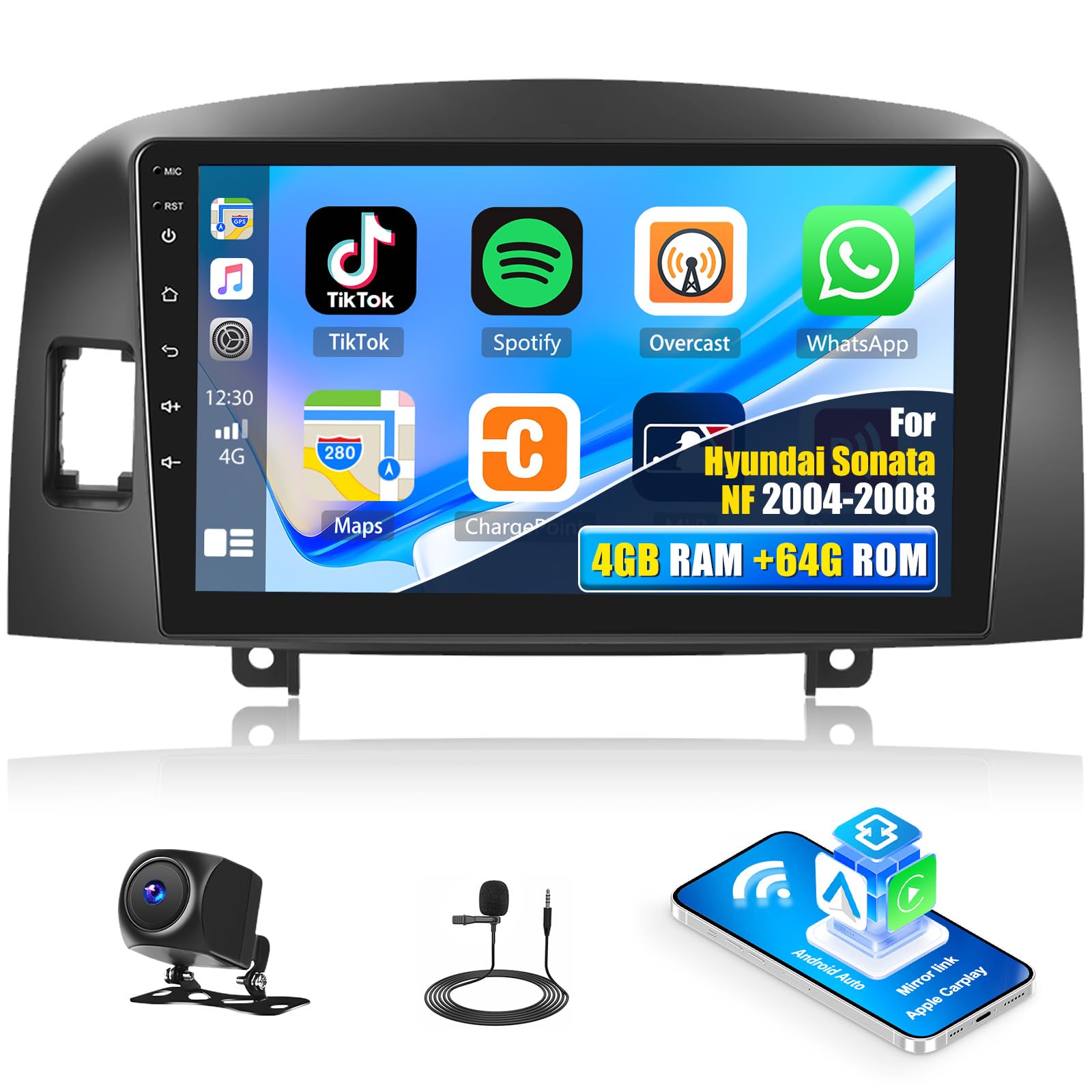
Image: A collage of different user interface themes available for the SIXTOP Android Car Stereo, showcasing customization options.
4. Maintenance
4.1 General Care
- Clean the screen with a soft, lint-free cloth. Avoid abrasive cleaners.
- Keep the unit free from dust and moisture.
- Avoid exposing the unit to extreme temperatures.
4.2 Software Updates
Periodically check for software updates through the system settings to ensure optimal performance and access to new features. Connect to WiFi to download updates.
5. Troubleshooting
If you encounter issues, refer to the following common solutions:
- No Power: Check all power connections. Ensure the vehicle's ignition is on.
- No Sound: Verify volume settings, check speaker connections, and ensure the correct audio source is selected.
- Bluetooth Connection Issues: Ensure Bluetooth is enabled on both the stereo and your phone. Delete previous pairings and try reconnecting. Restart both devices if necessary.
- GPS Not Working: Ensure the GPS antenna is properly connected and has a clear view of the sky. Check GPS settings in the system.
- Touchscreen Unresponsive: Try restarting the unit. If the issue persists, a factory reset might be necessary (note: this will erase all user data).
- CarPlay/Android Auto Not Connecting: Ensure your phone's WiFi and Bluetooth are on. Re-pair the devices. Check for any pending permissions on your phone.
For persistent issues, please contact SIXTOP customer support.
6. Specifications
| Feature | Detail |
|---|---|
| Model | 4Core 4G+64G |
| Operating System | Android |
| Display Size | 9 Inches |
| Resolution | 1280*720 |
| Memory (RAM+ROM) | 4GB RAM + 64GB ROM |
| Bluetooth Version | 5.0 |
| Audio Equalizer | 32-band EQ |
| Connectivity | Bluetooth, Wi-Fi |
| Special Features | GPS Navigation, Touchscreen, Waterproof AHD Backup Camera, Wireless CarPlay and Android Auto, Mirror Link, AI Voice |
| Vehicle Service Type | Hyundai Sonata NF 2004-2008 |
| Item Weight | 3.09 pounds |
| Package Dimensions | 12.2 x 7.09 x 3.15 inches |
7. Warranty & Support
7.1 Warranty Information
This product comes with a 1-year warranty from the date of purchase, covering manufacturing defects.
7.2 Customer Support
For technical assistance, troubleshooting, or warranty claims, please contact SIXTOP customer support via email at SIXTOP123@163.com. Please provide your product model and purchase details for faster service.

Image: Visual representation of customer support, indicating the email address for online assistance.


