
1. Introduction
This manual provides instructions for the ALLIMITY AXD7668 Replacement Remote Control. It covers setup, operation, and maintenance to ensure proper functionality with compatible Pioneer AV receivers.
2. Product Overview
The ALLIMITY AXD7668 is a replacement infrared (IR) remote control designed for specific Pioneer AV Receiver models. It offers direct functionality without the need for programming or pairing.

Figure 2.1: Front view of the remote control, displaying the button layout for various functions.
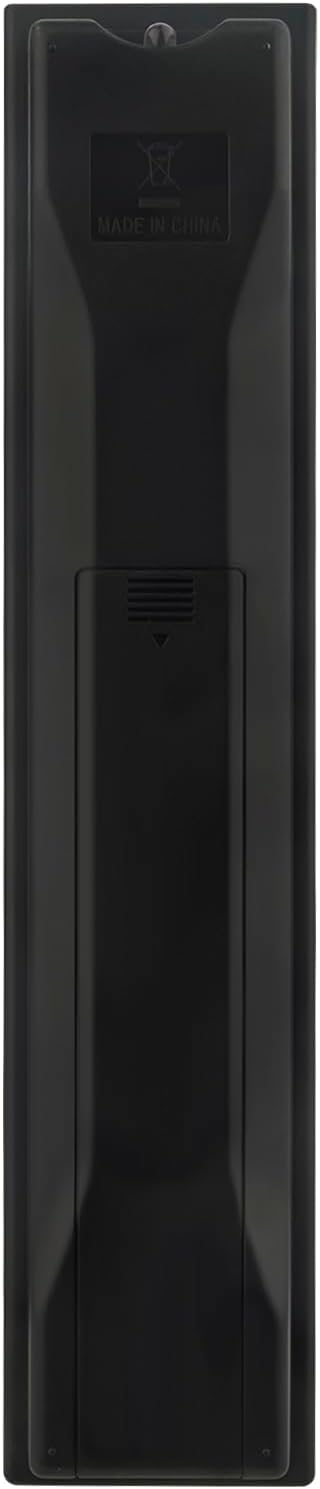
Figure 2.2: Back view of the remote control, highlighting the battery compartment.

Figure 2.3: Side view with approximate dimensions of the remote control.
Compatible Models:
- Pioneer SC67
- Pioneer SC65
- Pioneer SC68
- Pioneer SC1522K
- Pioneer VSX-33
- Pioneer VSX-32
- Pioneer VSX-1015TX
- Pioneer VSX-1014TX
3. Setup
3.1 Battery Installation
The remote control requires two (2) AAA alkaline batteries (not included) for operation. Follow these steps to install the batteries:
- Locate the battery compartment on the back of the remote control.
- Slide the battery compartment cover downwards to open it.
- Insert two AAA batteries, ensuring the positive (+) and negative (-) terminals align correctly with the markings inside the compartment.
- Slide the battery compartment cover back into place until it clicks securely.
Note: No programming or pairing is required. The remote is ready for use once batteries are installed.
4. Operating Instructions
To operate your Pioneer AV Receiver with the ALLIMITY AXD7668 remote control, ensure a clear line of sight between the remote's infrared emitter and the receiver's IR sensor. Point the remote directly at the receiver.
4.1 Basic Functions
The remote control provides standard functions for your AV receiver, including:
- Power On/Off: Use the POWER button to turn the receiver on or off.
- Input Selection: Use buttons like BD, DVD, HDMI, TV, CD, TUNER to select the desired input source.
- Volume Control: Adjust the volume using the VOLUME + and VOLUME - buttons.
- Mute: Press the MUTE button to temporarily silence the audio.
- Navigation: Use the directional arrow buttons and ENTER button for menu navigation.
- Menu Access: Buttons like HOME MENU, TOOLS MENU, and RETURN provide access to and navigation within the receiver's on-screen menus.
Refer to your Pioneer AV Receiver's original manual for detailed information on specific functions and menu operations.
5. Troubleshooting
If the remote control is not functioning as expected, consider the following:
- No Response:
- Ensure new AAA batteries are correctly installed with proper polarity.
- Check if the batteries are depleted and replace them if necessary.
- Verify there is a clear, unobstructed path between the remote control and the AV receiver's IR sensor.
- Ensure the remote is pointed directly at the receiver.
- Intermittent Operation:
- Weak batteries can cause intermittent operation. Replace them.
- Strong ambient light (e.g., direct sunlight, fluorescent lights) can interfere with IR signals. Try operating the remote in different lighting conditions.
- Specific Button Not Working:
- Ensure the remote is compatible with your specific Pioneer AV Receiver model. Refer to the "Compatible Models" list in Section 2.
- Some buttons may correspond to advanced functions not present on all compatible receiver models.
6. Specifications
| Model Name: | AXD7668 |
| Brand: | ALLIMITY |
| Connectivity Technology: | Infrared (IR) |
| Compatible Devices: | Pioneer AV Receivers (SC67, SC65, SC68, SC1522K, VSX-33, VSX-32, VSX-1015TX, VSX-1014TX) |
| Power Source: | 2 x AAA Batteries (not included) |
| Maximum Range: | Approximately 33 Feet (10 meters) |
| Color: | Black |
| Item Weight: | 93 Grams |
| Dimensions (L x W x H): | Approximately 5"L x 1"W x 0.5"H (12.7 cm x 2.54 cm x 1.27 cm) |
7. Maintenance
7.1 Cleaning
To clean the remote control, use a soft, dry cloth. For stubborn dirt, lightly dampen the cloth with water. Avoid using abrasive cleaners, solvents, or alcohol, as these can damage the surface and markings.
7.2 Storage
When not in use for extended periods, remove the batteries to prevent leakage and potential damage to the remote control. Store the remote in a cool, dry place away from direct sunlight and extreme temperatures.
8. Warranty and Support
For warranty information or technical support, please refer to the documentation provided at the time of purchase or contact the retailer. As this is a replacement remote, specific warranty terms may vary.
