
1. Package Contents
Verify that all items are present in your Gwenland SR08 Smart Ring package:
- Smart Ring x 1
- Charging Case x 1
- Charging Cable for C port X 1
- Magnetic Charging Cable X 1
- Manual x 1

Image Description: A person unboxing the Gwenland Smart Ring, revealing the ring, charging case, and cables. The video shows the contents of the package.
2. Sizing Guide
Accurate sizing is crucial for optimal performance and comfort. The Gwenland Smart Ring is available in sizes 8-13. We recommend using a sizing kit to determine your precise fit before use.

Image Description: A visual guide displaying various ring sizes (8-13) with corresponding inner diameters and perimeters. It also illustrates a three-step process for measuring finger size using a non-elastic strip of paper and a ruler.
Measurement Steps:
- Take a non-elastic string or strip of paper.
- Wrap it around your index finger, mark the point where the ends overlap.
- Measure the distance between the two marks with a ruler.
Tip: Wearing the ring on the index, middle, or ring finger is recommended. Ensure the fit is not too loose or tight, as this can affect data collection accuracy.
3. Charging the Smart Ring
The Gwenland Smart Ring comes with a compact charging case and two charging cables (Type-C and Magnetic). A single hour of charging provides up to 5 days of continuous use and up to 10-15 days of standby time.

Image Description: An illustration of the Gwenland Smart Ring being charged within its transparent charging case. The image highlights battery life estimates: 5 days for basic use and 3 days for active tracking.
Charging Instructions:
- Place the Smart Ring into the charging case. Ensure the charging contacts align.
- Connect the charging case to a power source using the provided Type-C or magnetic charging cable.
- The LED indicator on the charging case will illuminate to show charging status.
Video Description: A demonstration of unboxing the Gwenland Smart Ring, showing the ring, charging case, and cables. The video also illustrates how to place the ring into the charging case and connect the charging cable.
4. App Installation & Pairing
The Gwenland Smart Ring is compatible with Android 5.0+ and iOS 10.0+ devices. Download the free RJing app to manage and view your health data.

Image Description: A step-by-step guide showing how to download the RJing app by scanning a QR code or searching in app stores, granting permissions, setting up personal information, and finally pairing the SR08 device via Bluetooth.
Installation Steps:
- Scan the QR code on the product packaging or search for 'RJing' in your device's app store. Alternatively, download from http://download.keeprapid.com/jring.html.
- Download and install the app.
- Open the RJing app and follow the on-screen prompts to grant necessary permissions (e.g., WLAN & Cellular).
- Set up your personal information to ensure accurate tracking.
- Ensure your phone's Bluetooth is enabled. In the app, select 'Add Device' and choose 'SR08' to connect.
5. Wearing Instructions
To obtain the most accurate readings from your Gwenland Smart Ring, ensure the sensors on the ring are positioned against the pad of your index or middle finger while wearing it.

Image Description: A diagram illustrating the correct way to wear the smart ring. It shows the heart rate light and sensors positioned against the finger pulp (pad) of the index or middle finger for optimal data collection.
6. Operating the LED Display
The Gwenland Smart Ring features a high-definition LED screen and intuitive touch control for effortless device management. With a single tap, you can access crucial information directly on the ring.
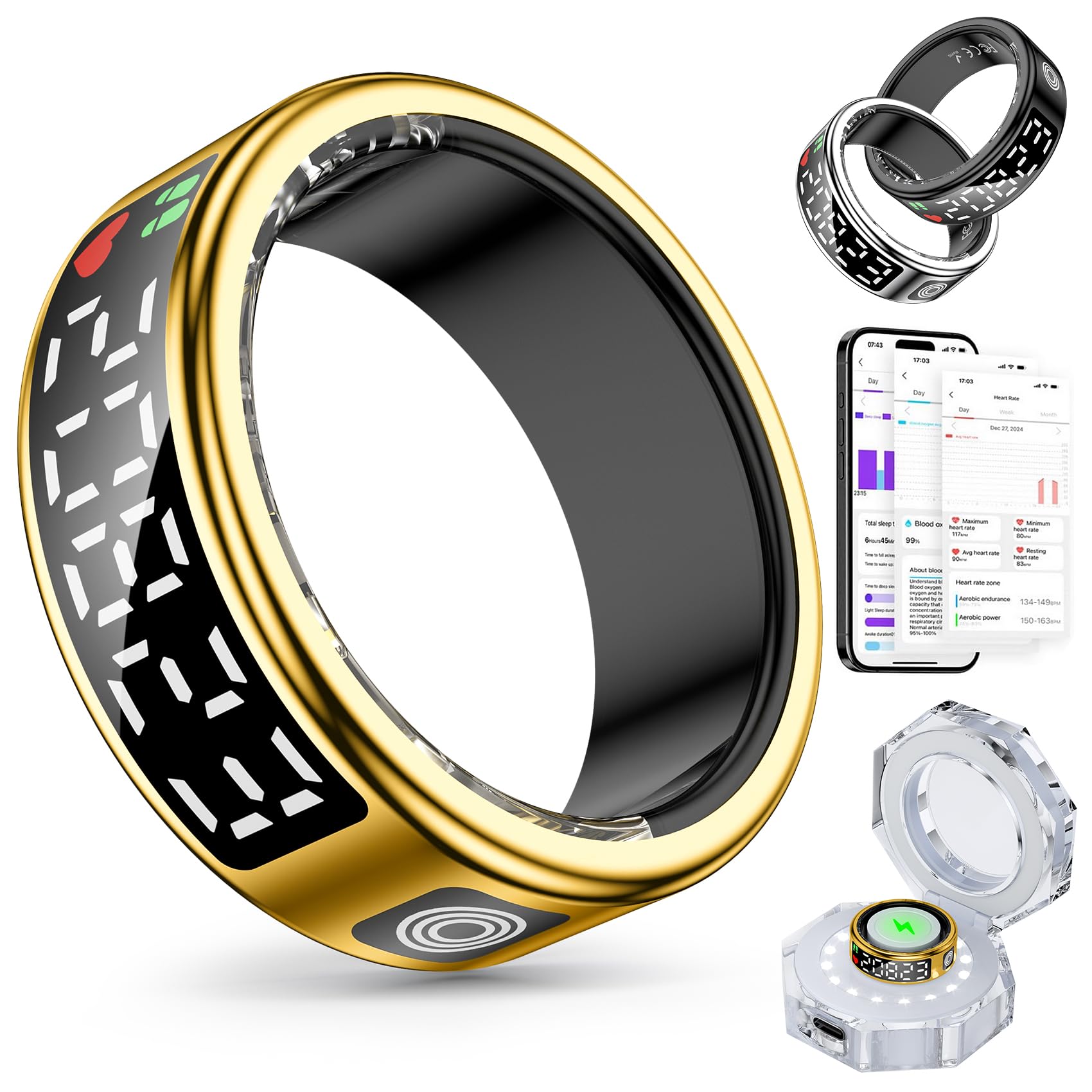
Image Description: A hand wearing the Gwenland Smart Ring, with an overlay illustrating the 'Touch mode' functionality. It lists six taps to display: time, steps, heart rate, blood oxygen, sleep, and battery level.
Display Functions (via Taps):
- 1 Tap: Show time
- 2 Taps: Show steps
- 3 Taps: Show heart rate
- 4 Taps: Show blood oxygen
- 5 Taps: Show sleep
- 6 Taps: Show battery level
7. Health Monitoring Features
The Gwenland Smart Ring is your ultimate health companion, providing continuous monitoring and analysis of key health metrics.
Sleep Tracking:
The ring offers 24/7 sleep tracking and analysis, helping you understand your sleep quality (deep sleep, light sleep, REM sleep, awake times) and make data-driven decisions for better rest.

Image Description: A composite image showing a person sleeping with the smart ring and screenshots of the RJing app displaying detailed sleep data, including deep, light, and awake sleep durations.
Heart Rate Monitoring:
Stay informed about your cardiovascular health with continuous heart rate monitoring throughout the day. The app provides maximum, minimum, average, and resting heart rate data.

Image Description: An image showing a woman performing yoga with the smart ring, alongside a graphic illustrating 24/7 real-time heart rate monitoring and key heart rate metrics (maximum, minimum, average, resting).
Activity Tracking:
The fitness tracker accurately records steps, distance, and calories burned. It supports various sports modes, allowing you to monitor your body condition and adjust workout intensity.

Image Description: A composite image showcasing various activities like running, walking, cycling, and hiking, with the smart ring. It also includes screenshots of the app displaying daily, weekly, and monthly health data, including steps, mileage, and calories.
8. Gesture Control & Remote Photography
Enhance your interactive experience with the smart ring's gesture control and remote photography functions.
Gesture Control for TikTok:
Use intuitive air gestures to browse TikTok videos seamlessly, providing a touch-free interaction.

Image Description: An illustration demonstrating the smart ring's hand gesture control feature for navigating TikTok. A hand wearing the ring performs an upward swipe gesture, mirroring the action on a smartphone screen.
Remote Photography:
Control your mobile phone to take photos remotely by shaking your finger with the ring.

Image Description: A couple embracing, with an inset showing a smartphone screen and a camera setup, illustrating the remote photography function of the smart ring. The ring is shown in three different colors.
9. Water Resistance
The Gwenland Smart Ring features IP68 waterproof durability, making it suitable for various activities such as swimming, running in the rain, or high-intensity workouts. It is dust and water resistant and can withstand diverse environments.

Image Description: A person swimming with the Gwenland Smart Ring on their finger, accompanied by icons indicating its IP68 waterproof rating for swimming, sweating, rain, and hand washing.
10. Troubleshooting
How to quickly switch off the ring display:
- Press the touchscreen button until the interface that toggles between "LCD" and "OFF" is displayed.
- Press and hold the touchscreen button for three seconds, then the display will be switched off.
- If you need to activate the smart-ring again, please hold the touchscreen button for three seconds.
Can't synchronize my ring data with RJing APP?
- Disconnect the Bluetooth connection in the RJing APP.
- In the phone settings, search for the Bluetooth name SR08 and click on "Ignore this device".
- Open the RJing APP again and establish a connection with Bluetooth SR08.
- Check if synchronization can be completed successfully.
If you have any other questions about smart rings, please contact us. We will provide you with technical support.
11. Product Specifications
| Feature | Detail |
|---|---|
| Brand | Gwenland |
| Model Number | SR08 |
| Item Weight | 150 Grams (5.3 ounces) |
| Package Dimensions | 7.48 x 2.95 x 1.18 inches |
| Batteries | 1 AAA batteries required (included) |
| Standing Screen Display Size | 0.2 Inches |
| Operating System Compatibility | Android 5.0+ and iOS 10.0+ |
| Special Features | Touchscreen, LED Display, Gesture Control, Multisport Tracker, Sleep Tracker, Remote Photography, Wireless Charging |
| Connectivity Technology | Bluetooth |
| Wireless Communication Standard | Bluetooth |
| Battery Cell Composition | Lithium Polymer |
| GPS | GPS Via Smartphone |
| Color | Gold |
12. Warranty and Support
Gwenland is committed to providing quality products and customer satisfaction. If you experience any problems with use after purchase, please contact our support team. We are dedicated to providing technical assistance and resolving any issues you may encounter.


