
1. Introduction
This manual provides detailed instructions for the Tayogo W26 Swimming Headphones. These bone conduction headphones feature an IPX68 waterproof rating, Bluetooth 5.4 connectivity, and an integrated 32GB MP3 player, making them suitable for various activities including swimming, running, and cycling.
The open-ear design allows for situational awareness while enjoying audio. Please read this manual thoroughly before using the device to ensure proper operation and longevity.
2. Product Overview
The Tayogo W26 headphones are designed for comfort and durability, featuring a flexible titanium alloy frame and a fully sealed waterproof coating.

Image: Tayogo W26 Swimming Headphones, showcasing their waterproof design.

Image: The ergonomic design and flexible titanium frame ensure a secure and comfortable fit during various activities.
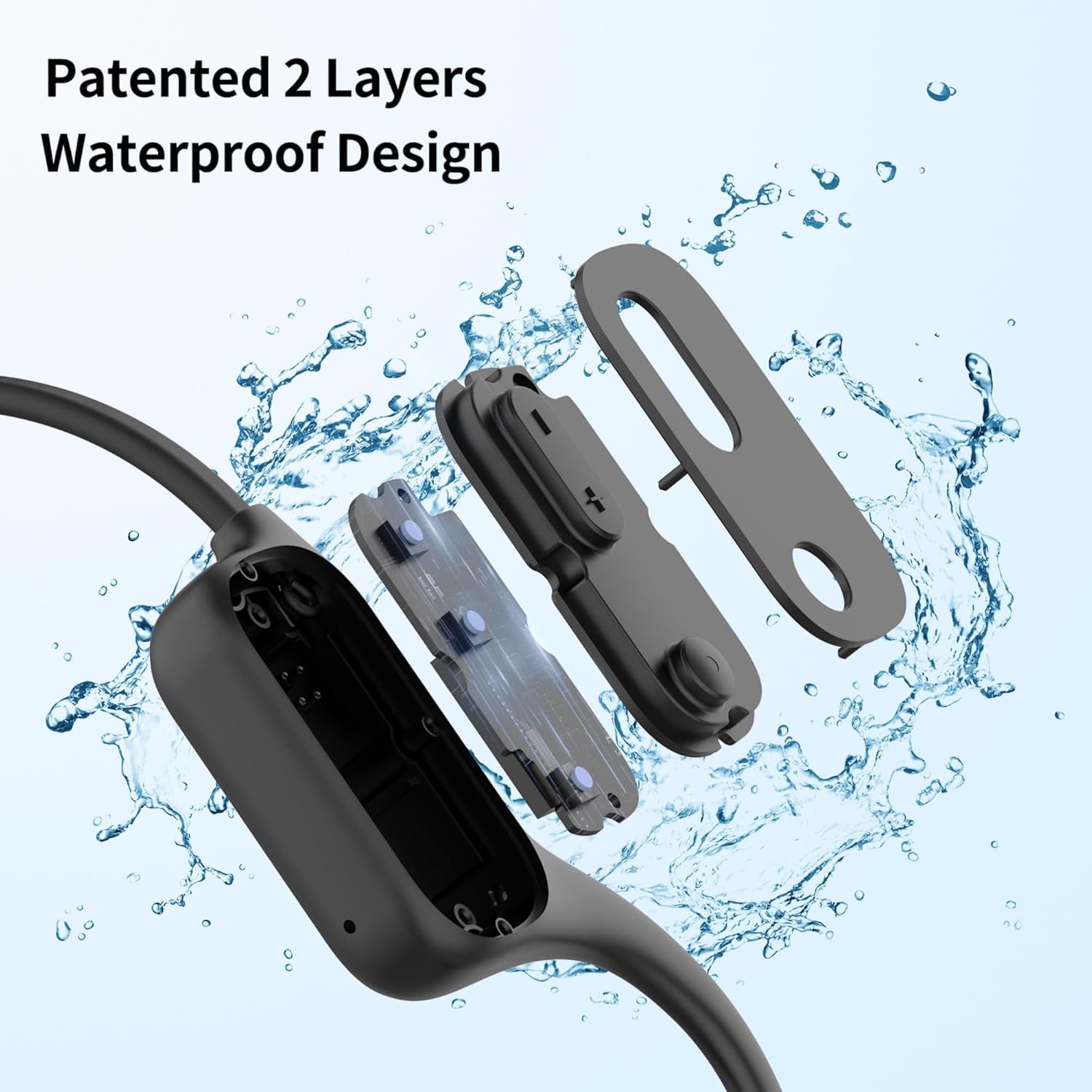
Image: Patented dual-layer waterproof design for enhanced protection.
Key Features:
- IPX8 Waterproof Rating: Fully sealed for underwater use up to 3 meters.
- Bone Conduction Technology: Delivers audio through cheekbones, keeping ears open to surroundings.
- Bluetooth 5.4: Provides stable and fast wireless connection for above-water activities.
- 32GB MP3 Player: Built-in storage for music playback, essential for underwater use where Bluetooth signals are limited.
- Long Battery Life: Up to 15 hours of continuous playback.
- Magnetic Charging: Convenient and secure charging interface.
3. Setup
3.1 Charging the Headphones
- Connect the magnetic charging cable to the charging port on the headphones.
- Connect the USB end of the cable to a power source (e.g., computer USB port, USB wall adapter).
- The headphones will indicate charging status (refer to LED indicator in specifications).
- A full charge takes approximately 1.5 hours.
3.2 Transferring MP3 Files
The headphones feature 32GB of internal storage for MP3 files, which is necessary for underwater listening as Bluetooth does not transmit through water.
- Connect the headphones to your computer using the magnetic charging cable.
- The headphones will appear as a removable disk drive on your computer.
- Drag and drop your desired MP3 audio files into the headphone's storage folder.
- Safely eject the device from your computer before disconnecting the cable.

Image: Connecting the headphones to a computer for MP3 file transfer and charging.
3.3 Bluetooth Pairing
For above-water use, pair your headphones with a Bluetooth-enabled device.
- Ensure the headphones are powered off.
- Press and hold the power button until the LED indicator flashes red and blue, indicating pairing mode.
- On your device (smartphone, tablet, etc.), enable Bluetooth and search for available devices.
- Select "Tayogo W26" from the list of devices to connect.
- Once paired, the LED indicator will flash blue slowly.
4. Operating Instructions
4.1 Power On/Off
- Power On: Press and hold the power button for 3 seconds.
- Power Off: Press and hold the power button for 5 seconds.
4.2 Mode Switching (Bluetooth / MP3)
The headphones support both Bluetooth and MP3 modes. Switch between modes as needed.
- Bluetooth Mode: For wireless audio streaming from a paired device (not for underwater use).
- MP3 Mode: For playing audio files stored on the internal 32GB memory (essential for swimming).
- To switch modes, press the dedicated mode button (refer to button layout diagram in the included physical manual).

Image: The Tayogo W26 headphones are IPX8 waterproof. Remember to switch to MP3 mode when swimming, as Bluetooth does not function underwater.
4.3 Volume and Track Control
- Volume Up: Press the '+' button.
- Volume Down: Press the '-' button.
- Next Track: Long press the '+' button.
- Previous Track: Long press the '-' button.
- Play/Pause: Press the multi-function button (usually the power button or a dedicated play/pause button).
4.4 Call Management (Bluetooth Mode Only)
- Answer Call: Press the multi-function button once.
- End Call: Press the multi-function button once during a call.
- Reject Call: Press and hold the multi-function button for 2 seconds.
4.5 Using While Swimming
For optimal performance and to ensure continuous audio, always use the MP3 mode when swimming. Bluetooth signals cannot effectively transmit through water.
Video: Demonstration of Tayogo Waterproof Swimming Headphones in use, highlighting their functionality for swimming.
5. Maintenance
5.1 Cleaning
- After each use, especially after swimming, rinse the headphones with fresh water to remove chlorine, salt, or sweat.
- Wipe the headphones dry with a soft, clean cloth.
- Do not use abrasive cleaners or solvents, as these can damage the waterproof coating.
5.2 Storage
- Store the headphones in a cool, dry place away from direct sunlight and extreme temperatures.
- Avoid placing heavy objects on the headphones to prevent damage to the frame.
6. Troubleshooting
Common Issues and Solutions:
- No Power:
Ensure the headphones are fully charged. Connect to the magnetic charging cable and check for charging indicator. - Cannot Pair via Bluetooth:
Ensure the headphones are in pairing mode (LED flashing red/blue). Check that Bluetooth is enabled on your device and it's within range (up to 33 feet). Try restarting both devices. - No Sound in MP3 Mode:
Verify that MP3 files have been successfully transferred to the device. Ensure the volume is not set to minimum. - No Sound While Swimming:
Confirm the headphones are in MP3 mode. Bluetooth does not work underwater. Ensure the headphones are positioned correctly for bone conduction. - Poor Sound Quality:
For bone conduction, ensure the transducers are in firm contact with your cheekbones. Adjust placement for optimal sound. For swimming, ensure earplugs are used to enhance sound clarity. - Buttons Unresponsive:
Try resetting the device (refer to the physical manual for specific reset instructions, if available). Ensure the device is not wet or dirty around the buttons.
7. Specifications
| Feature | Detail |
|---|---|
| Model Name | W26 |
| Water Resistance Level | IPX8 (up to 3 meters underwater) |
| Connectivity Technology | Bluetooth 5.4 |
| Internal Storage | 32GB (for MP3 files) |
| Audio Driver Type | Bone Conduction Driver |
| Battery Life | Up to 15 Hours |
| Charging Time | Approximately 1.5 Hours |
| Bluetooth Range | 33 Feet |
| Control Type | Button Control |
| Item Weight | 1.6 ounces |
| Product Dimensions | 5.5 x 4.2 x 1.9 inches |
| Material | Plastic |
| Ear Placement | Open Ear |
8. What's in the Box
The Tayogo W26 package includes the following items:
- 1 x Waterproof Bone Conduction Headset
- 1 x Magnetic Charging Cable
- 1 x Set of Swimming Earplugs
- 1 x User Manual (this document)
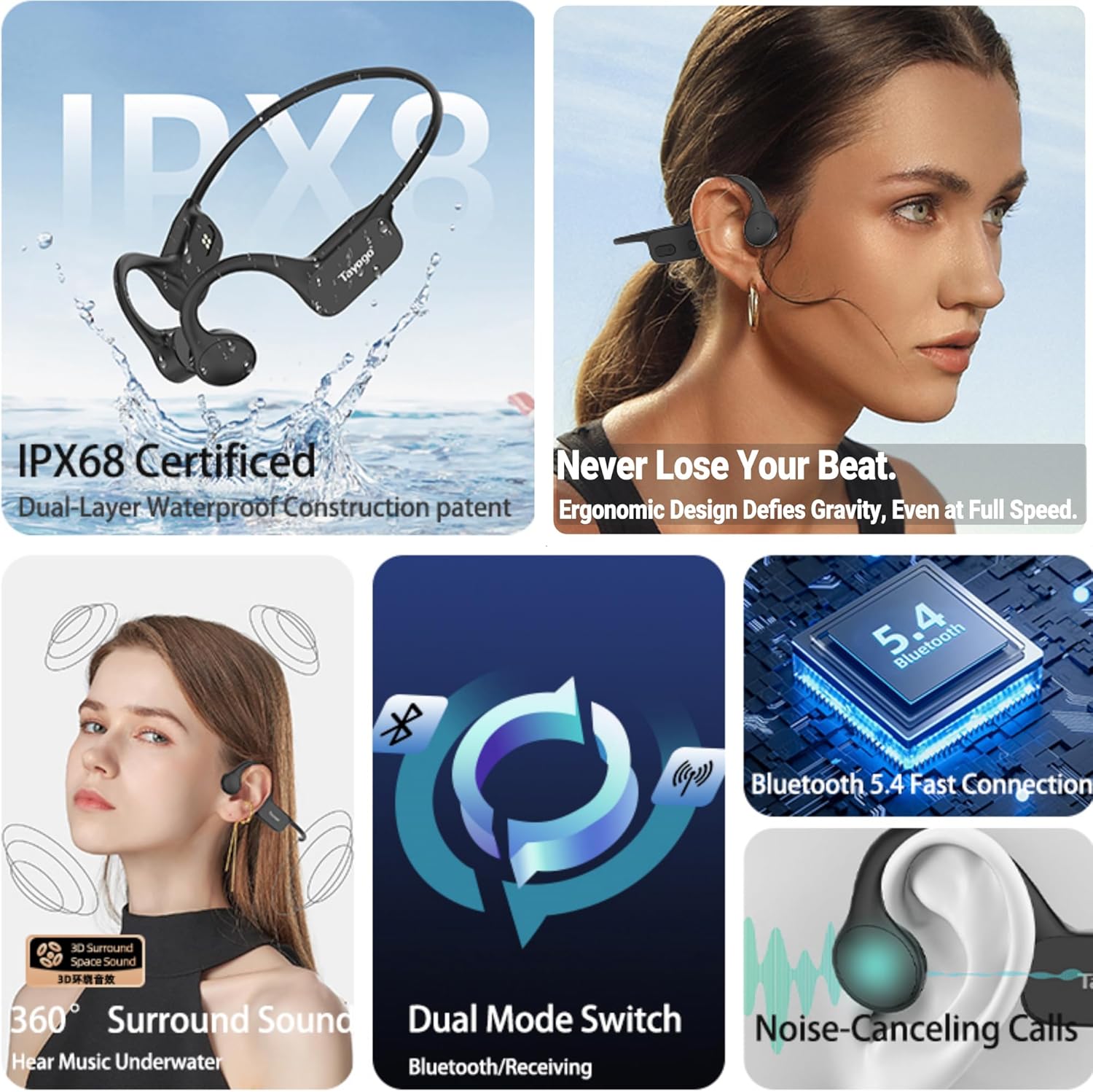
Image: All components included in the Tayogo W26 package.
9. Warranty and Support
For warranty information, product support, or to inquire about protection plans, please contact Tayogo customer service directly. Details regarding specific warranty terms and conditions are typically provided with your purchase documentation or on the official Tayogo website.
It is recommended to retain your proof of purchase for any warranty claims.


