
1. Introduction
The Gens ace Imars S10 G-Tech Series charger is a compact and intelligent charging solution designed for 2S-3S LiPo batteries. Featuring G-Tech smart chip technology, it automatically identifies battery information for safe and efficient charging. This manual provides essential information for the proper setup, operation, and maintenance of your Imars S10 charger.
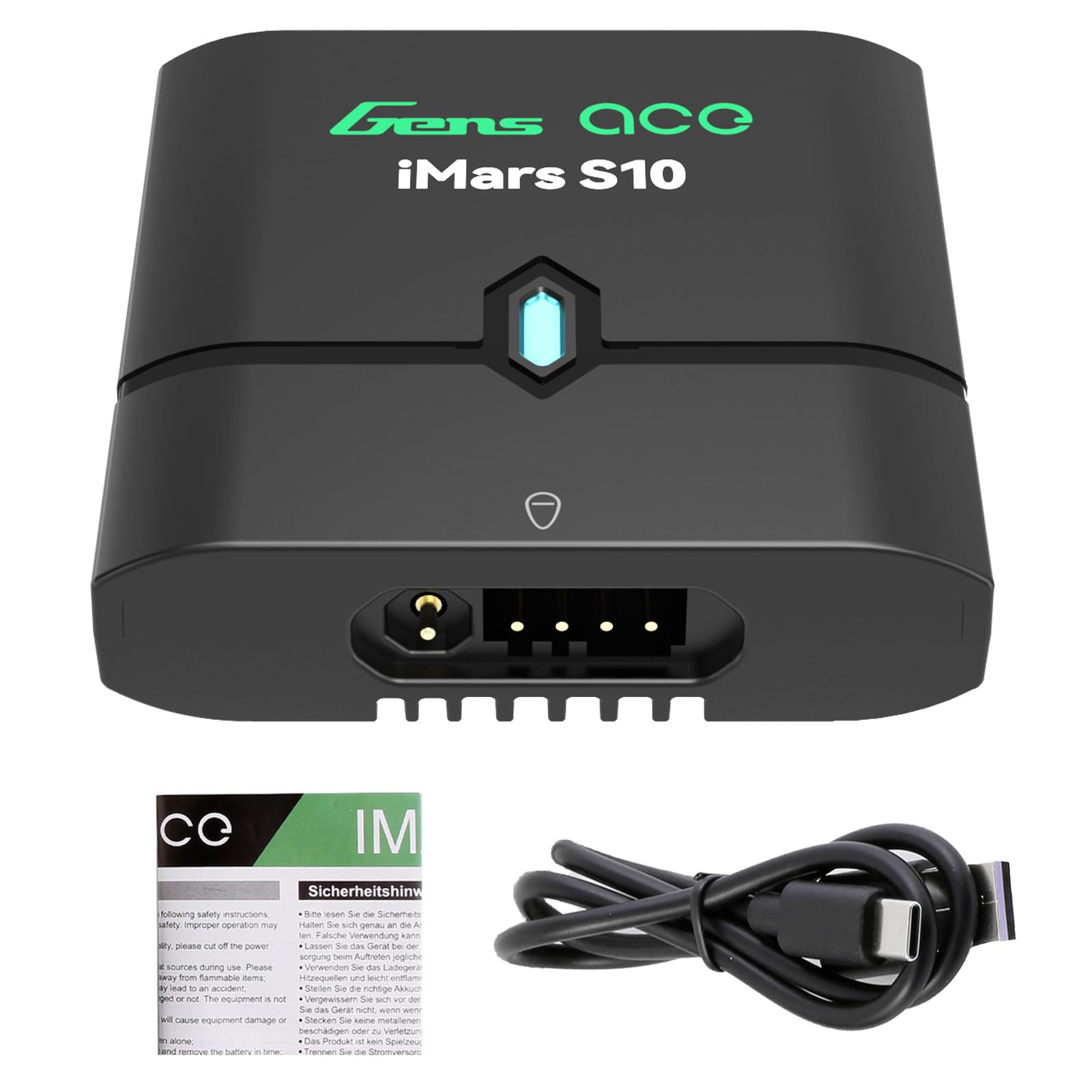
Image 1.1: Gens ace Imars S10 Charger overview. This image shows the compact design of the charger with its central LED indicator.
2. Safety Information
WARNING: Failure to follow these safety instructions can result in fire, property damage, or serious injury.
- Always charge LiPo batteries in a fire-safe location, away from flammable materials.
- Never leave charging batteries unattended.
- Ensure the charger is connected to a stable 5V DC power source with at least 2A output. Do not use 5V/1A power supply adapters.
- Only charge 2S or 3S LiPo batteries. Do not attempt to charge other battery types or cell counts.
- Verify battery polarity before connecting. The charger has output reverse connection protection and alarm, but always double-check.
- Do not short-circuit the charging terminals.
- Keep the charger away from water, moisture, and extreme temperatures.
- Do not attempt to open or modify the charger.
- Keep out of reach of children.
- If the battery becomes hot, swells, or shows any signs of damage during charging, immediately disconnect it and move it to a safe, non-flammable area.
3. Package Contents
Carefully unpack your Gens ace Imars S10 charger and verify that all items are present:
- Gens ace Imars S10 Charger
- DC Input Cable (USB-C)
- User Manual (this document)
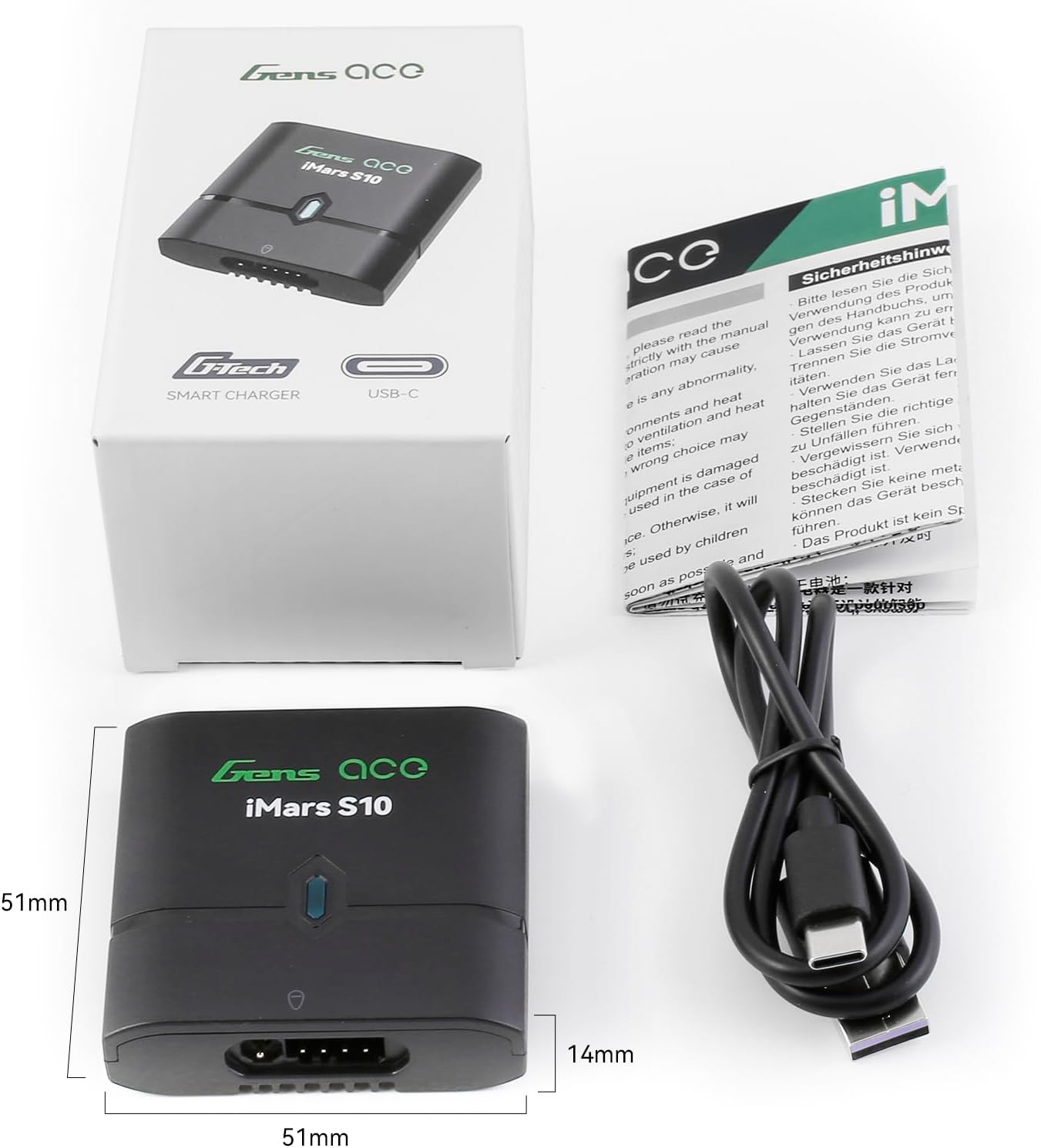
Image 3.1: Contents of the Gens ace Imars S10 package, including the charger, USB-C cable, and user manual.
4. Product Features
- Smart G-Tech Technology: Built-in smart chip automatically identifies G-Tech smart battery information, initiates automatic charging, and stops when fully charged.
- Versatile Compatibility: Supports most 2S-3S LiPo batteries, including G-Tech and other regular batteries.
- Safety Features: Abnormal battery voltage alarm, output reverse connection protection and alarm, balance port reverse connection protection and alarm.
- Compact and Portable: Super mini dimensions (51x51x14mm) and lightweight (approx. 23g) for easy transport.
- USB-C Input: Can be powered by various 5V/2A USB power sources (phone/computer power supply, power bank).
- Low Power Charging: Designed for safer, slower charging of smaller capacity batteries (250mAh to 3000mAh).

Image 4.1: The Imars S10 charger demonstrating compatibility with both G-Tech and standard LiPo batteries via the balance port.
5. Specifications
| Specification | Value |
|---|---|
| Charge Power | 10W |
| Charge Current | Max. 0.8A |
| Input Voltage | 5V DC |
| Input Current | DC 2A (Unavailable for 5V/1A power supply adapter input) |
| Output Voltage | 5V ~ 13.05V |
| Balance Current | Max. 80mA |
| Input Port | USB-C (BC1.2/SDP/CDP/DCP/Apple 5V/2.4A compatible) |
| Charging Connector | Only Balancing Connector allowed |
| Supported Battery Types | LiPo 2~3S |
| Working Temperature | 0°C ~ 45°C |
| Storage Temperature | -20°C ~ 60°C |
| Dimensions (L x W x H) | 51mm x 51mm x 14mm (2"D x 2"W x 0.6"H) |
| Net Weight | Approx. 23g |
| Certification | CE |

Image 5.1: A visual representation of the Gens ace Imars S10 charger's key parameters and specifications.

Image 5.2: Physical dimensions (length, width, height) and weight of the Gens ace Imars S10 charger.
6. Setup
- Connect Power: Connect the provided USB-C cable to the input port of the Imars S10 charger. Plug the other end of the USB-C cable into a compatible 5V DC power source with a minimum output of 2A. Ensure the power source is stable.
- Prepare Battery: Ensure your LiPo battery is a 2S or 3S type and is in good physical condition, free from swelling or damage.
- Identify Balance Port: Locate the balance port on your LiPo battery. This is a small white connector with multiple pins.
7. Operating Instructions
- Connect Battery: Carefully plug the balance connector of your 2S or 3S LiPo battery into the corresponding balance port on the Imars S10 charger. Ensure the connector is inserted correctly, aligning the pins. The charger features balance port reverse connection protection.
- Charging Process:
- For G-Tech Smart Batteries: The charger will automatically detect the battery type and parameters, initiating the charging process.
- For Regular 2S-3S LiPo Batteries: The charger will detect the cell count and begin charging.
- LED Indicator:
- A flashing red light indicates the battery is currently charging.
- A solid green light indicates the battery is fully charged. The charger will automatically stop charging.
- Disconnect Battery: Once the LED indicator turns solid green, safely disconnect the battery from the charger.
Important: Always monitor the battery during charging. If any abnormality is observed, disconnect the battery immediately.
8. Maintenance
- Cleaning: Use a soft, dry cloth to clean the charger. Do not use solvents or abrasive cleaners.
- Storage: Store the charger in a cool, dry place, away from direct sunlight and extreme temperatures.
- Inspection: Periodically inspect the charger and cables for any signs of damage. Do not use if damaged.
9. Troubleshooting
| Problem | Possible Cause | Solution |
|---|---|---|
| Charger LED does not light up when connected to power. | No power or insufficient power input. | Ensure the USB-C cable is securely connected. Verify the power source is providing 5V DC and at least 2A. Do not use 5V/1A adapters. |
| Charger does not start charging (LED remains off or shows error). | Battery not connected correctly, battery type unsupported, or battery fault. | Check battery balance connector for correct insertion and polarity. Ensure the battery is a 2S or 3S LiPo. Inspect the battery for damage. The charger has protection for reverse connection and abnormal voltage. |
| Charging takes an unusually long time. | Low input current from power source or high capacity battery. | Ensure your power source provides a full 2A output. Charging larger capacity batteries (e.g., 3000mAh) will naturally take longer due to the 0.8A max charge current. |
| Charger LED flashes rapidly or indicates an error. | Abnormal battery voltage, reverse connection, or internal fault. | Immediately disconnect the battery and power source. Recheck connections. If the issue persists, the battery may be faulty, or the charger may require service. |
10. Warranty and Support
The Gens ace Imars S10 charger comes with a 180-day warranty from the date of purchase, covering manufacturing defects. This warranty does not cover damage caused by misuse, unauthorized modification, accident, or improper operation.
For technical support, warranty claims, or further assistance, please contact Gens ace customer service through their official website or the retailer where the product was purchased. Please have your purchase receipt and product model number (Imars S10) available when contacting support.


