
AURAFIT AM05
AURAFIT AM05 Health and Fitness Smartwatch User Manual
Model: AM05
Introduction
Welcome to the AURAFIT AM05 Health and Fitness Smartwatch user manual. This guide provides comprehensive instructions for setting up, operating, maintaining, and troubleshooting your new smartwatch. The AM05 is designed to be thin, lightweight, and fashionable, offering advanced health and fitness tracking capabilities through its vibrant AMOLED display.
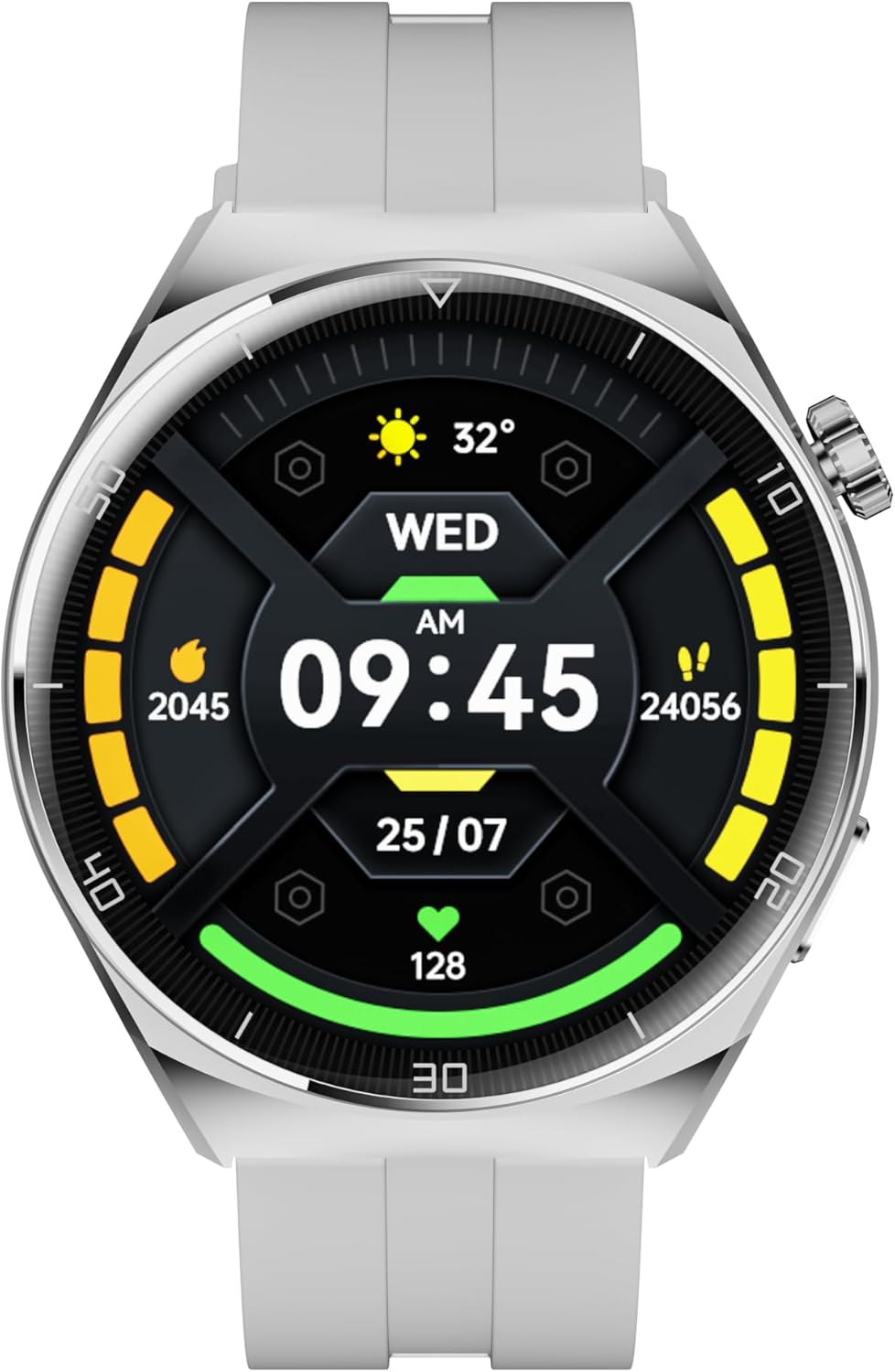
Figure 1: AURAFIT AM05 Health and Fitness Smartwatch
What's in the Box
Upon opening your AURAFIT AM05 package, please ensure all the following components are present:
- AURAFIT AM05 Smartwatch
- Charging Cable
- User Manual (this document)
- VHS (as per product specifications, though typically not included with smartwatches, this is listed in the product data)
Setup Guide
1. Initial Charging
Before first use, fully charge your AM05 smartwatch.
- Connect the charging cable to the charging port on the back of the smartwatch.
- Plug the USB end of the cable into a standard USB power adapter (5V/1A recommended) or a computer's USB port.
- The watch display will indicate charging status. A full charge typically takes approximately 2 hours.
2. Pairing with Your Smartphone
To unlock the full potential of your AM05 smartwatch, pair it with your smartphone using the dedicated app.
- Download the Smart Time Pro App: Search for "Smart Time Pro" on the Google Play Store (for Android devices) or the Apple App Store (for iOS devices).
- Install the app on your smartphone.
- Enable Bluetooth: Ensure Bluetooth is enabled on your smartphone.
- Open the App: Launch the Smart Time Pro app and follow the on-screen instructions to create an account or log in.
- Add Device: In the app, navigate to the "Add Device" or "Pair Device" section. The app will search for nearby AM05 smartwatches.
- Select Your Watch: Select "AM05" from the list of found devices. Confirm the pairing request on both your phone and the smartwatch if prompted.
- Once successfully paired, the watch will synchronize time and data with your phone.

Figure 2: Smart Time Pro App Interface for Health and Fitness Tracking
Operating Your Smartwatch
Basic Navigation
- Touchscreen: Swipe left/right, up/down to navigate through menus and features. Tap to select.
- Rotating Crown: The side crown can be rotated to scroll through lists and menus, and pressed to confirm selections or return to the home screen.

Figure 3: Smartwatch with Metal Middle Frame and Rotating Crown

Figure 4: 1.43" AMOLED Display Details
Health Monitoring Features
The AM05 smartwatch offers comprehensive health tracking capabilities. Ensure the watch is worn snugly on your wrist for accurate readings.
- Heart Rate Monitoring: Provides 24/7 continuous heart rate tracking. View real-time data on the watch or detailed trends in the app.
- SpO2 Monitoring: Measures your blood oxygen saturation levels.
- Sleeping Monitoring: Tracks your sleep patterns, including deep sleep, light sleep, and awake times, to help you understand your sleep quality.
- Blood Pressure Detecting: Provides estimates of your blood pressure. Note: This feature is for reference only and should not be used for medical diagnosis. Consult a healthcare professional for accurate medical advice.
- Cycle Tracking: Supports cycle tracking for women's health.

Figure 5: Health Monitoring Features

Figure 6: Sleep Monitoring in Use
Activity Tracking
The AM05 smartwatch is equipped with a multisport tracker and custom activity tracking to help you achieve your fitness goals.
- Steps, Distance, Calories: Automatically tracks your daily steps, distance covered, and calories burned.
- Workout Modes: Select from various sport modes to track specific activities like running, cycling, and more. The watch provides real-time metrics during your workout.
- GPS via Smartphone: Utilizes your smartphone's GPS for accurate route tracking during outdoor activities.

Figure 7: Scientific Exercise Tracking

Figure 8: Smartwatch during Strength Training
Notifications and Calls
Once paired with your smartphone, the AM05 can display notifications for calls, messages, and app alerts directly on your wrist.
- Call Notifications: See incoming call alerts and caller ID.
- Message Alerts: Receive SMS and app notifications (e.g., WhatsApp, social media) directly on your watch.
- Bluetooth Calling: The watch supports Bluetooth calling, allowing you to answer calls directly from your wrist (if enabled and supported by your phone).
Maintenance
Cleaning Your Smartwatch
Regular cleaning helps maintain the appearance and functionality of your AM05.
- Wipe the screen and body with a soft, lint-free cloth.
- For stubborn smudges, slightly dampen the cloth with water. Avoid using harsh chemicals or abrasive materials.
- Clean the charging contacts periodically to ensure proper charging.
Water Resistance
The AM05 smartwatch is designed with a certain level of water resistance. While specific ratings are not provided in the product data, generally, smartwatches are resistant to splashes and sweat. Avoid prolonged submersion, hot water, or steam. Do not press buttons underwater.
Battery Care
- Charge the watch fully before first use.
- Avoid completely draining the battery frequently.
- Store the watch in a cool, dry place when not in use for extended periods.
Troubleshooting
| Problem | Possible Solution |
|---|---|
| Watch won't turn on | Ensure the watch is fully charged. Connect it to the charger for at least 30 minutes. |
| Unable to pair with smartphone |
|
| Inaccurate health data |
|
| Notifications not appearing |
|
Specifications
| Feature | Detail |
|---|---|
| Model | AM05 |
| Brand | AURAFIT |
| Display | 1.43" AMOLED Display, 466x466 px, 450cd/m² brightness, 60Hz refresh rate |
| Operating System | Android Wear 2.0 (as per product data) |
| Special Features | Touchscreen, Cycle Tracking, Multisport Tracker, Activity Tracker, Custom Activity Tracking, Heart Rate Monitoring, SpO2 Monitoring, Sleeping Monitoring, Blood Pressure Detecting |
| GPS | GPS Via Smartphone |
| Color | Black |
| Compatible Devices | Smartphone |
| Manufacturer | Shenzhen Smart Care Technology Limited |
| Country of Origin | China |

Figure 9: Smartwatch with Different Strap Options
Warranty and Support
Warranty Information
The AURAFIT AM05 Smartwatch comes with a 2-Year Warranty. If the product is damaged or unusable due to manufacturing defects, AURAFIT will provide warranty or replacement service.
Additional protection plans may be available for purchase, offering extended coverage. Please refer to your purchase documentation for details on any additional plans.
Customer Support
For any questions, technical assistance, or warranty claims, please contact AURAFIT customer service. We offer 24/7 customer support to provide you with satisfactory answers and solutions.
You can typically find contact information on the AURAFIT official website or through the Smart Time Pro app's support section.

Figure 10: Customer Support and Warranty Information
Ask a question about this manual
Ask about setup, troubleshooting, compatibility, parts, safety, or missing instructions. Manuals+ will review the question and use this page’s manual context to help answer it.