
1. Overview
The BIOMASER S20 Wireless Permanent Makeup Machine Kit is designed for professional permanent makeup artistry and small tattoo applications. This versatile, cordless device offers precise control and comfortable handling for procedures such as eyebrow, lip, and eyeliner tattooing, including ombre powder brows and microshading. Its ergonomic design and wireless operation provide enhanced maneuverability and reduce hand fatigue during extended use.
2. Package Contents
Please verify that all items listed below are included in your package:
- S20 Wireless Pen Machine
- 5pcs BIOMASER Patented Cartridge Needles
- 5pcs Yellow Tattoo Needles
- Extra Grip for tattooing
- Pro Inked Mapping String
- Practice Skin
- Ring Ink Caps
- Charging Cable (USB-C)
3. Product Features
- Wireless Design: Offers unrestricted movement and improved maneuverability.
- Versatile Application: Suitable for eyebrows, lips, eyeliner, ombre powder brows, hairline, and microshading procedures.
- Durable Construction: Made of aluminum alloy, providing stability, reduced vibration, and resistance to fingerprints or sweat stains.
- Rechargeable Battery: Equipped with a lithium battery offering 3-6 hours of operation on a full charge, with approximately two hours charging time.
- Adjustable Needle Stroke: Allows for precise control over needle movement (0-3.5mm).
- Adjustable Needle Depth: Enables fine-tuning of needle protrusion.
- OLED Display: Provides clear visibility of voltage settings (each adjustment ±0.1V).

Image 3.1: The BIOMASER S20 machine demonstrating its multi-functional capabilities for eyebrow, eyeliner, lips, and small tattoo applications.
4. Setup
4.1 Charging the Machine
- Connect the provided charging cable to the charging port on the machine.
- Plug the other end of the cable into a compatible USB power adapter (not included).
- The OLED display will indicate charging status. A full charge typically takes approximately two hours.
4.2 Attaching the Needle Cartridge
- Ensure the machine is powered off.
- Carefully unpackage a sterile needle cartridge.
- Insert the needle cartridge into the screw cartridge needle interface at the tip of the machine. Twist clockwise until securely fastened.
- The machine is compatible with BIOMASER patented screw thread needles and most standard rotary tattoo gun machine cartridges.

Image 4.1: Detailed view of the BIOMASER S20 machine, highlighting the OLED display, power switch, voltage controls, needle stroke adjustment, and screw cartridge needle interface.

Image 4.2: Example of BIOMASER patented screw thread needles included in the kit.
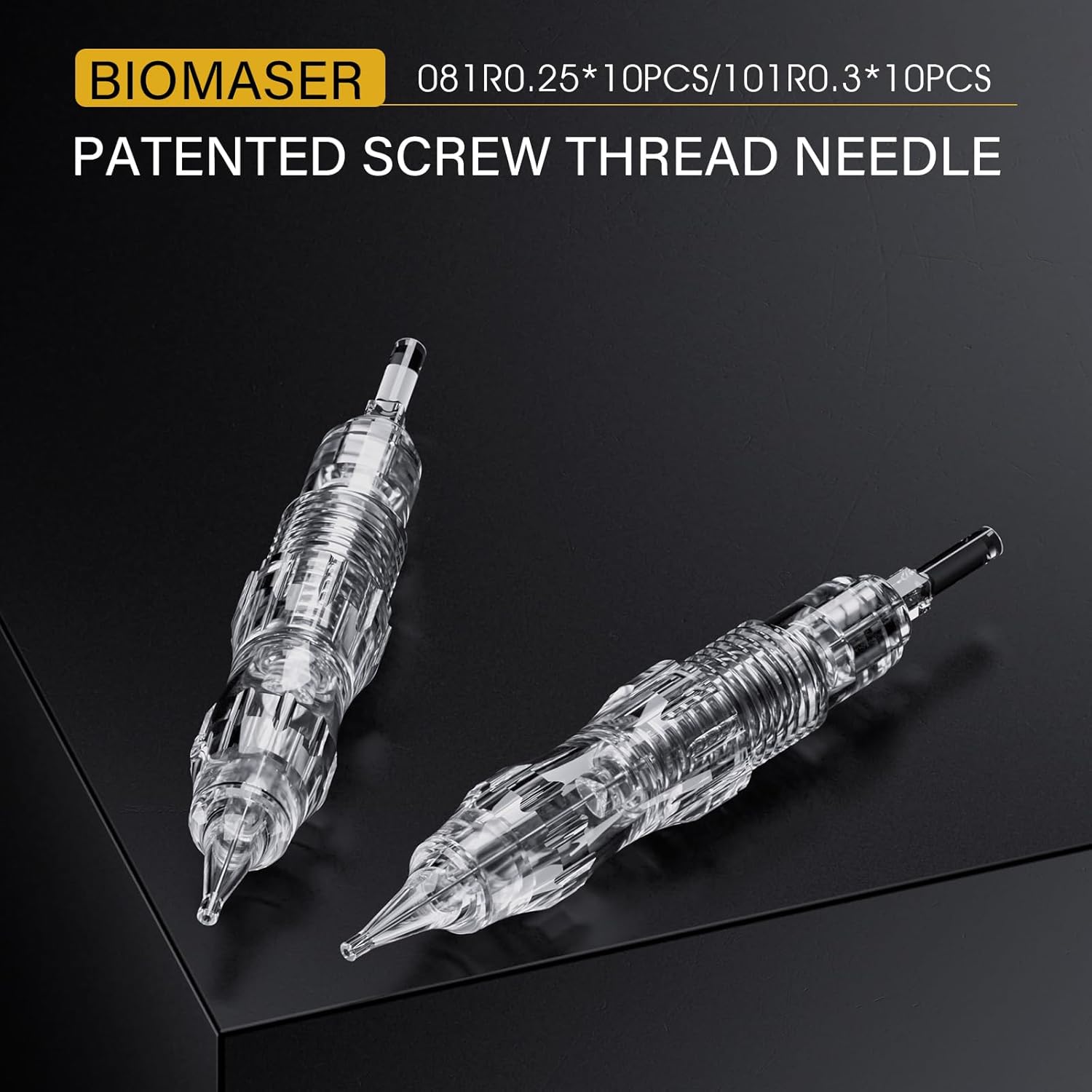
Image 4.3: Illustration of the machine's compatibility with most rotary tattoo gun machine cartridges, featuring anti-backflow and anti-vibration design.
4.3 Attaching the Extra Grip
If desired, slide the extra grip onto the machine body for enhanced comfort and control during use.
5. Operating Instructions
5.1 Powering On/Off
- To Power On: Long press the power switch button until the OLED display illuminates.
- To Power Off: Long press the power switch button again until the OLED display turns off.
5.2 Adjusting Voltage
- Use the 'Voltage +' button to increase the voltage.
- Use the 'Voltage -' button to decrease the voltage.
- Each press adjusts the voltage by 0.1V, displayed on the OLED screen.
5.3 Adjusting Needle Stroke
The needle stroke can be adjusted from 0mm to 3.5mm. Rotate the designated ring on the machine body to set the desired stroke length. Refer to Image 4.1 for the location of the needle stroke adjustment.
5.4 Adjusting Needle Depth
The needle depth, or how far the needle protrudes from the tip, can be adjusted by rotating the grip section of the machine. Rotate clockwise to decrease depth and counter-clockwise to increase depth. Adjust according to your specific procedure requirements.

Image 5.1: Close-up view demonstrating the rotation of the machine's grip to adjust the needle depth.

Image 5.2: The BIOMASER S20 machine being used for a permanent makeup procedure, illustrating its ergonomic handling.
6. Maintenance
6.1 Cleaning
- Always disconnect the machine from any power source before cleaning.
- Wipe the exterior of the machine with a soft, damp cloth and a mild, non-abrasive disinfectant.
- Do not immerse the machine in liquid.
- Ensure all surfaces are dry before storage or next use.
- Needle cartridges are single-use and must be disposed of properly after each procedure.
6.2 Storage
Store the machine in a clean, dry place away from direct sunlight and extreme temperatures. Keep it in its original case or a protective pouch to prevent damage.
7. Troubleshooting
- Machine Not Turning On:
Ensure the battery is fully charged. If the issue persists, contact customer support. - Inconsistent Power/Vibration:
Check if the needle cartridge is securely attached. Ensure the battery is adequately charged. If the problem continues, it may indicate an internal issue requiring professional assistance. - Needle Not Moving:
Verify the needle cartridge is correctly inserted and not damaged. Check voltage settings. If the motor is running but the needle is stationary, the cartridge may be faulty.
8. Specifications
| Model | S20 |
| Brand | BIOMASER |
| Material | Aluminum Alloy |
| Battery Life | 3-6 hours (fully charged) |
| Charging Time | Approx. 2 hours |
| Needle Stroke Adjustment | 0-3.5mm |
| Voltage Adjustment | ±0.1V increments |
| Package Dimensions | 7.48 x 5.04 x 2.44 inches |
| Weight | 14.82 ounces |
| Color | Black |
| Water Resistance Level | Not Water Resistant |
9. Safety Information
- This device is intended for professional use only by trained and certified individuals.
- Always use sterile, single-use needle cartridges for each client.
- Adhere to all local health and safety regulations for permanent makeup and tattooing procedures.
- Do not contact the eyes with needles or ink.
- Keep out of reach of children.
- Do not attempt to disassemble or repair the machine yourself. Contact qualified service personnel for repairs.
- Avoid using the machine if it appears damaged or malfunctioning.
10. Warranty and Support
Specific warranty information for the BIOMASER S20 Wireless Permanent Makeup Machine Kit is not provided in this manual. Please refer to the product packaging or contact your point of purchase for details regarding warranty coverage and customer support. For technical assistance or inquiries, please reach out to BIOMASER customer service through their official channels.

