
ROYALAXE D98
ROYALAXE D98 Wireless Mechanical Keyboard User Manual
Model: D98 | Brand: ROYALAXE
1. Introduction
This manual provides detailed instructions for the ROYALAXE D98 Wireless Mechanical Keyboard. The D98 is a versatile keyboard featuring tri-mode connectivity (USB wired, Bluetooth, and 2.4G wireless), hot-swappable switches, a gasket structure for enhanced typing feel, PBT keycaps, and dynamic RGB backlighting. It is designed for compatibility across various operating systems including Windows, macOS, Android, and iOS, making it suitable for diverse usage scenarios from office work to gaming.
2. Package Contents
Please verify that all items are present in your package:
- ROYALAXE D98 Mechanical Keyboard x 1
- USB Type-C Cable x 1
- Magnetic Foot Mat x 2
- User Manual x 1

Image: The ROYALAXE D98 keyboard shown with its included accessories, including the USB-C cable and magnetic foot mats.
3. Product Features
3.1 Triple-Mode Connection
The ROYALAXE D98 supports three connection modes: USB wired, Bluetooth, and 2.4G wireless. This allows for flexible switching between different usage scenarios and compatibility with mainstream operating systems such as Windows, macOS, Android, and iOS. It also supports fast switching between multiple devices, enhancing efficiency for multi-device collaboration and gaming.
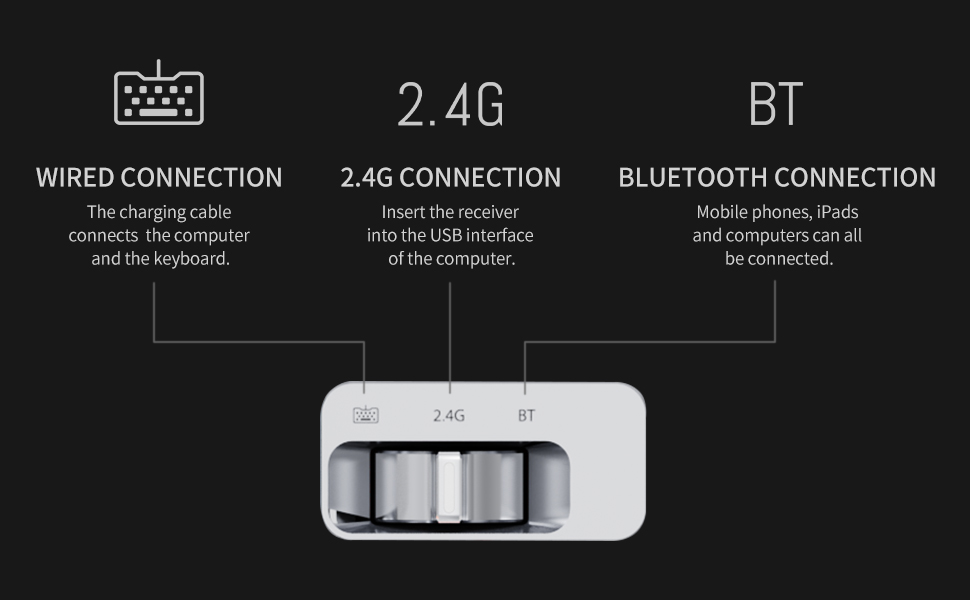
Image: A diagram illustrating the three connectivity modes: wired, 2.4G wireless, and Bluetooth, with a switch to select between them.
3.2 TTC Gold Pink Switch V2
Equipped with TTC Gold Pink Switch V2, a light pressure linear switch with a 37g trigger pressure. The switch features silver-plated feet and gold-plated contacts for improved oxidation resistance and durability, boasting a theoretical life of 100 million presses. Its light feel and enhanced rebound, combined with factory pre-lubrication, reduce noise and hand fatigue, making it ideal for long typing sessions (office/programming).
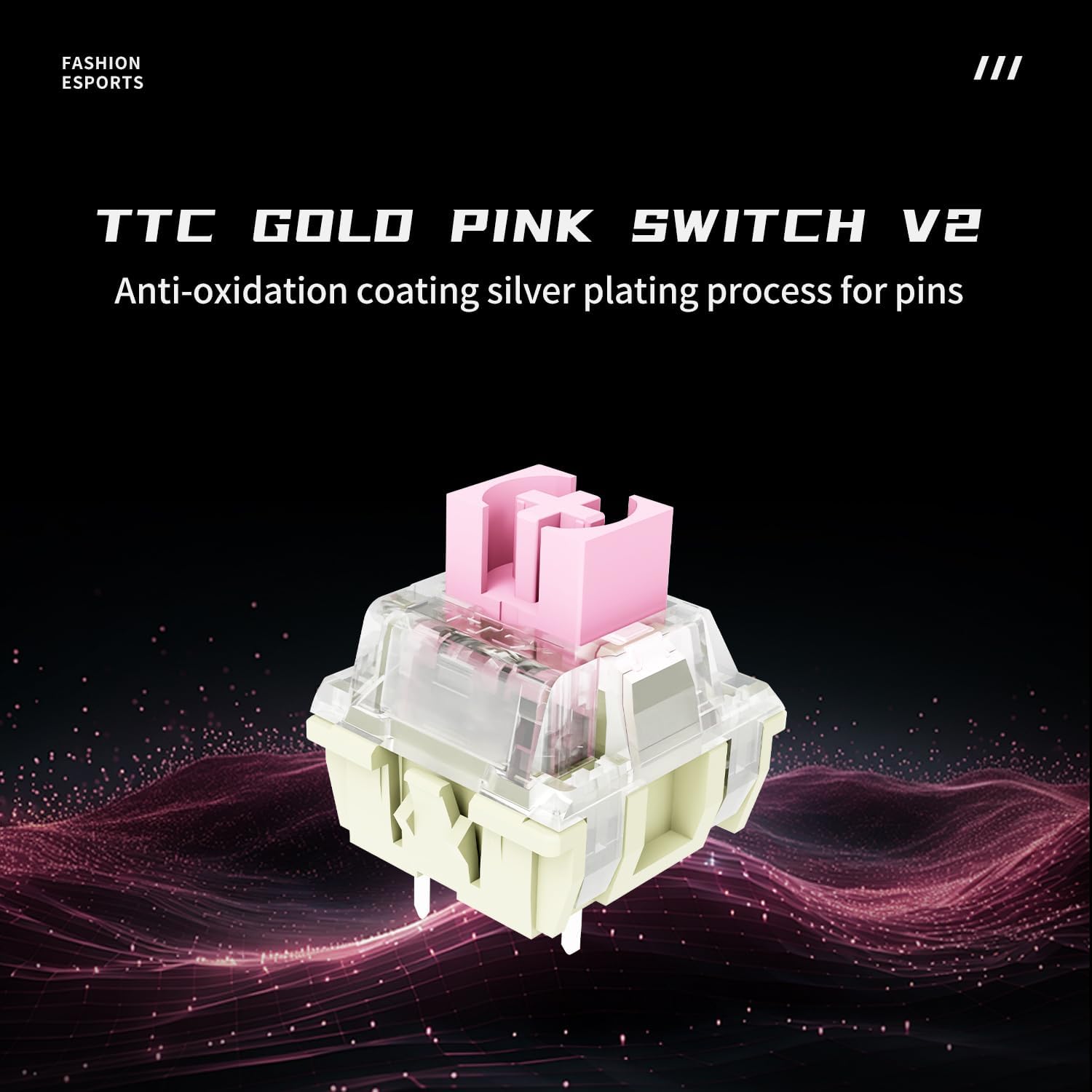
Image: A detailed view of the TTC Gold Pink Switch V2, highlighting its pink stem and clear housing.
3.3 PBT Front-Engraved Translucent Keycaps
The keyboard utilizes PBT front-engraved translucent keycaps. PBT material offers extreme wear resistance and maintains a delicate matte texture, preventing greasiness and resisting oil stains and fingerprints even after prolonged use. This makes it suitable for users in high-frequency use scenarios like office work and gaming.
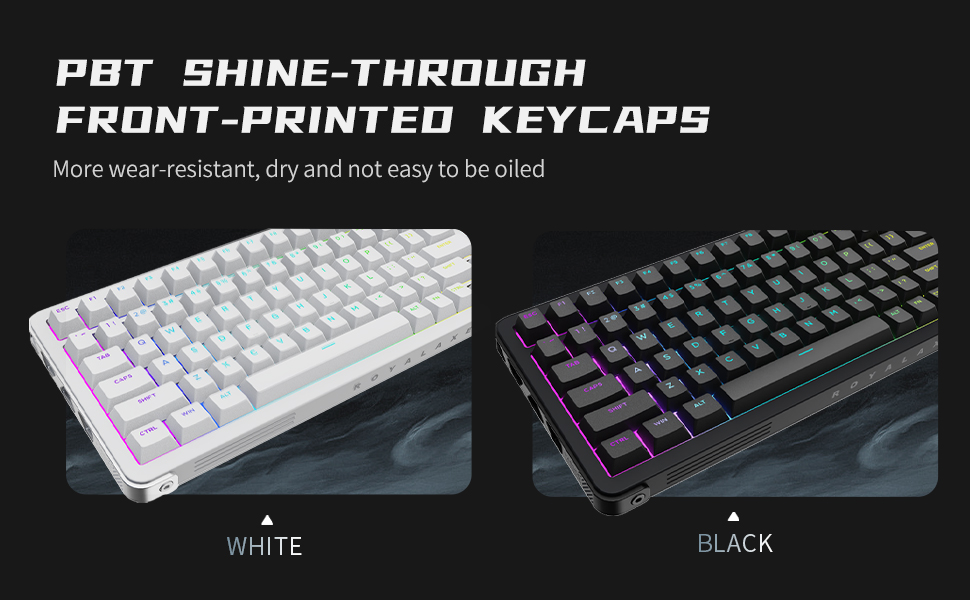
Image: A close-up of the keyboard's PBT front-engraved translucent keycaps, demonstrating their texture and backlight visibility.
3.4 GASKET Structure
The ROYALAXE D98 features a GASKET structure, which significantly reduces vibration from rigid contact. This design provides a soft and even feel upon bottoming out and improves sound purity, resulting in a nearly cavity-free HiFi sound effect. It is ideal for users seeking an immersive input experience.
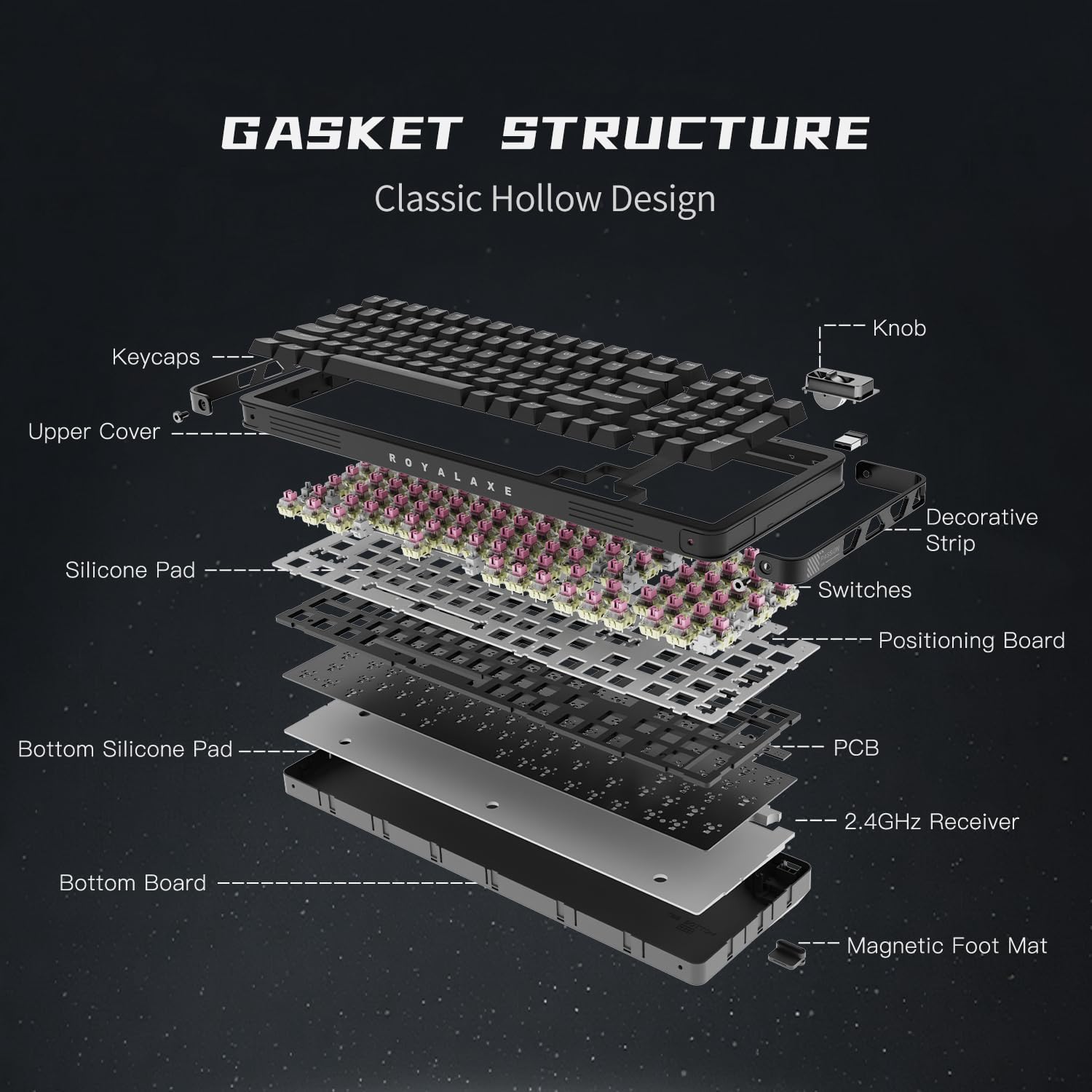
Image: An exploded diagram illustrating the components of the keyboard's GASKET structure, including keycaps, upper cover, silicone pad, switches, positioning board, PCB, 2.4GHz receiver, bottom silicone pad, and bottom board.
3.5 5-pin Hot-Swappable Switch Socket
The keyboard incorporates 5-pin hot-swappable switch sockets, offering strong compatibility and wide adaptability. It is also compatible with 3-pin switches, providing enhanced stability. This feature allows for convenient DIY customization, enabling users to quickly replace switches and personalize their keyboard.

Image: A close-up demonstrating the hot-swappable feature, with several keycaps and switches removed to show the underlying sockets.
3.6 Aluminum Alloy Frame
Constructed with an aluminum alloy frame, the ROYALAXE D98 ensures a stable structure and provides a premium visual aesthetic, contributing to its overall durability and robust feel.

Image: A side profile of the keyboard, showcasing its aluminum alloy frame and hollow design elements.
3.7 RGB Backlight
The ROYALAXE D98 mechanical keyboard features dynamic RGB backlighting with 22 distinct lighting effects. Users can switch between these effects to match their preferences or mood, adding a personalized touch to their setup.
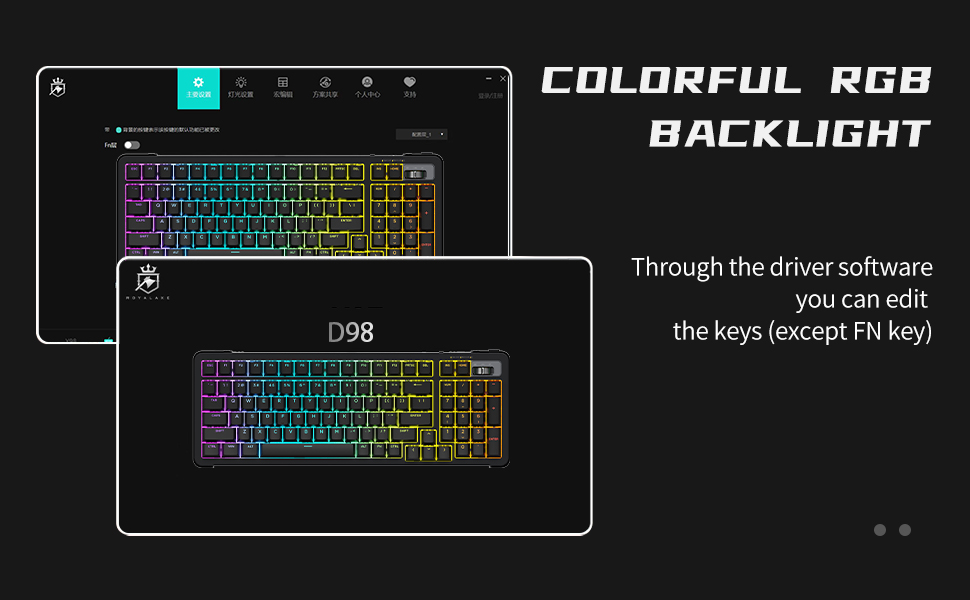
Image: A screenshot of the keyboard's driver software, showing options for customizing the RGB backlight effects and key functions.
3.8 Long Battery Life
Equipped with a 4000mAh lithium battery, the D98 offers approximately 14 hours of continuous use with the backlight on and about 350 hours with the backlight off. It also features full key anti-ghosting, making it suitable for extended use.
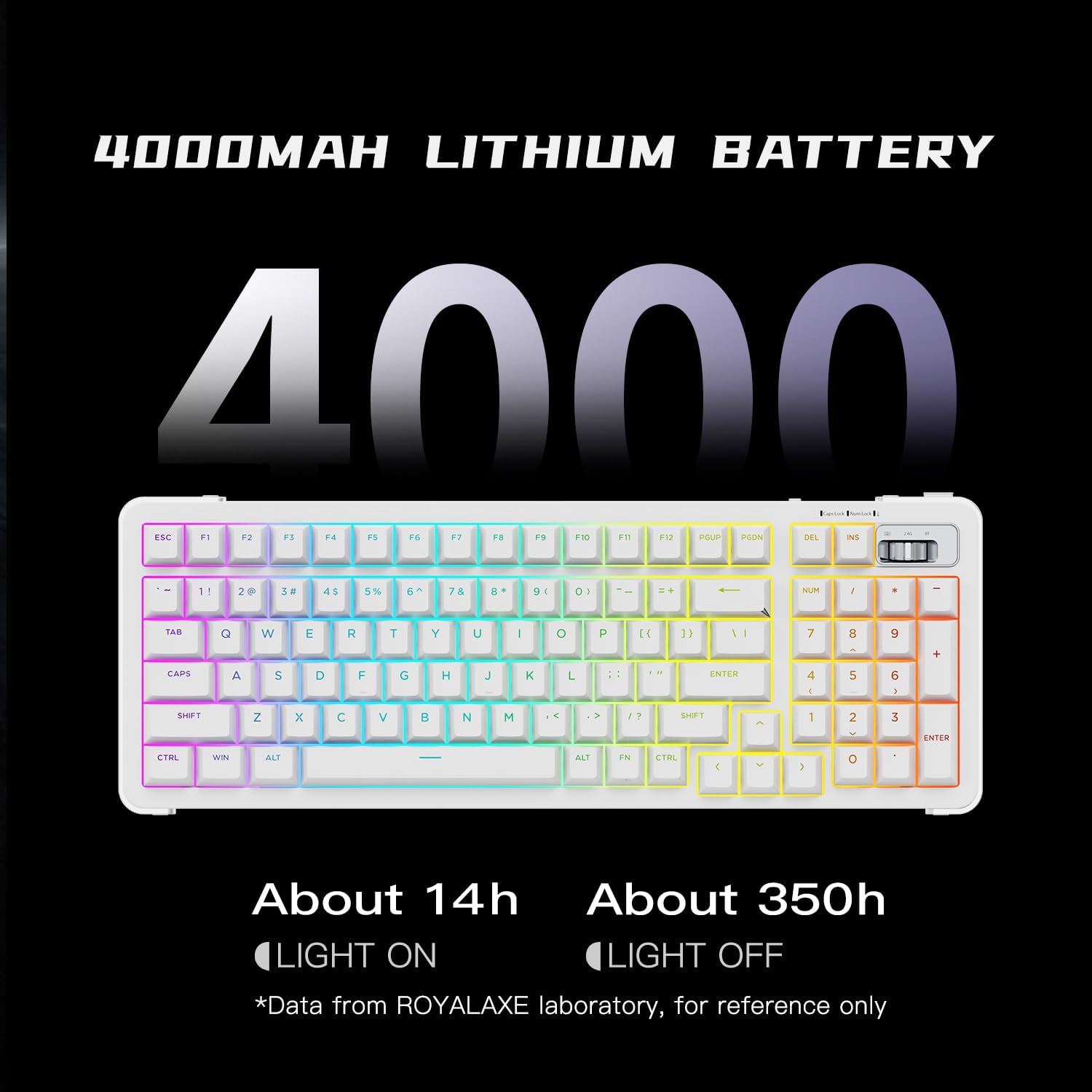
Image: A graphic displaying the 4000mAh battery capacity and estimated usage times: 14 hours with backlight on, 350 hours with backlight off.
4. Setup
4.1 Connecting the Keyboard
The ROYALAXE D98 keyboard offers three connection methods:
- USB Wired Connection:
Connect the provided USB Type-C cable from the keyboard to an available USB port on your computer. The keyboard will be automatically recognized and ready for use. This mode also charges the keyboard battery.
- 2.4G Wireless Connection:
Locate the 2.4G USB receiver (usually stored in a compartment on the keyboard). Insert the receiver into a USB port on your computer. Slide the mode switch on the keyboard to the "2.4G" position. The keyboard should connect automatically.
- Bluetooth Connection:
Slide the mode switch on the keyboard to the "BT" position. The keyboard will enter pairing mode (indicated by a flashing LED). On your device (computer, tablet, smartphone), navigate to Bluetooth settings and search for new devices. Select "ROYALAXE D98" from the list to pair. Follow any on-screen prompts to complete the pairing process.
4.2 Attaching Magnetic Foot Mats
The keyboard comes with two magnetic foot mats that allow for adjustable typing angles. Simply attach the magnetic foot mats to the designated areas on the underside of the keyboard. These mats can be adjusted to provide three different heights for ergonomic comfort.
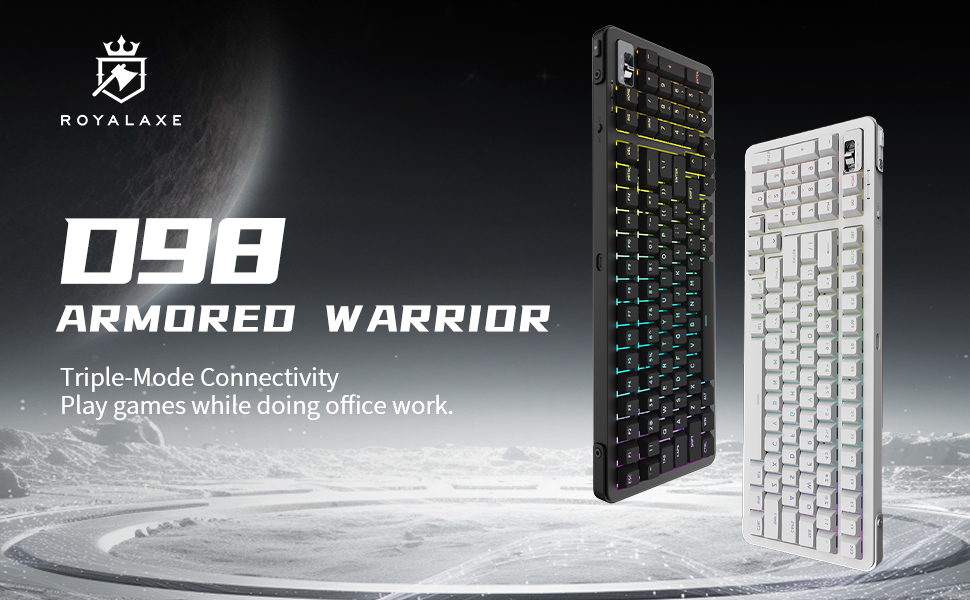
Image: The ROYALAXE D98 keyboard, showcasing its design and the magnetic foot mats that provide adjustable heights.
5. Operating Instructions
5.1 RGB Backlight Control
The ROYALAXE D98 features 22 different RGB lighting effects. You can cycle through these effects using the dedicated function keys or through the driver software. Refer to the keyboard's key combination guide (often printed on the keyboard or in a quick start guide) for specific shortcuts to change lighting modes, brightness, and speed.
5.2 Hot-Swappable Switches
The 5-pin hot-swappable sockets allow for easy replacement of switches without soldering. To replace a switch:
- Gently remove the keycap using a keycap puller.
- Use the provided switch puller to carefully grip the switch and pull it straight up to remove it from the socket.
- Align the pins of the new switch with the holes in the socket. Ensure the pins are straight to avoid bending.
- Press the new switch firmly into the socket until it clicks into place.
- Reattach the keycap.
The keyboard supports both 3-pin and 5-pin mechanical switches.
6. Maintenance
- Cleaning: Use a soft, dry cloth to wipe the keyboard surface. For deeper cleaning, remove keycaps and use compressed air to clear debris from between switches. Avoid using harsh chemicals or abrasive materials.
- Battery Care: To prolong battery life, avoid fully discharging the keyboard frequently. If storing the keyboard for an extended period, charge it to about 50% and store in a cool, dry place.
- Storage: Store the keyboard in a clean, dry environment away from extreme temperatures and direct sunlight.
7. Troubleshooting
| Problem | Possible Solution |
|---|---|
| Keyboard not responding in wireless mode. |
|
| RGB backlight not working or stuck. |
|
| Keys not registering or double-typing. |
|
| Bluetooth pairing issues. |
|
8. Specifications
| Feature | Detail |
|---|---|
| Brand | ROYALAXE |
| Model Name | D98 |
| Connectivity Technology | Bluetooth, 2.4G Wireless, USB-C Wired |
| Keyboard Description | Mechanical Gaming Keyboard |
| Switch Type | Linear (TTC Gold Pink Switch V2) |
| Number of Keys | 98 |
| Keycap Material | PBT (Front-Engraved Translucent) |
| Structure | Gasket Structure |
| Frame Material | Aluminum Alloy |
| Backlighting | RGB (22 lighting effects) |
| Battery Capacity | 4000mAh Lithium Battery |
| Estimated Battery Life | ~14h (backlight on), ~350h (backlight off) |
| Hot-Swappable | 5-pin Hot-Swappable Sockets |
| Compatible Operating Systems | Windows, macOS, Android, iOS |
| Product Dimensions | 15.44"L x 5.71"W x 1.62"H |
| Item Weight | 3.2 Pounds |
9. Warranty Information
This product comes with a warranty period valid for one year from the date of purchase. Please retain your proof of purchase for warranty claims. For detailed terms and conditions, refer to the official ROYALAXE website or contact customer support.
10. Customer Support
If you encounter any issues not covered in this manual or require further assistance, please contact ROYALAXE customer support through their official website or the contact information provided with your purchase. Our support team is available to help with any product-related inquiries.
Official Product Introduction Video
Video: An official product introduction video for the ROYALAXE D98 Keyboard, demonstrating its features and functionality.
Related documentsD98


Ask a question about this manual
Ask about setup, troubleshooting, compatibility, parts, safety, or missing instructions. Manuals+ will review the question and use this page’s manual context to help answer it.