
1. Introduction
This manual provides detailed instructions for the safe and efficient use of your AMEGAT 15W Magnetic Wireless Car Charger and 10000mAh Portable Power Bank. Please read this manual thoroughly before operation and retain it for future reference.
2. Product Overview
The AMEGAT charging solution combines a 15W magnetic wireless car charger with active cooling and a 10000mAh magnetic portable power bank, offering versatile charging options for your devices.
Key Features:
- Active Cooling System: Integrated semiconductor cooling for the car charger prevents overheating during extended use, preserving battery health.
- Qi2 Fast Wireless Charging: 15W Qi2 certified wireless charging for compatible devices.
- Secure Fixing System: Car mount features a dual fixing device compatible with 99% of vertical and horizontal air vents (not suitable for circular/grid vents). N52 magnets ensure a strong connection.
- 3-in-1 Magnetic Wireless Portable Charger: Functions as a magnetic power bank, a phone stand, and a wireless charger.
- 30W USB-C High-Speed Charging: The portable power bank includes a 30W USB-C Power Delivery port for rapid wired charging.
Package Contents:
- AMEGAT 15W Magnetic Wireless Car Charger
- AMEGAT 10000mAh Magnetic Portable Power Bank
- USB-C Charging Cable
- User Manual

Image 1: AMEGAT 15W Magnetic Wireless Car Charger (left) and 10000mAh Portable Power Bank (right).
3. Setup Instructions
3.1 Car Charger Installation
- Choose a Vent: Select a suitable vertical or horizontal air vent in your vehicle. Ensure the vent is sturdy enough to support the charger and your phone. This charger is not compatible with circular or grid-style vents.
- Attach to Vent: Open the clamp on the back of the car charger mount. Insert the clamp onto an air vent blade and push firmly until it locks securely. The dual fixing device is designed to provide a stable grip.
- Adjust Angle: Adjust the 360° rotatable ball joint to achieve your desired viewing angle. Tighten the locking nut to secure the position.
- Connect Power: Connect the provided USB-C cable to the car charger and plug the other end into a car charger adapter (a 30W USB-C adapter is recommended for fast charging, not included).

Image 2: Illustration of the secure air vent mounting system, showing compatibility with vertical and horizontal vents.
3.2 Portable Power Bank Initial Setup
- Initial Charge: Before first use, fully charge the portable power bank using the provided USB-C cable and a suitable power adapter. The LED indicators will show the charging status.
- Foldable Kickstand: The power bank features a foldable metal kickstand. Gently pull it out from the back of the power bank to use it as a phone stand.
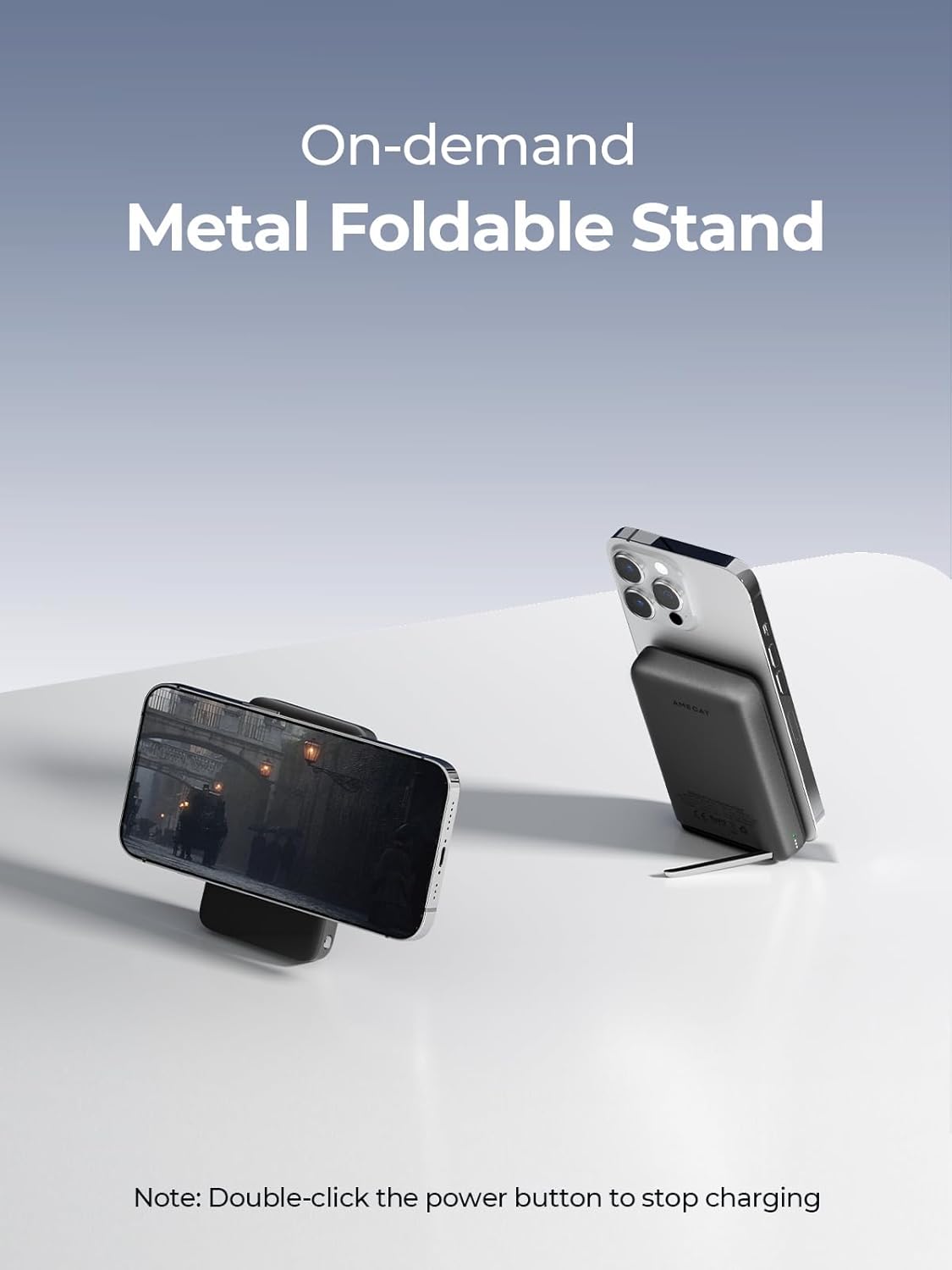
Image 3: The AMEGAT portable power bank demonstrating its foldable metal stand for hands-free viewing.
4. Operating Instructions
4.1 Using the Car Charger
- Attach Phone: Ensure your phone is compatible with MagSafe or has a MagSafe-compatible case. Place your phone onto the magnetic charging surface of the car charger. The magnets will align the phone automatically for optimal charging.
- Wireless Charging: Once attached, your phone will begin 15W wireless charging. The active cooling system will automatically engage to manage device temperature during charging and GPS navigation.

Image 4: A smartphone wirelessly charging on the AMEGAT car charger, illustrating the 15W fast charging capability.

Image 5: The AMEGAT car charger highlighting its active cooling system for maintaining optimal temperature during charging.
4.2 Using the Portable Power Bank
- Wireless Charging: Press the power button on the power bank to activate it. Place your MagSafe-compatible phone onto the magnetic surface of the power bank. The phone will snap into place and begin wireless charging.
- Wired Charging: Connect your device to the USB-C port on the power bank using a compatible charging cable. The power bank supports 30W USB-C Power Delivery for fast wired charging. You can charge two devices simultaneously (5W wireless and 10W USB-C wired).
- Stopping Charging: Double-click the power button to stop charging and turn off the power bank.

Image 6: A smartphone magnetically attached to the AMEGAT portable power bank for wireless charging.

Image 7: A smartphone and another device being charged simultaneously by the AMEGAT portable power bank via its 30W USB-C port.
5. Maintenance
- Cleaning: Use a soft, dry cloth to clean the surfaces of the car charger and power bank. Do not use abrasive cleaners or solvents.
- Storage: Store the devices in a cool, dry place away from direct sunlight and extreme temperatures.
- Cable Care: Avoid bending or twisting the charging cables excessively to prevent damage.
6. Troubleshooting
- Device not charging wirelessly:
- Ensure your phone is MagSafe compatible or has a MagSafe-compatible case.
- Check if the charger/power bank is powered on and properly connected.
- Remove any thick cases or metal objects between the phone and the charger.
- Slow charging:
- For car charger, ensure you are using a 30W USB-C car adapter (not included).
- Ensure the charging cable is fully inserted and not damaged.
- Close unnecessary background applications on your phone.
- Car charger not holding securely:
- Ensure the vent clamp is fully engaged and tightened.
- Verify your car's air vent type is compatible (not circular or grid).
- Power bank not turning on/off:
- Ensure the power bank is sufficiently charged.
- Press the power button once to turn on, double-click to turn off.
7. Specifications
| Feature | Specification |
|---|---|
| Car Charger Wireless Output | 15W (Qi2 Certified) |
| Car Charger Cooling System | Active Semiconductor Cooling |
| Car Charger Mount Type | Air Vent (Vertical/Horizontal, 99% compatible) |
| Portable Power Bank Capacity | 10000mAh |
| Portable Power Bank Wireless Output | Up to 15W (7.5W for iPhone) |
| Portable Power Bank Wired Output | 30W USB-C Power Delivery |
| Simultaneous Charging | 5W Wireless + 10W USB-C Wired |
| Magnetic Strength | N52 Magnets |
| ASIN | B0F1MT55D9 |
8. Warranty and Support
AMEGAT products are designed for reliability and performance. For warranty information or technical support, please refer to the contact details provided with your purchase or visit the official AMEGAT website. Please retain your proof of purchase for warranty claims.