
MUSTAR 88 Key Piano Keyboard Hammer Action
MUSTAR 88 Key Digital Piano User Manual
Model: 88 Key Piano Keyboard Hammer Action
Brand: MUSTAR
Introduction
Thank you for choosing the MUSTAR 88 Key Digital Piano. This manual provides essential information for setting up, operating, and maintaining your instrument. Designed for a natural playing experience, this digital piano features fully weighted hammer-action keys and a rich sound library to inspire your musical journey.
What's in the Box
Please check the contents of your package to ensure all items are present:
- MUSTAR 88 Key Digital Piano
- Adjustable Piano Stand
- Sustain Pedal
- Portable Padded Case
- Power Adapter
- User Manual (this document)

Image: The complete MUSTAR 88 Key Digital Piano setup, including the keyboard, stand, sustain pedal, and a black portable carrying case.
Setup Instructions
- Assemble the Stand: Unfold the adjustable piano stand and secure it according to the included stand assembly guide. Ensure it is stable on a flat surface.
- Place the Piano: Carefully place the MUSTAR digital piano onto the assembled stand. Ensure it is centered and securely seated to prevent movement during play.
- Connect the Sustain Pedal: Locate the sustain pedal input jack on the back of the piano (usually labeled "SUSTAIN" or "PEDAL") and plug in the included sustain pedal.
- Connect Power: Plug the power adapter into the DC IN jack on the piano, then plug the other end into a standard electrical outlet.
- Power On: Press the Power button, usually located on the left side of the control panel, to turn on the digital piano.

Image: The MUSTAR 88 Key Digital Piano fully assembled on its stand in a home setting, ready for use.
Operating Instructions
1. Weighted Hammer Action Keys
The 88 graduated hammer-action keys are designed to replicate the feel of an acoustic piano. Play harder for louder tones and softer for quieter sounds. This touch-sensitive response allows for precise control over dynamics and expression.
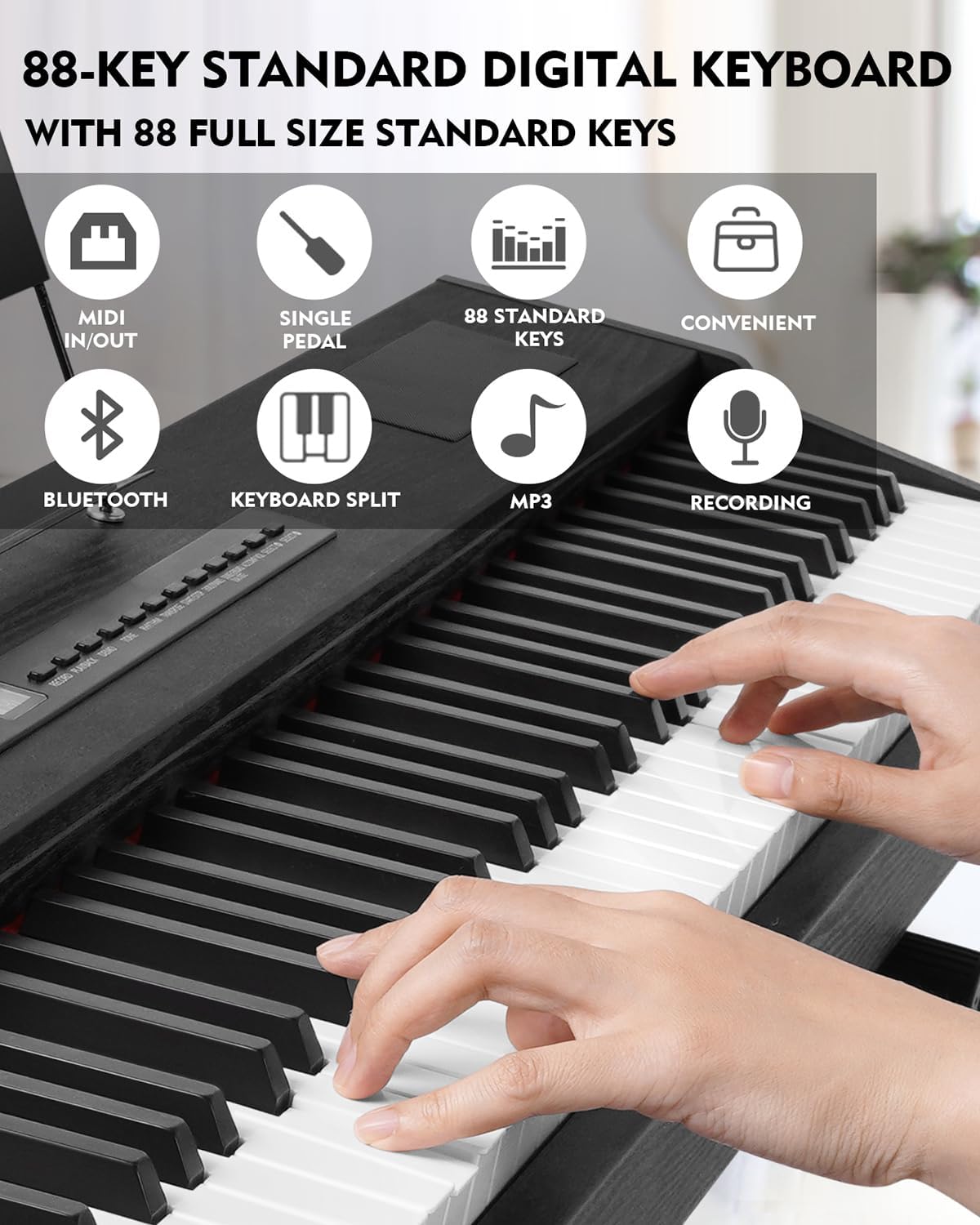
Image: A close-up view of hands playing the 88-key digital piano, illustrating the full-size standard keys and various control panel features.
2. Sound & Rhythm Library
Explore a vast library of 800 tones, 600 rhythms, and 80 demo songs. Use the dedicated "TONE" and "RHYTHM" buttons on the control panel to navigate and select different sounds and accompaniment styles. The advanced dual stereo speakers provide a realistic and rich sound quality.

Image: A detailed view of the piano's internal components and connectivity options, including the "French Dream Source" sound chip, MIDI IN/OUT, and headphone/MP3 ports.
3. Smart Connectivity & Recording
Connect your digital piano to mobile phones or computers via USB/MIDI or wireless options for interactive learning, self-study, and composition. Use the "AUDIO INPUT" to play external audio through the piano's speakers, or "AUDIO OUTPUT" to connect external speakers for enhanced sound. The piano also features recording and playback capabilities:
- Recording: Press the RECORD button to begin recording your performance.
- Playback: Press the PLAYBACK button to listen to your recorded melody. This feature is ideal for experimenting with chord progressions and harmonies.
Video: A demonstration of the MUSTAR 88 Key Digital Piano's recording and playback features, showcasing how to capture and review musical ideas. The video also highlights the extensive sound library available.
4. Versatile Keyboard Modes
- Split Keyboard Functionality: Ideal for duets, ensemble playing, or teaching, this mode allows you to divide the keyboard into two sections, each with its own sound.
- Dual Voice Mode: Combine two different voices, such as piano and bass, to create richer, more complex sounds and inspire new musical ideas.

Image: An adult and a child using the digital piano, illustrating its suitability for learning and collaborative playing.
Maintenance
- Cleaning: Use a soft, dry cloth to wipe down the keys and body of the piano. For stubborn dirt, slightly dampen the cloth with water. Avoid using abrasive cleaners or solvents.
- Storage: When not in use, store the piano in its portable padded case to protect it from dust, moisture, and physical damage. Store in a cool, dry place away from direct sunlight and extreme temperatures.
- Transportation: Always use the provided portable case for transporting the piano to ensure its safety and longevity.

Image: A person carrying the MUSTAR digital piano in its dedicated portable case, highlighting the ease of transport.
Troubleshooting
| Problem | Possible Cause | Solution |
|---|---|---|
| No Sound | Power not connected; Volume too low; Headphones plugged in. | Ensure power adapter is securely plugged in. Increase master volume. Unplug headphones if external speakers are desired. |
| Keys not responding | Piano not powered on; Keyboard mode issue. | Check power. Ensure no specific keyboard mode (e.g., certain split modes) is preventing sound. Restart the piano. |
| Sustain pedal not working | Pedal not fully plugged in; Pedal polarity issue. | Ensure the sustain pedal is fully inserted into the correct jack. Some pedals may require the piano to be turned on after plugging in for correct polarity detection. |
| Connectivity issues (USB/MIDI/Bluetooth) | Incorrect cable; Driver issues; Bluetooth not paired. | Ensure correct cables are used. Install necessary drivers on your computer. Follow Bluetooth pairing instructions in the quick start guide. |
Specifications
- Number of Keys: 88
- Key Action: Fully Weighted Hammer Action
- Tones: 800
- Rhythms: 600
- Demo Songs: 80
- Connectivity: USB/MIDI, Wireless (Bluetooth), AUDIO INPUT, AUDIO OUTPUT, 3.5mm Headphones Jack
- Special Features: Weighted Keys, Built-In Speaker, Portable, Headphone Jack, Recording, Split Keyboard, Dual Voice Mode
- Power Source: Corded Electric
- Product Dimensions: 51" (W) x 11" (D) x 42" (H) (with stand)
- Item Weight: 38 Pounds
- Material Type: Wood, Steel
- Color: Black

Image: A diagram illustrating the precise dimensions of the MUSTAR 88 Key Digital Piano, including its width, depth, and height when assembled with the stand.
Warranty & Support
For warranty information, technical support, or service inquiries, please contact MUSTAR customer service directly. Refer to the contact details provided on the product packaging or the official MUSTAR website.
You can also visit the official MUSTAR store on Amazon for more information and support: MUSTAR Store
Related documents88 Key Piano Keyboard Hammer Action

Ask a question about this manual
Ask about setup, troubleshooting, compatibility, parts, safety, or missing instructions. Manuals+ will review the question and use this page’s manual context to help answer it.