
Introduction
This manual provides comprehensive instructions for the GreenYi WiFi Solar Magnetic Hitch Camera. This device offers a wireless 720P backup camera solution with Blind Spot Detection (BSD), designed for various vehicles including trailers, RVs, campers, cars, and SUVs. It features a rechargeable battery, solar charging capabilities, and magnetic mounting for ease of use and enhanced safety.
Safety Information
- Ensure the camera is securely mounted before driving to prevent detachment.
- Do not obstruct the camera's view or the solar panel during operation.
- Always check your surroundings manually in addition to using the camera feed. The camera is an aid and not a substitute for safe driving practices.
- Keep the camera and its components away from extreme temperatures and direct water exposure when not in use, despite its waterproof rating.
- Use only the specified charging cable and power sources.
Product Overview
The GreenYi WiFi Solar Magnetic Hitch Camera is a versatile device designed to enhance visibility and safety when operating vehicles, particularly during reversing and hitching maneuvers.
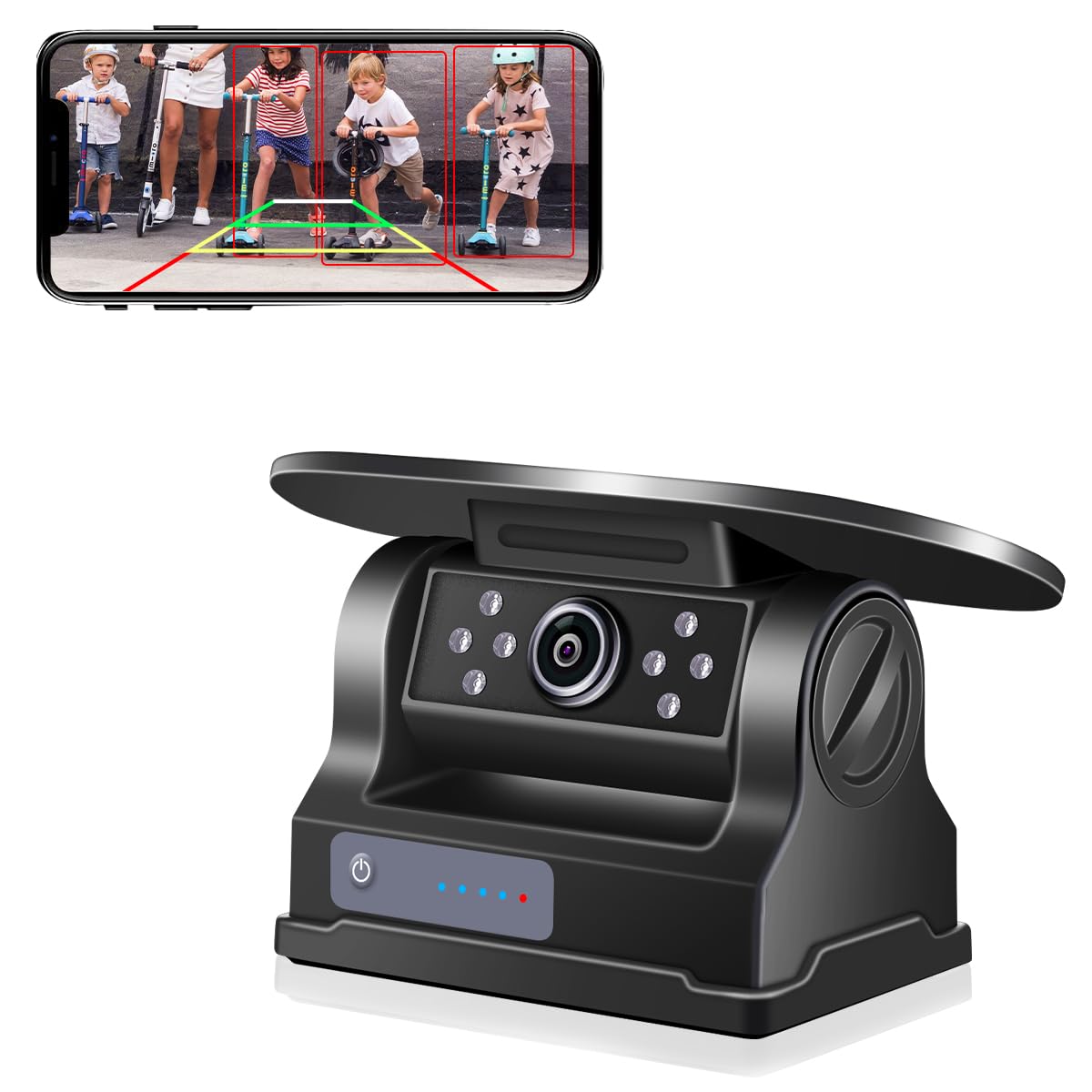
The GreenYi WiFi Solar Magnetic Hitch Camera, featuring a compact design with a solar panel on top.

Overview of the camera's key features, including solar power, Blind Spot Detection (BSD), HD 720P resolution, magnetic base, parking lines, 100M WiFi range, brightness adjustment, volume adjustment, IR night vision, recording, image mirroring, and IP67 waterproofing.

Diagram illustrating the camera's components and dimensions, including the camera angle adjustment, IR light, lens, working indicator light (red for sleep, blue for normal operation), power switch, solar charging panel, antenna, and charging port.
Setup Instructions
1. Charging the Camera
Before initial use, ensure the camera is fully charged. The camera can be charged via its built-in solar panel or the USB-C charging port.

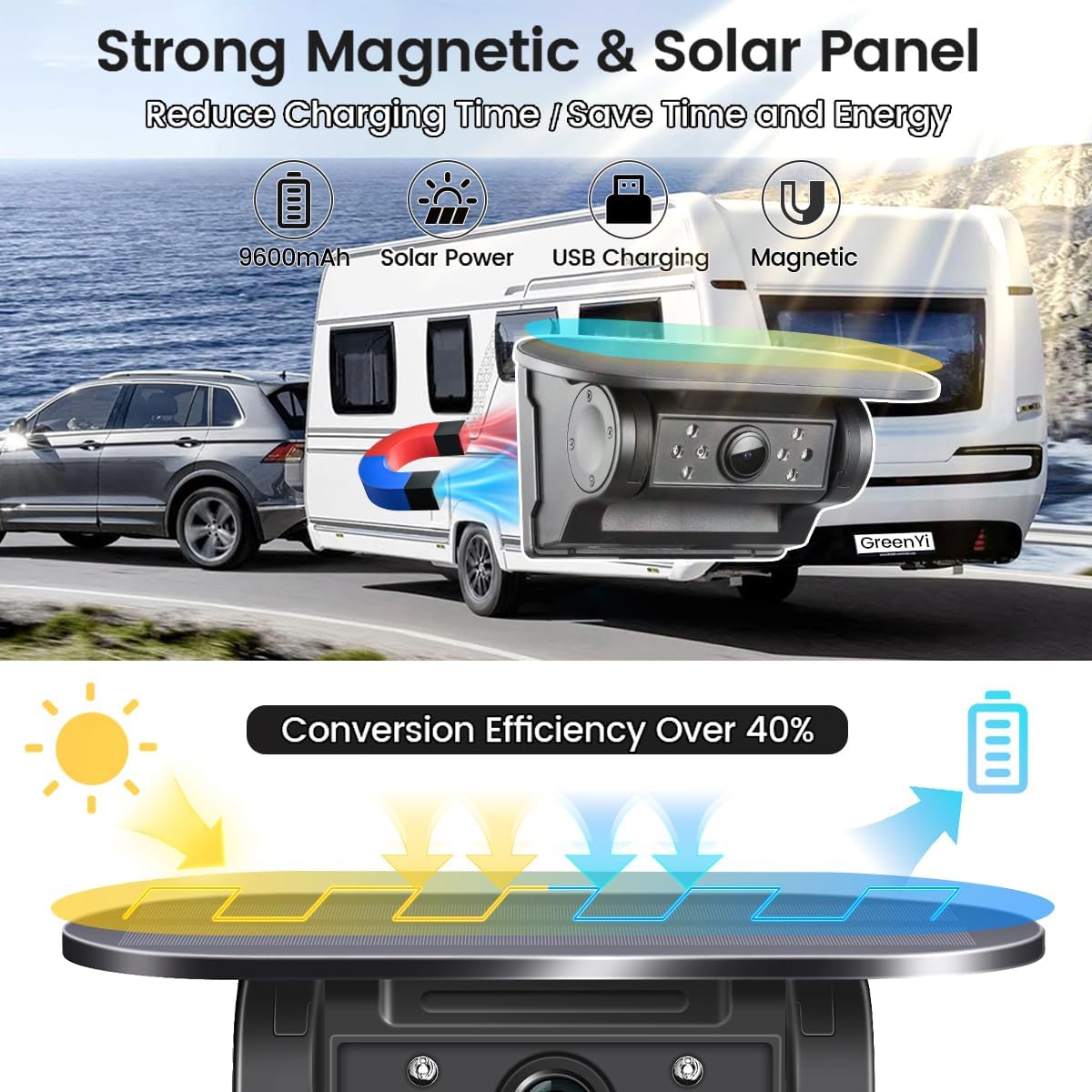
The camera features a 9600mAh battery, solar power, USB charging, and a magnetic base. The solar panel offers over 40% conversion efficiency for sustainable charging.

The camera is equipped with a 9600mAh battery, reducing the frequency of charging. It can be charged by solar energy or via a Type-C USB power cord.
2. Installing the Camera
The camera features strong built-in magnets in its base, allowing for easy installation on any metallic surface of your vehicle without the need for drilling. The camera body is 70 degrees rotatable for optimal positioning.
The camera attaches magnetically to the vehicle's rear, providing a flexible and secure mounting solution for various applications.
This video demonstrates the magnetic attachment of the GreenYi camera to a vehicle and showcases the initial setup and blind spot detection feature through the companion app.
3. App Download and Connection
The camera connects directly to your smartphone or tablet via its own WiFi hotspot.
- Download the "JoyTrip" or "BackCam" app by searching in the Google Play Store or Apple App Store.
- Turn on the camera using the power switch.
- On your phone, go to WiFi settings and connect to the WiFi hotspot starting with "BackCam....". The default WiFi password is 1234567890.
- Open the installed app to view the live image from the camera. Adjust the camera body for the best viewing angle.

Step-by-step guide for downloading the app, powering on the camera, connecting to its WiFi hotspot, and viewing the camera feed within the app.
Maintaining Internet Access while Connected to Camera WiFi:

For iOS devices, to use mobile network data while connected to the camera's WiFi, navigate to WLAN & Cellular settings and allow the app to use "WLAN & Cellular" data.

For Android devices, if a message appears about "no internet access," ignore it or click elsewhere without pressing "YES" or "NO" to maintain mobile data. If "YES" was pressed, forget the WiFi network and reconnect.
Operating Instructions
Real-time Viewing
Once successfully connected, the app will display a real-time video feed from the camera, providing a clear view of the area behind your vehicle.

The app interface displays the camera feed with smart blind spot detection, offering visual and auditory warnings. Options for capture, record, playback, mirror, and settings are available.
Blind Spot Detection (BSD)
The camera's BSD feature uses sensors to detect objects in blind spots, alerting drivers to potential obstacles. This enhances safety during reversing and parking maneuvers by reducing collision risks.

The Blind Spot Detection feature highlights detected objects on the screen with corresponding visual and auditory warnings.
Adjustable Guidelines
The app allows you to customize parking guidelines to suit your vehicle and preferences. You can adjust the width, height, and radius of these lines for precise maneuvering.

Examples of customizable parking guidelines: rectangular, circular, and horizontal lines, with options to adjust their width, height, and radius.
Night Vision
The camera is equipped with infrared (IR) night vision, providing clear black and white images in low-light conditions or complete darkness, with an effective range of 3-5 meters.

The camera's infrared night vision provides a clear 150-degree wide view in dark conditions.
Recording and Playback
The app allows you to capture still images and record videos directly from the camera feed. These files are saved within the app for convenient review and sharing.

The app provides an interface to view and download images and videos captured by the camera.
Versatile Use
The GreenYi camera is adaptable for various applications, including:
- Reversing: Provides a clear rear view for safe backing up.
- Hitching: Assists in precise alignment when connecting trailers or RVs.
- Monitoring: Can be used for general surveillance around the vehicle.

Illustrations demonstrating the camera's wide adaptability for reversing, hitching, and monitoring on various vehicles such as campers, trucks, RVs, SUVs, trailers, and pickups.
Maintenance
Charging
For optimal solar charging, ensure the solar panel is clean and exposed to direct sunlight. For faster charging or in low-light conditions, use the provided USB-C cable to charge the camera via its charging port.
Cleaning
Regularly clean the camera lens and solar panel with a soft, damp cloth. Avoid abrasive cleaners or materials that could scratch the surfaces, ensuring clear vision and efficient solar energy absorption.
Waterproofing
The camera has an IP67 waterproof rating, making it resistant to dust and water immersion up to 1 meter for 30 minutes. Always ensure the charging port cover is securely closed when not in use to maintain its water resistance.
Troubleshooting
- No Image/Connection:
- Verify the camera is powered on.
- Ensure your smartphone or tablet is connected to the camera's WiFi hotspot (starting with "BackCam....") and the correct password (1234567890) is entered.
- Confirm that the "JoyTrip" or "BackCam" app is installed and updated to the latest version.
- If issues persist, try reinstalling the app and repeating the connection steps.
- Poor Signal/Image Freeze:
- Ensure the camera and your viewing device are within the optimal wireless transmission range (approximately 20-26 feet).
- Minimize physical obstructions between the camera and your device.
- Ensure the camera's battery is sufficiently charged.
- No Internet Access on Phone while Connected to Camera WiFi:
- For iOS: Go to your phone's WLAN & Cellular settings and ensure the app is allowed to use cellular data while connected to WiFi.
- For Android: If a prompt appears regarding "no internet access" when connecting to the camera's WiFi, ignore the message or tap outside the prompt without selecting "YES" or "NO" to maintain mobile data. If "YES" was selected, forget the WiFi network and reconnect.
- Blind Spot Detection Not Working:
- Ensure the BSD feature is enabled within the app's settings.
- Check that the camera lens is clean and has a clear line of sight.
Specifications
| Feature | Detail |
|---|---|
| Brand | GreenYi |
| Model Number | B0F1MT28HL |
| Compatible Devices | Smartphone, Tablet |
| Installation Type | Surface Mount (Magnetic) |
| Optical Sensor Technology | CMOS |
| Lens Type | Wide Angle, Fixed |
| Viewing Angle | 150 Degrees |
| Connector Type | Wireless (WiFi) |
| Video Capture Resolution | 720p |
| Effective Still Resolution | 1280 Pixels |
| Item Weight | 5.28 ounces |
| Waterproof Rating | IP67 |
| Battery Capacity | 9600mAh |
| Night Vision Distance | 3-5 meters |
Warranty and Support
For warranty information, technical support, or any product-related inquiries, please contact GreenYi customer service. Refer to the contact details provided on the official GreenYi website or through your purchase platform. Please retain your purchase receipt as proof of purchase for any warranty claims.
