
Introduction
The ByteWave Wireless Android Auto & CarPlay Adapter (Model DT-AC01) converts your car's wired CarPlay or Android Auto system into a wireless one. This 2-in-1 adapter is designed for seamless integration, offering a low-latency connection for navigation, music, and voice assistant features. It features a powerful dual-core CPU, V5.3 Bluetooth, and 5.8GHz Wi-Fi for efficient and stable audio and video transmission.

The ByteWave Wireless Android Auto & CarPlay Adapter shown with examples of car display interfaces.
Package Contents
Please verify that all items are present in your package:
- 1 x ByteWave 2-in-1 Wireless CarPlay and Android Auto Adapter
- 1 x USB-C to USB-A Data Cable
- 1 x USB-A Extension Cable
- 1 x User Guide
- 1 x Warranty Card

The ByteWave Wireless Car Adapter, USB-C to USB-A data cable, and USB-A extension cable.
Device Requirements
To ensure proper functionality, your vehicle and smartphone must meet the following requirements:
- Smartphone Compatibility: iPhone 6 and later models (running iOS 10 or higher) as well as Android 12 and above.
- Vehicle Compatibility: Your car must have built-in wired CarPlay or Android Auto functionality. Check that your car supports wired CarPlay or Android Auto from 2015 onwards.
- Important Note: Not compatible with the 2025 Honda Civic Hybrid. This product is a wireless CarPlay adapter and does not support simultaneous use with wired CarPlay.

Visual representation of the adapter's broad compatibility with various car brands and smartphone operating systems.
Setup Instructions
The ByteWave adapter features an easy plug-and-play design for quick setup:
- Plug In: Insert the ByteWave adapter into your car's main USB port. Use the provided USB-C to USB-A data cable or USB-A extension cable if needed for optimal placement.
- Enable Connectivity: On your smartphone, enable both Wi-Fi and Bluetooth.
- Pair and Use: Search for the adapter's Bluetooth signal on your phone and pair with it. Pairing typically completes within 30 seconds. Once paired, your car's display should automatically switch to wireless CarPlay or Android Auto.
No complex setup or additional apps are required. The adapter will automatically connect to your paired phone upon starting your car after the initial setup.

Illustration of the simple three-step plug-and-play setup process for the ByteWave adapter.
Operating Instructions
The ByteWave adapter seamlessly integrates with your vehicle's native control system, allowing you to operate your smartphone's features through various methods:
- Voice Control: Utilize Siri or Google Assistant for hands-free navigation, music playback, and calls.
- Touchscreen: Interact directly with your car's display for app selection and control.
- Steering Wheel Buttons: Use your car's existing steering wheel controls for audio adjustments, call management, and more.
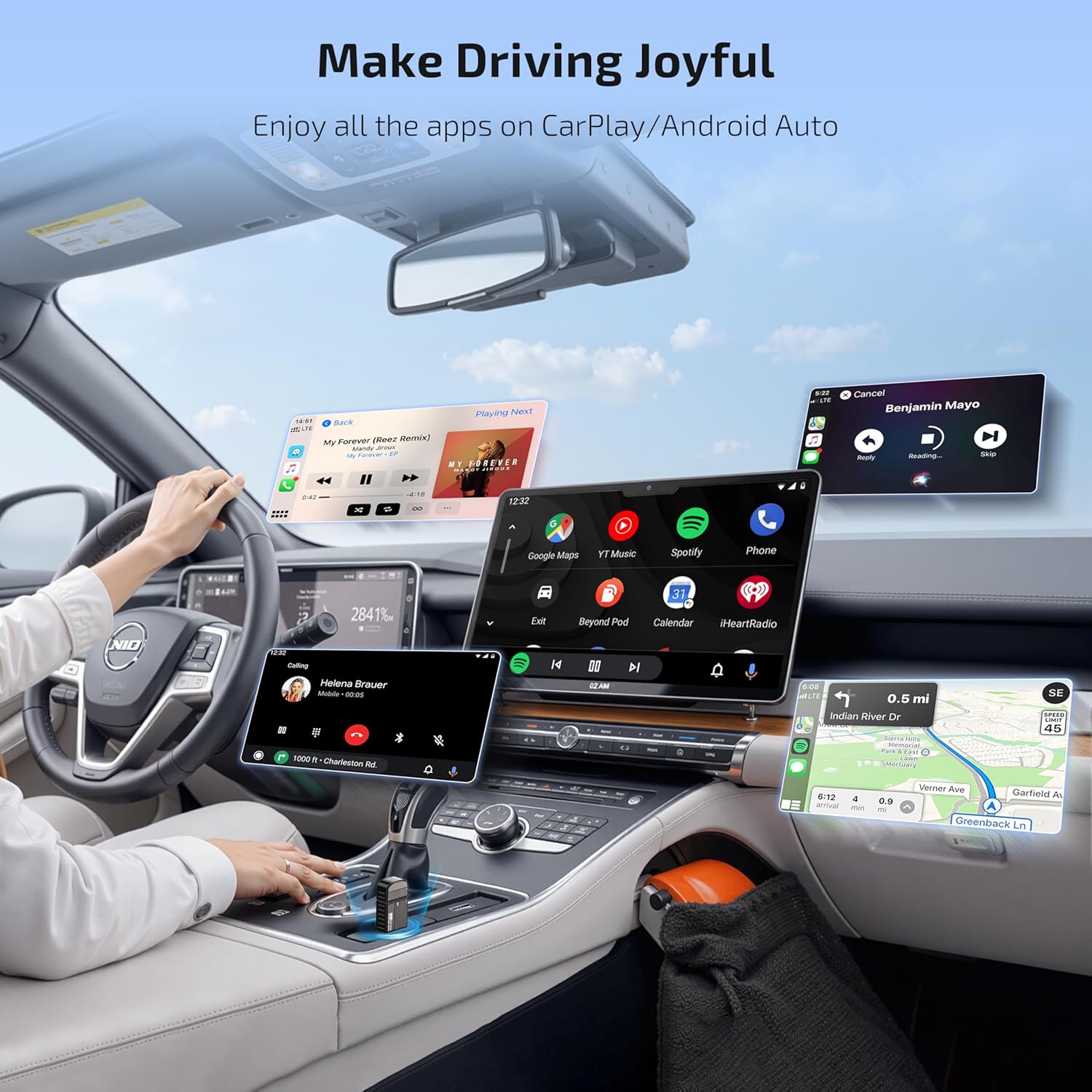
Enjoy all your favorite apps, including navigation, music streaming, and communication tools, directly on your car's display without the need for tangled cables.
Demonstration of various control methods supported by the adapter, including voice, touch, and steering wheel controls.

Various applications running on the car's display, enabled by the ByteWave adapter.
Maintenance
To ensure the longevity and optimal performance of your ByteWave adapter, consider the following:
- Durability: The adapter features an upgraded nickel-plated USB port for better conductivity and data transfer speed. It is designed to withstand 10,000 plug-in and unplugging tests.
- Cooling: A side ventilation design effectively enhances cooling efficiency, preventing overheating during prolonged use.
- Cleaning: Keep the adapter free from dust and debris. Use a soft, dry cloth for cleaning. Avoid liquid cleaners.
- Storage: When not in use, store the adapter in a cool, dry place away from direct sunlight and extreme temperatures.

The compact design of the ByteWave adapter allows for discreet placement in your vehicle.
Troubleshooting
If you encounter any issues with your ByteWave adapter, please refer to the following common solutions:
- Connection Issues: Ensure your phone's Wi-Fi and Bluetooth are enabled. Try unplugging and re-plugging the adapter.
- No Display: Verify that your car's USB port supports data transfer, not just charging. Ensure your car has factory-wired CarPlay or Android Auto.
- Lag or Disconnections: Check for any conflicting Bluetooth devices. Ensure your phone's operating system is up to date.
- Online Upgrades: The adapter supports online upgrades which can resolve most device problems. Refer to the ByteWave support website for instructions on how to perform an upgrade.
- Incompatibility: The adapter is not compatible with the 2025 Honda Civic Hybrid. It also does not support simultaneous use with wired CarPlay.
For further assistance, please contact our support team.
Specifications
| Feature | Detail |
|---|---|
| Brand | ByteWave |
| Model Number | DT-AC01 |
| Connectivity | V5.3 Bluetooth, 5.8GHz Wi-Fi |
| Processor | Dual-core CPU |
| Connector Type | USB Type C, USB Type A |
| Number of Ports | 2 |
| Compatible Devices | Smartphone (iOS 10+, Android 12+) |
| Item Weight | 1.76 ounces (0.05 Kilograms) |
| Package Dimensions | 3.54 x 2.68 x 0.71 inches |
| Manufacturer | Shenzhen Yiteng Technology Co., Ltd. |
Warranty and Support
Your ByteWave Wireless Android Auto & CarPlay Adapter is protected by a comprehensive warranty:
- Warranty Period: Your purchase includes 12 + 12 months of worry-free coverage.
- Customer Support: Our dedicated support team is available to answer any questions or concerns. We aim to respond within 18 hours.
- Contact: For professional expert consultation, please email aftersales.team@outlook.com.
Activate your warranty now with the included warranty card to ensure smooth and reliable service.
