1. Introduction
Welcome to the user manual for your new innioasis Y1 MP3 Player with Bluetooth. This guide provides essential information for setting up, operating, maintaining, and troubleshooting your device to ensure optimal performance and enjoyment.
2. Safety Information
- Do not expose the device to extreme temperatures, direct sunlight, or high humidity.
- Avoid dropping or subjecting the device to strong impacts.
- Keep the device away from water and other liquids.
- Do not attempt to disassemble or repair the device yourself. Contact customer support for assistance.
- Use only approved charging cables and accessories.
- Prolonged listening at high volume levels may cause hearing damage.
3. Package Contents
Please check the box for the following items:
- innioasis Y1 MP3 Player
- USB-C Charging Cable
- Wired Earbuds
- User Manual
4. Device Overview
Familiarize yourself with the physical features and controls of your innioasis Y1 MP3 Player.

Figure 1: Front view of the innioasis Y1 MP3 Player displaying the main menu options including Home, Now Playing, Music, Videos, Audiobook, Photos, FM radio, and Bluetooth. The device features a classic click wheel control for navigation.

Figure 2: Detailed view of the classic click wheel control on the innioasis Y1 MP3 Player. The wheel allows for touch and rotate navigation, providing a light, compact, and portable user experience.
5. Setup
5.1. Charging the Device
Before first use, fully charge your MP3 player.
- Connect the provided USB-C cable to the charging port on the device.
- Plug the other end of the USB-C cable into a compatible USB power adapter (not included) or a computer's USB port.
- The battery indicator on the screen will show charging status. A full charge typically takes approximately 3 hours.
5.2. Transferring Music and Files
To add audio, video, or photo files to your device:
- Connect the MP3 player to your computer using the USB-C cable.
- The device will appear as a removable disk drive on your computer.
- Drag and drop your desired files (MP3, FLAC, WAV, etc.) into the appropriate folders on the device (e.g., 'Music', 'Videos', 'Photos').
- Safely eject the device from your computer before disconnecting the cable.
5.3. Connecting Bluetooth Devices
The innioasis Y1 supports Bluetooth connectivity for wireless audio.
- From the main menu, navigate to and select Bluetooth.
- Turn on Bluetooth. The device will begin searching for nearby Bluetooth devices.
- Select your desired Bluetooth headphones or speaker from the list to pair.
- Once paired, audio will be routed through the connected Bluetooth device.

Figure 3: The Bluetooth connection screen on the innioasis Y1 MP3 Player, illustrating fast pairing and stable connection capabilities with Bluetooth earphones, speakers, and car Bluetooth systems.
Video 1: This video demonstrates the features of a 128GB MP3 Player with upgraded Bluetooth 5.3, highlighting its connectivity and storage capabilities. While not the exact innioasis Y1 model, it showcases similar functionalities relevant to Bluetooth pairing and storage for MP3 players.
6. Operating the Device
6.1. Basic Navigation
The innioasis Y1 features a classic click wheel for intuitive navigation:
- Rotate the Wheel: Scroll through menu options or lists.
- Center Button: Select an item or play/pause during playback.
- Left/Right Buttons: Skip tracks or fast-forward/rewind.
- Top Button (Menu/Back): Go back to the previous screen or access context menus.
6.2. Music Playback
Access your music library and enjoy high-fidelity audio.
- From the main menu, select Music.
- Browse by All Songs, Playlists, Artists, Albums, Genres, or Folders.
- Select a song to begin playback.
- During playback, use the click wheel controls to adjust volume, skip tracks, or pause/play.

Figure 4: The music management interface of the innioasis Y1 MP3 Player, demonstrating powerful management for categories and playlist creation. Users can sort by song name, select multiple items, and add to playlists.

Figure 5: The innioasis Y1 MP3 Player showcasing its HiFi sound capabilities with equalizer support, allowing users to customize their audio experience. The screen displays a song playing with album art and playback controls.
6.3. Video Playback
The device supports 720p video playback.
- From the main menu, select Videos.
- Choose a video file to play.
- Use the click wheel controls for playback options.

Figure 6: The innioasis Y1 MP3 Player in landscape mode, displaying a video. This image highlights the device's capability for premium cinema experience, supporting 720p video playback.
6.4. Audiobook Playback
Listen to your favorite audiobooks on the go.
- From the main menu, select Audiobook.
- Browse your audiobook library and select a title.
- The device supports bookmark management for audiobooks.

Figure 7: The innioasis Y1 MP3 Player displaying a list of audiobooks. The device supports audiobooks, allowing users to transfer files into an 'audiobook' folder from a laptop.
6.5. FM Radio
Enjoy FM radio broadcasts.
- From the main menu, select FM radio.
- Ensure wired headphones are connected as they act as the antenna.
- Use the click wheel to tune to stations.
6.6. Settings
Customize your device experience.
- From the main menu, select Settings.
- Adjust options such as display brightness, backlight timeout, date & time, language, and more.
- The equalizer settings allow for sound customization.
7. Maintenance
- Clean the device with a soft, dry cloth. Avoid abrasive materials or harsh chemicals.
- Keep the charging port free of dust and debris.
- Store the device in a cool, dry place when not in use.
8. Troubleshooting
8.1. Device Not Turning On
- Ensure the device is fully charged. Connect it to a power source for at least 30 minutes.
- Press and hold the power button for several seconds.
8.2. Cannot Connect to Bluetooth
- Make sure Bluetooth is enabled on both the MP3 player and the target device.
- Ensure both devices are within close proximity (typically 10 meters).
- Try unpairing and re-pairing the devices.
- Restart both the MP3 player and the Bluetooth device.
8.3. Files Not Playing
- Verify that the file format is supported by the device (MP3, AAC, FLAC, WAV, WMA, OGG).
- Ensure the files are correctly transferred to the appropriate folders on the device.
- Check if the file is corrupted by trying to play it on another device.
9. Specifications
| Feature | Detail |
|---|---|
| Product Dimensions | 3.86 x 2.4 x 0.35 inches |
| Item Weight | 5.9 ounces (0.17 Kilograms) |
| Manufacturer | Innioasis |
| Item Model Number | Y1 |
| Battery | 1 Nonstandard Battery (included) |
| Connectivity Technology | Bluetooth |
| Memory Storage Capacity | 128 GB |
| Screen Size | 1.8 inches |
| Display Technology | LCD |
| Supported Standards | MP3, AAC, FLAC, WAV, WMA, OGG |
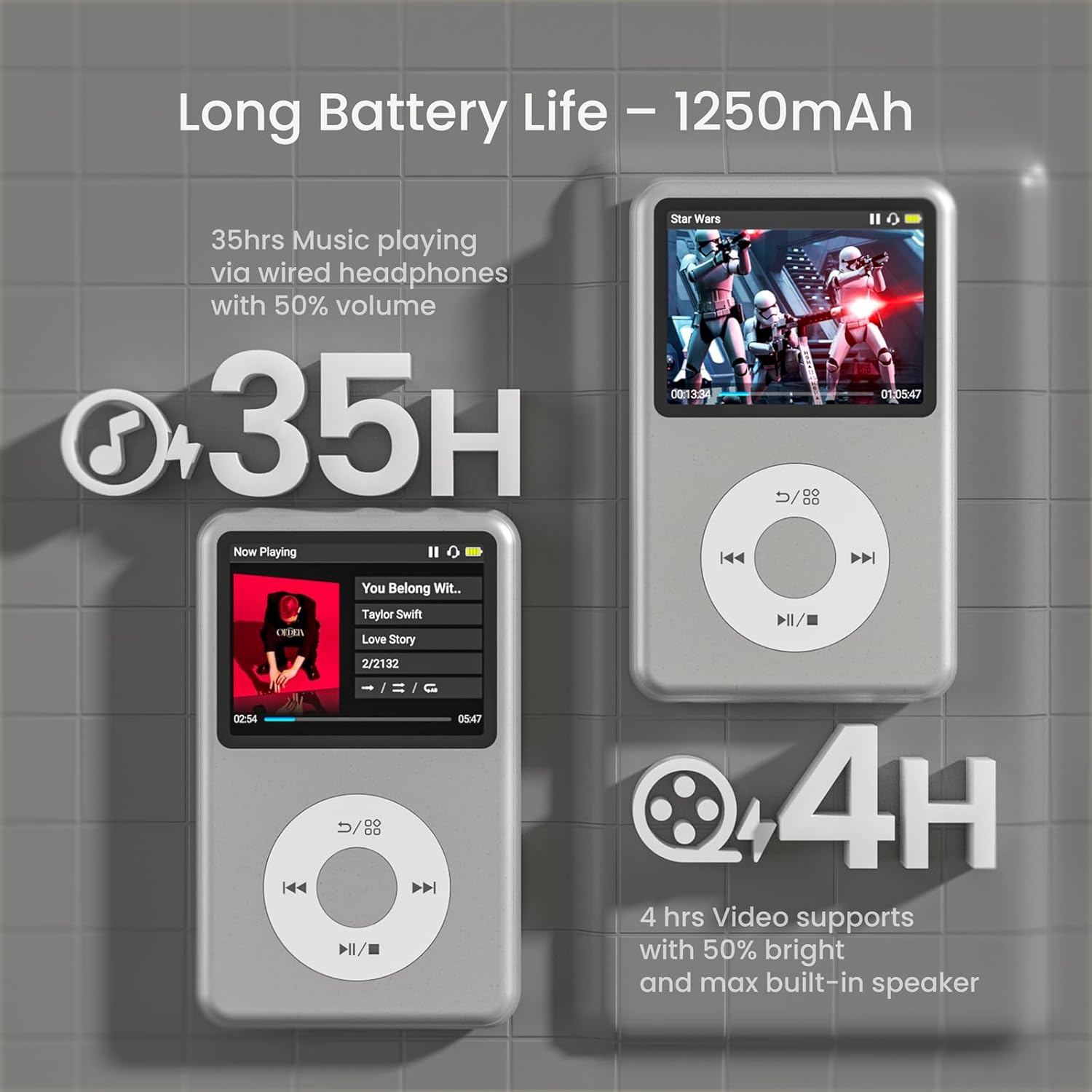
Figure 8: The innioasis Y1 MP3 Player highlighting its long battery life of 35 hours for music playback via wired headphones at 50% volume, and 4 hours for video support at 50% brightness with max built-in speaker.

Figure 9: The innioasis Y1 MP3 Player displaying compatibility with 21 music formats, including MP3, WAV, FLAC, APE, OGG, M4A, AAC, WMA, MP2, and AMR.
10. Warranty and Support
For warranty information, technical support, or any inquiries regarding your innioasis Y1 MP3 Player, please refer to the contact details provided in the product packaging or visit the official innioasis website.


