
Product Overview
The MUSTAR 88 Key Digital Piano is designed to provide a realistic playing experience with its fully weighted hammer-action keys. It features an expansive sound and rhythm library, smart connectivity options, and versatile keyboard modes to enhance your musical journey. This manual provides detailed instructions for setup, operation, and maintenance.

Figure 1: The MUSTAR 88 Key Digital Piano in white, shown with its included stand and sustain pedal.
Setup Guide
Unpacking the Box
Carefully unpack all components from the product box. Ensure all items listed below are present:
- MUSTAR 88 Key Digital Piano
- Adjustable Stand
- Sustain Pedal
- Music Stand (for sheet music)
- Power Adapter
- Portable Padded Case
- Dust Cover
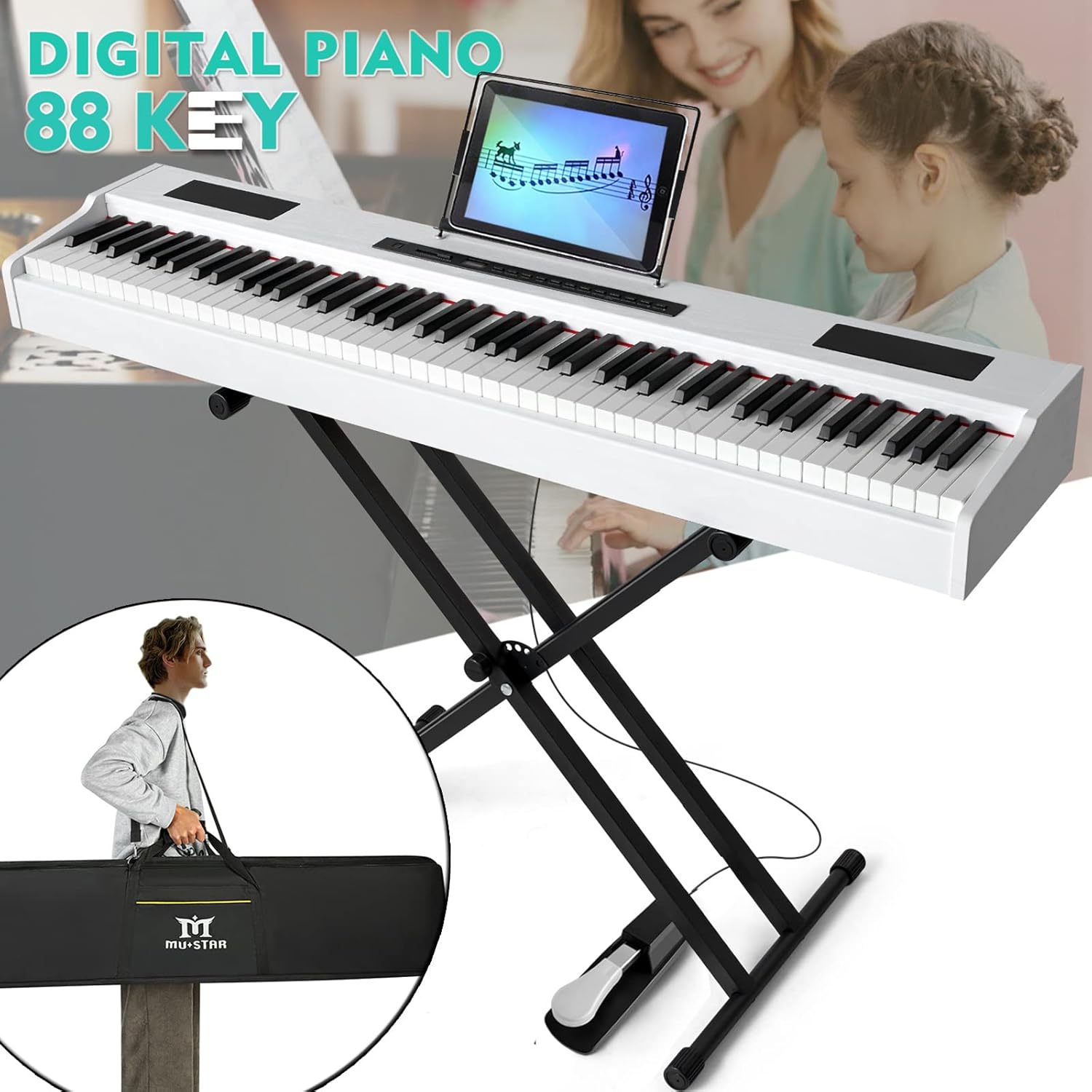
Figure 2: All components included with the MUSTAR 88 Key Digital Piano, including the portable carrying case.
Assembling the Stand
The adjustable X-style stand is designed for easy assembly. Follow the instructions provided in the stand's manual to securely set it up. Ensure the stand is stable before placing the piano on it.

Figure 3: Product dimensions, illustrating the piano's size and its placement on the adjustable stand.
Connecting the Sustain Pedal
Locate the pedal input port on the rear panel of the piano. Connect the included sustain pedal firmly into this port. The sustain pedal is essential for achieving expressive playing.

Video 1: Demonstration of the sustain pedal's connection and functionality.
Operating Instructions
88-Key Weighted Hammer Action
The MUSTAR digital piano features 88 graduated hammer-action keys that replicate the touch and response of an acoustic piano. Play harder for louder tones or softer for quieter sounds—weighted keys respond to finger strength, providing precise control and a natural playing experience.

Figure 4: Detailed view of the 88 weighted keys, highlighting their hammer-action design.
Expansive Sound & Rhythm Library
Explore 800 tones, 600 rhythms, and 80 demo songs. The piano utilizes a DREAM sound source and advanced dual stereo speakers for realistic and rich sound quality.

Figure 5: Visual representation of the piano's sound engine and speaker system.
Video 2: Overview of the piano's multiple functional modes, including various tones and rhythms.
Versatile Keyboard Modes
The piano offers split keyboard functionality, allowing two people to play simultaneously or for teaching purposes. The dual voice mode combines two different instrument sounds, such as piano and bass, to inspire creativity.

Figure 6: Illustration of the keyboard split feature, enabling two distinct playing zones.
Recording and Playback
The piano includes built-in recording and playback functions, allowing you to capture and review your performances. Refer to the user manual for detailed instructions on how to operate these features.

Figure 7: A list of the piano's powerful functions, including recording and playback capabilities.
Connectivity
The MUSTAR digital piano offers multiple connectivity options for enhanced learning and performance.
Smart Connectivity & Ports
Connect to mobile phones or computers via USB/MIDI or wireless options for interactive learning, self-study, and composition. Use AUDIO INPUT to play external audio through the piano, or AUDIO OUTPUT to connect external speakers for enhanced sound.

Figure 8: Detailed diagram of the piano's rear panel, showing USB/MIDI, Audio In/Out, Pedal, and DC Power ports.

Figure 9: The piano supports wireless app and audio connections for interactive learning and musical apps.
Headphone Use
The piano includes a 3.5mm headphone jack, allowing for silent practice. This feature is ideal for practicing without disturbing others.
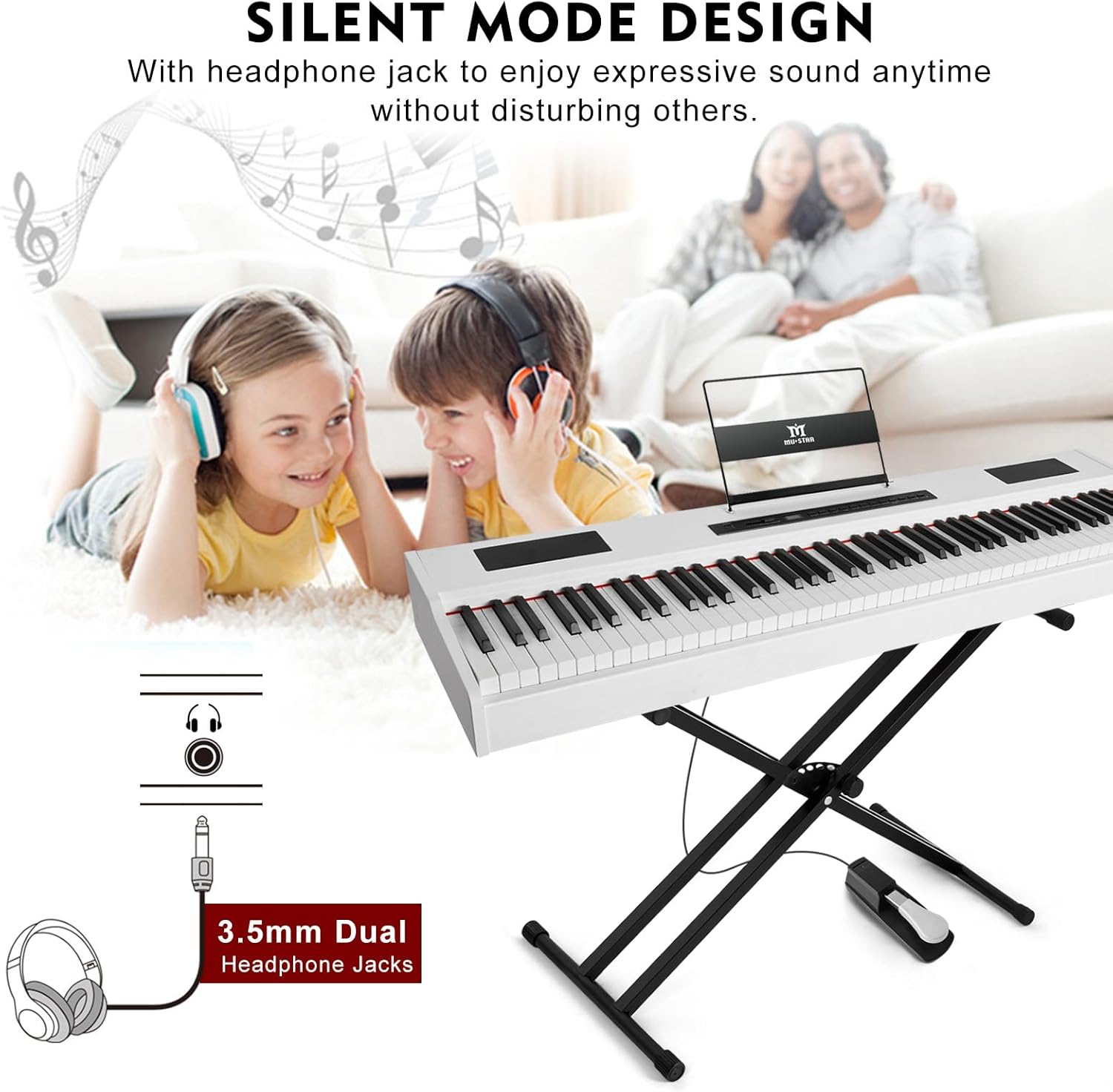
Figure 10: The silent mode feature with dual 3.5mm headphone jacks for private playing sessions.
Maintenance
Proper care and maintenance will ensure the longevity and optimal performance of your MUSTAR digital piano.
Cleaning
Use a soft, dry cloth to wipe down the piano's surface. Avoid using abrasive cleaners or solvents, as these may damage the finish. For stubborn dirt, a slightly damp cloth can be used, followed by a dry cloth.
Storage
When not in use, cover the piano with the provided dust cover to protect it from dust and debris. For transportation or extended storage, utilize the large waterproof padded case to safeguard the instrument.

Figure 11: The portable padded case provides protection for the piano during transport and storage.
Troubleshooting
If you encounter any issues with your piano, please refer to the following common troubleshooting tips:
- No Sound: Check the volume level, ensure headphones are not plugged in (unless intended), and verify all cables are securely connected.
- Power Issues: Ensure the power adapter is correctly connected to both the piano and a working power outlet.
- Key Malfunction: If specific keys are not responding, try restarting the piano. If the issue persists, contact customer support.
- Connectivity Problems: For Bluetooth or USB/MIDI issues, ensure devices are properly paired/connected and drivers are up-to-date on your computer.
Product Specifications
| Feature | Description |
|---|---|
| Number of Keys | 88 |
| Key Action | Graduated Hammer-Action, Weighted Keys |
| Tones | 800 |
| Rhythms | 600 |
| Demo Songs | 80 |
| Speakers | Dual 25W Stereo Speakers |
| Connectivity | USB, MIDI, AUDIO INPUT, AUDIO OUTPUT, Bluetooth |
| Headphones Jack | 3.5mm Jack |
| Power Source | Corded Electric |
| Dimensions | 11"D x 51"W x 42"H |
| Item Weight | 38 Pounds |
| Material Type | Steel, Wood |
| Color | White |
Warranty and Customer Support
MUSTAR products are backed by a manufacturer's warranty. For specific details regarding your warranty period and coverage, please refer to the warranty card included in your product packaging or visit the official MUSTAR website.
For technical assistance, troubleshooting, or any product-related inquiries, please contact MUSTAR customer support through the contact information provided in your product documentation.
