1. Introduction
This instruction manual provides essential information for the safe and effective use of your KAER 15-Gun Biometric Rifle Safe. Please read this manual thoroughly before installation and operation to ensure proper functionality and security. Keep this manual for future reference.
Video: Overview of the KAER 15-Gun Biometric Rifle Safe. This video demonstrates the exterior and interior features of the safe, highlighting its design and storage capabilities.
2. Safety Information
Always store firearms unloaded and locked. Keep ammunition in a separate, locked location. Ensure the safe is securely mounted to prevent unauthorized removal. Keep emergency keys in a secure location away from the safe and out of reach of children. Do not store the emergency keys inside the safe.

Image: Illustration of the safe's heavy-duty cold-rolled steel construction, emphasizing its anti-theft features such as anti-collision, pry resistance, anti-drilling, and anti-smashing capabilities. This image highlights the robust build designed for enhanced security.
3. Package Contents
- 1x Assembled Gun Safe
- 2x Emergency Keys
- 3x Gun Racks
- Expansion Screws (for mounting)
- 1x User Manual (this document)
4. Product Overview
The KAER 15-Gun Biometric Rifle Safe is designed for secure storage of up to 15 firearms, including rifles and pistols. It features a multi-lock security system with biometric fingerprint access, a digital keypad, and emergency keys. The interior includes adjustable shelves, soft felt lining, and pistol pockets for organized storage.
Dimensions & Capacity:
- Exterior Dimensions: 11.8"D x 17.7"W x 52"H
- Interior Dimensions: 12"D x 18"W x 52"H (approximate, based on feature bullets)
- Capacity: Up to 15 firearms (rifles and pistols)
- Item Weight: 88 pounds

Image: A visual representation of the KAER 15-Gun Safe's dimensions (51.97"H x 17.72"W x 11.81"D) and its internal layout, illustrating how 15 guns, including rifles up to 45 inches and other items like pistols and binoculars, can be stored. Note: AR with accessories may need to be turned sideways.
5. Setup & Installation
Your KAER gun safe comes pre-assembled, eliminating the need for complex construction. For maximum security, it is recommended to securely mount the safe to a floor or wall using the provided expansion screws.
5.1. Battery Installation
- Use the emergency key to open the safe door.
- Locate the battery compartment behind the digital keypad.
- Insert 4 AA alkaline batteries, ensuring correct polarity.
- Replace the battery compartment cover.
5.2. Mounting the Safe
The safe features pre-drilled holes on the back and bottom for secure mounting. Use the included expansion screws to fix the safe to a solid surface (e.g., concrete floor, wall studs).

Image: A visual comparison illustrating that the KAER gun safe is pre-assembled for convenience, unlike other safes that require extensive installation. It also highlights the superior 1.4mm steel plate thickness of the KAER safe compared to the 1.1mm thickness of others.
6. Operating Instructions
6.1. Opening with Emergency Key
- Locate the emergency keyhole, usually concealed behind the keypad cover.
- Insert the emergency key and turn it to unlock.
- Rotate the handle to open the safe door.
6.2. Setting Fingerprint Password
- Open the safe door.
- Press the green setting button located on the back of the door.
- Place the finger you wish to register on the center of the fingerprint sensor.
- After hearing two short beeps, remove your finger and press again. Repeat this step four times.
- A maximum of 30 fingerprints can be registered.
Video: Tutorial on how to set up a fingerprint password for the KAER gun safe. This video guides users through the steps of registering their fingerprints for biometric access.
6.3. Setting Digital Keypad Password
- Open the safe door.
- Wake up the keypad by touching it.
- Enter "00" and press the green setup button on the back of the door.
- Enter your desired 3-12 digit password, then press the "#" button to confirm.
- To set a second password, repeat steps 1-3, but enter "11" instead of "00".
Video: Tutorial on how to set up a digital keypad password for the KAER gun safe. This video provides clear instructions for programming a numerical access code.
6.4. Dual Alarm System & Silent Mode
The safe is equipped with an advanced alarm system:
- An alarm will trigger for 1 minute after 3 incorrect password attempts or 5 wrong fingerprint scans.
- The safe will also alert if it is moved unexpectedly.
- An optional silent mode is available for discreet security. Refer to the full user manual for instructions on activating silent mode.
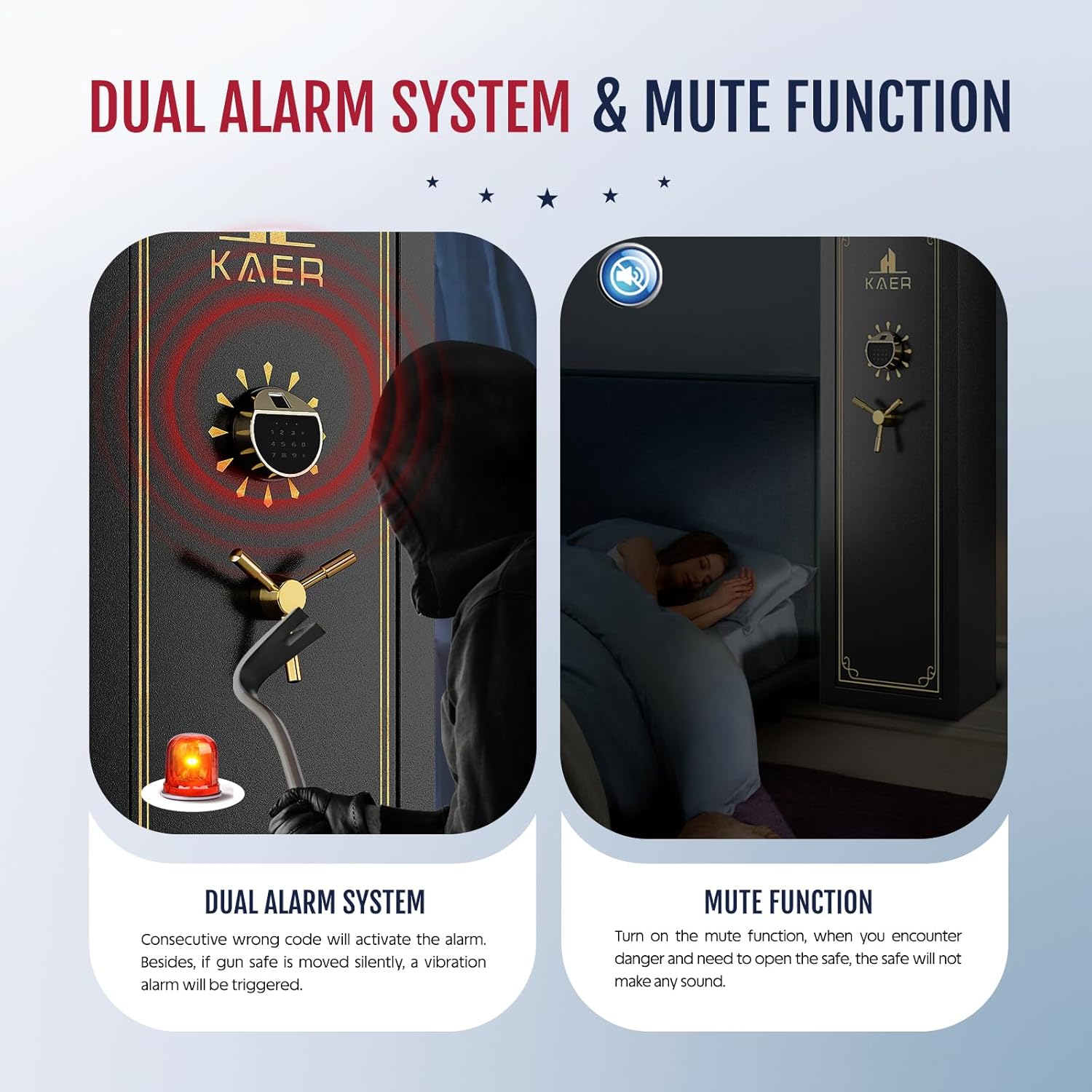
Image: This image depicts the dual alarm system of the KAER gun safe, showing an alarm activating due to an attempted break-in. It also illustrates the mute function, allowing for silent operation when needed, such as during nighttime access.
7. Maintenance
- Regularly check battery levels and replace all 4 AA batteries when the low battery indicator appears.
- Clean the exterior of the safe with a soft, damp cloth. Avoid abrasive cleaners.
- Ensure the locking bolts and hinges are free from obstructions.
8. Troubleshooting
| Problem | Possible Cause | Solution |
|---|---|---|
| Safe does not open with fingerprint. | Fingerprint not registered or improperly scanned. | Ensure finger is clean and dry. Re-register fingerprint if necessary. Try another registered finger. |
| Keypad does not respond. | Low batteries or incorrect password. | Replace batteries. Re-enter password carefully. Use emergency key if necessary. |
| Alarm sounds unexpectedly. | Incorrect entries or movement detected. | Enter correct password/fingerprint. Ensure safe is stable and not being tampered with. |
9. Specifications
- Brand: KAER
- Product Dimensions: 11.8"D x 17.7"W x 52"H
- Lock Type: Biometric, Electronic Combination Lock, Key
- Capacity: 15 firearms
- Material: Alloy Steel
- Special Features: Alarm System, Anti-Theft, Biometric Fingerprint, Combination Lock, Removable Shelf
- Mounting Type: Floor/Wall Mount
- Item Weight: 88 pounds
- Batteries Required: Yes (4x AA)
10. Warranty Information
This KAER gun safe comes with a 2-Year Warranty from the date of purchase. This warranty covers manufacturing defects and malfunctions under normal use. Please retain your proof of purchase for warranty claims. For detailed warranty terms and conditions, refer to the documentation included with your product.
11. Customer Support
For any questions, technical assistance, or warranty claims, please refer to the contact information provided in the full user manual included with your product. You may also visit the official KAER website for support resources.