
Introduction
The Cygnett HighPWR 27,000mAh Laptop Power Bank is a robust portable charging solution designed to power laptops, tablets, smartphones, and other USB-powered devices. With an impressive 148W power output and a substantial 27,000mAh capacity, it ensures your essential devices remain charged on the go. This power bank features a digital display for battery status and multiple charging ports for versatility. It is approved for carry-on on most airlines, making it an ideal travel companion.
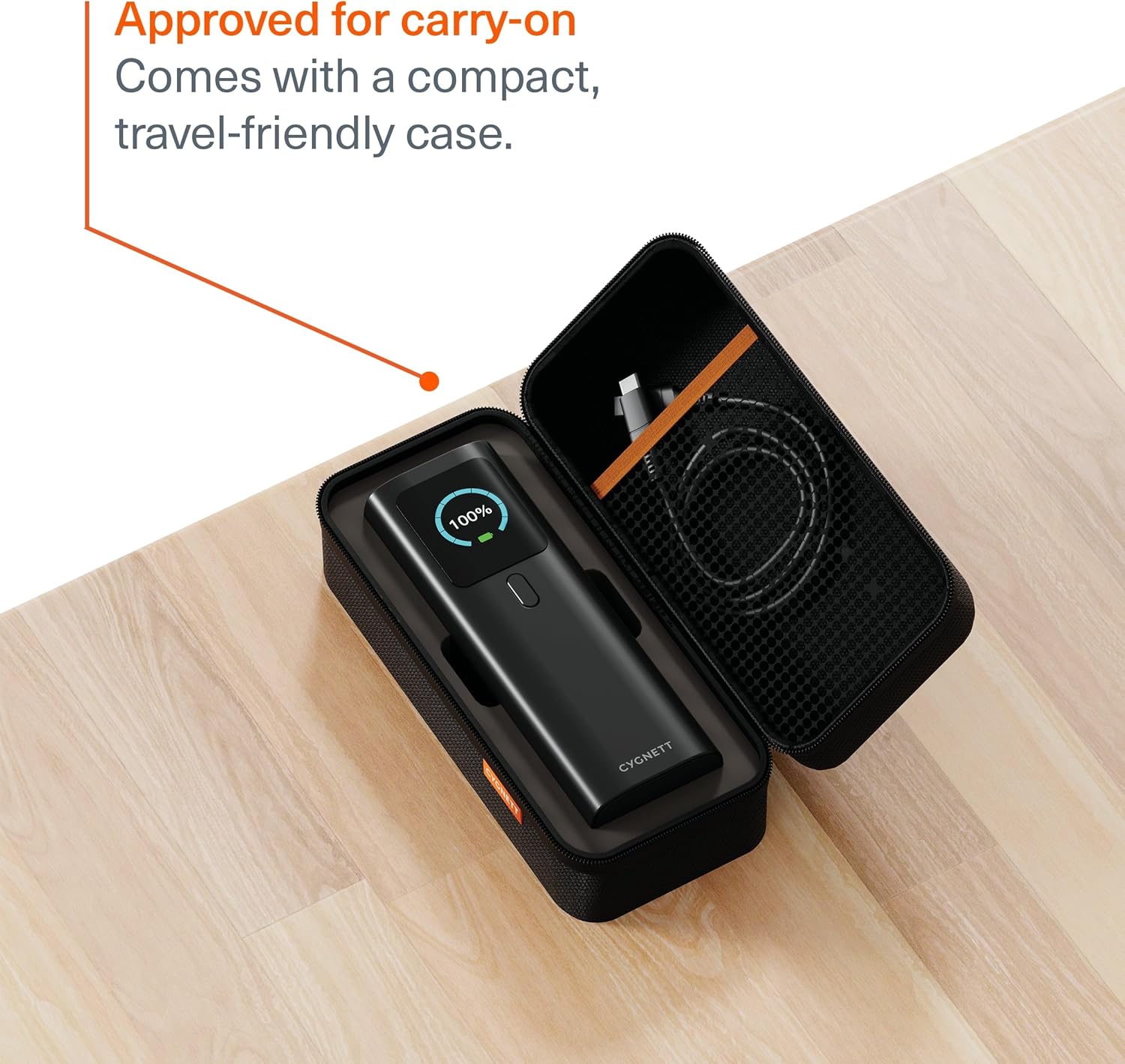
Image: The Cygnett HighPWR Power Bank neatly stored within its compact, travel-friendly case, ready for transport.
Package Contents
- Cygnett HighPWR 27,000mAh Laptop Power Bank
- Travel Case
- USB-C to USB-C Charging Cable
- User Manual
Product Overview
The Cygnett HighPWR features a sleek design with a clear digital display and multiple ports for versatile charging. Familiarize yourself with the components:
- Digital Display: Shows remaining battery percentage and real-time input/output wattage for each port.
- USB-C Ports (x2): For high-speed charging of laptops, tablets, and smartphones. Supports Power Delivery 3.1.
- USB-A Port (x1): For charging a wide range of USB-compatible devices.
- Power Button: Activates the display and initiates charging.
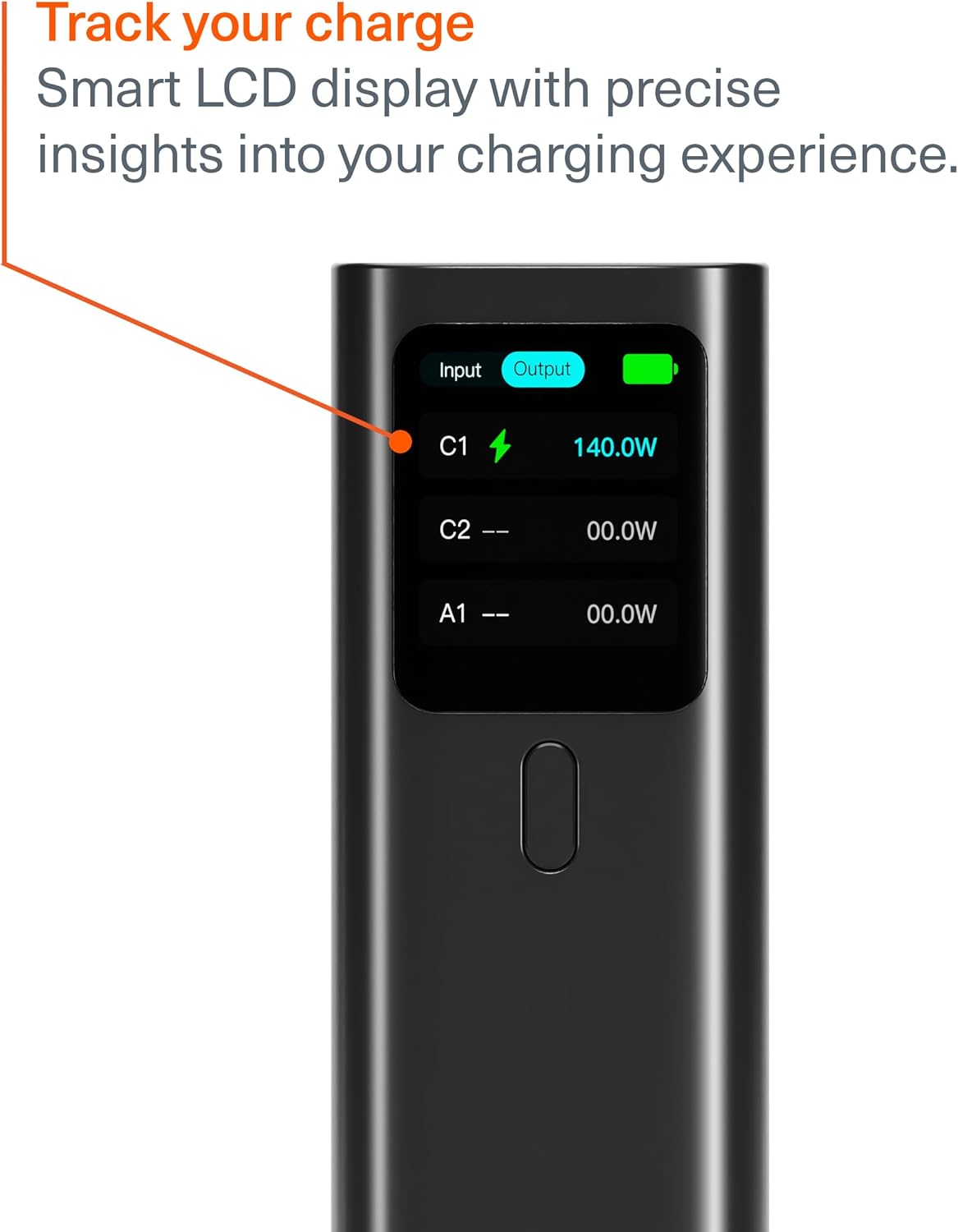
Image: A close-up of the power bank's digital display, indicating an output of 140W from one of the USB-C ports, along with battery status.

Image: The Cygnett HighPWR Power Bank with various charging cables connected to its USB-C and USB-A ports, demonstrating its multi-device charging capability.
Setup
Charging the Power Bank
- Connect one end of the provided USB-C to USB-C cable to a USB-C port on the power bank.
- Connect the other end of the cable to a compatible USB-C wall charger (not included) with a minimum output of 60W for optimal charging speed.
- The digital display will show the input wattage and battery percentage increasing.
- The power bank can be fully recharged from 0-100% in approximately 1.5 hours with a suitable charger.

Image: The Cygnett HighPWR Power Bank connected to a wall adapter via a USB-C cable, illustrating the recharging process.
Operating
Charging Your Devices
- Press the power button once to activate the digital display and check the power bank's battery level.
- Connect your device's charging cable to the appropriate port (USB-C or USB-A) on the power bank.
- Connect the other end of the cable to your device.
- The power bank will automatically begin charging your device. The digital display will show the output wattage for the active ports.
- You can charge up to three devices simultaneously. The power output will be distributed among the connected devices.

Image: The Cygnett HighPWR Power Bank connected to and charging a laptop and two smartphones at the same time, showcasing its ability to power multiple devices.
Maintenance
- Cleaning: Wipe the power bank with a soft, dry cloth. Avoid using harsh chemicals or abrasive materials.
- Storage: Store the power bank in a cool, dry place away from direct sunlight and extreme temperatures. If storing for extended periods, ensure it is charged to at least 50% capacity.
- Avoid Drops: Protect the device from drops and impacts, which can damage internal components.
Troubleshooting
- Power bank not charging:
- Ensure the charging cable is securely connected to both the power bank and the wall charger.
- Verify that the wall charger is functioning correctly and provides sufficient power (e.g., 60W or higher for fast charging).
- Try a different USB-C cable or wall charger.
- Device not charging from power bank:
- Press the power button on the power bank to ensure it is active.
- Check if the power bank has sufficient charge remaining (indicated on the digital display).
- Ensure the charging cable connecting your device to the power bank is functional and properly connected.
- Confirm your device is compatible with the power bank's output specifications.
- Slow charging:
- Ensure you are using a high-quality cable that supports fast charging.
- If charging multiple devices, the output power is shared, which may result in slower charging for individual devices.
- Check your device's charging input requirements.
Specifications

Image: Front and side views of the Cygnett HighPWR Power Bank, detailing its dimensions: 154mm height, 52mm width, and 50mm depth.
| Feature | Detail |
|---|---|
| Model Name | HighPWR |
| Model Number | CY5381PBCHE |
| Battery Capacity | 27,000 mAh |
| Total Power Output | 148W |
| USB-C Output (Single Port) | Up to 140W Power Delivery 3.1 |
| Ports | 2x USB-C, 1x USB-A |
| Recharge Time | 1.5 hours (with compatible 60W+ charger) |
| Special Features | Digital Display, Fast Charging, Travel-friendly Case |
| Dimensions (L x W x H) | 15.4 x 5.2 x 5.0 cm (approx. 154mm H x 52mm W x 50mm D) |
| Weight | 600 Grams |
| Color | Black |
| GTIN / UPC | 848116048185 |
Warranty
The Cygnett HighPWR 27,000mAh Laptop Power Bank comes with a 2-Year Limited Manufacturer Warranty. This warranty covers defects in materials and workmanship under normal use. Please retain your proof of purchase for warranty claims. For full terms and conditions, please refer to the official Cygnett website or contact customer support.
Support
For further assistance, technical support, or warranty inquiries, please visit the official Cygnett website or contact their customer service department. You can find contact information and FAQs on their support pages.
Website: www.cygnett.com