
1. Setup
1.1 Unboxing
Carefully unpack all components from the box. Ensure all items listed in the package contents are present.

The package typically includes:
- 1 x Quieter 4C Mini PC
- 1 x Power Adapter (12V/2A)
- 1 x VESA Mount
- 1 x User Manual
- 1 x UL Plug
1.2 Connecting Peripherals
Connect your monitor, keyboard, and mouse to the MeLE Quieter 4C Mini PC. The device supports triple 4K display output via two HDMI ports and one full-function USB-C port.

The Mini PC features:
- USB-A 3.2 Gen1 (5Gbps) ports
- USB-A 3.2 Gen2 (10Gbps) ports
- USB-A 2.0 (480Mbps) ports
- Full-function USB-C port (Power Input, USB 10Gbps, DisplayPort)
- 2x HDMI 2.0 ports (4K@60Hz)
- Gigabit Ethernet port
- 3.5mm Audio Combo Jack
- Micro-SD (TF) Slot
- Kensington Security Lock Slot
1.3 VESA Mount Installation
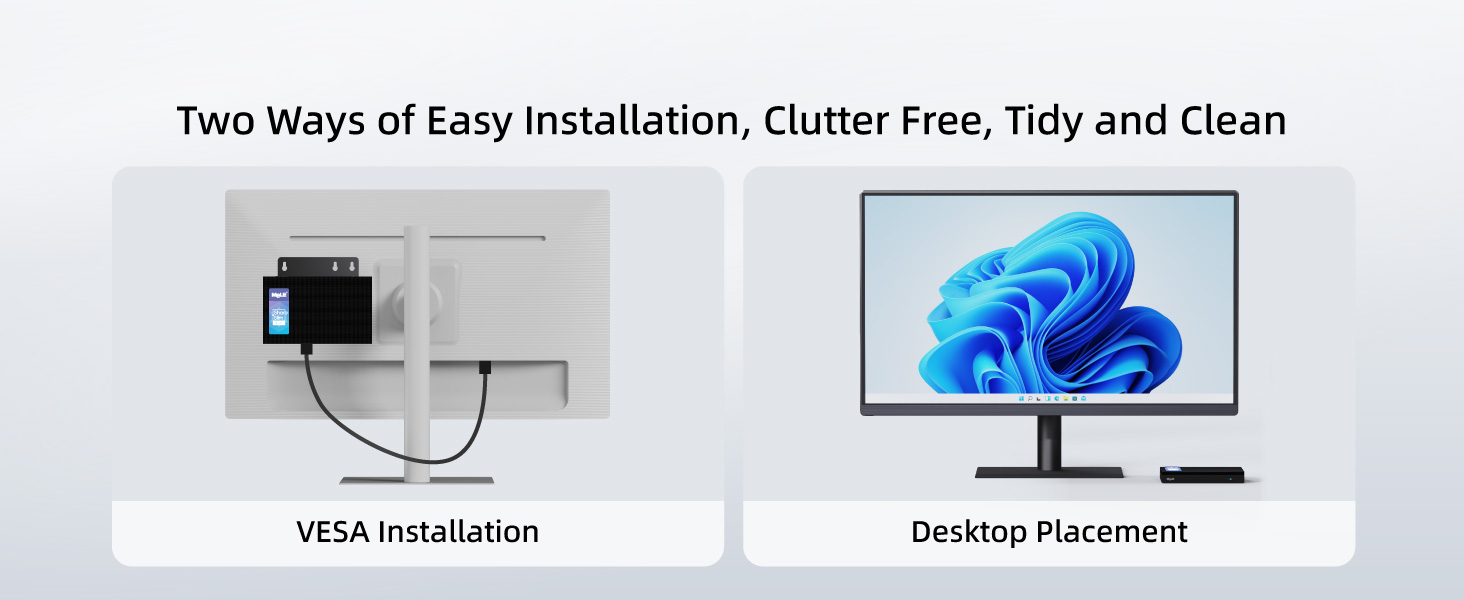
The MeLE Quieter 4C Mini PC can be installed in two ways: desktop placement or VESA mounting. For VESA mounting, follow these steps:
- Attach the VESA mount to the back of your monitor using the provided screws.
- Secure the Mini PC to the VESA mount.
2. Operating Instructions
2.1 Power On/Off
To power on the Mini PC, press the power button located on the front panel. The power button will illuminate when the device is on. To power off, use the standard Windows shutdown procedure.
2.2 BIOS Settings
The BIOS allows for advanced configuration, including enabling Auto Power On. To access and modify BIOS settings:
- Turn on your Mini PC and repeatedly press F7 to open the boot menu, or Delete to enter the BIOS directly.
- Select "Enter Setup" and press Enter.
- Navigate to "Advanced" → "Customer Exclusive Functions" → "Auto Power On" and set it to "Enabled".
- Select "Save & Exit" → "Save Changes and Exit" → "Yes" (or press F4 to save and exit quickly).
2.3 Operating System
The MeLE Quieter 4C Mini PC comes pre-installed with Windows 11 Pro. It also supports other operating systems such as Linux and Ubuntu.

2.4 Multi-Display Setup
The Mini PC supports up to three 4K displays simultaneously. Connect your monitors to the two HDMI ports and the full-function USB-C port for an extended desktop experience.

3. Maintenance
3.1 Cleaning
The MeLE Quieter 4C features a fanless design, which helps prevent dust accumulation. To clean the exterior, use a soft, dry cloth. Avoid using liquid cleaners directly on the device.
3.2 Storage Expansion
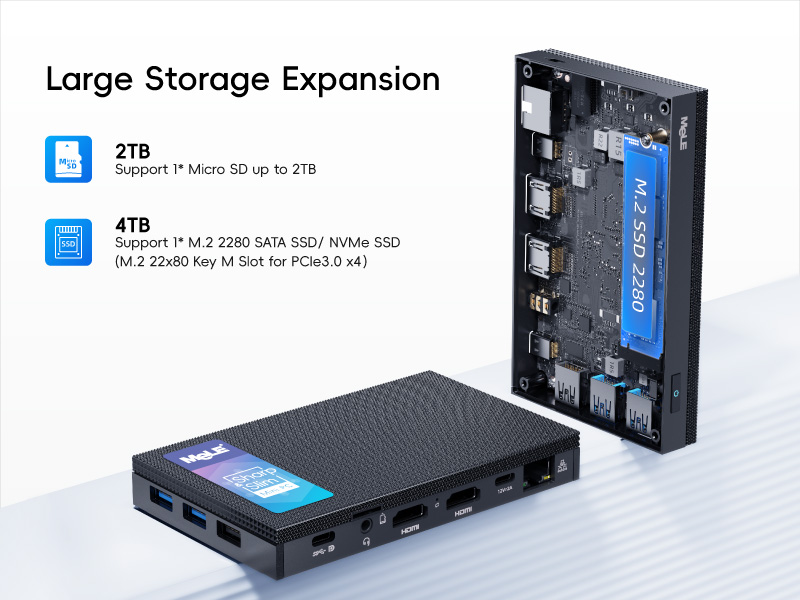
The Mini PC offers expandable storage options:
- Micro SD card slot: Supports up to 2TB.
- Internal M.2 2280 SSD slot: Supports up to 4TB (both NVMe and SATA M.2 SSD).
4. Troubleshooting
4.1 Network Connectivity Issues
If you experience problems with network connectivity, you may need to reset your network settings. This will reinstall all network adapters and reset networking components to their original settings.
- Click Start, then select Settings.
- Go to Network & Internet.
- Click Advanced network settings.
- Click Network reset.
- Click Reset now, then choose Yes to confirm. Your computer will restart automatically.
After the restart, you will need to reconnect to your Wi-Fi network.
4.2 Overheating Concerns
The MeLE Quieter 4C features a fanless passive cooling system. While this ensures silent operation and dust resistance, the surface temperature of fanless Mini PCs can reach 55°C to 70°C. This is normal and meets safety standards (IEC62368-1:2018). Ensure adequate airflow around the device and avoid placing it in enclosed spaces.
5. Specifications
| Feature | Detail |
|---|---|
| Processor | Intel Celeron N150 (4 Cores, 4 Threads, up to 3.6 GHz) |
| RAM | 16 GB DDR5 RAM |
| Hard Drive | 512 GB M.2 SSD |
| Graphics | Integrated Intel UHD Graphics |
| Max Screen Resolution | 3840x2160 (4K) |
| Wireless Type | 802.11ac (Wi-Fi 5), Bluetooth 5.1 |
| Operating System | Windows 11 Pro (also supports Linux, Ubuntu) |
| Ports | USB-A 3.2 Gen1, USB-A 3.2 Gen2, USB-A 2.0, Full-function USB-C, 2x HDMI 2.0, Gigabit Ethernet, 3.5mm Audio Jack, Micro-SD Slot |
| Power Input | 12V/2A (PD 3.0 technology, 12V to 20V) |
| Cooling | Fanless Passive Cooling |
| Item Weight | 16 ounces |
| Package Dimensions | 6.5 x 4.2 x 2.5 inches |
6. Warranty & Support
6.1 Warranty Information
MeLE offers a lifetime guarantee on its products, ensuring quality and reliability. For specific terms and conditions, please refer to the warranty card included with your product or visit the official MeLE website.
6.2 Customer Support
For technical assistance, troubleshooting, or any product-related inquiries, please contact MeLE customer support. Contact information can typically be found in the included user manual or on the official MeLE website.


