
Introduction
This manual provides detailed instructions for the BAOFENG BF-MIC Speaker Microphone. This accessory is designed to enhance communication for users of compatible two-way radios by offering a convenient external speaker and microphone unit.
The BF-MIC features a standard 2-pin K-head plug for broad compatibility, a durable coiled cable, a 3.5mm audio jack for external headphones, and a 360-degree rotating belt clip for flexible attachment.
Compatible Radio Models:
- Baofeng: BF-F8HP (Pro), UV-82, UV-5R, UV-5RS, UV-5RA, BF-888S, UV-5RM (AR-5RM), UV-5G Plus, UV-5RH Pro, UV-32, DM-32, GM-5RH, K5 Plus, F8HP, F8TD, F8GP, UV-82(HP), 888S, TD-V2, TD-777, TD-H3, H8
- Kenwood two-way radios
- Retevis: H-777, RT21, RT22, RT68, RT-5R, RT17, RT18, RT19, RT27, RB45, RB68, RB89, NR10
- Other compatible radios with a standard 2-pin K-head plug type (former pin diameter: 3.5mm)

Image: The BAOFENG BF-MIC Speaker Microphone is compatible with a wide range of two-way radios from brands like TIDRADIO, BAOFENG, AnyTone, and BTECH.
Setup
1. Connecting the Speaker Microphone
Locate the 2-pin K-head audio jack on your compatible two-way radio. Align the two pins of the speaker microphone's connector with the corresponding ports on your radio. Gently push the connector firmly into the radio's jack until it is securely seated. Ensure a snug fit to prevent intermittent audio.

Image: The 2-pin K-head connector features a 3.5mm pin and a 2.5mm pin, with a 1.1mm spacing between them, ensuring compatibility with standard ports.
2. Attaching the Belt Clip
The speaker microphone is equipped with a 360-degree rotating belt clip. This allows you to attach the unit to your clothing, belt, or gear in a comfortable and accessible position. Simply slide the clip onto your desired attachment point and adjust its orientation as needed.
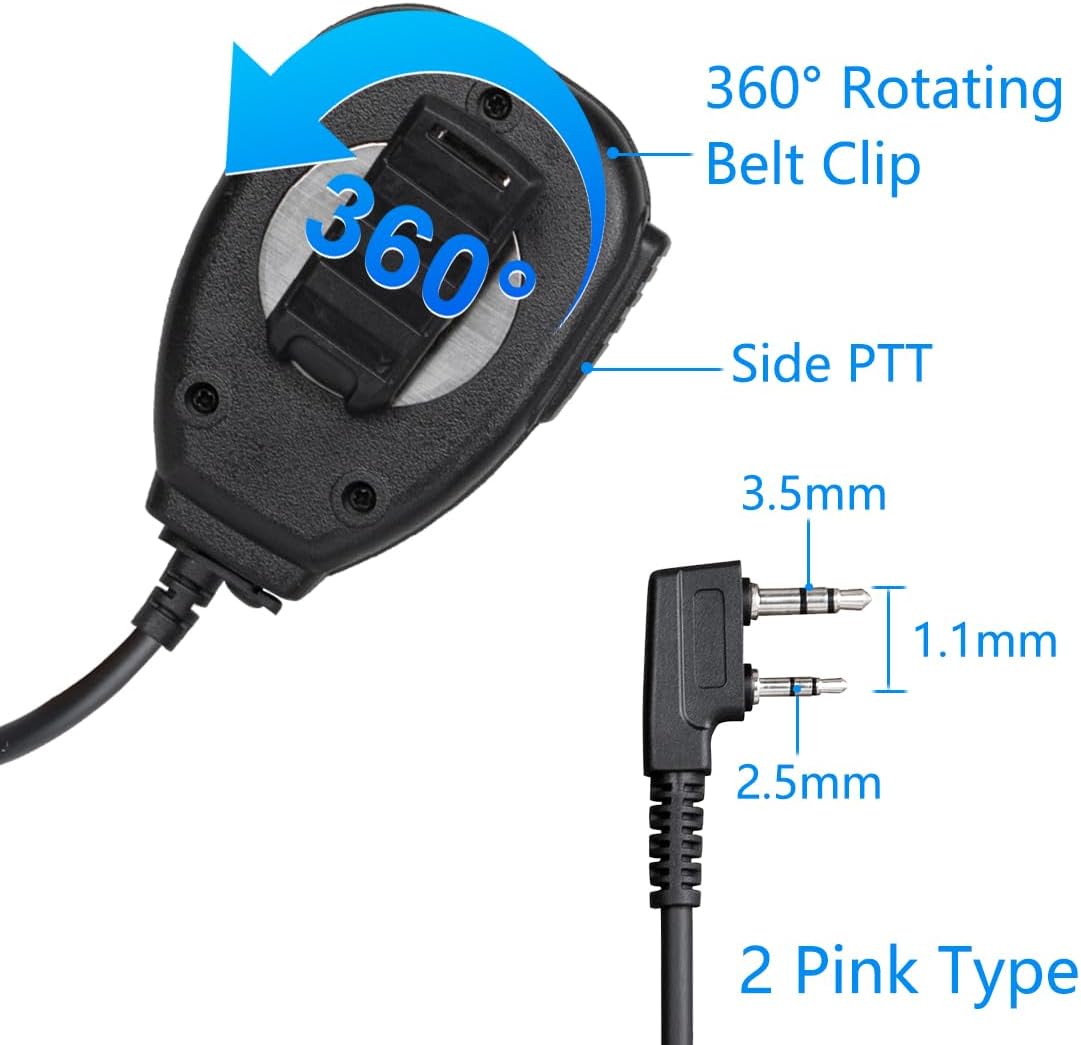
Image: The back of the speaker microphone features a versatile 360-degree rotating belt clip for secure and adjustable attachment, alongside the side PTT button.
Operating Instructions
1. Powering On/Off
The speaker microphone draws power directly from the connected two-way radio. Ensure your radio is powered on for the speaker microphone to function.
2. Transmitting (Push-to-Talk - PTT)
To transmit your voice, press and hold the large Push-to-Talk (PTT) button located on the side of the speaker microphone. Speak clearly into the microphone grille. Release the PTT button to stop transmitting and return to receive mode.

Image: The speaker microphone allows for clear voice transmission, even in loud environments, by simply pressing the 'Push to talk' button.
3. Receiving Audio
When the PTT button is not pressed, the speaker microphone will function as an external speaker for your radio, allowing you to hear incoming transmissions clearly. Adjust the volume on your two-way radio as needed.
4. Using the Headphone Jack
A 3.5mm headphone jack is located on the side of the speaker microphone. You can plug in standard 3.5mm headphones or an earpiece for private listening, which can be beneficial in noisy environments or for discreet communication.

Image: The speaker microphone features an LED indicator for operational status and a robust 3.5mm headphone jack for connecting an earpiece.
Maintenance
Cleaning
To clean the speaker microphone, use a soft, damp cloth. Avoid using harsh chemicals, solvents, or abrasive cleaners, as these can damage the plastic housing and electronic components. Ensure the unit is dry before storage or next use.
Storage
Store the speaker microphone in a cool, dry place away from direct sunlight and extreme temperatures. Avoid tightly coiling the cable to prevent damage or kinks over time.
Cable Care
The coiled cable is designed for flexibility and durability. However, avoid excessive pulling or tugging on the cable, especially near the connectors, to prevent internal wire damage.
Troubleshooting
No Audio from Speaker Microphone
- Check Connection: Ensure the 2-pin connector is fully inserted into the radio's audio jack.
- Radio Volume: Verify that your radio's volume is turned up and not muted.
- Radio Power: Confirm that your two-way radio is powered on.
Poor Audio Quality (Static, Low Volume)
- Microphone Position: Ensure you are speaking directly into the microphone grille.
- Radio Settings: Check your radio's audio settings for any adjustments that might affect output.
- Environmental Factors: High noise environments can affect perceived audio quality. Consider using an earpiece with the 3.5mm jack.
Microphone Not Transmitting
- PTT Button: Ensure the PTT button is fully pressed and held during transmission.
- Connection: Re-check the 2-pin connection to the radio. A loose connection can prevent transmission.
Compatibility Issues
- Verify Model: Confirm that your radio model is listed as compatible or uses a standard 2-pin K-head connector.
Specifications
| Model Number | BF-MIC |
| Brand | BAOFENG |
| Connector Type | 2-pin K-head (3.5mm & 2.5mm TRS) |
| Connectivity Technology | Auxiliary |
| Microphone Form Factor | Handheld |
| Material | Plastic |
| Color | Black |
| Cable Length | 20 inches (approx. 50.8 cm) |
| Coil Length | 11 inches (approx. 27.9 cm) |
| Special Features | 360° Rotating Belt Clip, 3.5mm Headphone Jack, LED Indicator |
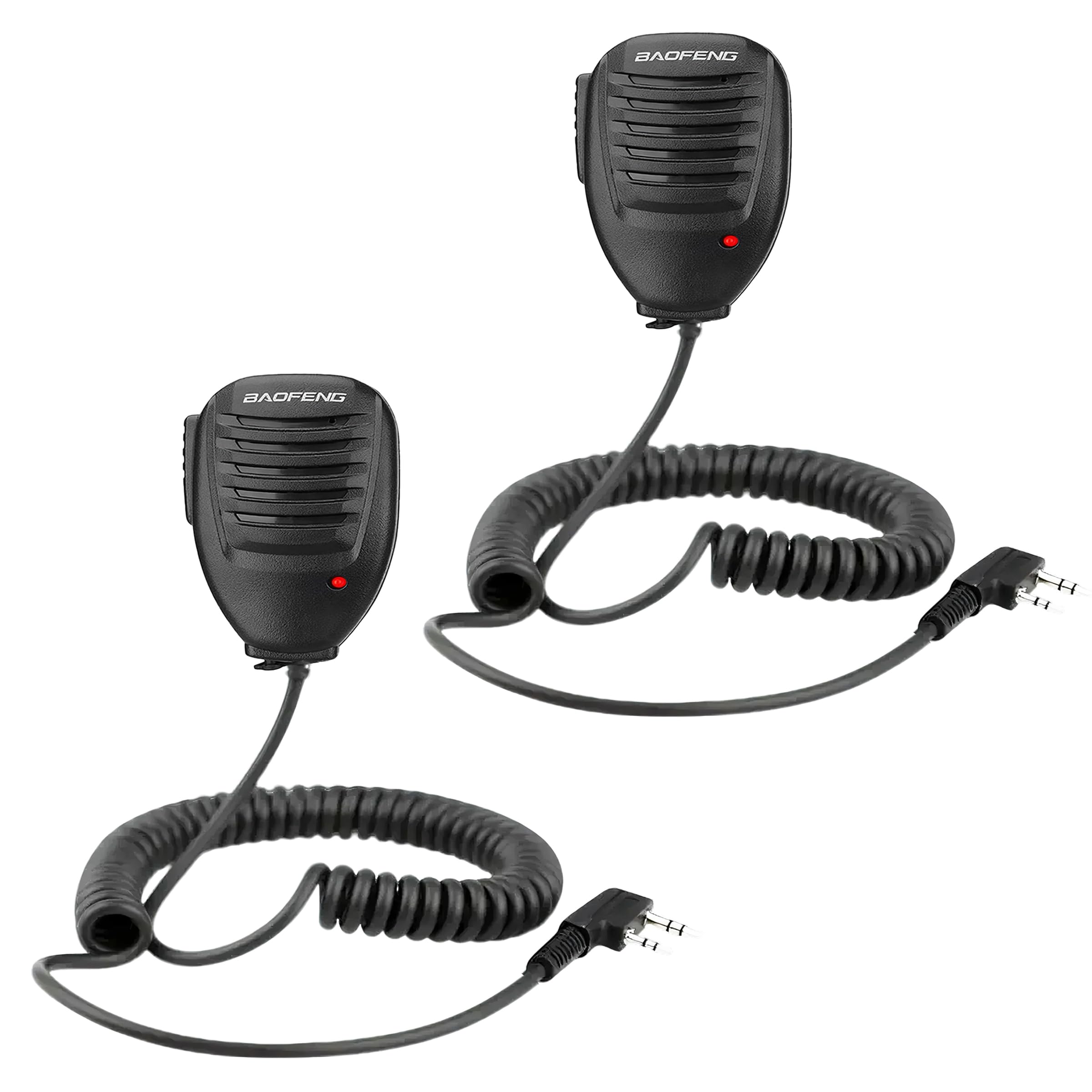
Image: The BAOFENG speaker microphone features a coiled cable with a total length of 20 inches and a coil length of 11 inches, designed for flexibility and reach.
Warranty and Support
Warranty Information
This BAOFENG Speaker Microphone comes with a 30-day no-questions-asked warranty. Please retain your proof of purchase for any warranty claims.
Customer Support
For technical assistance, troubleshooting, or warranty inquiries, please contact BAOFENG customer support through the retailer where the product was purchased or visit the official BAOFENG website for contact information.


