
1. Product Overview
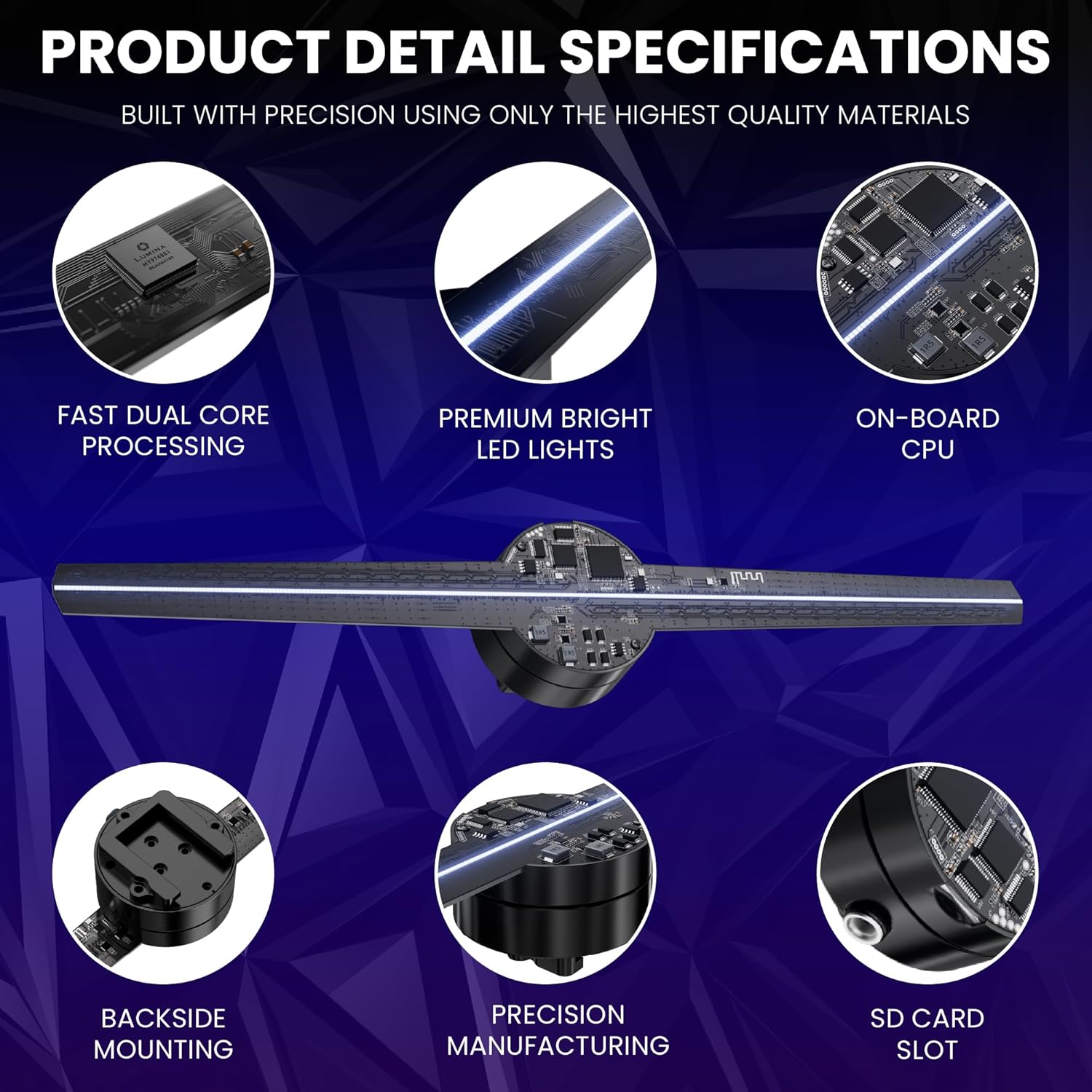
The LUMINA L1 12.5-inch Holographic Fan is designed to create dynamic 3D holographic displays. It features a 12.5-inch display diameter and a high-definition resolution of 1024x256 pixels, utilizing 256 premium LED beads for vibrant color reproduction. The device supports various content types, including 2D photos and videos, as well as 3D animations. Control and content management are facilitated through a dedicated mobile application for iOS and Android devices.
Key features include:
- 12.5-inch display diameter with 1024x256 pixel resolution.
- Control via iOS/Android mobile application.
- Support for multiple file formats: MP4, AVI, MOV, GIF, JPEG, PNG.
- Ability to link multiple fans for larger video wall displays.
- Bluetooth connectivity for audio output.
- Access to a free library of over 400 3D animations.
2. Setup Instructions
Follow these steps to set up your LUMINA L1 Holographic Fan:
- Assemble the Fan: Attach the LED blades to the fan motor using the provided screws and screwdriver.
- Install Wall Mount: Secure the included wall mount to a solid surface.
- Mount the Fan: Slide the holographic fan onto the installed wall mount.
- Power On: Plug in the power adapter to activate the fan.
- Download Mobile App: Download the "LUMINA Holographic Fan" app from the iOS App Store or Google Play Store.
- Connect via Wi-Fi: Connect your smartphone to the holographic fan's Wi-Fi network.
- Manage Content: Open the app to begin uploading and managing your display content.

3. Operating Instructions
The LUMINA L1 Holographic Fan is primarily controlled through its dedicated mobile application, offering comprehensive content management and device settings.
3.1 Mobile App Control
The "LUMINA Holographic Fan" app (available on iOS and Android) allows you to:
- Upload new video and image files.
- Organize, rename, and delete existing content.
- Control power (on/off).
- Adjust display brightness.
- Modify the video display angle.
- Change Wi-Fi network name and password.

3.2 Content Upload
Content can be uploaded directly from your smartphone via the app or from a computer using an SD card or USB drive. The fan supports various file types, including MP4, AVI, MOV, GIF, JPEG, and PNG. For 3D holographic effects, content should feature 3D models animated against a pure black background, as black areas do not display, creating a transparent effect.

3.3 Bluetooth Audio
For a complete audio-visual experience, connect the holographic fan to a Bluetooth speaker. This allows for synchronized sound output with your visual content.

3.4 Demonstration Videos
4. Maintenance
The LUMINA L1 Holographic Fan is designed for durability with an estimated operating life of over 50,000 hours. For long-term use, individual components such as the motor and LED blades are replaceable.
5. Troubleshooting
Should you encounter any difficulties with your LUMINA L1 Holographic Fan, please refer to the customer support information provided on the product packaging, within this user manual, or on the official LUMINA website. Live 24/7 US customer support is available to assist with any issues.
6. Specifications
| Feature | Detail |
|---|---|
| Brand | LUMINA |
| Model Name | L1 12.5" Holographic Fan |
| Model Number | L1 |
| Display Diameter | 12.5 inches |
| Display Resolution | 1024x256 Pixels |
| Brightness | 5000 Lumen |
| Light Source Operating Life | 50000 Hours |
| Item Dimensions (L x W x H) | 12.5"L x 12.5"W x 3"H |
| Item Weight | 16 ounces |
| Wattage | 20 watts |
| Voltage | 12 Volts |
| Connectivity Technology | Bluetooth, Wi-Fi App Control (iOS/Android), SD Card, USB |
| Control Method | App, Remote |
| Compatible Devices | Laptop, Smartphone, Speaker, Tablet |
| Supported File Types | MP4, AVI, MOV, GIF, JPEG, PNG |
| Mounting Type | Wall Mount |
| UPC | 860012412082 |
| GTIN | 860012412082 |
7. Warranty and Support
LUMINA offers a 12-Month Warranty against any manufacturer defects and imperfections for the L1 Holographic Fan. Additionally, customers are eligible for 30-Day Returns for any reason.
For assistance, LUMINA provides live 24/7 US customer support. Contact information can be found on the product packaging, within this user manual, and on the official LUMINA website.