
1. Introduction
The Aklot Vibrating Metronome Watch MI9980 is a versatile wearable device designed to provide precise rhythmic feedback through vibration. It features two primary modes: Metronome Mode for musical practice and Sport Mode for rhythmic exercise. This manual provides detailed instructions for setup, operation, maintenance, and troubleshooting to ensure optimal use of your device.
2. Product Overview
2.1 Package Contents
- 1 x Aklot Vibrating Metronome Watch
- 1 x Magnetic Charging Cable
- 1 x Instruction Manual

Image: Contents of the Aklot Vibrating Metronome Watch package, including the watch, magnetic charging cable, and user manual.
2.2 Key Features
- Precise Vibration: Delivers strong, clear vibrations for accurate beat perception, even in noisy environments.
- Metronome Mode: Adjustable tempo (40-240bpm), beat (0-9), and 6 rhythmic patterns for diverse musical practice.
- Sport Mode: Provides rhythmic pulse (40-240bpm) to assist with exercise, breathing regulation, and endurance improvement.
- Durable Design: Features a stainless steel metal buckle, detachable watch strap, and ABS durable material.

Image: Detailed view of the Aklot Vibrating Metronome Watch, illustrating its construction with a removable adjustable strap, stainless steel buckle, and durable ABS material.
3. Setup
3.1 Charging the Device
Before first use, fully charge the metronome watch. Connect the magnetic charging cable to the charging port on the back of the watch and plug the USB end into a compatible power source (e.g., computer USB port, USB wall adapter). The battery indicator on the screen will show charging status.
3.2 Adjusting the Watch Band
The watch band is adjustable and detachable for a comfortable fit. To adjust the length:
- Pull outward to remove the metal clasp from its current position.
- Move the metal clasp to the desired clasp hole on the strap.
- Buckle the other strap to the buckle hole to secure the fit.

Image: Visual guide on how to adjust the watch band for a custom fit.
4. Operating Instructions
4.1 Power On/Off and Mode Switching
- Power On/Off: Long press the rotary knob on the side of the watch.
- Switch Modes: Double-click the rotary knob to switch between Metronome Mode and Sport Mode.
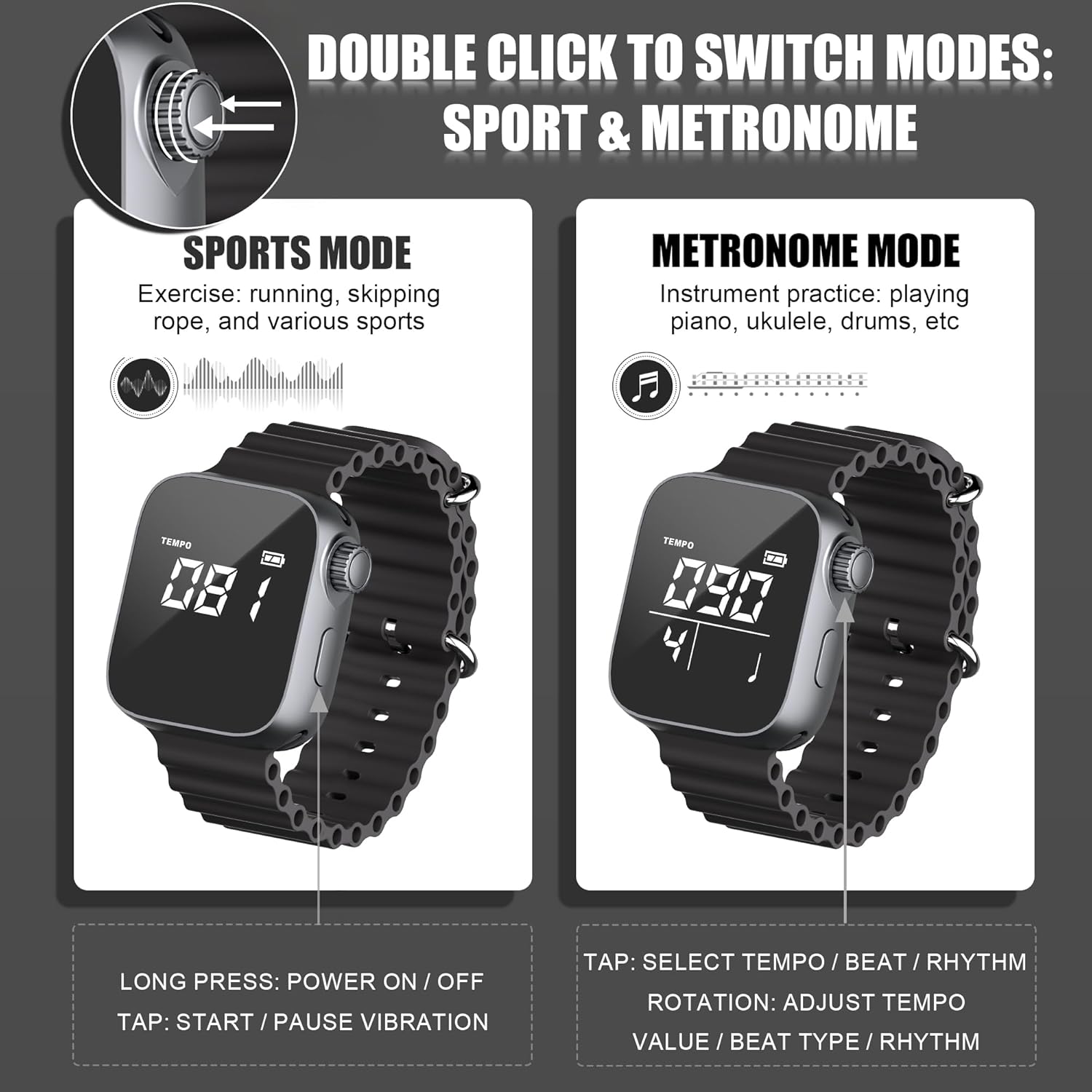
Image: Illustration of the rotary knob control for switching between Sport Mode and Metronome Mode.
4.2 Metronome Mode
In Metronome Mode, the watch provides vibrating beats for musical practice. To operate:
- Select Parameters: Tap the rotary knob to cycle through Tempo, Beat (Meter), and Rhythmic Pattern settings.
- Adjust Values: Rotate the knob to change the selected value.
- Tempo: Adjustable from 40 to 240 beats per minute (bpm).
- Beat (Meter): Set from 0 to 9 beats per measure.
- Rhythmic Pattern: Choose from 6 available rhythmic patterns.
- Start/Pause Vibration: Tap the rotary knob to start or pause the vibration.

Image: The metronome watch displaying Metronome Mode settings, with examples of musicians using it for practice.
4.3 Sport Mode
In Sport Mode, the watch provides a rhythmic pulse to aid in various physical activities. To operate:
- Select Parameters: Tap the rotary knob to select the vibration frequency.
- Adjust Values: Rotate the knob to change the vibration frequency per minute (40-240bpm).
- Start/Pause Vibration: Tap the rotary knob to start or pause the vibration.
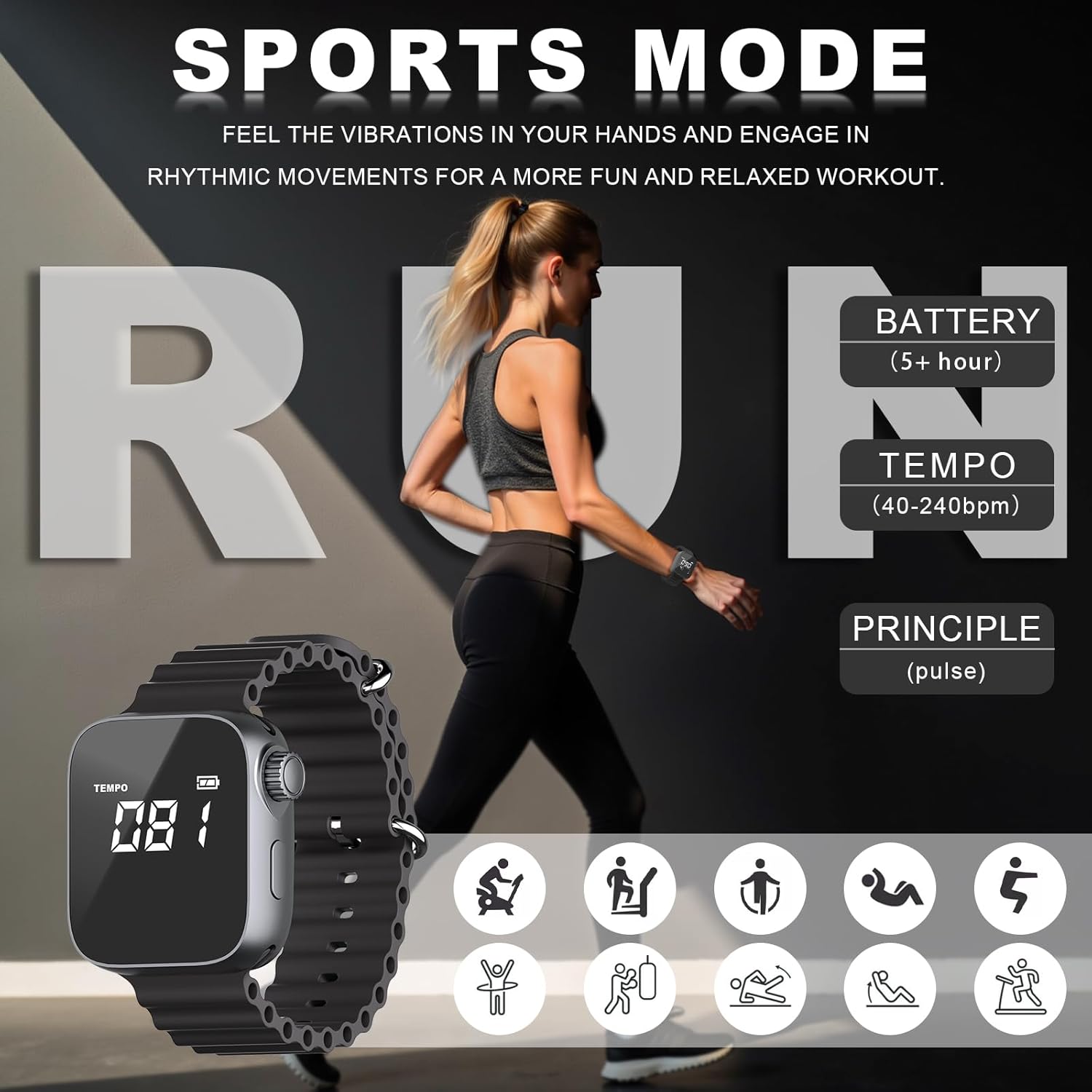
Image: The metronome watch displaying Sport Mode settings, with examples of individuals using it for exercise.
5. Maintenance
- Cleaning: Wipe the watch with a soft, dry cloth. Avoid using harsh chemicals or abrasive materials.
- Storage: Store the watch in a cool, dry place away from direct sunlight and extreme temperatures.
- Battery Care: To prolong battery life, avoid fully discharging the battery frequently. Charge the device regularly, even if not in use for extended periods.
6. Troubleshooting
| Issue | Possible Cause | Solution |
|---|---|---|
| Device does not power on or hold a charge. | Low battery; faulty charging cable or power source; internal battery issue. | Ensure the device is fully charged using the provided magnetic cable and a working USB power source. If the issue persists, contact customer support. |
| Rotary knob controls are unresponsive. | Software glitch; physical damage to the knob. | Try restarting the device by long-pressing the rotary knob. If the problem continues, contact customer support. |
| Display is dim or unreadable. | Display settings; environmental lighting; display malfunction. | The device does not have adjustable brightness. Ensure you are viewing the screen in adequate lighting. If the display remains unreadable, contact customer support. |
| Vibration is weak or inconsistent. | Low battery; internal vibration motor issue. | Ensure the device is fully charged. If the vibration intensity does not improve, contact customer support. |
7. Specifications
- Model Number: MI9980
- Item Weight: 2.89 ounces
- Product Dimensions: 9.6 x 0.9 x 0.1 inches
- Battery Type: 1 Lithium Polymer battery (included)
- Body Material: Plastic
- Material Type: Metal, Plastic
- Color: Black
- Connector Type: USB (for charging)
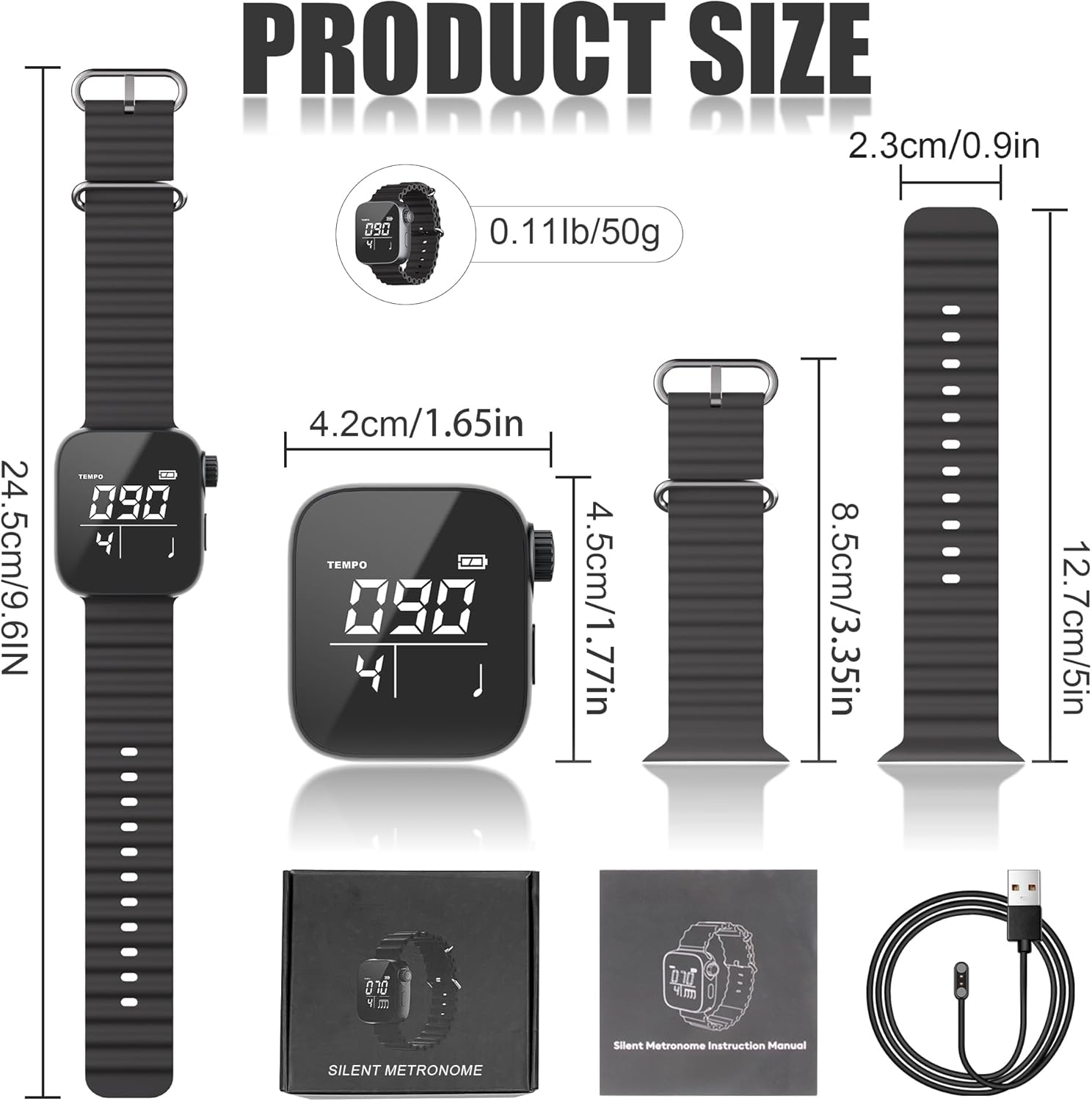
Image: Detailed product dimensions and weight of the Aklot Vibrating Metronome Watch.
8. Support
Aklot is committed to providing prompt and courteous service. If you encounter any issues or require assistance with your Vibrating Metronome Watch, please refer to the contact information provided with your purchase or visit the official Aklot website for support resources.
