
1. Safety Information
Before operating your Jasion YC1 ST Electric Bike, please read and understand all safety instructions. Failure to follow these instructions may result in serious injury or damage to the bicycle.
- Always wear a helmet that meets safety standards.
- Obey all local traffic laws and regulations.
- Perform a pre-ride inspection before each use, checking brakes, tires, battery, and all fasteners.
- Do not ride under the influence of alcohol or drugs.
- Be aware of your surroundings and ride defensively.
- Avoid riding in adverse weather conditions or on slippery surfaces.
2. Setup and Assembly
The Jasion YC1 ST Electric Bike requires some assembly. Please follow the steps below carefully. For a visual guide, refer to the assembly video provided.
2.1 Unboxing and Component Check
Carefully open the packaging and remove all components. Verify that all parts are present according to the packing list in your user manual.
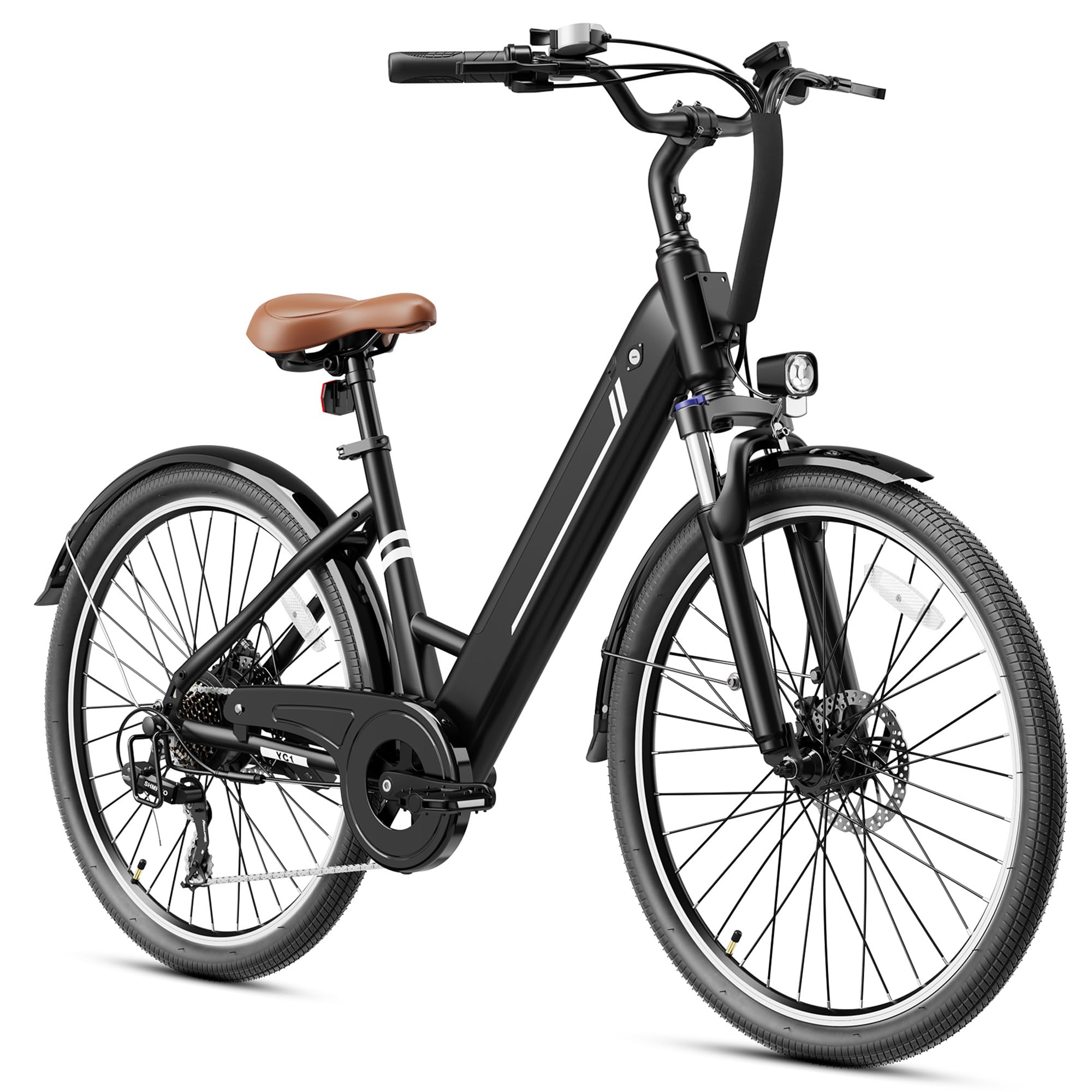
Image: All components of the Jasion YC1 ST Electric Bike laid out for assembly.
2.2 Handlebar Installation
Attach the handlebar to the stem. Ensure the handlebar is centered and the bolts are tightened securely to prevent movement during riding.
2.3 Kickstand Installation
Install the kickstand onto the designated mounting points on the bicycle frame. Ensure it is firmly attached and can support the bike's weight.
2.4 Front Wheel Installation
Carefully install the front wheel into the fork. Align the brake rotor with the caliper and secure the quick-release skewer or axle nuts.
2.5 Front Fender and Light Installation
Attach the front fender and headlight to the front fork. Ensure the fender is properly aligned over the wheel and the light is securely mounted and connected.
2.6 Pedal Installation
Identify the left (L) and right (R) pedals. The left pedal threads counter-clockwise, and the right pedal threads clockwise. Tighten them firmly to the crank arms.
2.7 Seat Installation
Insert the seat post into the frame's seat tube. Adjust the seat height to a comfortable riding position and secure it with the quick-release lever or bolt.
2.8 Battery Insertion and Final Check
Insert the removable battery into its compartment and lock it securely. Perform a final check of all connections and tightened components before your first ride.
2.9 Assembly Video Guide
Video: A detailed step-by-step guide on assembling the Jasion YC1 ST Electric Bike.
3. Operating Your Electric Bike
Familiarize yourself with the controls and features of your Jasion YC1 ST Electric Bike for an optimal riding experience.
3.1 Powering On/Off and LCD Display
To power on the bike, press and hold the power button on the LCD display. The display shows current speed, total mileage, battery level, and selected riding mode. To power off, press and hold the power button again.

Image: The integrated LCD display provides real-time riding data.
3.2 Riding Modes
Your Jasion YC1 ST Electric Bike offers three distinct riding modes:
- Pure Electric Mode: Engages the motor without pedaling, providing power via the throttle.
- Pedal Assist Mode (PAS): The motor provides assistance as you pedal, with adjustable levels of support. This mode extends battery range.
- Pedal-Only Mode: Functions as a traditional bicycle with no motor assistance.

Image: A rider enjoying the Jasion YC1 ST Electric Bike, highlighting the three riding modes.
3.3 Gear Shifting
The bike is equipped with a 7-speed transmission system. Use the gear shifter on the handlebar to change gears according to terrain and desired effort. Shift to lower gears for climbing hills and higher gears for flat terrain or descents.
3.4 Braking System
The Jasion YC1 ST features dual disc brakes for reliable stopping power. Apply both front and rear brakes simultaneously for controlled and effective braking. Avoid sudden, hard braking, especially with the front brake, to prevent loss of control.

Image: Detail of the dual disc brake system for reliable stopping.
4. Maintenance
Regular maintenance ensures the longevity and safe operation of your Jasion YC1 ST Electric Bike.
4.1 Battery Care
- Charge the battery fully before first use and after each ride.
- Do not overcharge or completely drain the battery.
- Store the battery in a cool, dry place, away from direct sunlight and extreme temperatures.
- If storing for extended periods, charge the battery to 50-70% every 2-3 months.

Image: The internal removable battery design for convenient charging and security.
4.2 Tire Pressure
Check tire pressure regularly. Maintain the recommended PSI (pounds per square inch) indicated on the tire sidewall for optimal performance and safety.
4.3 Brake Adjustment
Inspect brake pads for wear and adjust brake cables as needed to ensure proper stopping power. If brakes feel spongy or ineffective, have them serviced by a qualified technician.
4.4 Chain Lubrication
Keep the chain clean and lubricated to ensure smooth gear changes and prevent rust. Apply bicycle-specific chain lubricant periodically.
4.5 General Cleaning
Clean your e-bike with a damp cloth and mild soap. Avoid using high-pressure washers directly on electrical components.
5. Troubleshooting
This section addresses common issues you might encounter with your Jasion YC1 ST Electric Bike.
- Bike not powering on: Check if the battery is fully charged and properly inserted. Ensure the power button on the display is pressed correctly.
- Motor not assisting: Verify that Pedal Assist Mode is selected and the battery has sufficient charge. Check for any error codes on the LCD display.
- Brakes squeaking: This can be normal for new brakes. If persistent, check for dirt or debris on the rotors and pads. Brake pads may need adjustment or replacement.
- Difficulty shifting gears: Inspect the gear cables for tension and ensure the derailleur is properly aligned.
- Unusual noises: Stop riding immediately and inspect the bike for loose components, rubbing parts, or damaged areas.
For issues not covered here or if problems persist, please contact Jasion customer support.
6. Specifications
Key technical specifications for the Jasion YC1 ST Electric Bike:
| Feature | Specification |
|---|---|
| Bike Type | City Bike, Commuting Bike |
| Brand | Jasion |
| Color | Black |
| Wheel Size | 26 Inches |
| Specific Uses For Product | Road, Trail |
| Style | Electric Bike |
| Power Source | Electric motor |
| Wheel Material | Rubber |
| Lithium Battery Energy Content | 360 Watt Hours |
| Assembly Required | Yes |
| Bicycle Gear Shifter Type | Electronic |
| Bicycle Drivetrain Type | chain drive |
| Electric Assist Type | pedal assist, throttle assist |
| Model Number | YC1 ST |

Image: Detailed dimensions and weight specifications of the Jasion YC1 ST Electric Bike.
7. Warranty and Support
Your Jasion YC1 ST Electric Bike comes with a manufacturer's warranty. Please refer to the warranty card included with your purchase for specific terms and conditions. For technical support, parts, or warranty claims, please contact Jasion customer service through the official website or your retailer.


