
Introduction
This manual provides essential instructions for the safe and effective operation, setup, and maintenance of your Milwaukee M18 FUEL String Trimmer with QUIK-LOK Kit. Please read this manual thoroughly before using the product and retain it for future reference.
Safety Warning:
Wear appropriate protective clothing and gear, including eye and ear protection, when operating. Be aware of flying debris and cut hazards.
Kit Contents
The Milwaukee M18 FUEL String Trimmer with QUIK-LOK Kit includes the following components:
- M18 FUEL™ Power Head with QUIK-LOK™
- M18 FUEL™ QUIK-LOK™ String Trimmer Attachment
- M18™ REDLITHIUM™ FORGE™ XC8.0 Battery
- M18™ & M12™ Rapid Charger

Figure 1: Overview of the Milwaukee M18 FUEL String Trimmer with QUIK-LOK Kit components.
Setup
1. Assembling the Trimmer
- Align the QUIK-LOK™ String Trimmer Attachment with the M18 FUEL™ Power Head.
- Push the attachment into the power head until it clicks securely into place.
- Tighten the thumb screw on the power head to further secure the attachment.
- Adjust the auxiliary handle to a comfortable operating position and tighten it.
2. Battery Installation and Charging
- Ensure the M18™ REDLITHIUM™ FORGE™ XC8.0 Battery is fully charged using the M18™ & M12™ Rapid Charger.
- Slide the charged battery into the battery slot on the power head until it locks into place.
- To remove, press the release button on the battery and slide it out.

Figure 2: The Milwaukee M18 FUEL String Trimmer fully assembled with battery and charger.
Operating Instructions
1. Starting and Stopping
- To start, press the safety button and then squeeze the trigger.
- To stop, release the trigger.
2. Speed Settings
The trimmer features two speed settings: a low-speed (turtle icon) for lighter tasks and extended run time, and a high-speed (rabbit icon) for demanding applications and maximum power.
- Use the speed selector switch located on the power head to toggle between low and high speeds.
3. Extending Trimmer Line
To extend the trimmer line, lightly tap the trimmer head on the ground while the tool is running. The line will automatically feed out.
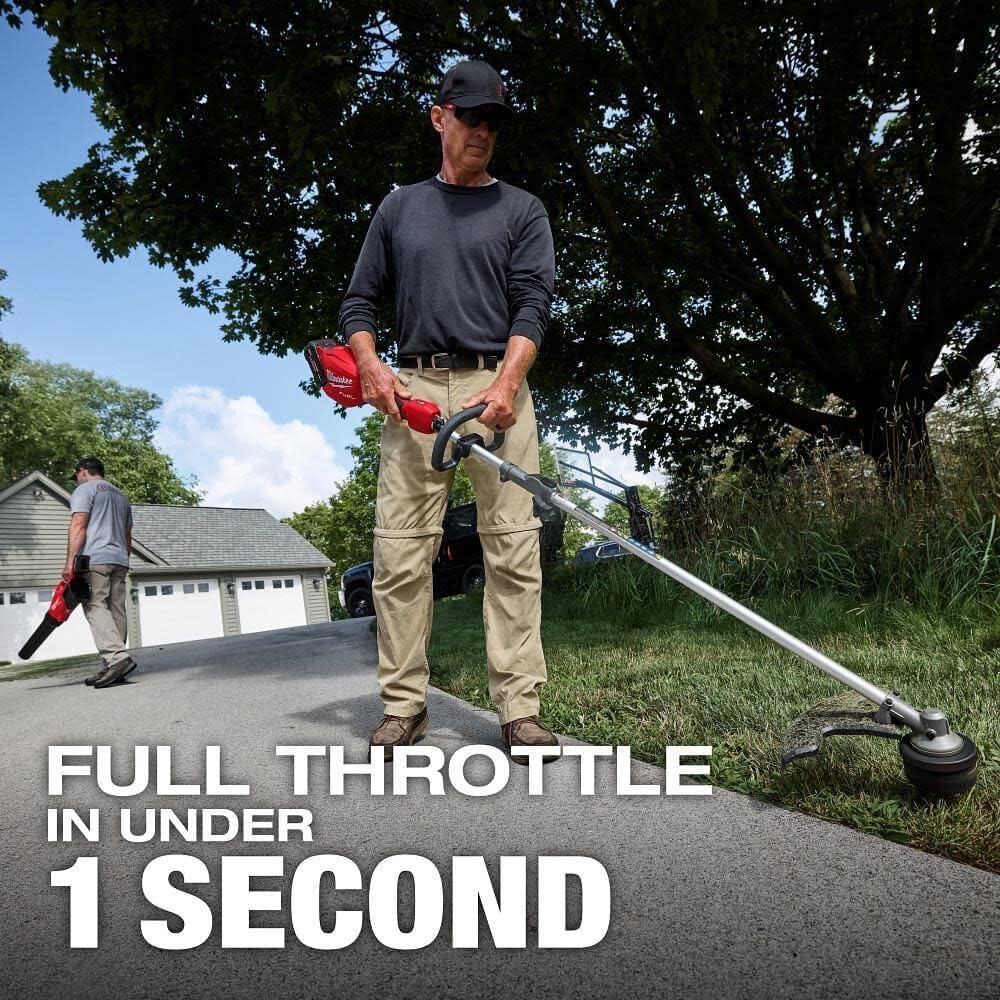
Figure 3: User demonstrating the ease of operation of the Milwaukee M18 FUEL String Trimmer.

Figure 4: The Milwaukee M18 FUEL String Trimmer demonstrating its power in cutting tall grass.
Maintenance
1. General Cleaning
- After each use, remove the battery and clean the trimmer head and shield of any grass clippings or debris.
- Use a damp cloth to wipe down the tool's exterior. Do not use harsh chemicals.
2. Trimmer Line Replacement
Refer to the specific instructions provided with your trimmer line for proper replacement. Ensure the correct diameter and type of line are used for optimal performance.
3. Storage
- Store the trimmer in a dry, secure location out of reach of children.
- Remove the battery before storing for extended periods.
Troubleshooting
| Problem | Possible Cause | Solution |
|---|---|---|
| Trimmer does not start | Battery not charged or improperly installed; Safety button not pressed. | Charge battery, ensure proper installation; Press safety button before squeezing trigger. |
| Trimmer line does not extend | Line tangled or empty spool; Trimmer head not tapped correctly. | Inspect and untangle line or replace spool; Tap trimmer head firmly on the ground while running. |
| Reduced cutting performance | Worn or incorrect trimmer line; Low battery charge. | Replace trimmer line; Recharge battery. |
Specifications
| Feature | Detail |
|---|---|
| Brand | Milwaukee |
| Model Number | 3016-21ST |
| Power Source | Battery Powered (M18 REDLITHIUM) |
| Item Weight | 16 Pounds |
| Cutting Width | 16 inches |
| Speed | Up to 6200 RPM |
| Number of Batteries | 1 Lithium Ion battery required (included) |
| Battery Average Life | 3 years |
| Cordless | Yes |
| Item Dimensions (L x W) | 36"L x 12"W |
| Required Assembly | No (minimal assembly for initial setup) |

Figure 5: Milwaukee offers a 3-year warranty on both the tool and battery.
Versatile QUIK-LOK™ Attachment System
The Milwaukee M18 FUEL String Trimmer is part of the QUIK-LOK™ Attachment System, allowing for quick and easy interchangeability with various other attachments (sold separately) using a single power head. This system enhances versatility for different landscaping tasks.

Figure 6: The QUIK-LOK™ system allows for multiple attachments to be used with one power head.

Figure 7: Demonstrating the versatility of the Milwaukee M18 FUEL QUIK-LOK Attachment System for different tasks.
Product Videos
Milwaukee M18 FUEL String Trimmer Review
Video 1: A detailed review of the Milwaukee M18 FUEL String Trimmer, highlighting its cordless power and value.
Surprising Review on This String Trimmer
Video 2: A user's surprising review of the Milwaukee M18 FUEL String Trimmer, focusing on ease of use and battery power.
The Only Grass Trimmer You Will Need
Video 3: A user testimonial highlighting the power, battery life, and robust build quality of the Milwaukee M18 FUEL String Trimmer.
Warranty and Support
The Milwaukee M18 FUEL String Trimmer with QUIK-LOK Kit is backed by a manufacturer's warranty. For specific details regarding your warranty coverage, including terms and conditions, please refer to the warranty card included with your product or visit the official Milwaukee website.
For technical support, service, or to inquire about replacement parts, please contact Milwaukee customer service through their official channels.


