
Introduction
This manual provides detailed instructions for the installation, operation, and maintenance of your Xega 4G LTE Wired Outdoor Security Camera (Model XG-22-EU-B-4G). This camera is designed for reliable surveillance in remote areas without Wi-Fi access, utilizing 4G LTE connectivity. It features 2K HD resolution, Pan-Tilt-Zoom (PTZ) functionality, advanced human detection with automatic tracking, full-color night vision, two-way audio communication, and an IP66 weatherproof rating.
Video: Overview of the Xega 4G LTE Camera's features and capabilities.
1. Setup
1.1 Package Contents
- 1 x Xega 4G LTE Security Camera
- 1 x Nano SIM Card (300MB trial pre-installed)
- 1 x Power Cable (3 meters)
- 1 x Mounting Bracket
- 1 x Set of Screws
- 1 x User Manual
1.2 SIM Card Installation
- Locate the SIM card slot on the camera.
- Insert the provided Nano SIM card into the slot, ensuring correct orientation.
- Close the SIM card slot cover securely to maintain weather resistance.
1.3 Power Connection
- Connect the 3-meter power cable to the camera's power input port.
- Plug the power adapter into a standard electrical outlet. The camera will power on automatically.

Image: The Xega 4G LTE camera connected to its power cable, illustrating the wired power supply.
1.4 App Download and Account Setup
- Download the Ubox app from your smartphone's app store (iOS or Android).
- Open the Ubox app and follow the on-screen instructions to create a new account or log in.
- Add your camera to the app by scanning the QR code on the camera or manually entering its device ID.
1.5 Mounting the Camera
- Choose a suitable outdoor location for mounting, ensuring a clear view and access to a power source.
- Use the provided mounting bracket and screws to securely attach the camera to a wall or other stable surface.
- Adjust the camera's angle to cover the desired surveillance area.
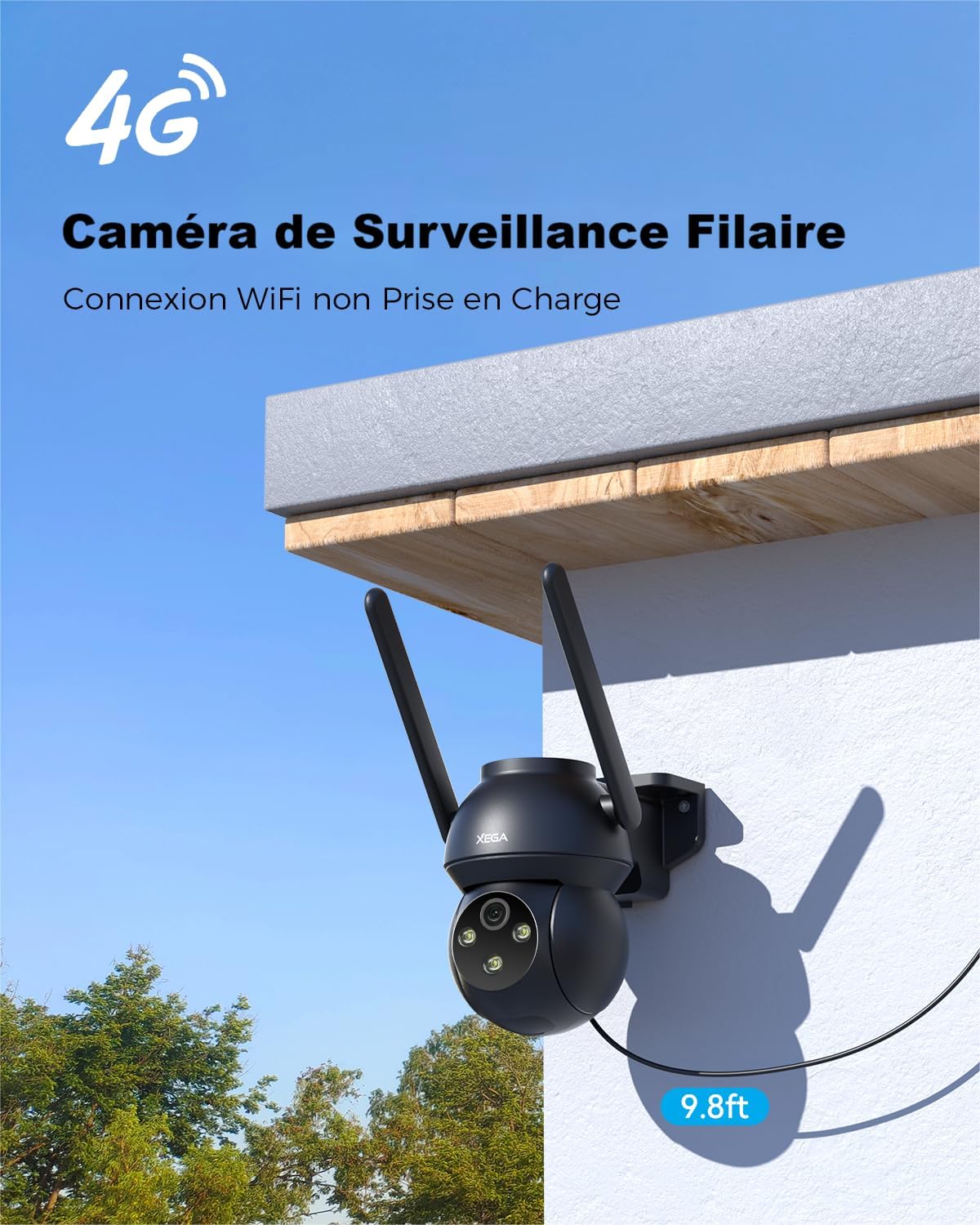
Image: The Xega 4G LTE camera securely mounted on an exterior wall, ready for operation.
2. Operating the Camera
2.1 Live View and PTZ Control
Access the live video feed through the Ubox app. Use the on-screen controls to pan the camera horizontally up to 350° and tilt vertically up to 90°. The camera also supports 4x digital zoom for closer inspection of details.

Image: Visual representation of the camera's Pan-Tilt-Zoom (PTZ) range, showing 350° horizontal and 90° vertical movement.
2.2 Human Detection and Auto Tracking
The camera features advanced human detection to minimize false alerts. When human motion is detected, the camera sends instant alerts to your Ubox app and can automatically track the moving subject within its field of view.

Image: The camera's human detection feature in action, highlighting a person and an alert notification on the Ubox app.
2.3 Custom Detection Zones
You can customize specific detection zones within the camera's view through the Ubox app. This allows you to focus on critical areas and receive alerts only for relevant activity, optimizing data usage and storage.

Image: An illustration of setting up custom detection zones around a property, allowing for precise monitoring.
2.4 Color Night Vision
The camera provides 2K resolution and offers full-color night vision up to 25 meters, capturing clear and detailed images even in complete darkness. This enhances identification of objects and individuals at night.
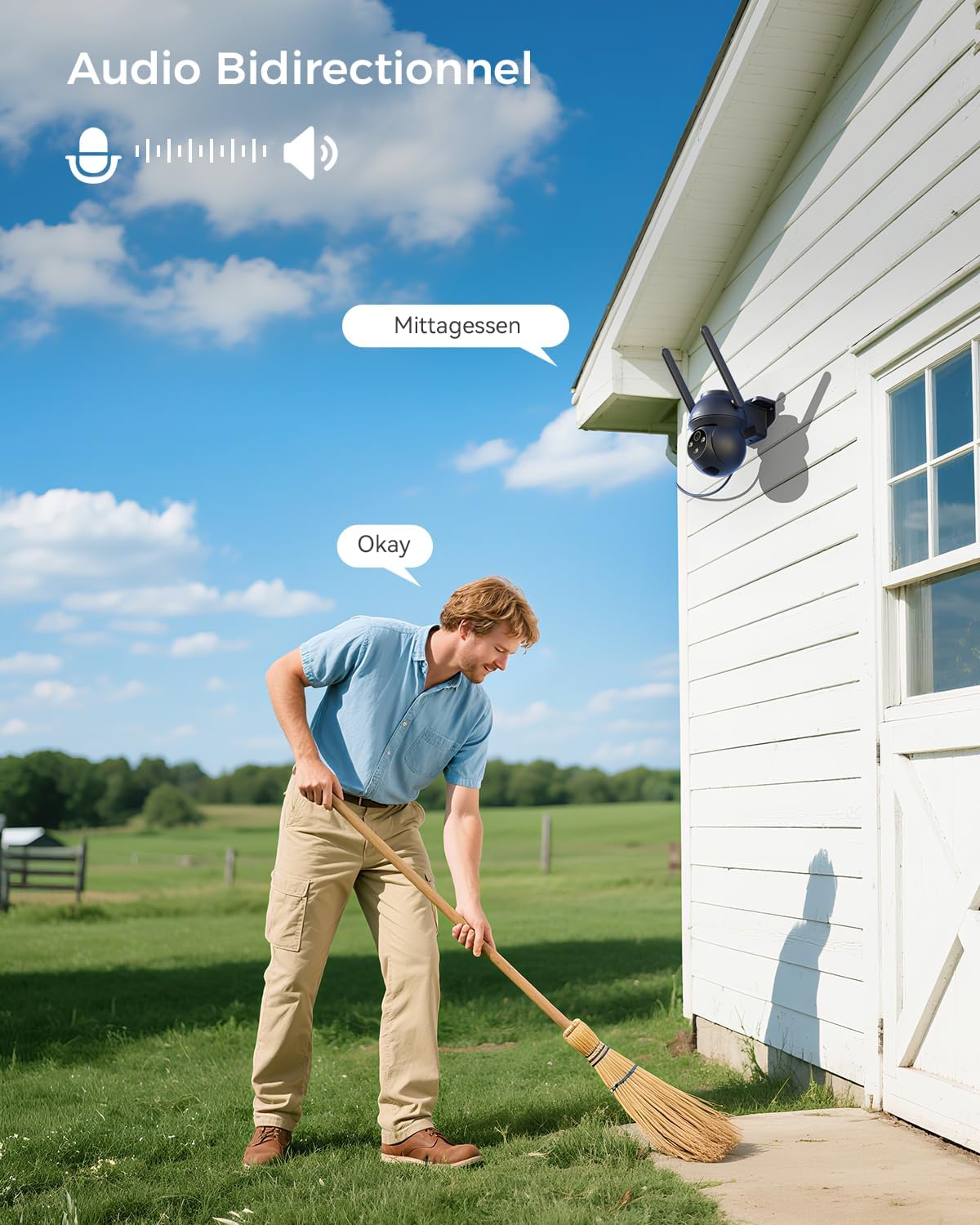
Image: A split view demonstrating the camera's 2K color night vision compared to traditional infrared night vision.
2.5 Two-Way Audio
Utilize the built-in microphone and speaker for two-way communication. You can listen to the camera's surroundings and speak through the camera from your smartphone, allowing for interaction with visitors or deterring intruders.

Image: An example of two-way audio in use, showing a person communicating through the camera.
2.6 Recording and Storage
The camera supports 24/7 continuous recording, motion-activated recording, and scheduled recording. Footage can be stored locally on a MicroSD/TF card (up to 128GB, not included) or via optional cloud storage (30-day trial available).

Image: Illustration of the camera's flexible storage options, including cloud storage and local TF card storage.
2.7 Sharing Camera Access
You can share access to your camera's live feed and recordings with family members or trusted individuals through the Ubox app, allowing multiple users to monitor the property simultaneously.

Image: Visual representation of sharing camera access with family members across different locations.
3. Maintenance
3.1 Weather Resistance (IP66)
The Xega 4G LTE camera is rated IP66, meaning it is fully protected against dust ingress and powerful water jets. This ensures reliable operation in various outdoor weather conditions, including rain and snow.

Image: The camera enduring heavy rain, highlighting its IP66 waterproof and dustproof design.
3.2 Cleaning
To maintain optimal performance, regularly clean the camera lens and body with a soft, damp cloth. Avoid using harsh chemicals or abrasive materials that could damage the camera's surface or lens.
3.3 Firmware Updates
Periodically check the Ubox app for available firmware updates. Keeping your camera's firmware up-to-date ensures access to the latest features, security enhancements, and performance improvements.
4. Troubleshooting
- Camera is Offline or Not Connecting:
- Ensure the camera is properly powered on and the power cable is securely connected.
- Verify that the 4G SIM card is correctly inserted and has an active data plan.
- Check the 4G signal strength in the camera's location via the Ubox app. Relocate the camera if the signal is weak.
- Restart the camera by unplugging and re-plugging the power cable.
- Motion Detection Not Working or Too Many False Alarms:
- Adjust the motion detection sensitivity settings in the Ubox app.
- Configure custom detection zones to exclude areas with frequent irrelevant movement (e.g., trees swaying).
- Ensure the human detection feature is enabled if you only want alerts for people.
- Poor Image or Video Quality:
- Clean the camera lens with a soft, lint-free cloth.
- Ensure adequate lighting, especially for night vision.
- Check the 4G signal strength; a weak signal can affect streaming quality.
- Two-Way Audio Issues:
- Ensure the microphone and speaker settings are enabled in the Ubox app.
- Check for any obstructions blocking the camera's microphone or speaker.
- Adjust volume levels in the app.
- SD Card Not Recording:
- Ensure the MicroSD/TF card is correctly inserted and formatted within the Ubox app.
- Check if the card has sufficient free space.
- Verify recording settings (continuous, motion-activated, scheduled) are correctly configured.
5. Specifications
| Feature | Detail |
|---|---|
| Model Number | XG-22-EU-B-4G |
| Brand | Xega |
| Dimensions (L x W x H) | 16.8 x 15.6 x 11.8 cm |
| Weight | 500 Grams |
| Connectivity Technology | 4G LTE, Wired |
| Resolution | 2K (1296p) |
| Night Vision Range | 20 Meters |
| Night Vision Type | Color Night Vision |
| PTZ Functionality | 350° Pan, 90° Tilt |
| Digital Zoom | 4x |
| Special Features | Two-Way Audio, Human Detection, Auto Tracking |
| Storage | MicroSD/TF Card (up to 128GB), Cloud Storage (optional) |
| Power Source | Electrical Cable |
| Water Resistance Level | IP66 (Waterproof) |
| Compatible Devices | Smartphone only |
| Control Method | Application (Ubox) |
6. Warranty and Support
Xega is committed to providing excellent customer service. If you encounter any issues or have questions regarding your Xega 4G LTE Security Camera, please contact our dedicated support team.
6.1 Contacting Support
- Via Ubox App: Access the support section within the Ubox application for direct assistance.
- Via Amazon Messages: Send a message to the seller (DanyeTech) through your Amazon order history.
- Via XEGA Email: Refer to the product packaging or official Xega website for direct email support.
Our support team is available to provide prompt assistance tailored to your needs.


