
1. Safety Information
Always supervise children while using this ride-on car. Ensure the safety belt is fastened and doors are locked. Use only on flat, stable surfaces. Regularly check for any damage and discontinue use if any issues are found.
Important Safety Features:
- Soft start system for gentle acceleration.
- Secure 3-point harness for child safety.
- Lockable doors to prevent accidental opening.
- Raised side panels for extra protection during turns.

Image: A child secured in the ride-on truck with a three-point seatbelt, demonstrating the safety features including lockable doors.
2. Components Included
The following components are included in your package:
- Car Body
- Remote Control
- Charging Box
- Instruction Manual
3. Setup and Assembly
Assembly of the First Ride On Ford F-150 Raptor is designed to be straightforward. Most components snap into place, requiring minimal tools.
3.1. Initial Battery Connection
Before first use, ensure the battery is properly connected. Locate the battery compartment, connect the orange connector, and secure the cover.
3.2. Wheel and Axle Installation
Install the front and rear axles, followed by the wheels. Secure them with the provided screws and attach the hubcaps.
3.3. Steering Wheel and Seat Installation
Snap the steering wheel into place and secure it. Install the seat, ensuring the safety harness is accessible and properly attached.
3.4. Accessory Attachment
Attach the side mirrors and any other snap-on accessories as indicated in the detailed manual diagrams.
Video: Detailed assembly guide for the First Ride On 12V F150 Ride on Truck, demonstrating step-by-step installation of components.
4. Operating Instructions
The Ford F-150 Raptor ride-on truck offers two primary operating modes: child-driven and parent remote control.
4.1. Child-Driven Mode
Children can operate the truck using the foot pedal for acceleration and the steering wheel for direction. The dashboard includes controls for lights, horn, and speed selection.
- Power Button: Press to turn the vehicle on/off.
- Forward/Reverse Switch: Select desired driving direction.
- High/Low Speed Switch: Adjust the speed setting.
- Foot Pedal: Press to accelerate. Release to brake.
- Steering Wheel: Turn to control direction.
- Lights Button: Activates the LED headlights.
- Horn: Located on the steering wheel.

Image: A child enjoying the ride-on truck, highlighting the dashboard with entertainment features like Bluetooth connectivity and FM radio.
4.2. Parent Remote Control Mode
For younger children or for parental supervision, the included 2.4G remote control allows full command over the vehicle's movement and speed.
- Forward/Backward Buttons: Control the vehicle's movement.
- Left/Right Buttons: Steer the vehicle.
- Speed Selection: Adjust speed (typically 3 levels).
- Emergency Stop: Immediately halts the vehicle for safety.

Image: Demonstrates the dual control options, with a parent using the remote control and a child independently driving the truck.
Video: An overview of the Licensed Ford F-150 Kids Ride on Truck, showcasing its features and operation.
5. Maintenance
Regular maintenance ensures the longevity and safe operation of your ride-on truck.
5.1. Charging the Battery
The vehicle requires 1 12V battery (included). Charge the battery fully before first use and after each play session. Refer to the charging box instructions for proper charging procedures. Do not overcharge.
5.2. Cleaning
Wipe the vehicle with a damp cloth. Avoid using harsh chemicals or abrasive cleaners that could damage the finish.
5.3. Storage
Store the vehicle in a dry, cool place away from direct sunlight and moisture. If storing for extended periods, ensure the battery is fully charged and disconnected.
6. Troubleshooting
If you encounter any issues, please refer to the following common solutions:
- Vehicle not turning on: Check if the battery is fully charged and properly connected. Ensure the power button is pressed.
- Vehicle not moving: Verify the forward/reverse switch is in the correct position. Check if the foot pedal is fully depressed. Ensure the remote control is not overriding child operation.
- Remote control not working: Check the batteries in the remote control (requires 3 AAA batteries). Ensure the remote is paired correctly with the vehicle.
- Lights or sounds not working: Check the lights button on the dashboard. Ensure the steering wheel batteries (2 AA batteries for horn) are installed correctly.
7. Specifications
| Feature | Detail |
|---|---|
| Product Dimensions | 40.47 x 26.57 x 24.21 inches |
| Item Weight | 45.7 pounds |
| Model Number | 12VFB |
| Recommended Age | 3 - 5 years |
| Battery | 1 12V battery (included) |
| Control Modes | Child-driven (foot pedal/steering wheel) and 2.4G Remote Control (parental) |
| Speed Settings | Adjustable (High/Low) |
| Entertainment | Bluetooth connectivity, FM radio, early learning mode, realistic engine sounds, horn |
| Storage | Rear truck bed storage |
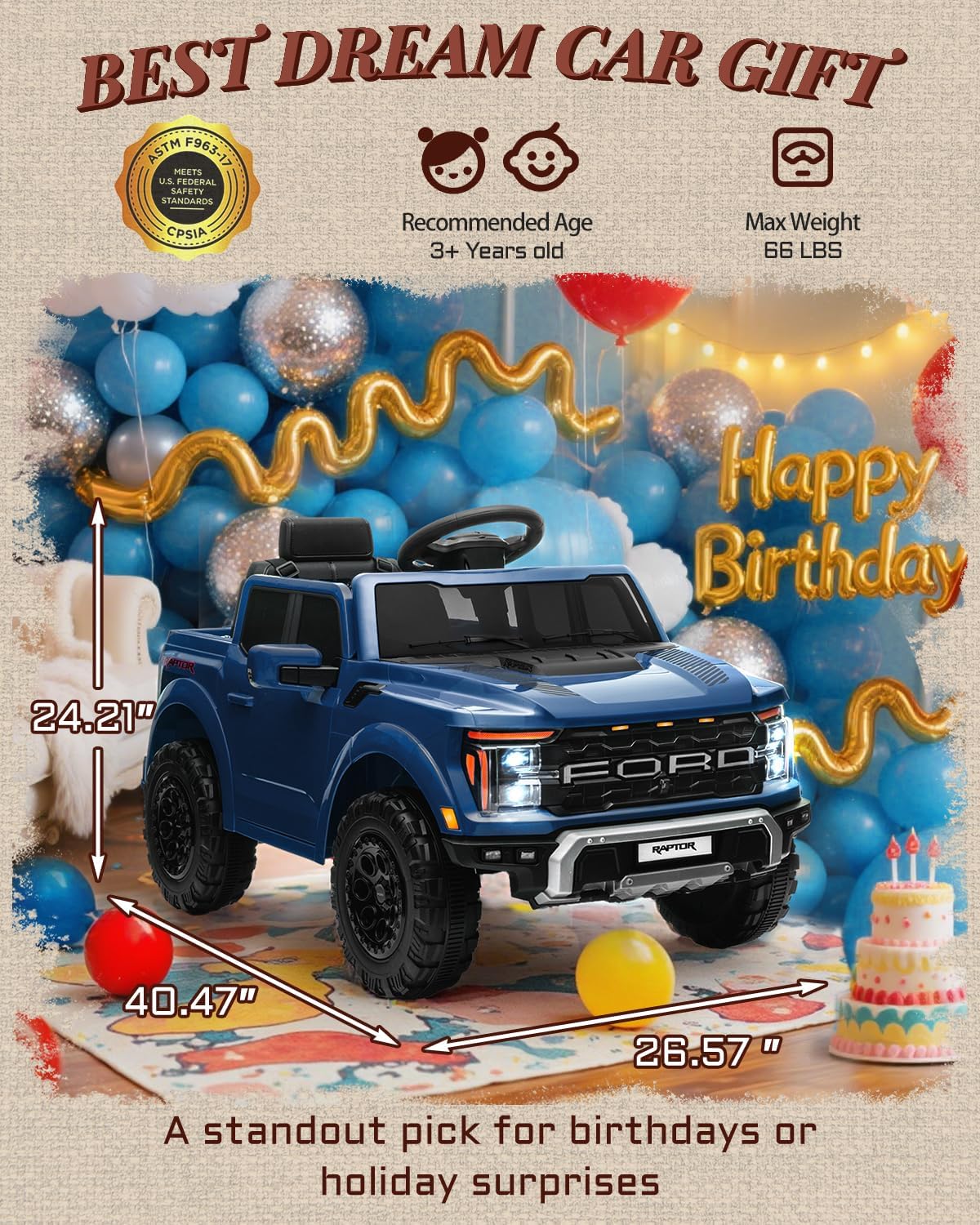
Image: Visual representation of the truck's dimensions, recommended age (3+ years), and maximum weight capacity (66 lbs).

Image: Illustrates the truck's upgraded ride capabilities, including a 12V 7Ah battery, #390 motor, and a speed graph showing smooth start functionality.
8. Warranty & Support
For warranty information or technical support, please contact First Ride On customer service. Refer to the original packaging or the manufacturer's website for contact details.
