
1. Introduction
This manual provides detailed instructions for the installation, operation, maintenance, and troubleshooting of your SIXWIN Android 13 1 DIN Car Tuner. This device features a 7-inch manual retractable touchscreen, 4GB RAM, 64GB ROM, and supports Wireless Carplay, Android Auto, Mirror Link, WiFi, GPS, Bluetooth 5.0, EQ, FM/RDS Radio, USB, and TF card inputs. Please read this manual thoroughly before using the product to ensure proper function and safety.
2. Product Overview
The SIXWIN Android 13 1 DIN Car Tuner is designed to enhance your in-car entertainment and navigation experience. It integrates advanced features within a standard 1 DIN form factor.
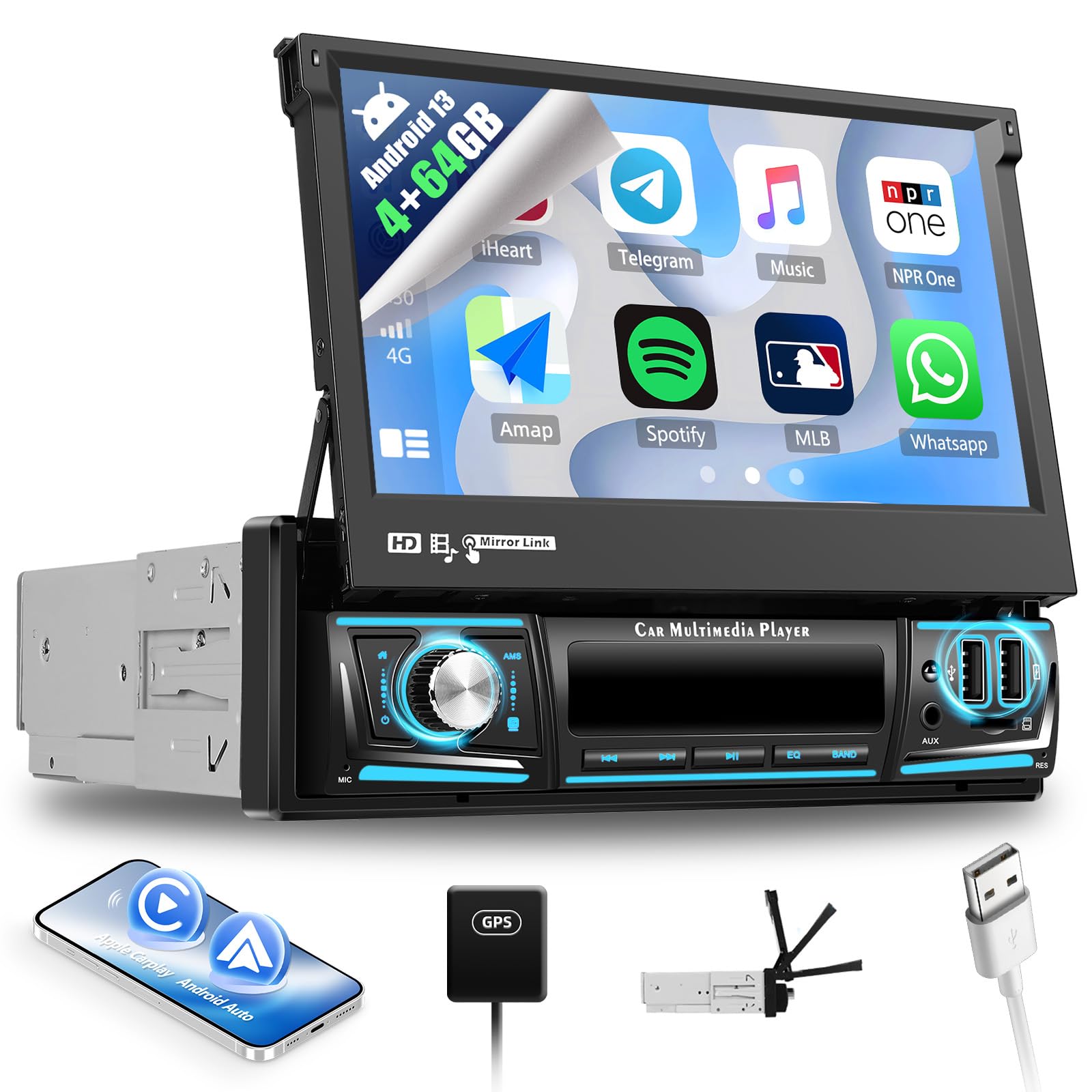
Image: Installation display of the SIXWIN Android 13 1 DIN Car Tuner in a vehicle dashboard, illustrating the appearance before and after installation.

Image: Detailed diagram illustrating the dimensions of the car tuner unit and a comprehensive list of included accessories such as power cables, RCA cables, USB cables, GPS antenna, radio antenna, rear camera input cable, mounting brackets, and user manual.

Image: This graphic highlights the core hardware specifications, including the 4-core processor, 4GB RAM, and 64GB internal storage. It also details the IPS display screen with 2.5D touch glass, emphasizing its touchscreen capabilities and anti-blue light feature.
3. Setup and Installation
Proper installation is crucial for the optimal performance of your car tuner. It is recommended that installation be performed by a qualified professional.
3.1 Unpacking and Component Check
Before installation, carefully unpack the unit and verify that all components listed in the packing list are present. Refer to the 'Packing List & Size' image in Section 2 for a visual guide.
3.2 Wiring Diagram
Connect the included cables according to your vehicle's wiring system. The package includes:
- Power Cable
- Rear Camera Input Cable (for included waterproof night vision camera)
- 6-Pin USB Cable
- Radio Antenna
- GPS Antenna
- RCA Cables
Ensure all connections are secure to prevent malfunctions. The unit operates on DC 12V.
3.3 Mounting
Use the provided mounting brackets to secure the 1 DIN unit into your car's dashboard. The 7-inch screen is manually retractable; ensure sufficient clearance for its operation.
4. Operating Instructions
Familiarize yourself with the various functions of your SIXWIN car tuner.
4.1 Wireless Carplay & Android Auto

Image: This image displays the user interface for Wireless Carplay and Android Auto, showing various app icons like Music, WhatsApp, and navigation. It also illustrates the Mirror Link function, demonstrating how a smartphone screen can be mirrored onto the car tuner's display via WiFi for iOS and WiFi/USB for Android.
Connect your smartphone wirelessly to access Carplay or Android Auto. This allows for safe use of navigation, calls, messages, and music playback through the car tuner's interface. Utilize the voice assistant for hands-free control.
4.2 Mirror Link Function
The Mirror Link feature supports both iOS and Android phones. Connect your smartphone via WiFi (for iOS) or WiFi/USB cable (for Android) to mirror your phone's screen onto the car tuner. This enables access to apps like Google Maps, Spotify, YouTube, and WhatsApp directly on the larger display. Voice control via Google Assistant is supported.
4.3 Built-in WiFi & GPS Navigation

Image: This visual demonstrates the integrated GPS navigation system with map display and route information. It also shows the WiFi connection interface for internet access and the reversing camera function, including a clear view from the rear camera with guide lines.
Connect to the internet via a WiFi hotspot or tethering from your phone. This allows for online content streaming, app downloads, and web browsing. The integrated GPS module supports both online and offline maps, providing accurate navigation with voice guidance and real-time traffic information.
4.4 Bluetooth 5.0
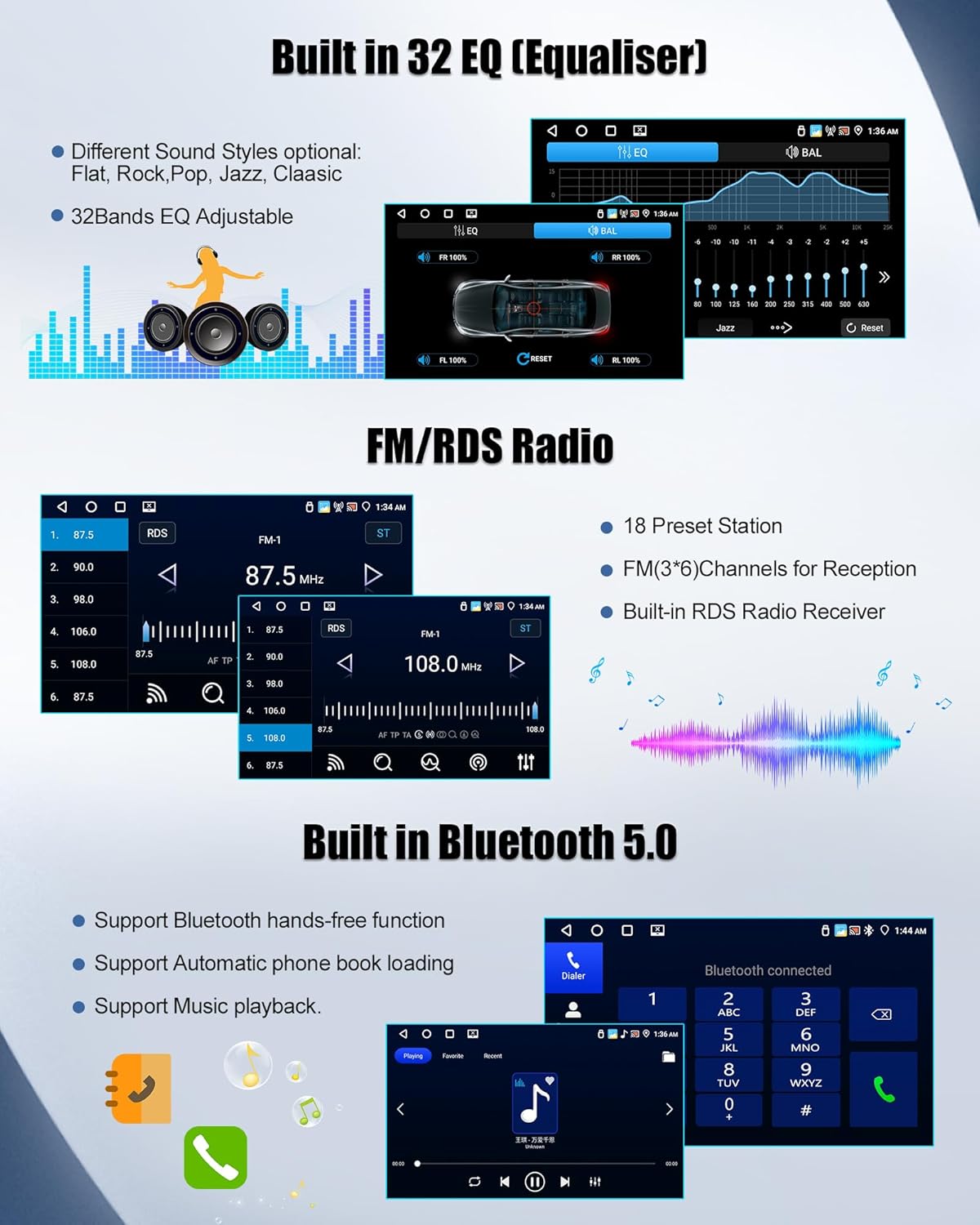
Image: This image showcases the 32-band equalizer settings for sound customization, the FM/RDS radio interface with preset stations, and the Bluetooth 5.0 functionality, including a dialer for hands-free calls and a music playback screen.
Bluetooth 5.0 provides a stable connection for your smartphone and other Bluetooth devices. It supports hands-free calling with clear voice capture, automatic phone book loading, and superior music streaming.
4.5 FM/RDS Radio
The built-in FM/RDS radio receiver supports 18 preset stations and FM (3*6) channels for reception. RDS (Radio Data System) provides additional information such as station name and song title.
4.6 32-Band EQ (Equalizer)
Customize your audio experience with the 32-band adjustable equalizer. Choose from different sound styles including Flat, Rock, Pop, Jazz, and Classic to match your preferences.
4.7 USB/AUX/TF Card Input

Image: This graphic illustrates the car tuner's ability to support 7-color customizable panel lighting. It also highlights the multiple input options available, including AUX, USB (for U Disk and phone charging), and TF card slots for media playback and device connectivity.
The unit features dual USB ports, an AUX input, and a TF card slot for playing media files and charging compatible devices.
4.8 Reversing Function
The car tuner supports an external AHD rear view camera (included). When connected, the display automatically switches to the camera view when reversing, providing a clear picture with guide lines for safer maneuvering.
4.9 7-Color Light Support
Customize the button illumination with 7 different color options to match your vehicle's interior or personal preference.
4.10 Optional Functions
The system supports additional optional functions:
- Tachograph
- Intelligent Voice Assistant
- Network Radio
- Global Weather Display
- DAB (Digital Audio Broadcasting)
5. Maintenance
To ensure the longevity and optimal performance of your SIXWIN car tuner, follow these maintenance guidelines:
- Cleaning: Use a soft, dry cloth to clean the screen and unit. Avoid abrasive cleaners or solvents.
- Software Updates: Periodically check for and install software updates to ensure the system runs efficiently and has the latest features and security patches.
- Environmental Conditions: Avoid exposing the unit to extreme temperatures, direct sunlight for prolonged periods, or excessive moisture.
6. Troubleshooting
If you encounter issues with your car tuner, refer to the following common troubleshooting steps:
6.1 No Power
- Check all power connections to ensure they are securely fastened.
- Verify the vehicle's fuse for the car stereo is intact.
6.2 No Sound
- Ensure the volume is not muted or set to minimum.
- Check speaker connections.
- Verify audio output settings in the system menu.
6.3 Touchscreen Unresponsive
- Restart the unit by turning off the vehicle ignition and restarting.
- If the issue persists, a factory reset may be required (refer to system settings).
6.4 GPS Signal Issues
- Ensure the GPS antenna is properly installed and has a clear view of the sky.
- Check GPS settings in the system menu.
6.5 Bluetooth Connectivity Problems
- Ensure Bluetooth is enabled on both the car tuner and your smartphone.
- Delete previous pairings and attempt to re-pair the devices.
For persistent issues not resolved by these steps, please contact customer support.
7. Specifications
| Feature | Specification |
|---|---|
| Brand | SIXWIN |
| Model Number | P7 |
| Operating System | Android 13 |
| RAM | 4GB |
| ROM | 64GB |
| Screen Size | 7 Inches |
| Screen Type | HD 1080P Manual Retractable Touchscreen (IPS 2.5D) |
| Connectivity Technology | Bluetooth, USB, Wi-Fi |
| Bluetooth Version | 5.0 |
| Controller Type | Mechanical Rotary Button, Android, Google Assistant |
| Special Features | Built-in Bluetooth, Carplay & Android Auto, Built-in Wi-Fi |
| Compatible Devices | Smartphone |
| Connector Type | 3.5 mm Jack, USB Type A |
| Audio Output Mode | Stereo, Surround |
| Surround Sound Channels | 5.1 or 7.1 |
| Video Encoding | RM |
| Product Dimensions (L x W x H) | 17 x 18.6 x 4.9 cm |
| Max Power Output | 4x45W (180 Watts total) |
| Number of Channels | 4 |
| Audio Output Type | Speaker |
| Included Accessories | Autoradio, Waterproof Night Vision Camera |
8. Warranty Information
The SIXWIN Android 13 1 DIN Car Tuner comes with a 1-year warranty from the date of purchase. This warranty covers manufacturing defects and malfunctions under normal use. Please retain your proof of purchase for warranty claims. The warranty does not cover damage caused by improper installation, misuse, accidents, or unauthorized modifications.
9. Support
For technical assistance, troubleshooting, or any questions regarding your SIXWIN Android 13 1 DIN Car Tuner, please contact our customer support team.

Image: A customer service representative ready to assist. For support, please use the email address provided below.
Email: SIXWINVIP@126.com
When contacting support, please provide your product model (P7) and a detailed description of the issue.

