
NWIASS 52 inch ceiling fan no light-DCF52301BW
User Manual for NWIASS 52-Inch Smart Outdoor Ceiling Fan
Model: 52 inch ceiling fan no light-DCF52301BW
Brand: NWIASS
1. Safety Information
Please read all instructions carefully before installation and use. Retain this manual for future reference.
- Ensure power is disconnected at the circuit breaker before installation or servicing.
- All electrical connections must be in accordance with local codes, ordinances, and the National Electric Code (NEC).
- Consult a qualified electrician if you are unsure about wiring.
- Mount the fan to a ceiling joist or support structure capable of supporting the fan's weight (16.5 pounds).
- Keep hands, clothing, and other objects clear of the fan blades when the fan is operating.
- This fan is damp-rated for outdoor and indoor use. Do not expose to direct water spray.
2. Product Overview
The NWIASS 52-inch Smart Outdoor Ceiling Fan offers advanced control options and efficient air circulation for both indoor and outdoor spaces.
- Smart Control: Compatible with Alexa, Google Assistant, and a dedicated mobile App, in addition to a traditional remote control.
- Quiet Operation: Features a powerful DC motor that operates below 30 dB, ensuring a peaceful environment.
- Reversible Function: Allows for year-round comfort, providing a cooling effect in summer and circulating warm air in winter.
- Premium Construction: Crafted with natural solid wood blades that resist deformation and cracking, paired with a durable metal canopy and exquisite aluminum decorative cover.
- Flexible Installation: Includes 5", 10", and 24" downrods to accommodate various ceiling heights and can be installed on sloped ceilings up to 20 degrees.

Image: The NWIASS 52-inch Smart Outdoor Ceiling Fan, showcasing its elegant design along with the included remote control and compatibility with smart home devices like Alexa and Google Assistant.
3. Package Contents
Verify all components are present before beginning installation:
- 3 x Wood Fan Blades
- 1 x Quiet DC Motor
- 1 x Remote Control
- 3 x Down Rods (5'', 10'', 24'')
- Special accessories for inclined ceilings
- 1 x English User's Manual (this document)
4. Specifications
| Feature | Detail |
|---|---|
| Brand | NWIASS |
| Model Name | 52 Inch Ceiling Fan No Light |
| Product Dimensions | 52"D x 52"W x 17"H |
| Item Weight | 16.5 pounds |
| Color | Brown |
| Blade Material | Wood |
| Power Source | DC |
| Voltage | 120 Volts |
| Wattage | 40 watts |
| Noise Level | 30 dB |
| Recommended Room Size | 225-400 sq.ft. |
| CFM (Cubic Feet per Minute) | 6061 |
| Speed | 180 RPM (Max) |
| Indoor/Outdoor Usage | Outdoor, Indoor (Damp-rated) |
| Certification | ETL, FCC |

Image: Detailed dimensions and key specifications of the NWIASS 52-inch ceiling fan, including size, voltage, motor power, CFM, and blade material.
5. Setup & Installation
Installation typically takes less than 40 minutes. Follow these general steps. Refer to the detailed diagrams in the included user manual for specific wiring and mounting instructions.
5.1 Pre-Installation
- Turn off power at the main circuit breaker.
- Ensure the mounting location can support the fan's weight.
- Unpack all components and verify against the package contents list.
5.2 Mounting the Fan
- Attach the mounting bracket to the ceiling junction box.
- Select the appropriate downrod (5", 10", or 24") for your ceiling height. The fan can also be installed on sloped ceilings up to 20 degrees using the provided accessories.
- Route the electrical wires through the downrod and canopy.
- Secure the downrod to the motor housing.

Image: A person installing the ceiling fan, highlighting the flexible installation options including different downrod lengths (5, 10, 24 inches) and compatibility with sloped ceilings up to 20 degrees.
5.3 Wiring Connections
- Connect the fan's electrical wires to the household wiring according to the color-coded instructions.
- Ensure all connections are secure and insulated with wire nuts.
5.4 Attaching Blades and Canopy
- Attach the solid wood blades to the motor hub.
- Secure the metal canopy and decorative cover to conceal wiring and mounting hardware.

Image: A close-up view of the solid wood fan blade, emphasizing its high-quality material and anti-corrosion treatment for durability and elegance.

Image: A detailed view of the fan's metal canopy, highlighting its paint finish for anti-corrosion and rust-proof properties, contributing to a simplified design.

Image: A close-up of the exquisite aluminum decorative cover, illustrating its protective effect and how it secures the fan blades.
6. Operating Instructions
Your NWIASS smart ceiling fan offers multiple convenient control methods.
6.1 Control Methods
- Remote Control: Use the included remote to adjust fan speed (6 speeds), set timers (1/4/8 hours), and activate natural air mode.
- Mobile App: Download the dedicated app to control all fan functions, including speed, timer, reversible function, and natural air mode.
- Voice Control: Integrate with Alexa or Google Assistant for hands-free operation. Use voice commands to turn the fan on/off, adjust speed, and more.
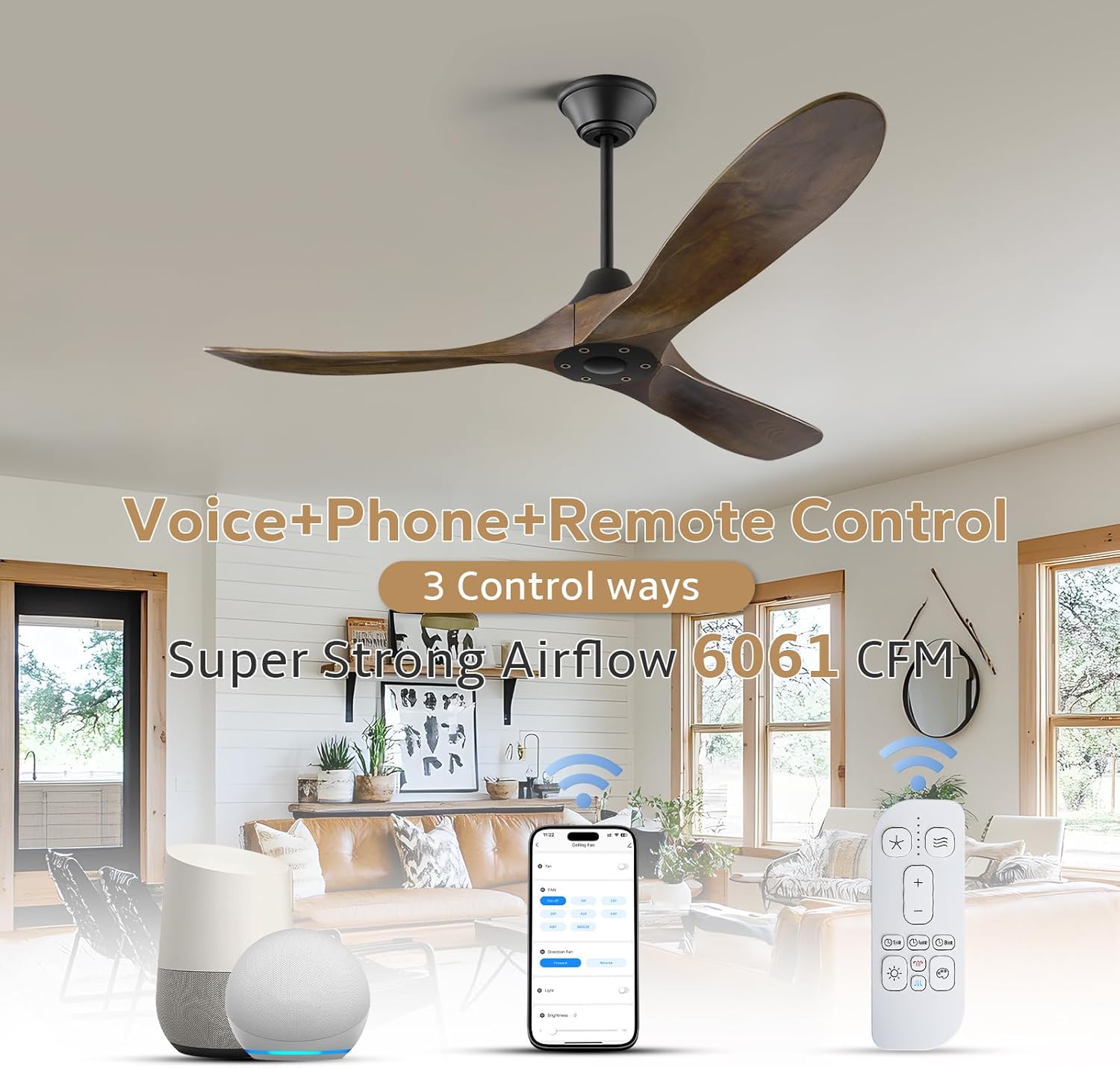
Image: Illustration of the three control methods: voice control via smart assistants (Alexa, Google Assistant), remote control, and mobile app control, emphasizing the fan's smart capabilities.
6.2 Reversible Function
The fan features a reversible motor for optimal comfort throughout the year:
- Summer Mode (Forward Rotation): Blades rotate counter-clockwise, pushing air downwards to create a cooling breeze.
- Winter Mode (Reverse Rotation): Blades rotate clockwise, drawing air upwards to circulate warm air trapped near the ceiling, helping to distribute heat more evenly.
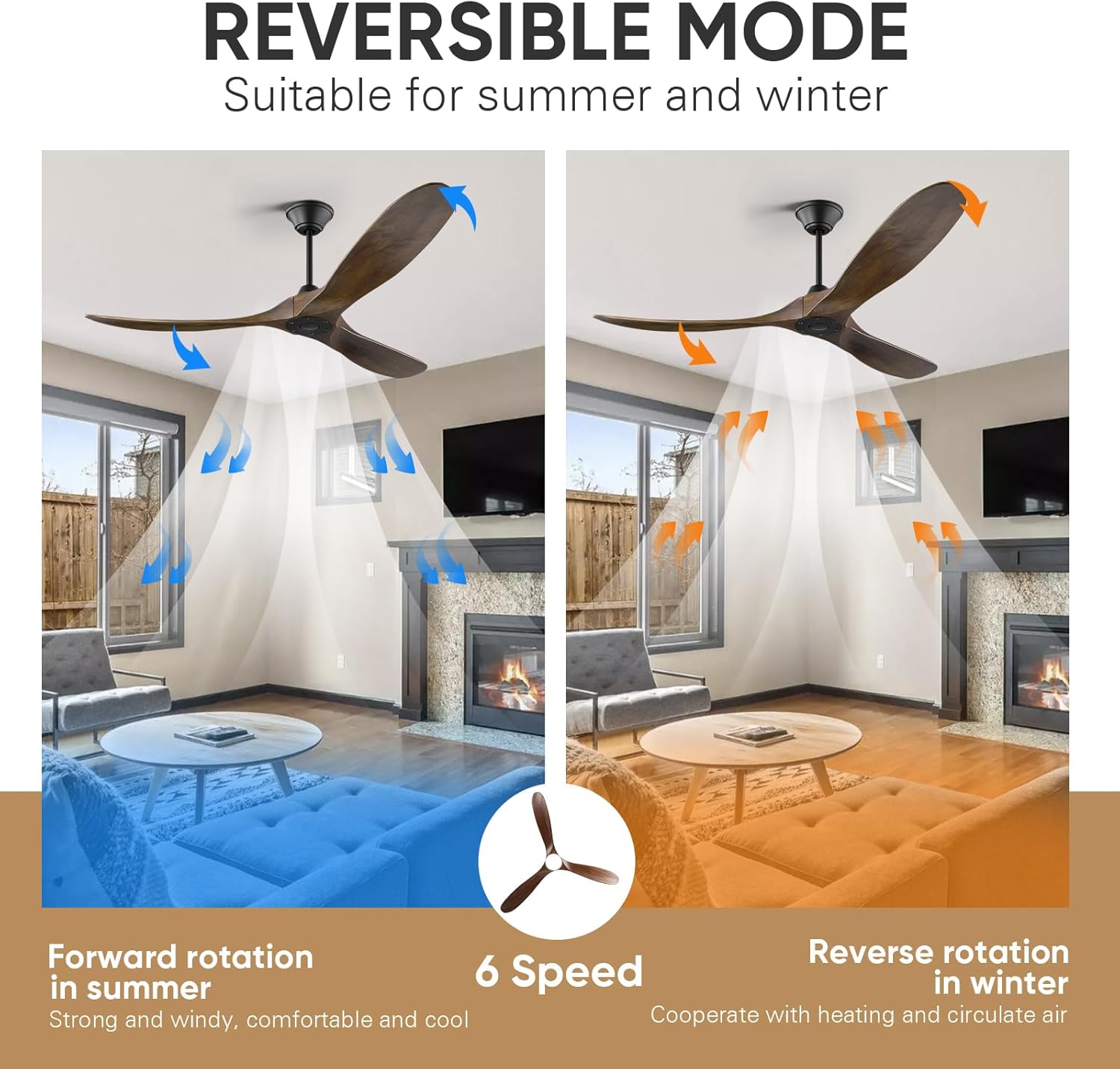
Image: A visual representation of the fan's reversible mode, showing forward rotation for summer cooling and reverse rotation for winter heat circulation, both with 6 speed options.
6.3 Energy Efficiency and Quiet Operation
The DC motor is designed for high efficiency and low noise.

Image: Information on the fan's low noise level (below 30dB), highlighting features like 'Whisper Wind' and 'Memory Function' for comfortable sleep, along with a noise level comparison chart.

Image: A comparison illustrating the energy efficiency of the DC motor, showing it is over 75% more energy efficient than traditional AC motor fans, with lab test results for working hours at different speeds.
6.4 Product Video Demonstration
Video: A demonstration of the NWIASS ceiling fan in operation within a commercial setting, showcasing its quiet performance and effective air circulation. This video is provided by the seller.
7. Maintenance
Regular maintenance ensures optimal performance and longevity of your ceiling fan.
- Cleaning: Use a soft, damp cloth to clean the fan blades and motor housing. Do not use abrasive cleaners or solvents.
- Blade Care: Periodically check the fan blades for any signs of warping or damage. Ensure they are securely fastened.
- Tighten Screws: Over time, screws may loosen. Periodically check and tighten all screws on the fan assembly.
- No Lubrication Needed: The motor is permanently lubricated and does not require oiling.
8. Troubleshooting
If you encounter issues with your fan, refer to the following common problems and solutions:
| Problem | Possible Cause | Solution |
|---|---|---|
| Fan does not start | No power to the fan Loose wire connections Remote control battery low | Check circuit breaker and wall switch Verify all wire connections are secure Replace remote control battery |
| Fan makes excessive noise | Loose fan blades Loose mounting screws Motor issue | Ensure all blade screws are tight Tighten all mounting screws Contact customer support if noise persists |
| Fan wobbles | Unbalanced blades Loose mounting bracket Improper downrod installation | Check for bent blades or use a balancing kit Ensure mounting bracket is securely fastened Re-install downrod according to instructions |
| Remote control not working | Battery low or dead Remote not paired Obstruction between remote and receiver | Replace battery Follow pairing instructions in the full manual Ensure clear line of sight |
If you encounter any problems not listed here, or if the solutions do not resolve the issue, please contact NWIASS customer support.
9. Warranty & Support
NWIASS stands behind the quality of its products.
- Motor Warranty: The fan motor comes with a lifetime warranty.
- General Warranty: Please refer to your purchase documentation for specific warranty details on other components.
- Customer Support: If you have any questions, require assistance with installation, or need to report missing or damaged parts, please contact NWIASS customer service.
For support, please visit the NWIASS Store on Amazon or refer to the contact information provided with your purchase.
Ask a question about this manual
Ask about setup, troubleshooting, compatibility, parts, safety, or missing instructions. Manuals+ will review the question and use this page’s manual context to help answer it.